Avaza vs. elapseit

Overview
ProductRatingMost Used ByProduct SummaryStarting Price
Avaza
Score 8.4 out of 10
Mid-Size Companies (51-1,000 employees)
Avaza is a software suite targeted for all business sizes. It includes modules for project management and collaboration, resource scheduling, team chat, time tracking, expense management, quoting and invoicing. Depending on their business needs, companies can use as many, or as few, of the modules as they need. Avaza offers reporting functionality, and the project management module is designed with both list view and Kanban style task management, so users can choose…
$0
elapseit
Score 0.0 out of 10
N/A
elapseit is a web-based resource management software solution. It helps businesses match their resources with the upcoming needs and deadlines, as an integrated solution with modules for resource planning, financial management, and project management. The product comes with smart automation, especially for invoicing. It is presented as an ideal choice for medium and large companies, designed to cover most part of their need in resources and project management, but it can also be used by…
$14
per month per user
Pricing
Avazaelapseit
Editions & Modules
Free Plan
$0
Unlimited Project Collaborators, 1 Admin, 1 Timesheet/ Expense User, 1 Resource Scheduling User
Startup Plan
$11.95
per month
Basic Plan
$23.95
per month
Business Plan
$47.95
per month
Resourcing
$14
per month per user
Complete
$21
per month per user
Offerings
Pricing Offerings
Avazaelapseit
Free Trial
YesYes
Free/Freemium Version
YesYes
Premium Consulting/Integration Services
YesYes
Entry-level Setup FeeOptionalNo setup fee
Additional DetailsThere is also the 3rd pricing plan - Enterprise, which offers integrated and customised solution as specific features, customised integrations, dedicated support, isolated environment and custom URL. There is no fixed price for this plan, the client receiving an offered price after discussions, when we have a clear image of what the client needs.
More Pricing Information
Community Pulse
Avazaelapseit
Features
Avazaelapseit
Project Management
Comparison of Project Management features of Product A and Product B
Avaza
8.0
7 Ratings
3% above category average
elapseit
-
Ratings
Task Management10.07 Ratings00 Ratings
Resource Management7.05 Ratings00 Ratings
Gantt Charts7.04 Ratings00 Ratings
Scheduling8.06 Ratings00 Ratings
Team Collaboration10.07 Ratings00 Ratings
Support for Agile Methodology7.01 Ratings00 Ratings
Support for Waterfall Methodology7.01 Ratings00 Ratings
Document Management9.01 Ratings00 Ratings
Email integration8.03 Ratings00 Ratings
Mobile Access8.05 Ratings00 Ratings
Timesheet Tracking7.07 Ratings00 Ratings
Budget and Expense Management8.05 Ratings00 Ratings
Professional Services Automation
Comparison of Professional Services Automation features of Product A and Product B
Avaza
10.0
4 Ratings
26% above category average
elapseit
-
Ratings
Quotes/estimates10.04 Ratings00 Ratings
Invoicing10.04 Ratings00 Ratings
Project & financial reporting10.04 Ratings00 Ratings
Integration with accounting software10.01 Ratings00 Ratings
Best Alternatives
Avazaelapseit
Small Businesses
Stackby
Stackby
Score 9.0 out of 10
Stackby
Stackby
Score 9.0 out of 10
Medium-sized Companies
InEight
InEight
Score 9.5 out of 10
InEight
InEight
Score 9.5 out of 10
Enterprises
InEight
InEight
Score 9.5 out of 10
InEight
InEight
Score 9.5 out of 10
All AlternativesView all alternativesView all alternatives
User Ratings
Avazaelapseit
Likelihood to Recommend
10.0
(7 ratings)
-
(0 ratings)
Likelihood to Renew
10.0
(1 ratings)
-
(0 ratings)
Usability
9.0
(1 ratings)
-
(0 ratings)
Support Rating
10.0
(1 ratings)
-
(0 ratings)
User Testimonials
Avazaelapseit
Likelihood to Recommend
Avaza Limited
We are a pretty unique business because we deal with bookkeeping, marketing, and HR and across all 3 departments, we have been able to successfully use the tool. Other software we have tried usually caters to one industry at a time.
Read full review
Elapse IT SRL
No answers on this topic
Pros
Avaza Limited
  • It switches between Kanban view, List view, and Gantt charts which fits varying preferences!
  • It helps us work smart by creating dependencies and linking tasks to calendars
  • It has a clean, intuitive dashboard that's very easy to navigate
Read full review
Elapse IT SRL
No answers on this topic
Cons
Avaza Limited
  • The interface and taxonomy could use an update, sometimes it's hard to figure out where things logically are or should be.
Read full review
Elapse IT SRL
No answers on this topic
Likelihood to Renew
Avaza Limited
Because it has been amazing and easy to work with.
Read full review
Elapse IT SRL
No answers on this topic
Usability
Avaza Limited
Avaza is very easy to use, but the mobile app needs work.
Read full review
Elapse IT SRL
No answers on this topic
Support Rating
Avaza Limited
They are always available and open to doing a call or a shared screen to walk through the issues.
Read full review
Elapse IT SRL
No answers on this topic
Alternatives Considered
Avaza Limited
Avaza takes the easy of Asana and adds the invoicing and bookkeeping capabilities you need all in one place.
Read full review
Elapse IT SRL
No answers on this topic
Return on Investment
Avaza Limited
  • Avaza has made it easier to see how long I spend on certain types of projects and where I could be spending more time.
Read full review
Elapse IT SRL
No answers on this topic
ScreenShots

Avaza Screenshots

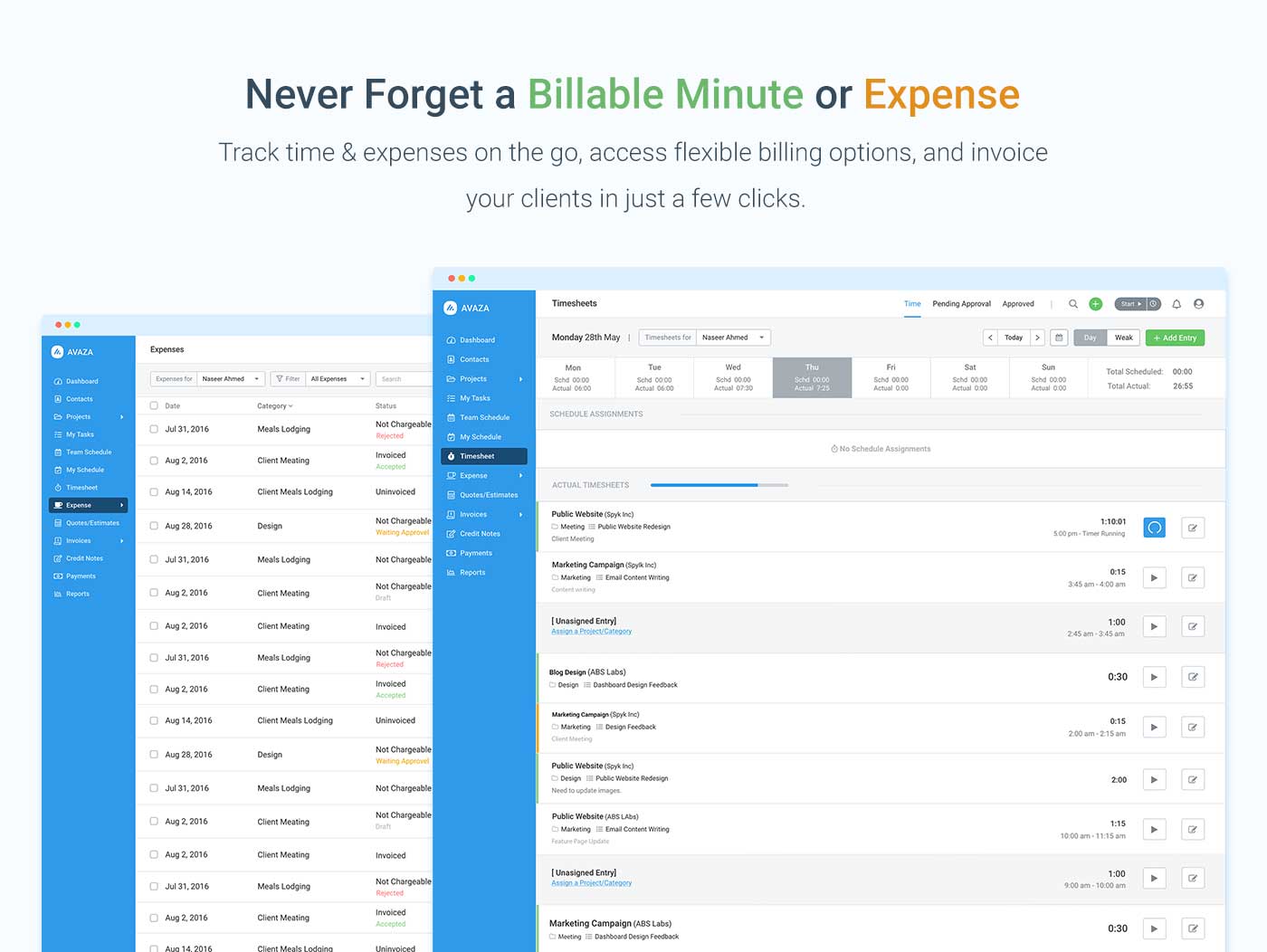
Screenshot of avaza, appearing across platformsScreenshot of visual project resource scheduling for teamsScreenshot of time and expense trackingScreenshot of team chatScreenshot of time trackingScreenshot of the expense management interface

elapseit Screenshots

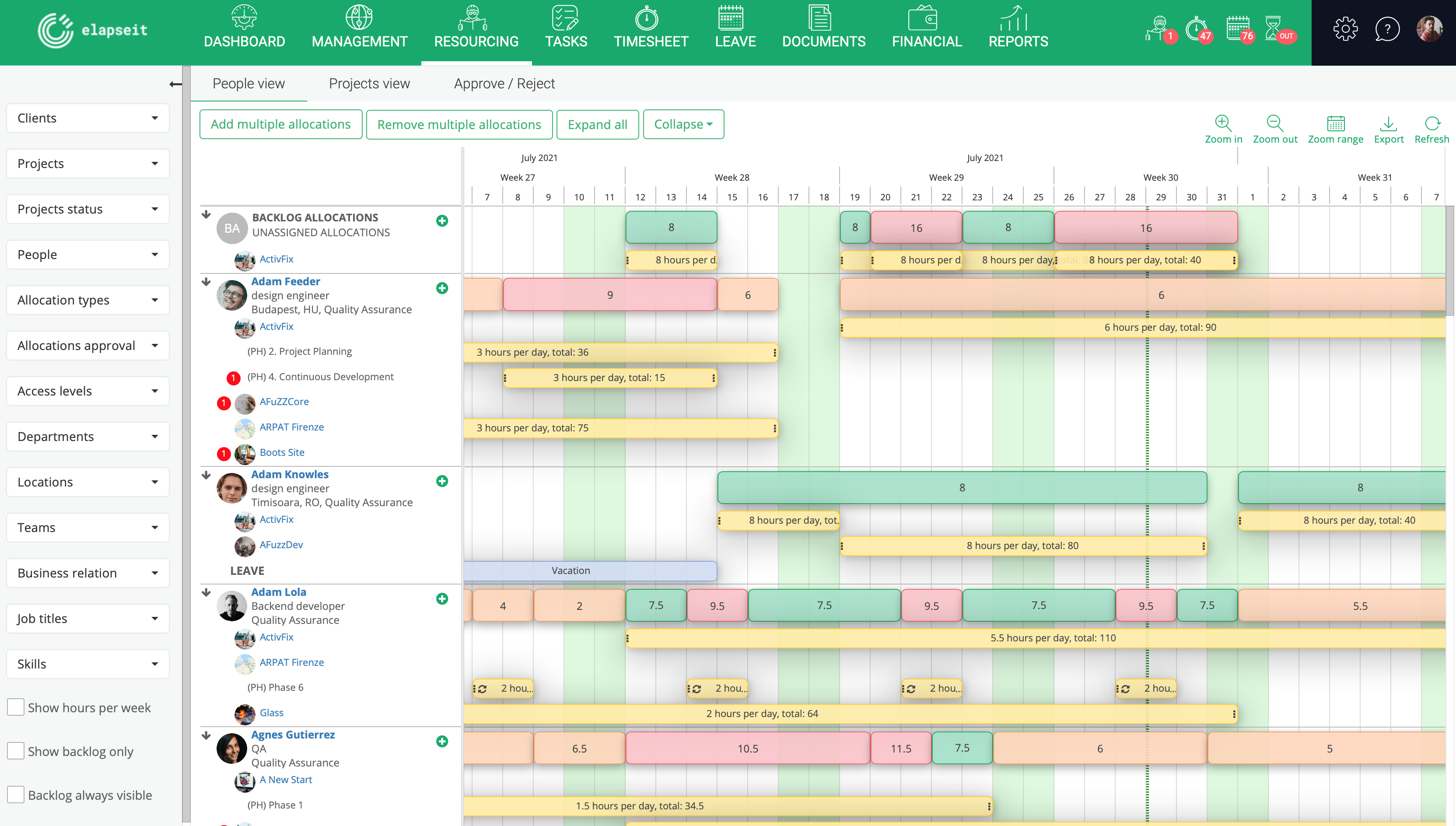
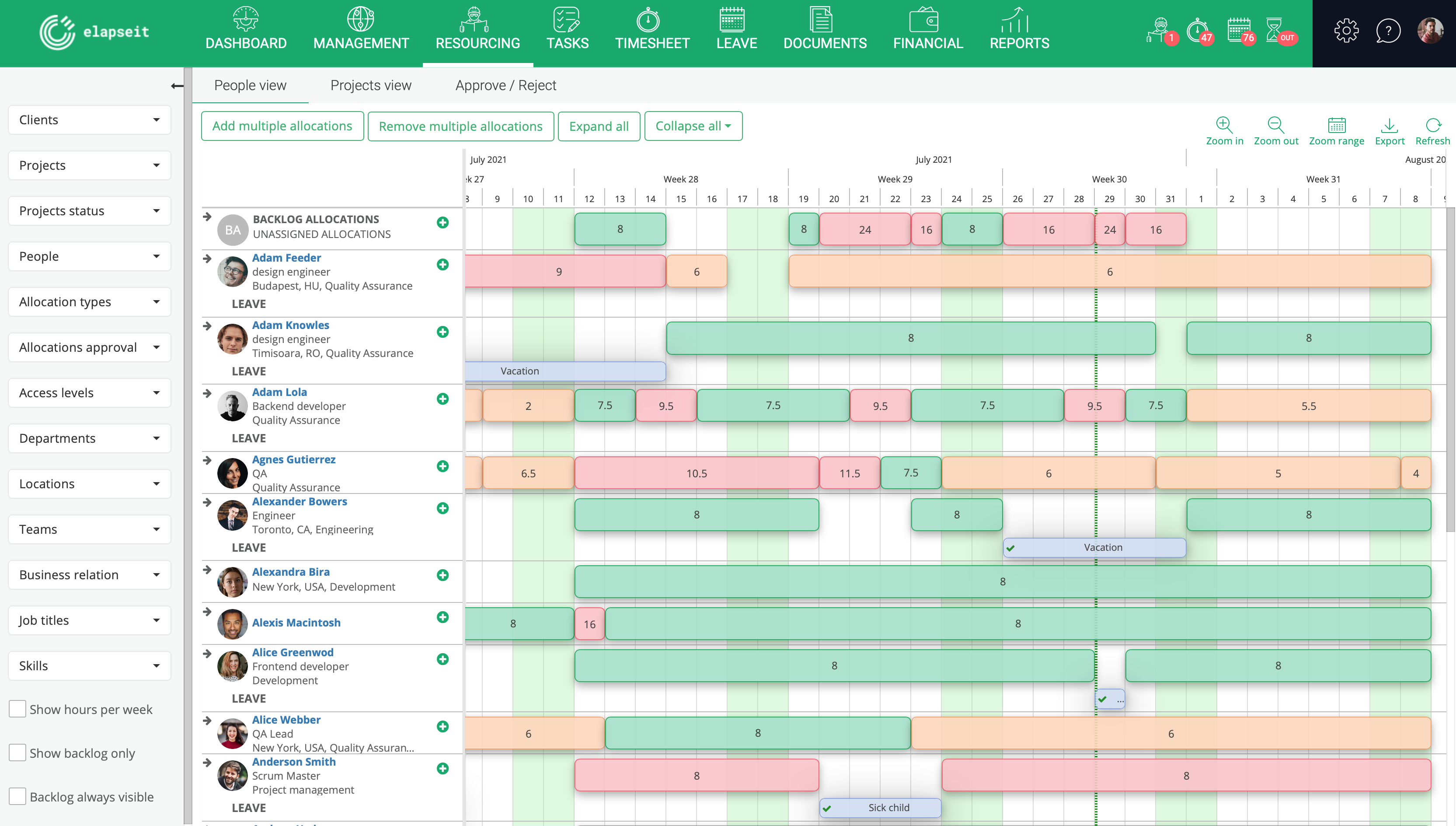
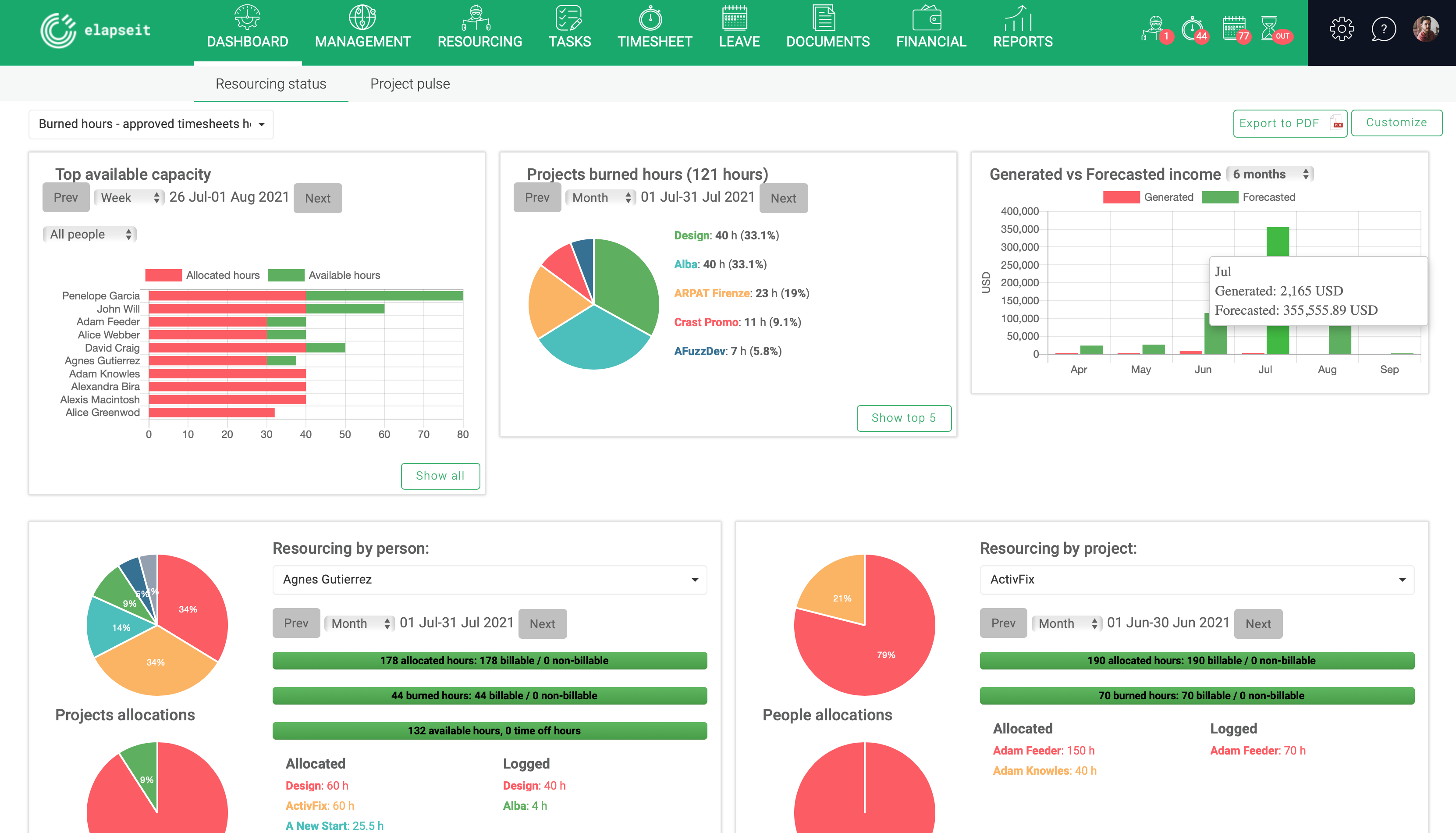
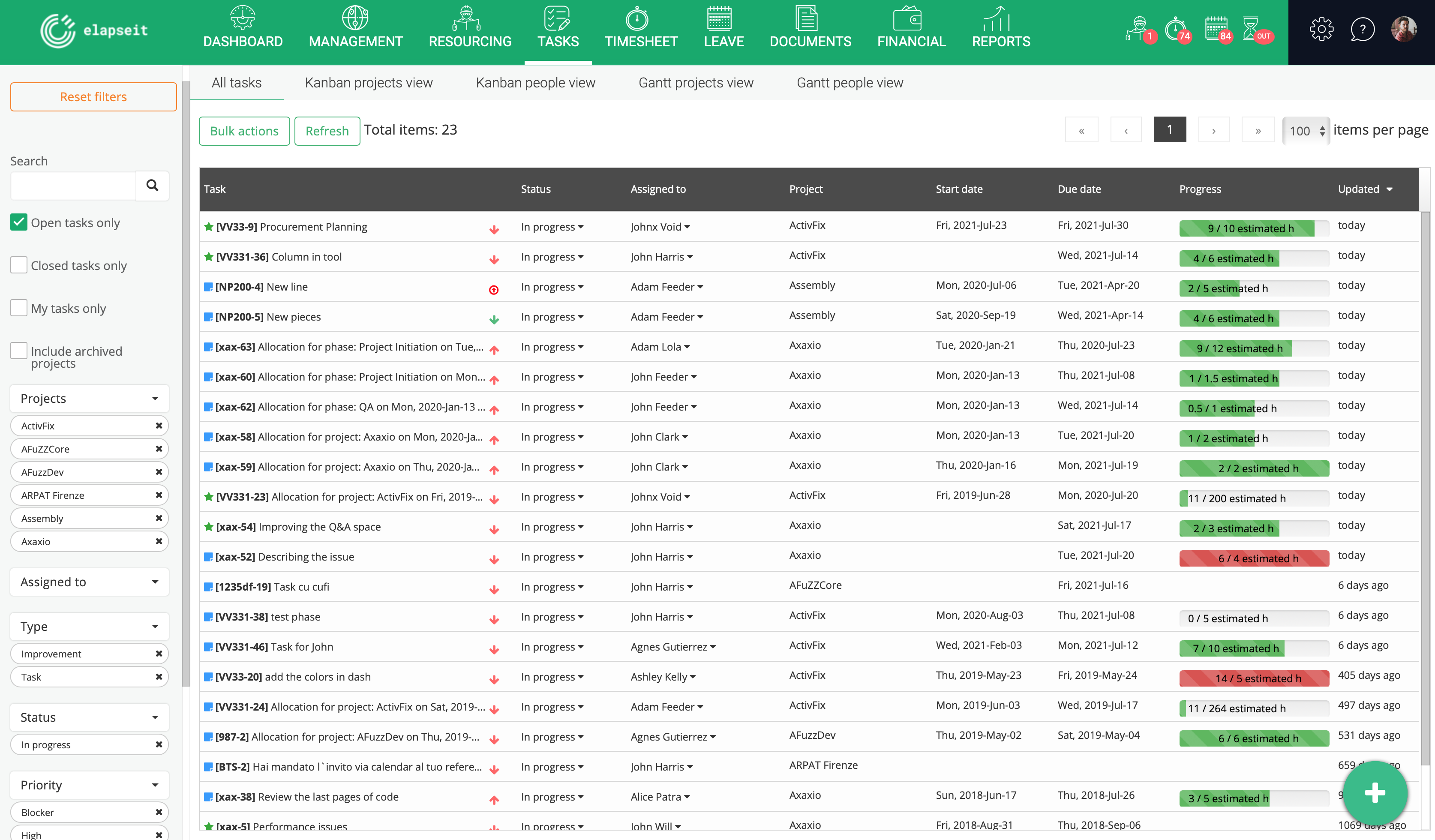
Screenshot of Resource planner expanded, where you can see the availability of all your resources, and who is working on what project, how many hours, etcScreenshot of Resource planner collapsed, which gives you a very clear image of who is under allocated (orange), fully allocated (green) and over allocated (red). Having this view, a project manager can rearrange the allocations, so that all the resources can work a normal schedule.Screenshot of Resourcing dashboard is showing you the state of your business in one page, from resourcing information (availability, leave, tasks allocations) to financial information (revenue forecasted vs generate, invoices, expenses)Screenshot of Tasks list, where are listed all the tasks with statistics about the logged hours, and basic information about the status, project and resource assigned to the task.Screenshot of KanBan board for a project, with the statuses (columns) for each taskScreenshot of Gantt view, with tasks assigned and dependencies for each one