
Avica Remote Desktop vs. Getscreen.me
| Product | Rating | Most Used By | Product Summary | Starting Price |
|---|---|---|---|---|
 Avica Remote Desktop | Score9.7 out of 10 | N/A | Avica delivers remote desktop solutions for collaboration and connectivity. The software aims to provide access to devices worldwide with strong uptime, ultra-low latency, and lag-free performance. Avica uses enterprise-grade 256-bit AES encryption to safeguard data and prevent breaches during remote access. Users can share screens, transfer files, annotate documents, and chat in real-time to enable efficient teamwork unhindered by location. IT can also centrally monitor, control, and… | $9 per month per user |
 Getscreen.me | Score8.7 out of 10 | N/A | Getscreen.me is a cloud-based software for administration, technical support and remote work. Service provides remote desktop access from a browser, without any installation. It has permanent access and boasts quick support and instantaneous connection, with computers in the user's personal cabinet. The service works over the HTTPS protocol, which includes AES encryption. | $0 per user |
| Avica Remote Desktop | Getscreen.me | |||||||||||||||
|---|---|---|---|---|---|---|---|---|---|---|---|---|---|---|---|---|
| Editions & Modules |
|
| ||||||||||||||
| Offerings |
| |||||||||||||||
| Entry-level Setup Fee | No setup fee | No setup fee | ||||||||||||||
| Additional Details | — | 16% discount with an annual subscription | ||||||||||||||
| More Pricing Information | ||||||||||||||||
| Avica Remote Desktop | Getscreen.me | |
|---|---|---|
| Considered Both Products | No answer on this topic | No answer on this topic |
| Key User Insights | ||
| Would buy again | ||
No answers on this topic | 100% Would buy again 21 Answers | |
| Delivers good value for the price | ||
No answers on this topic | 100% Delivers good value for the price 21 Answers | |
| Happy with the feature set | ||
No answers on this topic | 100% Happy with the feature set 21 Answers | |
| Lived up to sales and marketing promises | ||
No answers on this topic | 90% Lived up to sales and marketing promises 19 Answers | |
| Implementation went as expected | ||
No answers on this topic | 100% Implementation went as expected 21 Answers | |
| Avica Remote Desktop | Getscreen.me | |||||||||||||||||||||||||||||||
|---|---|---|---|---|---|---|---|---|---|---|---|---|---|---|---|---|---|---|---|---|---|---|---|---|---|---|---|---|---|---|---|---|
| Remote Administration |
| |||||||||||||||||||||||||||||||
| Avica Remote Desktop | Getscreen.me | |
|---|---|---|
| Small Businesses |  N-able Take Control Score7.2 out of 10 | N-able Take Control Score7.2 out of 10 |
| Medium-sized Companies |  Remote Desktop Manager Score9.6 out of 10 | Remote Desktop Manager Score9.6 out of 10 |
| Enterprises |  BeyondTrust Privileged Remote Access Score9.1 out of 10 | BeyondTrust Privileged Remote Access Score9.1 out of 10 |
| All Alternatives | View all alternatives | View all alternatives |
| Avica Remote Desktop | Getscreen.me | |
|---|---|---|
| Likelihood to Recommend | - | 9.1 |
| Likelihood to Renew | - | 9.9 |
| Usability | - | 10.0 |
| Support Rating | - | 10.0 |
| Implementation Rating | - | 10.0 |
| Avica Remote Desktop | Getscreen.me | |
|---|---|---|
| Likelihood to Recommend | No answers on this topic |
|
| Pros | No answers on this topic |
|
| Cons | No answers on this topic |
|
| Likelihood to Renew | No answers on this topic |
|
| Usability | No answers on this topic |
|
| Support Rating | No answers on this topic |
|
| Implementation Rating | No answers on this topic |
|
| Alternatives Considered | No answers on this topic |
|
| Return on Investment | No answers on this topic |
|
| ScreenShots | Getscreen.me Screenshots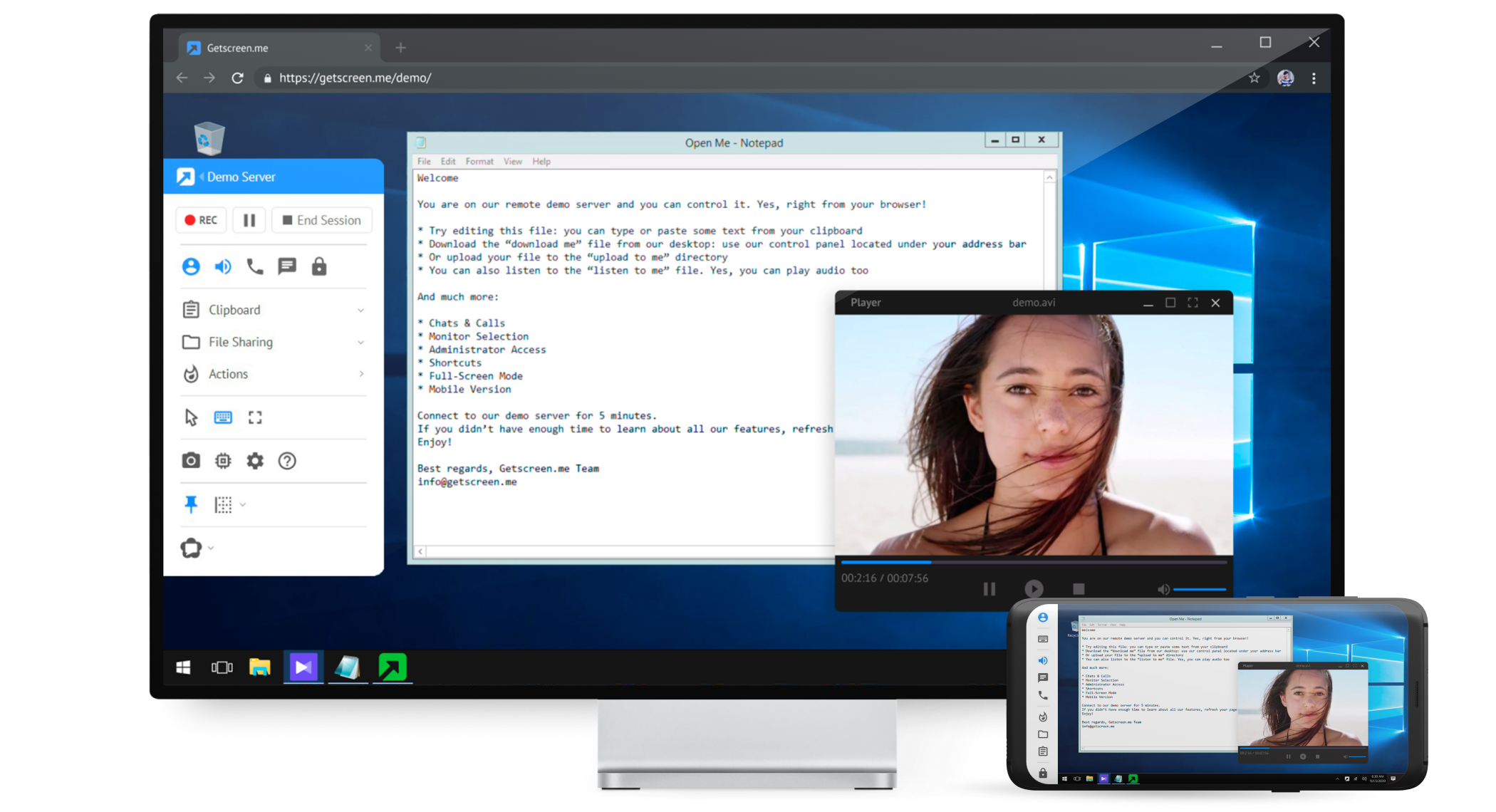   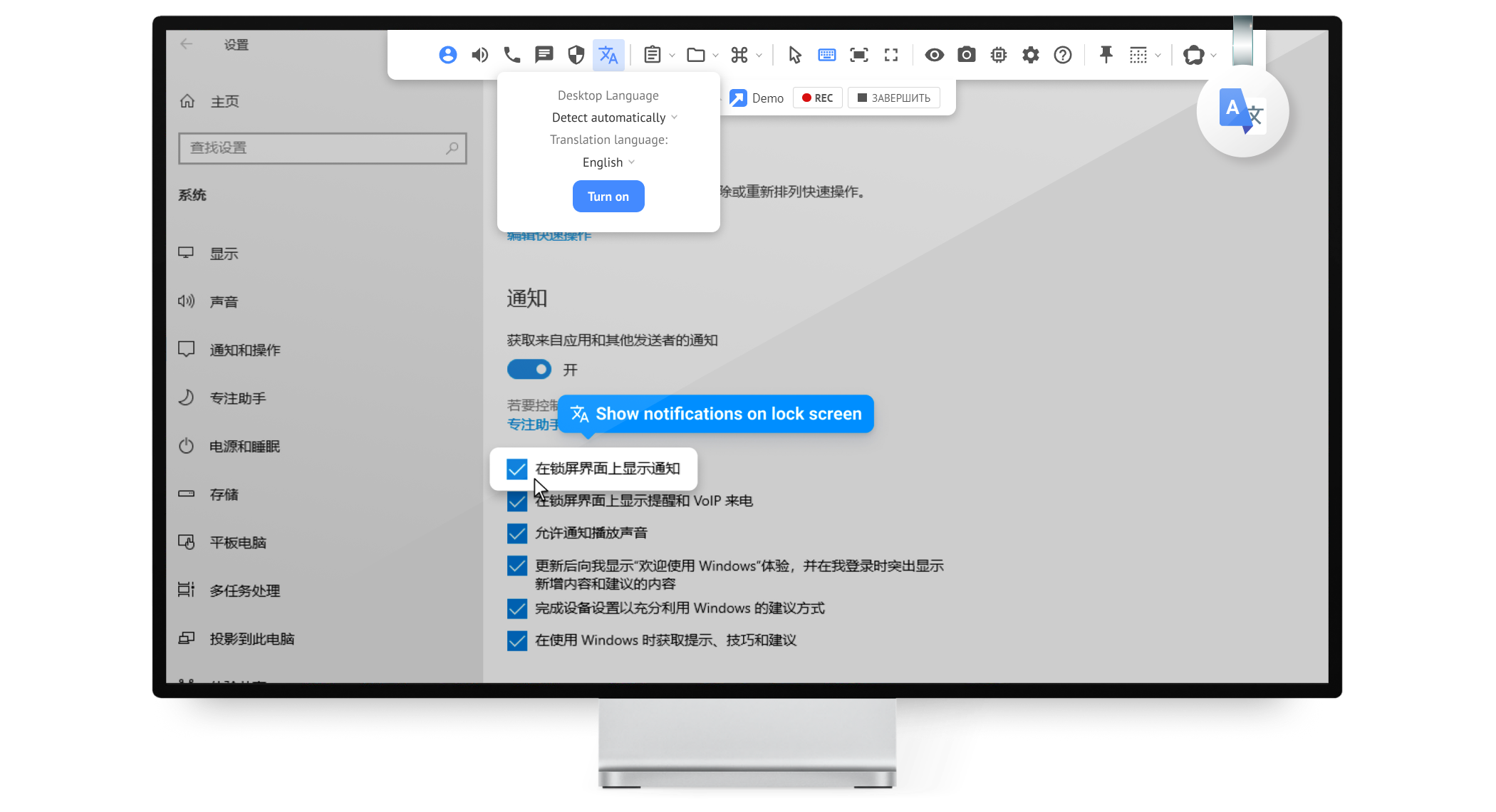  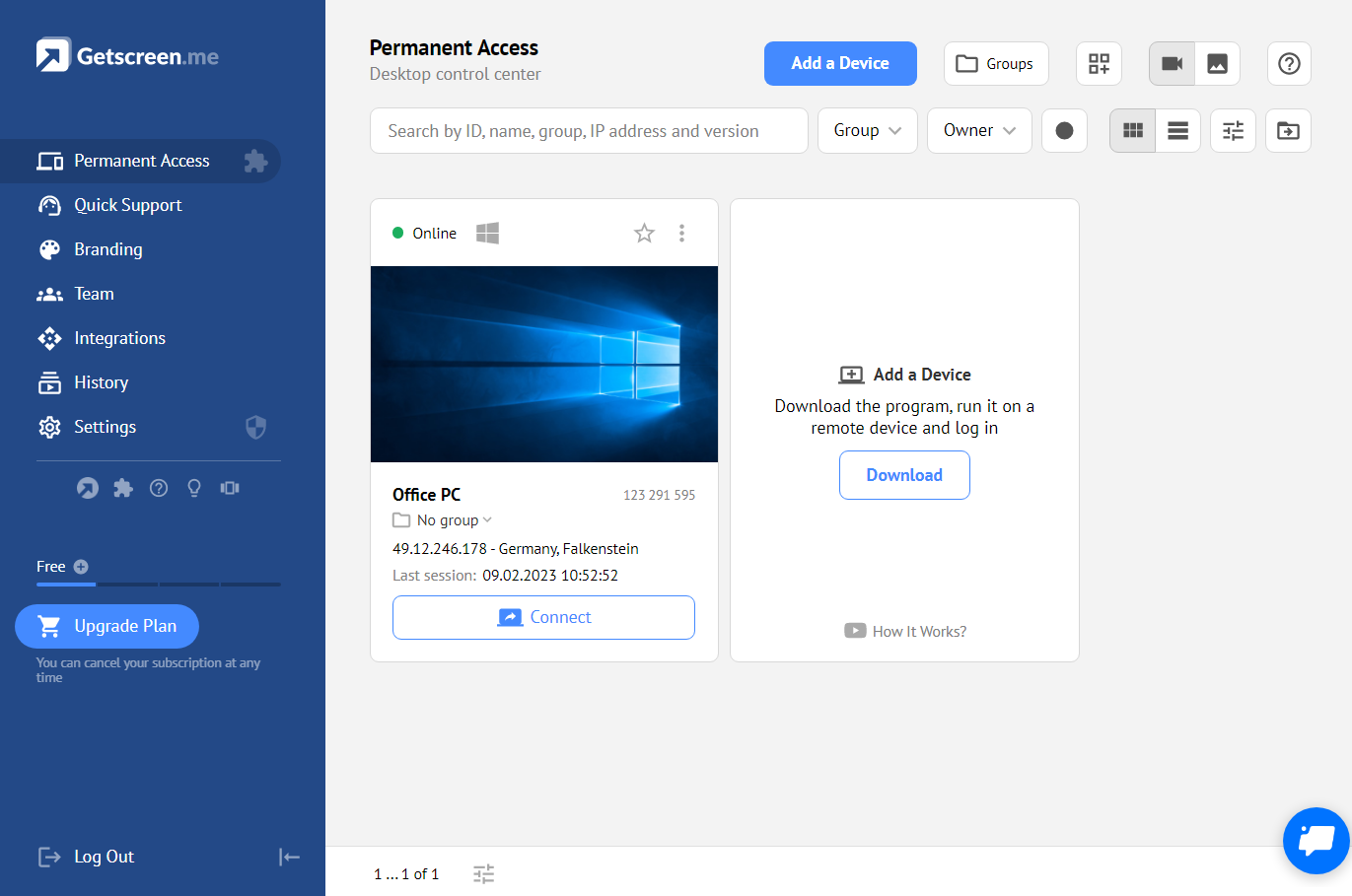 |


