AWS CodePipeline is a fully managed continuous delivery service that helps users automate release pipelines. CodePipeline automates the build, test, and deploy phases of the release process every time there is a code change, based on the release model a user defines.
$1
per active pipeline/per month
Jenkins
Score 8.4 out of 10
N/A
Jenkins is an open source automation server. Jenkins provides hundreds of plugins to support building, deploying and automating any project. As an extensible automation server, Jenkins can be used as a simple CI server or turned into a continuous delivery hub for any project.
N/A
Anypoint Platform
Score 7.9 out of 10
N/A
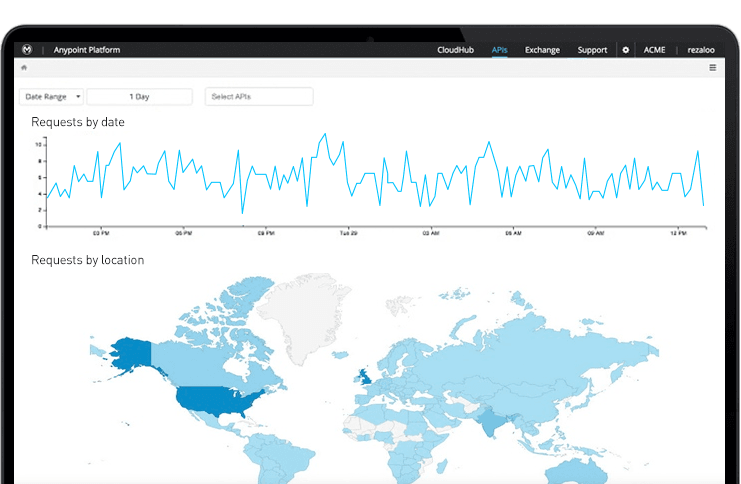
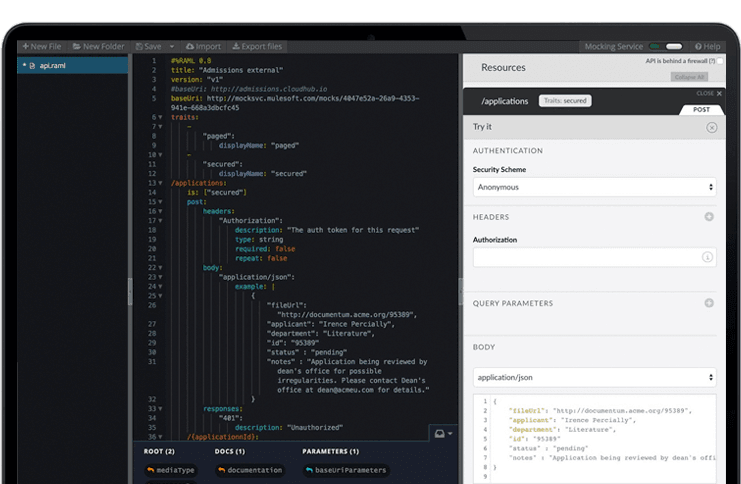
The Anypoint Platform developed by MuleSoft and acquired by Salesforce in early 2018 is designed to
connect apps, data, and devices anywhere, on-premises or in the cloud. This platform was built to
offer out-of-the-box connectors as well as tools that architects and developers can adopt quickly to
design, build and manage the entire lifecycle of their APIs, applications, and products.
N/A
Pricing
AWS CodePipeline
Jenkins
MuleSoft Anypoint Platform
Editions & Modules
AWS CodePipeline
$1
per active pipeline/per month
Free Tier
Free
No answers on this topic
No answers on this topic
Offerings
Pricing Offerings
AWS CodePipeline
Jenkins
Anypoint Platform
Free Trial
No
No
Yes
Free/Freemium Version
Yes
Yes
Yes
Premium Consulting/Integration Services
No
No
No
Entry-level Setup Fee
No setup fee
No setup fee
No setup fee
Additional Details
—
—
—
More Pricing Information
Community Pulse
AWS CodePipeline
Jenkins
MuleSoft Anypoint Platform
Considered Multiple Products
AWS CodePipeline
Verified User
Engineer
Chose AWS CodePipeline
CodeCommit and CodeDeploy can be used with CodePipeline so it’s not really fair to stack them against each other as they can be quite the compliment. The same goes for Beanstalk, which is often used as a deployment target in relation to CodePipeline.
CodePipeline fulfills the …
We selected AWS CodePipeline mainly because we wanted to keep the application stack completely native to AWS, and CodePipeline provided the best integrations with AWS services that we were using, such as S3, Elastic Beanstalk, and Lamba. Furthermore, AWS CodePipeline provided …
I felt that, out of the alternatives, AWS CodePipeline was the simplest to setup and most reliable. Since my client's infrastructure was already hosted in AWS, I felt it was a no-brainer. If a client needed a similar solution with on-prem or non-AWS infrastructure, I would …
AWS Codepipeline is proprietary to Amazon Web Services and works well when you're working with other AWS products. If you're using a different technology stack, then Codepipeline may not be the best tool and some open source/closed source tools available on the web may suffice.
They all pretty much have the same feature set. AWS CodePipeline has been improving in recent years, and it just makes sense to keep everything within Amazon's ecosystem.
Originally Jenkins was selected because it was the best around, but it has since been outclassed by more specific services or cloud-based services and tools that will do all of the heavy lifting for you. Jenkins still has a use case - but it's hard to argue the additional …
It is a powerful tool with smart intelligence. The drag and drop feature makes my work easy. The tool has great connecting support which is the best reason to use the tool on a daily basis. Powerful functionality with designing and implementing APIs. Hosted on public IP.
I think AWS CodePipeline is a great tool for anyone wanted automated deployments in a multi-server/container AWS environment. AWS also offers services like Elastic Beanstalk that provide a more managed hosting & deployment experience. CodePipeline is a good middle ground with solid, built-in automation with enough customizability to not lock people into one deployment or architecture philosophy.
Jenkins is a highly customizable CI/CD tool with excellent community support. One can use Jenkins to build and deploy monolith services to microservices with ease. It can handle multiple "builds" per agent simultaneously, but the process can be resource hungry, and you need some impressive specs server for that. With Jenkins, you can automate almost any task. Also, as it is an open source, we can save a load of money by not spending on enterprise CI/CD tools.
MuleSoft Anypoint Platform is best tool in the market for developing APIs with complex structures communicating with various different types of applications including web applications as well as legacy applications. Also applications including database connectivity for fetching and updating data in the DB tables. I cant think of any scenario which MuleSoft Anypoint Platform could not be used for developing the integrations.
Automated Builds: Jenkins is configured to monitor the version control system for new pull requests. Once a pull request is created, Jenkins automatically triggers a build process. It checks out the code, compiles it, and performs any necessary build steps specified in the configuration.
Unit Testing: Jenkins runs the suite of unit tests defined for the project. These tests verify the functionality of individual components and catch any regressions or errors. If any unit tests fail, Jenkins marks the build as unsuccessful, and the developer is notified to fix the issues.
Code Analysis: Jenkins integrates with code analysis tools like SonarQube or Checkstyle. It analyzes the code for quality, adherence to coding standards, and potential bugs or vulnerabilities. The results are reported back to the developer and the product review team for further inspection.
Has more features than what we really need so we're paying for more than we use. Sort of like paying for an Abrams tank when all we really need is a Toyota Corolla.
Not a value product, tends to be expensive.
Takes a while for developers to learn to use Mulesoft Anypoint.
We have a certain buy-in as we have made a lot of integrations and useful tools around jenkins, so it would cost us quite some time to change to another tool. Besides that, it is very versatile, and once you have things set up, it feels unnecessary to change tool. It is also a plus that it is open source.
Overall, I give AWS Codepipeline a 9 because it gets the job done and I can't complain much about the web interface as much of the action is taking place behind the scenes on the terminal locally or via Amazon's infrastructure anyway. It would be nicer to have a better flowing and visualizable web interface, however.
Jenkins streamlines development and provides end to end automated integration and deployment. It even supports Docker and Kubernetes using which container instances can be managed effectively. It is easy to add documentation and apply role based access to files and services using Jenkins giving full control to the users. Any deviation can be easily tracked using the audit logs.
There’s a lot of learning curve at the beginning when it comes to building the code and everything. In terms of usability, I’d say once you get used to it, it’s fine — but it’s not very easy during the initial stages.
Our pipeline takes about 30 minutes to run through. Although this time depends on the applications you are using on either end, I feel that it is a reasonable time to make upgrades and updates to our system as it is not an every day push.
No, when we integrated this with GitHub, it becomes more easy and smart to manage and control our workforce. Our distributed workforce is now streamlined to a single bucket. All of our codes and production outputs are now automatically synced with all the workers. There are many cases when our in-house team makes changes in the release, our remote workers make another release with other environment variables. So it is better to get all of the work in control.
We didn't need a lot of support with AWS CodePipeline as it was pretty straightforward to configure and use, but where we ran into problems, the AWS community was able to help. AWS support agents were also helpful in resolving some of the minor issues we encountered, which we could not find a solution elsewhere.
As with all open source solutions, the support can be minimal and the information that you can find online can at times be misleading. Support may be one of the only real downsides to the overall software package. The user community can be helpful and is needed as the product is not the most user-friendly thing we have used.
Anypoint Platform support is very responsive. There is also a huge knowledge base and an active online forum where answers to most questions can be found. When needed support engages the engineering group so adequate solutions or workarounds are always provided.
It is worth well the time to setup Jenkins in a docker container. It is also well worth to take the time to move any "Jenkins configuration" into Jenkinsfiles and not take shortcuts.
CodeCommit and CodeDeploy can be used with CodePipeline so it’s not really fair to stack them against each other as they can be quite the compliment. The same goes for Beanstalk, which is often used as a deployment target in relation to CodePipeline.
CodePipeline fulfills the CI/CD duty, where the other services do not focus on that specific function. They are supplements, not replacements. CodePipeline will detect the updated code and handle deploying it to the actual instance via Beanstalk.
Jenkins is open source and not a native AWS service, that is its primary differentiator. Jenkins can also be used as a supplement to CodePipeline.
Overall, Jenkins is the easiest platform for someone who has no experience to come in and use effectively. We can get a junior engineer into Jenkins, give them access, and point them in the right direction with minimal hand-holding. The competing products I have used (TravisCI/GitLab/Azure) provide other options but can obfuscate the process due to the lack of straightforward simplicity. In other areas (capability, power, customization), Jenkins keeps up with the competition and, in some areas, like customization, exceeds others.
Once we have moved all of our system integration APIs to the MuleSoft Anypoint Platform, we will need to communicate with a wide variety of external systems. All of our business and service logic is stored in the aforementioned core systems. Anypoint Platform (and all of our APIs) makes it easy to connect to various other platforms. In order to link to these many other systems, connectors and/or components are utilized, and they are simple to configure and integrate.
CodePipeline has reduced ongoing devops costs for my clients, especially around deployment & testing.
CodePipeline has sped up development workflow by making the deployment process automated off git pushes. Deployment takes very little coordination as the system will just trigger based on what is the latest commit in a branch.
CodePipeline offered a lot of out-of-the-box functionality that was much simpler to setup than a dedicated CI server. It allowed the deployment process to built and put into production with much less and effort and cost compared to rolling the functionality manually.