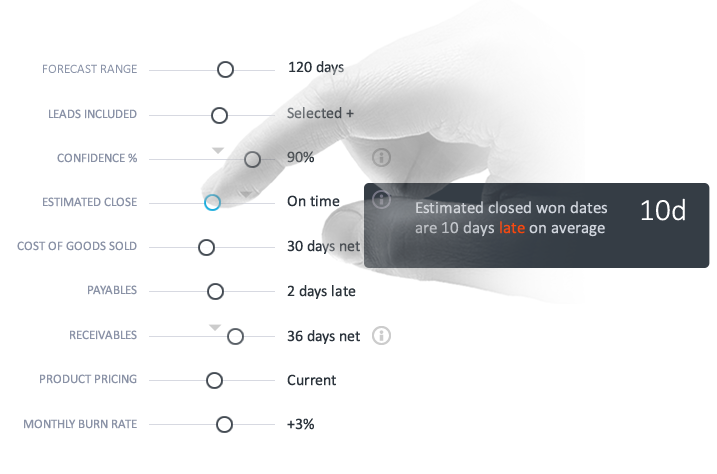
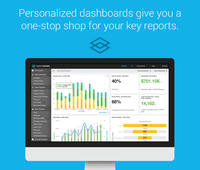
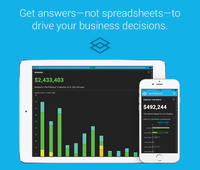
Azurepath is designed to automate lead management and performance tracking for insightful business growth. According to the vendor, Azurepath is remarkably easy to use and suitable for any sized business selling any kind of product or service. Visual lead queues for individuals and teams eliminate tasks and calendars. Automated trend charts with built-in insights eliminate manual reporting. The vendor’s value proposition is that seamless integrated sales and cash forecasting allow for…
N/A
Mediafly
Score 7.7 out of 10
N/A
Mediafly Intelligence360, based on InsightSquared's solution acquired by Mediafly in 2021, is a sales analytics and development platform that also supports demand generation analytics and SaaS reporting. It is designed for providing insights into sales processes, closing rates, pipeline and revenue forecasts, calculating KPIs, and market hiring processes.
N/A
Pricing
Azurepath
Mediafly
Editions & Modules
No answers on this topic
Offerings
Pricing Offerings
Azurepath
Mediafly
Free Trial
Yes
Yes
Free/Freemium Version
No
Yes
Premium Consulting/Integration Services
No
No
Entry-level Setup Fee
No setup fee
No setup fee
Additional Details
Free 30 day trial with no credit card required. $14.95 per user, per month thereafter. Unlimited usage.
—
More Pricing Information
Community Pulse
Azurepath
Mediafly
Considered Both Products
Azurepath
Verified User
Anonymous
Chose Azurepath
They are both strong CRMs which are effective at their job of automation to generate data regarding sales. However I would say Azurepath is simply better in terms of it's price as the features offered in my opinion far exceed the low costs which come with the package, hence …
InsightSquared was much more user-friendly for the reps - it required less duplication of data input as it syncs directly from CRM. Setup on the back-end was also easier and faster. Dashboard creation with widgets was more aesthetically pleasing and created a quick …
Our internal SF team looked at some alternatives that Salesforce already provides, as well as Tableau which we use internally. InsightSquared is preferred within our org because it is tailored for sales analytics and is easy to get up and running with meaningful components …
I was not involved in our purchasing of this platform, so comparing it is difficult. This being said, it's most similar to constantly running reports in Salesforce, probably.
SFDC offers more flexibility, obviously, but InsightSquared offers better visualization, less report …
You can technically re-create all the reports within Salesforce but the out-of-the-box reports are really great. Many times Salesforce reports get lost in the shuffle with folders and hard to use UI. IS2 provides a variety of different visualizations and reports you may not …
I know we use Datahug for some higher-order tracking of company-wide revenue goals but I am not sure why. Insight squared is more useful for more operational daily and weekly tasks.
We selected InsightSquared because of the ease of use when it comes to retroactive reporting. Also being able to see our data in helpful charts and graphs allows for a quick, high level overview of the business. InsightSquared takes the information from these different …
InsightSquared is most valuable in the visualization of data and the simplistic nature of the UI. Other platforms have specific specialties, but InsightSquared is specifically designed with the Sales and Marketing teams in mind.
InsightSquared was implemented before I was hired with the company. But from what I heard there weren't other products that really compared nor fulfilled the needs of our teams.
There are a lot of similarities between Clari and Insightsquared. The folks at Insightsquared were very responsive and went the extra mile to help us customize. Cost also played a big factor since we are not a large organization and Insightsquared was able to meet our cost …
I do find Looker to be more user-friendly and the UI is really nice for sharing with others who are not data minded. It is very clean and easy to use. Though, it is very expensive which is a downside.
It's an intuitive tool that is visually oriented. It also caters more to marketers than other product offerings. Overall, it's a great tool for Salesforce users. My only recommendation is to make sure that your Salesforce processes are clear and adopted across your entire team.
Like stated previously, Azurepath is well suited to automate sales performance reporting, as this is essential for the business sector in which myself and my company operates in. Furthermore, it is also very useful in terms of the user interface and GUI which are very easy to understand and process - even if you lack significant knowledge on how to do so. My only 'issue' is very minor and this is to do with customer service, however it could have been an off day.
If all of your data isn't consolidated in one place, this product is less appropriate. If your company or team structure isn't yet developed to the point where you have well defined sales targets based on historical data and accurate forecasting, many of the benefits of Insight Squared's data analysis could be lost on you. Ask yourself first if your sales team is at the point where you're ready to utilise data analytics to scale your sales effectively.
I love the flexibility that InsightSquared has to offer. We have a number of Salesforce fields that are used in different ways because we aren't strictly a sales company. They have been helping us from the beginning to figure out the best ways to organize our data to get the information we're looking for.
The Dashboards within the system are great. I wish we used them better than we currently do, but that is a growth area for us. As the admin, I have the capability to setup dashboards for different users who may not be as tech-savy. This is huge because I can play around with them and experiment before we implement for the user.
I'd love to see the user interface available in other languages, especially Spanish.
As an administrator, I would like to be able to make more customizations myself. I believe this is on their roadmap.
When I create a new user in Salesforce, I would like to be able to force InsightSquared to update and immediately enable the new user rather than wait for the normally scheduled update to appear in their system. Right now, it takes about a day for the new user to appear in InsightSquared.
The usefulness of InsightSquared on a day to day basis. Mind you, I don't know of comparable products (other than the Salesforce dashboard, which I'm not a huge fan of; InsightSquared is sexier), so that is also a factor. If I was approached by a vendor with a similar solution and maybe less expensive? It would definitely be a conversation to have
InsightSquared is easy to use overall. Running reports and creating dashboards is quick and easy - drag and drop functionality. All reports have multi-filter options allowing you to drill down into your data. Scorecards for employees help show how quickly a rep can start selling after they join your team. Activity ratios provide insight into what it takes from a KPI standpoint to close a deal.
InsightSquared has a very responsive team, and always willing to help with reporting needs which are not able to be completed in house. They do offer a professional services team at an additional cost, so if your reporting is very complex, or you have a team that is continuously changing the type of metrics they require as a business, their support team will be an invaluable asset for you.
They are both strong CRMs which are effective at their job of automation to generate data regarding sales. However I would say Azurepath is simply better in terms of it's price as the features offered in my opinion far exceed the low costs which come with the package, hence making it exceptional value for money for potential suitors
Our internal SF team looked at some alternatives that Salesforce already provides, as well as Tableau which we use internally. InsightSquared is preferred within our org because it is tailored for sales analytics and is easy to get up and running with meaningful components quickly if our leadership needs to get specific graphs.