
Backblaze Business Backup vs. UpSafe (discontinued)
Backblaze Business Backup vs. UpSafe (discontinued)
| Product | Rating | Most Used By | Product Summary | Starting Price |
|---|---|---|---|---|
 Backblaze Business Backup | N/A | Backblaze headquartered in San Mateo, California offers continuous, automatic cloud backup for personal and business use. Backblaze Business Backup consists of cloud solutions to safeguard systems and files (e.g Veeam, Servers, NAS, Workstations). | $7 per month | |
 UpSafe (discontinued) | N/A | UpSafe was a solution for storing and backing up data stored in Gmail, Google Drive, Google Contacts, and Google Calendar, or Outlook. It has been discontinued. | N/A |
| Backblaze Business Backup | UpSafe (discontinued) | |||||||||||||||
|---|---|---|---|---|---|---|---|---|---|---|---|---|---|---|---|---|
| Editions & Modules |
| No answers on this topic | ||||||||||||||
| Offerings |
| |||||||||||||||
| Entry-level Setup Fee | No setup fee | No setup fee | ||||||||||||||
| Additional Details | — | — | ||||||||||||||
| More Pricing Information | ||||||||||||||||
| Backblaze Business Backup | UpSafe (discontinued) |
|---|
| Backblaze Business Backup | UpSafe (discontinued) | ||||||||||||||||||||||||||||||||||||
|---|---|---|---|---|---|---|---|---|---|---|---|---|---|---|---|---|---|---|---|---|---|---|---|---|---|---|---|---|---|---|---|---|---|---|---|---|---|
| Data Center Backup |
| ||||||||||||||||||||||||||||||||||||
| Enterprise Backup |
|
| Backblaze Business Backup | UpSafe (discontinued) | |
|---|---|---|
| Small Businesses |  Cove Data Protection Score 9.1 out of 10 | Cove Data Protection Score 9.1 out of 10 |
| Medium-sized Companies |  Druva Security Cloud Score 9.4 out of 10 | Druva Security Cloud Score 9.4 out of 10 |
| Enterprises |  Bacula Enterprise Score 9.6 out of 10 | Druva Security Cloud Score 9.4 out of 10 |
| All Alternatives | View all alternatives | View all alternatives |
| Backblaze Business Backup | UpSafe (discontinued) | |
|---|---|---|
| Likelihood to Recommend | 8.0 (31 ratings) | 8.5 (9 ratings) |
| Usability | 8.5 (4 ratings) | - (0 ratings) |
| Support Rating | 6.0 (11 ratings) | 8.3 (4 ratings) |
| Backblaze Business Backup | UpSafe (discontinued) | |
|---|---|---|
| Likelihood to Recommend |  Backblaze
|  Discontinued Products
|
| Pros | Backblaze
| Discontinued Products
|
| Cons | Backblaze
 Stephen Yoder Production Technician | Discontinued Products
|
| Usability | Backblaze
 William Levins Partner | Discontinued Products No answers on this topic |
| Support Rating | Backblaze
 Ellwood Howard Small Business Owner | Discontinued Products
 Greg Roberts Broker/Associate Realtor |
| Alternatives Considered | Backblaze
| Discontinued Products
 Sarah Bandy Executive Director |
| Return on Investment | Backblaze
 Rob Gokee Podcast Producer & Audio Mixer | Discontinued Products
 Kristin Page Senior Recruiter |
| ScreenShots | UpSafe (discontinued) Screenshots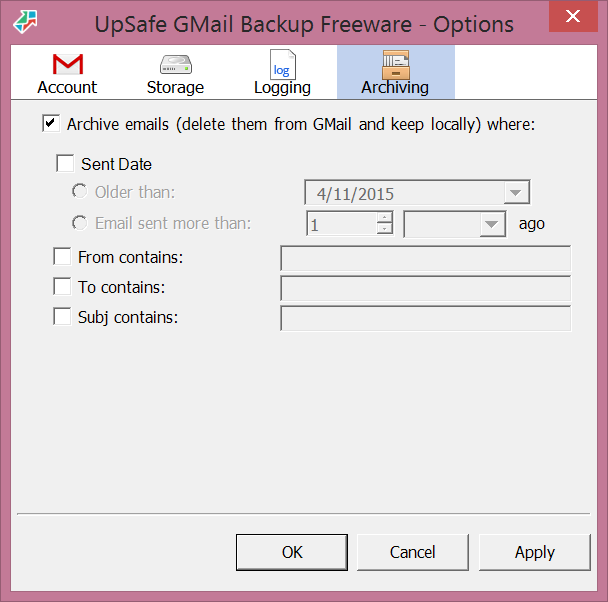  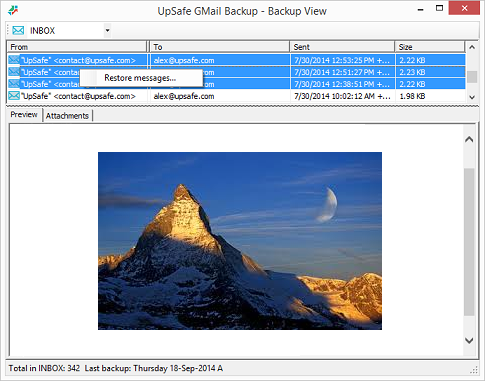  |