Backlsh vs. Everhour

Overview
ProductRatingMost Used ByProduct SummaryStarting Price
Backlsh
Score 10.0 out of 10
Mid-Size Companies (51-1,000 employees)
Backlsh is a time tracking and productivity management platform with features that include automatic time tracking, real-time monitoring, and detailed productivity analysis, powered by AI. With Attendance Tracking, Realtime Tracking, and Productive vs. Non-Productive Tracking, Backlsh provides insights into employee performance and workflow efficiency. This platform enhances accountability, streamlines payroll processes, and promotes a balanced work environment.
$2.99
per month per user
Everhour
Score 8.6 out of 10
N/A
Everhour is a time tracker equipped with project & team management features. Everhour integrates with project management apps so users can track time on tasks right from its interface: Asana, Basecamp, Trello, Jira, ClickUp, Basecamp, Notion, Todoist, GitHub, GitLab, etc. Its time tracking features provide options for timekeeping and time management. It helps to facilitate a team's time tracking experience by adding reminders, auto stop timers, start and stop timers, and…
$0
Pricing
BacklshEverhour
Editions & Modules
Premium Plan
$2.99
per month per user
Free
$0
Lite
$6.00
per month per user
Team
$10.00
per month per user
Offerings
Pricing Offerings
BacklshEverhour
Free Trial
YesYes
Free/Freemium Version
NoYes
Premium Consulting/Integration Services
YesYes
Entry-level Setup Fee$100 one-time feeNo setup fee
Additional Details
More Pricing Information
Community Pulse
BacklshEverhour
Best Alternatives
BacklshEverhour
Small Businesses
Buddy Punch
Buddy Punch
Score 10.0 out of 10
Buddy Punch
Buddy Punch
Score 10.0 out of 10
Medium-sized Companies
Buddy Punch
Buddy Punch
Score 10.0 out of 10
Buddy Punch
Buddy Punch
Score 10.0 out of 10
Enterprises
Zoho People
Zoho People
Score 9.0 out of 10
Zoho People
Zoho People
Score 9.0 out of 10
All AlternativesView all alternativesView all alternatives
User Ratings
BacklshEverhour
Likelihood to Recommend
10.0
(1 ratings)
7.3
(61 ratings)
Usability
-
(0 ratings)
9.0
(3 ratings)
Support Rating
-
(0 ratings)
7.7
(21 ratings)
User Testimonials
BacklshEverhour
Likelihood to Recommend
Backlsh
In my business it's essential to track my time, I have to keep my clients and my employees happy, and my employees need to be paid on time. Backlsh is the software that I use to track my time. I can see how long I spend on projects and bill my clients for all of my time. I can use this software to track my employees' hours and make sure I stay on budget. There are so many benefits to this software, if you need to track time, this is the tool for you.
Read full review
Everhour
It's great when you need precise billable hour tracking across multiple clients with different rates, integrated invoicing, and detailed project breakdowns. I would have liked to see regular security audits and/or a SOC report given the nature of the information that's being documented in the product. However, that may not be a huge deal depending on your organization.
Read full review
Pros
Backlsh
  • Help to calculate productive hours
  • Help me to bill my clients
  • Time tracking
  • Calculate how much time I spend on unproductive apps
Read full review
Everhour
  • Integration with project management tools, like Trello, that makes the project management easier to do because you have metrics and statistics grouped on just one site.
  • Metrics of expended time per user and per project makes decisions easier You can have all the data to support changes or decisions in the company, like rentability of certain type of products offered.
  • The Everhour team is always evolving, so they always ask how you feel about everything and if anything is not working as expected. You are always surprised with new improvements that you didn't think could be useful but that end up adding value to your business.
Read full review
Cons
Backlsh
  • Backlsh need to improve their UI design
Read full review
Everhour
  • Schedule filtering for Teams/Groups of people
  • Expenses tracking system - if it will allow to track all fixed INs and OUTs inside the project (and track invoices based not only on time tracking but generated manually) it can replace our financial tool or make it more automated
Read full review
Usability
Backlsh
No answers on this topic
Everhour
Everhour's overall usability is definitely one of its key strengths. The UI is intuitive and clean, making time tracking feel less "technical" than other solutions we've tried. Our entire team, including less tech-savvy contractors, found it easy to use.
Read full review
Support Rating
Backlsh
No answers on this topic
Everhour
In the almost 2 1/2 years we have had to contact support 1 time and it really was for a feature request. Their support team responded quickly and told us that the feature was going to be added in the next few months. We have had no support issues ever. I have never had a time tracking solution that has had no issues until Everhour.
Read full review
Alternatives Considered
Backlsh
No answers on this topic
Everhour
Originally, I was using Harvest and really liked its features. However, the Harvest invoicing system only pushes data into QBO, but doesn't check / sync invoice numbers or update for payment status, so it was resulting in duplicate invoice numbers and extra effort to update status in both places. So, I started looking for another solution. I tried a LOT of products. Everhour addressed the following issues I encountered from various other services:
  • Bi-directional sync of invoices so records in QBO & Everhour always match (without having to load a bunch of extraneous records to either system)
  • Start-stop timer
  • Set budgets by project and client to easily monitor project status & profitability
  • Allow all team members to track to projects they're following, even if not assigned to them
  • Clean, modern interface (if I'm using it every day, it better be pretty and easy to use)
  • Ability to edit time, and limit others' ability to edit their time (though we don't restrict time editing for our users)
  • Doesn't require use of Projects in QBO in order to sync properly
  • Doesn't try to take over invoicing or break QBO functionality
Read full review
Return on Investment
Backlsh
  • Help me to save my time
Read full review
Everhour
  • We're more aware on the investement of hours required in a project, not just the estimated hours but the actual time invested by every member of the team
  • Everhour is a good tool to adequate the pricing to the actual investement of hours needed and to bill the clients when the actual time invested exceeded the estimated time
  • The members of the team (and i'm speaking for myself too) are now more aware of how much it takes to complete a task. Having this in mind help us to organise our everyday and to know when we are free to take new clients
Read full review
ScreenShots

Backlsh Screenshots

Screenshot of Realtime Tracking with Backlsh

Backlsh's Realtime Tracking feature provides insights into team activities and productivity. It monitors active tasks, application usage, and web browsing, offering a live view of how time is spent throughout the day. This feature helps managers identify bottlenecks, track project progress, and ensure efficient use of work hours. With detailed, real-time reports, businesses can make data-driven decisions to enhance overall productivity and accountabilityScreenshot of Productive and Non-Productive Tracking with Backlsh

Backlsh's Productive and Non-Productive Tracking feature categorizes and monitors employee activities, distinguishing between productive tasks and distractions. By analyzing app usage and website visits, it provides detailed reports that highlight time spent on work-related activities versus non-productive ones. This feature helps businesses identify areas for improvement, optimize workflows, and boost overall efficiency by ensuring employees focus on high-priority tasks.Screenshot of Attendance Tracking with Backlsh

Backlsh's Attendance Tracking feature offers attendance monitoring for teams of all sizes. It tracks employee check-ins and check-outs in real-time, providing reports on attendance patterns. This feature helps businesses maintain accurate records, streamline payroll processes, and ensure compliance with labor regulations. The dashboard allows managers to view and analyze attendance data, enhancing transparency and accountability within the organization.Screenshot of Locating Productive and Non-Productive Apps with Backlsh

Businesses can categorize apps and websites as productive or non-productive, tailored to specific roles and tasks. This customization allows for precise productivity tracking, ensuring that the metrics align with organizational goals. By distinguishing between productive and distracting activities, managers can better understand how time is spent, identify areas for improvement, and implement targeted strategies to enhance efficiency and focus.

Everhour Screenshots

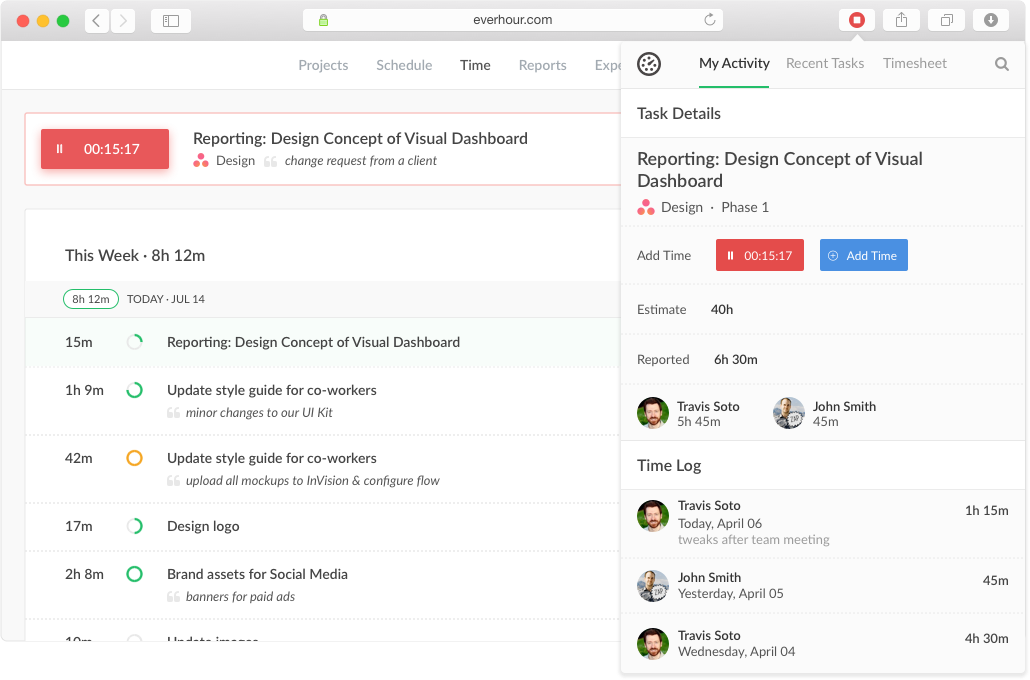
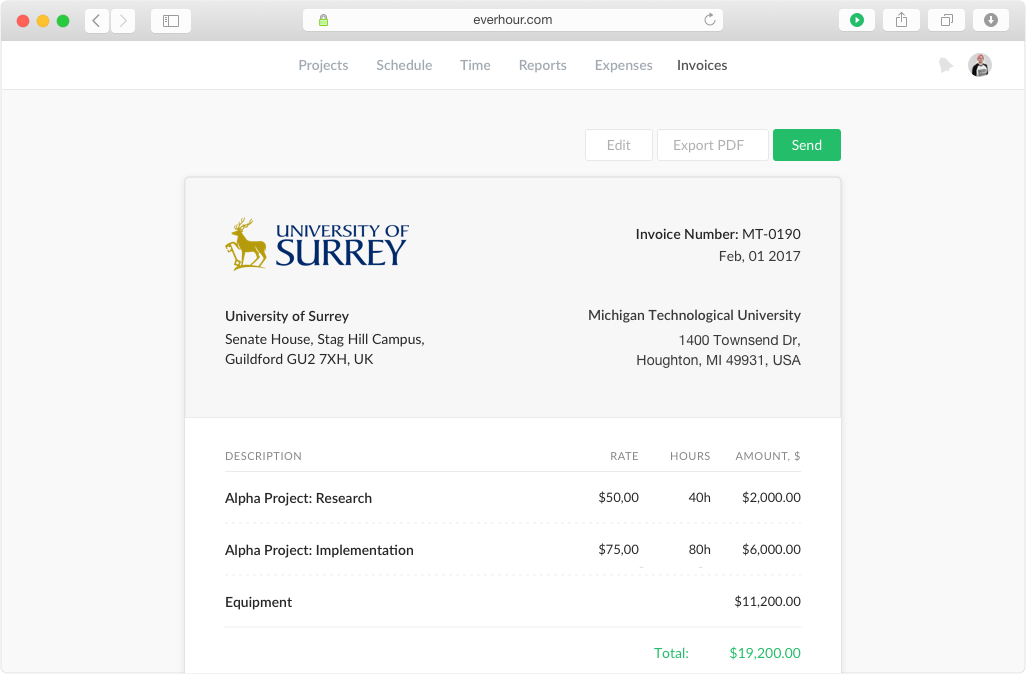
Screenshot of Keep track of projects, set budgets and alerts, split billable and non-billable hoursScreenshot of Track time from the website, from a browser toolbar and inside project management toolsScreenshot of Create tasks, track time, and update progress in one place.Screenshot of Track staff related expenses and invoice billable expenses to clients with integrated invoicingScreenshot of Create invoices from the logged work just in a few clicks. Watch the reported time and the accurate time invoiced.