Blender is a free and open source 3D creation suite available in under the GNU General Public License. It supports the entirety of the 3D pipeline—modeling, rigging, animation, simulation, rendering, compositing and motion tracking, video editing and 2D animation pipeline.
Blender Cloud is a related service accessible via subscription, and is a training and content platform providing access to expertise from the Blender Institute for advancing one's use of Blender.
$11.50
per month
VistaCreate
Score8.1 out of 10
N/A
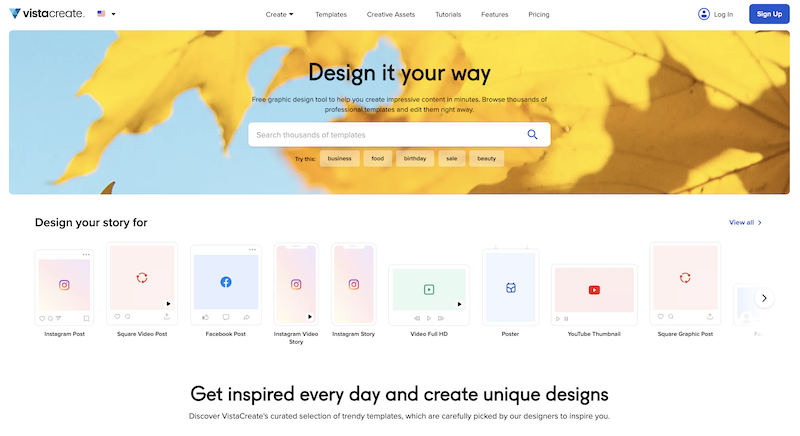
What is VistaCreate (ex-Crello)? VistaCreate is an online visual editing tool for creating videos, animations, graphic designs for social media, print, websites, or virtually any kind of static and animated design for commercial, business, or personal needs. On October 27, 2021 Crello joined the Vista group of companies and changed its brand name to VistaCreate. It includes 50,000 professionally designed templates that are already preformatted and…
Blender is an excellent tool for everything from simple to complex 3D animations, the creation of 3D images, etc. It performs excellently in all of these areas. In the realm of 3D modelling, animation and rendering, there is very little that Blender is not suited for.
A de minimis incentive was given to thank the reviewer for their time. The incentive was not used to bias or drive a particular response, nor was the incentive contingent on a positive endorsement. More Info
For creative and captivating presentation slides where you are pitching your ideas to the team, for quick and well-presented pamphlets for the event board, irrespective of university or workplace. I would definitely recommend using existing templates from VistaCreate instead of AI-generated images that are messy and crowded, so you connect with the audience better, and also, of course, people will take it seriously as well..
A de minimis incentive was given to thank the reviewer for their time. The incentive was not used to bias or drive a particular response, nor was the incentive contingent on a positive endorsement. More Info
Creating complex polygonal geometries is very easy in Blender.
Edit Mode and Sculpt Mode helps in creating non uniform surfaces for objects like rocks, surfaces, terrains etc.
Blender can use various external plugins to make it work in more smoother way. For example to import any 3d object one can use sketchfab plugin and easily import the free assets from web after logging in.
Blender has a better rendering engine known as Cycles, it is far more better than any other stock rendering engine which can generate realistic lightning, shadows and reflections.
The animations can easily be generated with blender animation toolbar and also it incorporate any other animations made in any other software.
The bone generation and its behavior of animations can be achieved easily in blender.
A de minimis incentive was given to thank the reviewer for their time. The incentive was not used to bias or drive a particular response, nor was the incentive contingent on a positive endorsement. More Info
A de minimis incentive was given to thank the reviewer for their time. The incentive was not used to bias or drive a particular response, nor was the incentive contingent on a positive endorsement. More Info
It's really a hard question, but it could be: a game engine. Older versions used to have it; I would use it to simulate machines game-like.
I'm struggling to find another one; maybe the fact that it is so powerful and has so many features that learning it can be daunting; better documentation WITH examples and/or a map of Blender capabilities would help to know where you are in terms of knowledge and the planning the roadmap to where you want to go.
Precision modeling. Coming from CAD and using Blender as part of my design workflow, I'd love to be able to model inside Blender as I model with CAD tools. At this moment, it's simply impossible.
A de minimis incentive was given to thank the reviewer for their time. The incentive was not used to bias or drive a particular response, nor was the incentive contingent on a positive endorsement. More Info
A de minimis incentive was given to thank the reviewer for their time. The incentive was not used to bias or drive a particular response, nor was the incentive contingent on a positive endorsement. More Info
Because while it's a pretty good piece of software, the default built-in commands, the interface layout, and certain functions aren't as logical in their way of being arranged and executed. This, of course, doesn't diminish its use or effectiveness in your field of work, but it is quite awkward at first. A big advantage is that Blender lets you customize the interface however you want as well as keyboard shortcuts and several general program parameters.
A de minimis incentive was given to thank the reviewer for their time. The incentive was not used to bias or drive a particular response, nor was the incentive contingent on a positive endorsement. More Info
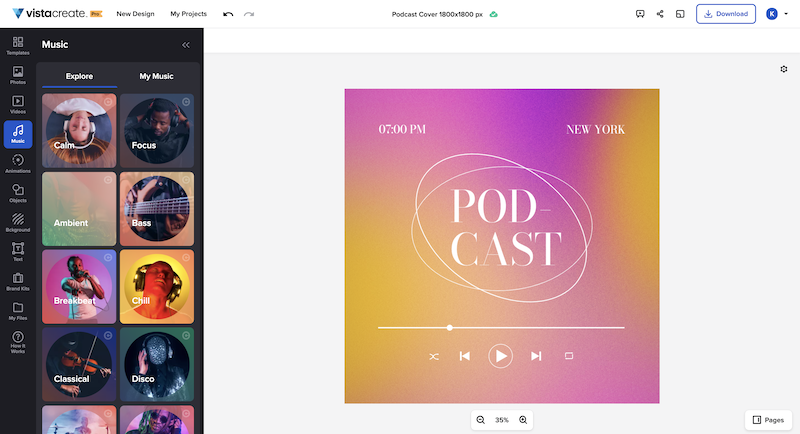
It's a fantastic tool, be it the free or paid version. You can choose different templates from many listed categories and change styles with palettes, add music to your images, and choose from a variety of fonts. All these features are for free users. You unlock gold if you have a paid version of VistaCreate. Some additional useful features like background remover, AI writer, object remover, resize, and many varieties of templates are only for premium users. I give 9 because additional premium useful features are not available for free users
A de minimis incentive was given to thank the reviewer for their time. The incentive was not used to bias or drive a particular response, nor was the incentive contingent on a positive endorsement. More Info
We've only used the consumer (non-pro) version of SketchUp, which we love, but is very limited in features and output capabilities compared to Blender. While Blender's learning curve is MUCH steeper than SketchUp, it feels like truly complete, professional design software.
A de minimis incentive was given to thank the reviewer for their time. The incentive was not used to bias or drive a particular response, nor was the incentive contingent on a positive endorsement. More Info
I like to give a chance to other products and try them out. As far as my experience is concerned, I liked the feature of VistaCreate, with palettes, which totally changes the mood and tone of the image. That's something I didn't find in Canva. Additionally, the simplicity and user-friendliness of VistaCreate instead of being crowded with too many features. It's simply the best.
A de minimis incentive was given to thank the reviewer for their time. The incentive was not used to bias or drive a particular response, nor was the incentive contingent on a positive endorsement. More Info
As it is a beginner-friendly software with increasing demand in the animation sector again, it positively impacts the business.
Except in some specific cases, no one will use Blender on their own at a professional level.
When I was a beginner, it took me a lot of time to learn, consequently designing the creation. But if we want to learn to master Blender, we can do it. As long as we have time and a lot of willpower, since, we repeat, it is not a simple program and hides thousands of tools and possibilities.
A de minimis incentive was given to thank the reviewer for their time. The incentive was not used to bias or drive a particular response, nor was the incentive contingent on a positive endorsement. More Info
A de minimis incentive was given to thank the reviewer for their time. The incentive was not used to bias or drive a particular response, nor was the incentive contingent on a positive endorsement. More Info