BMC AMI DevX is an integrated software platform that provides mainframe development teams with modern Application Development and DevOps capabilities. The solution connects traditional mainframe environments with contemporary development practices through components for source code management, testing, debugging, and analytics.
N/A
Selenium
Score 8.3 out of 10
N/A
Selenium is open source software for browser automation, primarily used for functional, load, or performance testing of applications.
N/A
SonarQube
Score 8.1 out of 10
N/A
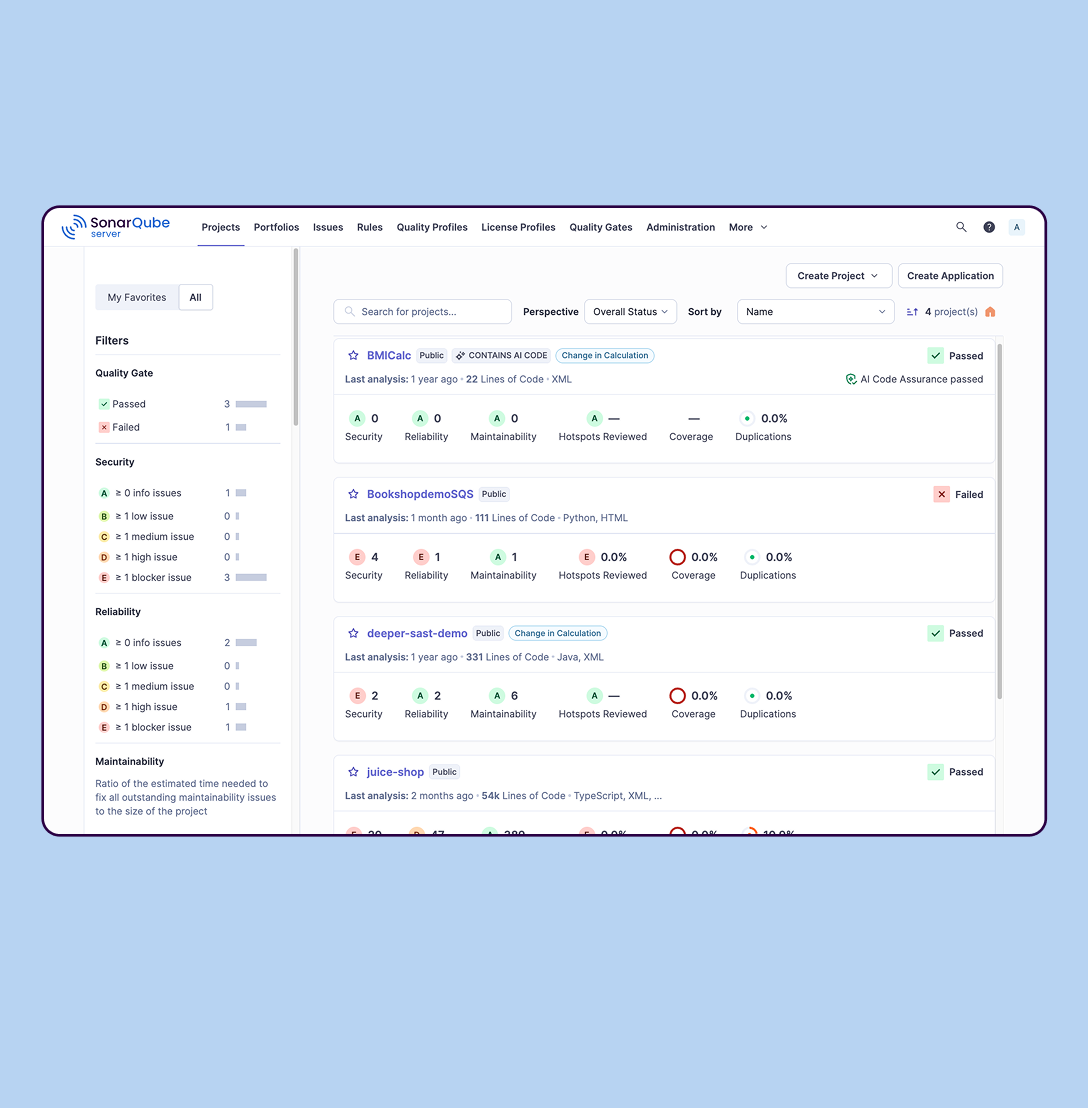
SonarQube is an automated code review solution, serving as the verification layer for code quality and SDLC security. SonarQube is used to ensure that code is secure, reliable, and maintainable. It is available through SaaS or self-managed deployment.
I love these tools! However, my company has not yet transitioned from SCLM to a modern repository, and this is causing most of our developers to remain within TSO for all their development. It's been a slow adoption up to this point, but we are moving toward more modernization this year and next, so with any luck, we'll see usage pick up. Success depends on the speed at which your management is willing to move.
When you have to test the UI and how it behaves when certain actions are performed, you need something that can automate the browsers. This is where Selenium comes to the rescue. If you have to test APIs and not the frontend (UI), I would recommend going with other libraries that support HTTP Requests. Selenium is good only when you have no choice but to run the steps on a browser.
SonarQube is excellent if you start using it at the beginning when developing a new system, in this situation you will be able to fix things before they become spread and expensive to correct. It’s a bit less suitable to use on existing code with bad design as it’s usually too expensive to fix everything and only allows you to ensure the situation doesn’t get worse.
The tool I use is fairly intuitive. It doesn't take long to be using it full time.
Changing the layout/view is fairly easy. This allows it to fit individual preferences.
It is helpful to be able to view specific windows in full screen. Usually, I have it set up to view multiple windows, but sometimes, I just want to view one window in full-screen mode.
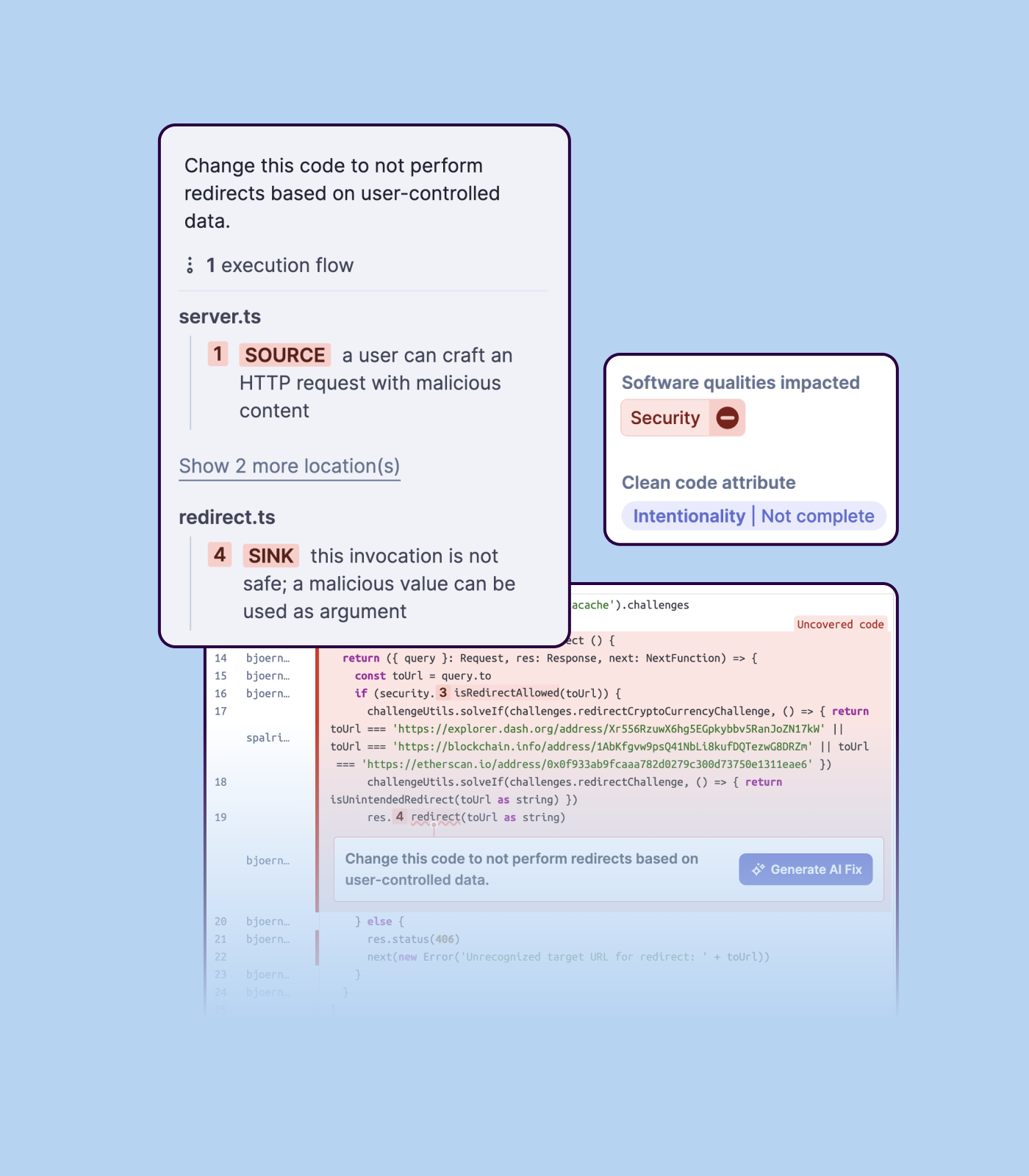
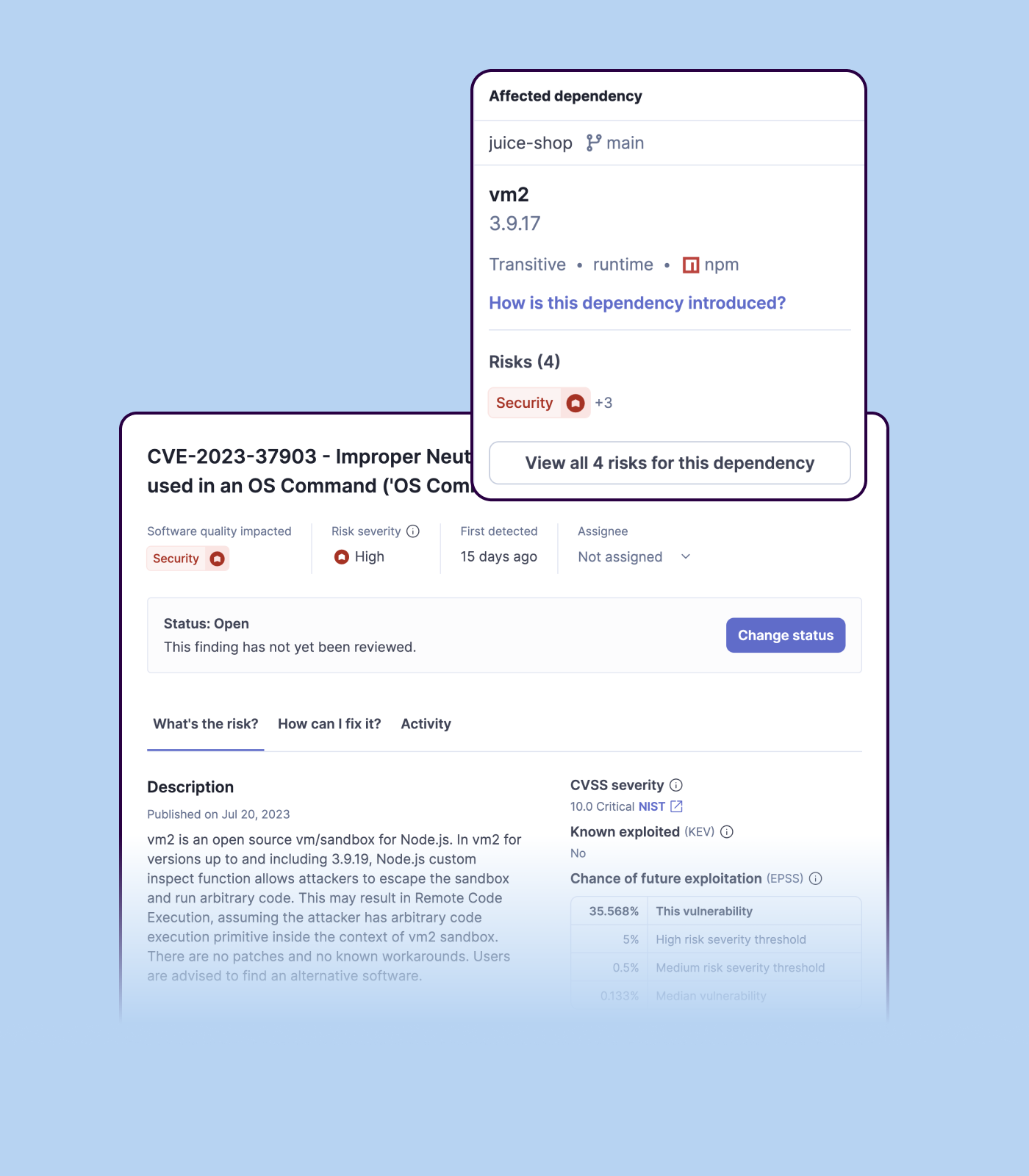
Detecting bugs and vulnerabilities: SonarQube can identify a wide range of bugs and vulnerabilities in code, such as null pointer exceptions, SQL injection, and cross-site scripting (XSS) attacks. It uses static analysis to analyze the code and identify potential issues, and it can also integrate with dynamic analysis tools to provide even more detailed analysis.
Measuring code quality: SonarQube can measure a wide range of code quality metrics, such as cyclomatic complexity, duplicated code, and code coverage. This can help teams understand the quality of their code and identify areas that need improvement.
Providing actionable insights: SonarQube provides detailed information about issues in the code, including the file and line number where the issue occurs and the severity of the issue. This makes it easy for developers to understand and address issues in the code.
Integrating with other tools: SonarQube can be integrated with a wide range of development tools and programming languages, such as Git, Maven, and Java. This allows teams to use SonarQube in their existing development workflow and take advantage of its powerful code analysis capabilities.
Managing technical debt: SonarQube provides metrics and insights on the technical debt on the codebase, enabling teams to better prioritize issues to improve the quality of the code.
Compliance with coding standards: SonarQube can check the code against industry standards like OWASP, CWE and more, making sure the code is compliant with security and coding standards.
Selenium is pretty user-friendly but sometimes tests tend to flake out. I'd say roughly one out of twenty tests yields a false positive.
Selenium software cannot read images. This is a minor negative because a free plug-in is available from alternate sources.
Slowness may be a minor factor with Selenium, though this is an issue with basically any testing software since waiting on a site to execute JavaScript requires the browser to wait for a particular action.
Importing a new custom quality profile on SonarQube is a bit tricky, it can be made easier
Every second time when we want to rerun the server, we have to restart the whole system, otherwise, the server stops and closes automatically
When we generate a new report a second time and try to access the report, it shows details of the old report only and takes a lot of time to get updated with the details of the new and fresh report generated
We love this product mainly because of its high customization abilities and the ease of use. Moreover, its free and can be learned easily through online communities and videos. The tests are more consistent and reliable as compared to Manual tests. It has enabled us to test a large number of features all in one go, which would have impossible through manual tests. The reports generated at the end of the tests are really helpful for the QA and the development teams to get a fair view of the application.
For those who are unfamiliar with coding, there is a bit of a learning curve. There is plenty of helpful documentation and resources but it can take a little time to get the software up and running. Once you get the hang of how Selenium works, and what it can do, you realize how many things you can use it for, and how many processes you can automate.
Support has been amazing compared to Optim. Further, new features are very regular with File-AID - I can't remember the last time Optim had a significant update. File-AID support is very receptive to feature requests and reported bugs, including sending out hotfixes quickly.
The Selenium app has a pretty fat community of users. For the problems we are experiencing, we are primarily receiving support from these communities. In addition, there is widespread service support. Instant support is given to the problems we experience when we need Online support. We and our team are happy to provide this support, especially before important deployment processes
We we easily able to integrate the SonarQube steps into our TFS process via the Microsoft Marektplace, we didn't have the need to call SonarQube support. We've used their online documentation and community forum if we ran into any issues.
The installation teams for these products have never complained about any difficulties during the integration of this range of tools into our IT system.
We did everything we needed to use it. Now we can execute our tests on different operational systems and browsers running few tests simultaneously. We also implemented Appium framework to execute our tests on mobile devices, such as iPhones, iPads, Android phones and tablets. We use SauceLabs for our test execution and Jenkins for continuous integration.
The names may have changed over the years, but anyone who has been around for a while will recognize them. For Software Configuration Management, I have used TSO/ISPF/SCLM, Panvalet, ChangeMan, Librarian, Endevor, and now Code Pipeline. All of them met the basic requirements. All of them had their advantages and disadvantages. Code Pipeline, however, stands head and shoulders above the rest in simplicity, completeness, effectiveness, efficiency, and elegance.
At the time of adoption, there were not many other alternatives that were even close to being competitive when it comes to browser testing. As far as I know now to this day, there is still little competition to Selenium for what it does. Any other browser-based testing still utilises Selenium to interact with the browser.
SonarQube is an open-source. It's a scalable product. The costs for this application, for the kind of job it does, are pretty descent. Pipeline scan is more secured in SonarQube. Its a very good tool and its support multiple languages. Its main core competency is of static code analysis and that is why SonarQube exists and it does it exceedingly well. The quality of scan on code convention, best practices, coding standards, unit test coverage etc makes them one of the best competent tool in the market
Possitive impact. It is main product suite to enable devops in the mainframe applications team. All developers use these on day-to-day work.
Negative impact: Recent usability issues caused disappointment in the application teams. It became hard motivate the development community to increase usage.
Positive ROI from the standpoint of flagging several issues that would have otherwise likely been unaddressed and caused more time to be spent closer to launch
Slightly positive ROI from time-saving perspective (it's an automated check which is nice, but depending on the issues it finds, can take developers time to investigate and resolve)