Boardingware, headquartered in Auckland, offers their student management system for boarding schools, built around managing the needs particular to boarding schools, such as student care and student tracking.
N/A
D2L Brightspace
Score 7.8 out of 10
N/A
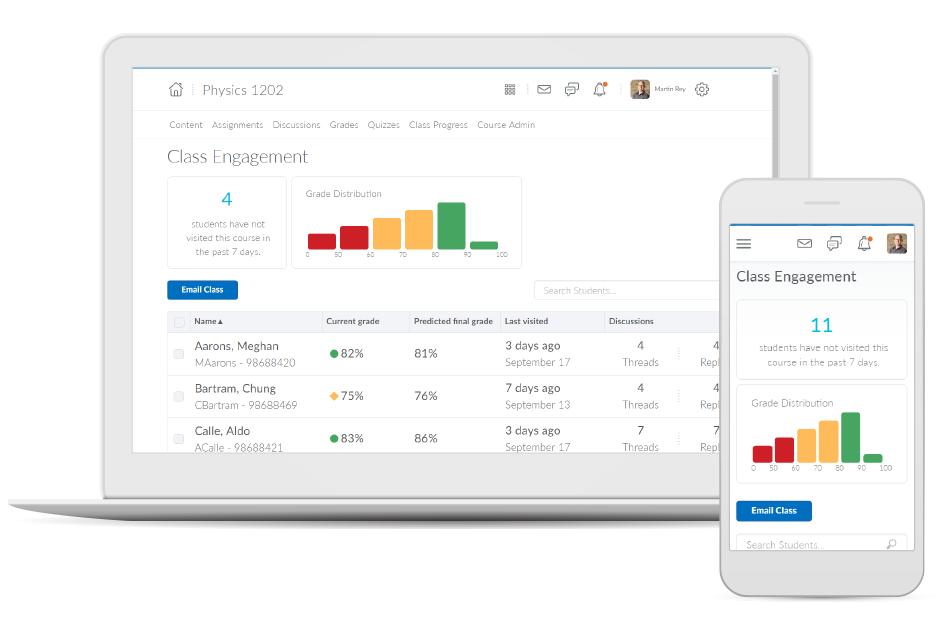
Brightspace is an academic and corporate learning management platform. It provides core e-learning features, as well as mobile accessibility and granular personalization and analytics insights.
N/A
Pricing
Orah
D2L Brightspace
Editions & Modules
No answers on this topic
No answers on this topic
Offerings
Pricing Offerings
Orah
D2L Brightspace
Free Trial
No
Yes
Free/Freemium Version
No
No
Premium Consulting/Integration Services
No
No
Entry-level Setup Fee
No setup fee
No setup fee
Additional Details
—
Must contact vendor for pricing information. 30-day free trial is available.
More Pricing Information
Community Pulse
Orah
D2L Brightspace
Considered Both Products
Orah
Verified User
Anonymous
Chose Orah
Senior Systems did not work as well and the functionality from the administrative side is not as user-friendly. I often felt like it was down and not working properly, or that I could not find where certain documents are. I believe that for a boarding school community …
It's an all-in-one platform with great analytics. It can also easily be used for external training programs, which is important for a B2B use case. I really like how it can embed different types of content, like video, and the integrations are also great. It is more costly than …
Brightspace is by far the most user-friendly LMS I have ever used. Faculty with a lower technical skill set have an easier time navigating Brightspace features. Teaching wise, I have also found Brightspace to be easier for students to navigate than its competitors. I adjunct …
In looking at Brightspace versus its competitors currently, it continues to provide the widest functionality, great value, and better ability to tailor the user experience of it to our organizations needs. The longer that our institution has had Brightspace, the more we've been …
Compared to Blackboard, Brightspace is a much more powerful application that allows instructors to share more content, customize their courses, and design courses in a more intuitive wizard style if desired. Brightspace is also designed to work well on mobile devices and …
Brightspace offers one of the most tailored employee engagement learning platforms in existence. My organization has utilized a multitude of employee engagement and learning platforms and Brightspace has offered one of the most customized tools that we have used thus far. We …
We migrated from PLS. Brightspace is much more intuitive and modern than PLS was. The ability for Brightspace to work across a range of devices (mobile, tablet, PC, Mac, etc) has been positive for our instructors and students. The main interface is straightforward and easy to …
Although it's been some time since I used Blackboard (as a student in my undergraduate degree), it felt much more intuitive at the time than Brightspace has when I've taken or taught classes. However, I don't feel especially comfortable comparing them since it's been quite …
I used blackboard when I was in college, but that was very little. I just used it to register for classes and to view grades. Brightspace is leaps and bounds what Blackboard was when I last used it in 2010.
I have used Blackboard Learn 8 and 9. I am currently learning about Canvas. Blackboard is overall much clunkier and lacks the intuitive feel in some parts of D2L. Its grade book is much harder to control and manipulate than D2L's. Its navigation menu can be more radically …
I was not involved in the selection process for my organization since I am only a professor. However, I have worked at 2 previous organizations that have used other online LMSs, and I think overall, D2L is at the top of the list of LMSs I find the most usable.
Desire2Learn was selected for me, but I find it to be simpler to navigate than Moodle, more intuitive. Blackboard was many years ago, but I find more flexibility in assigning due dates and end dates in the newer version of Desire2Learn.
Faculty Development Coordinator & Emerging Technologies Specialist
Chose D2L Brightspace
Comparing Desire2Learn to Blackboard Vista, I actually believe that Blackboard has a better product, although it has its own set of challenges. We changed systems because of the extremely poor customer service and high level of faculty irritation with Blackboard at the time. I …
Desire2Learn is very good compared to Blackboard and has a lot more flexibility with presenting and organizing material. Desire2Learn is about the same as WebCT. There are similar features and while each one has its drawbacks, they are both acceptable for my current class …
Desire2Learn is similar to Blackboard but with less functionality and intuitiveness in terms of use. Grading options are more limited. Desire2Learn uses a cluttered interface with many tabs and options needing to be used to create even basic assignments for upload and grading. …
The Desire2Learn system provided a greater ability to customize the learning environment than the Canvas system we evaluated. We did like the simpler interface that Canvas provides and the navigation was easy to follow. We also evaluated the Blackboard LMS and found a large …
We believe D2L to be the best LMS, based on our long-term use, functionality, and overall product stability.
Verified User
Anonymous
Chose D2L Brightspace
Some faculty have used WebCT, Blackboard, Angel and/or Moodle in the past. Most of us really do like D2L the very best!
Verified User
Anonymous
Chose D2L Brightspace
These days, most LMS systems provide somewhat comparable feature sets. We selected Desire2Learn because our organization saw it as a stable product that would scale well, we could manage our own self-hosting hardware and infrastructure, it is a tool that our faculty and …
Features
Orah
D2L Brightspace
Learning Management
Comparison of Learning Management features of Product A and Product B
This is hands down the best application on the market in terms of making sure parents and staff understand where students are at any given time during the day. It also has done a great job of expanding into buy-in areas for students such as having event sign-ups inside the application. Having parent accounts also does a great job of keeping lines of communication open between the parents, school, and students.
As a member of a large-scale organization with a wide variety of employment positions, I view Brightspace as primarily an administrative solution for continuous learning and engagement. As an educational platform, Brightspace works perfectly for setting learning goals for particular groups or departments. Furthermore, there are many customization options intent on personalizing the overall user experience for employees. The platform also does a wonderful job of increasing overall engagement, retention, and completion of learning goals. However, I do not necessarily view Brightspace as the learning tool for all employees. There are production employees within my company and they may better benefit from other learning tools that do not require being on a computer.
User-friendly interface. One doesn't need to really even use the tutorials if they don't want to.
Customer service - I've never gone more than 24 hrs without an issue being resolved. Usually it's much less than that.
Constant improvements and expansion. The program keeps growing without the need to change what we're doing. There are improvements that are helpful, but we're not forced to use them if they are not actually useful or needed. This is a great asset.
The grade book is very customizable. There is a learning curve, as there always is if something is flexible, but there are a lot of good options available for grading, displaying grades, and calculation of grades.
Adding course content of many types can easily be done using drag & drop or copy-paste. It is easy to retain stored content from semester to semester. Updating an item takes three clicks. It is easy to organize and reorganize content and allows sub-sections. It records whether individual students have opened material and how much time they spent using an item.
I like the flexibility of organizing the dropbox for student submissions. Deadlines in the dropbox or discussions automatically appear in the course calendar.
I like the range of quiz question options, in particular, the "multi-select" question type.
The use of rubrics in the discussion area and the quizzes area could use some TLC. The rubrics actually have to be added to the grade book item for them to be functional. In the Discussion area the instructor is unable to grade them discussions and publish them to the grades area. In quizzes, students are not able to see the rubric at all. If the rubric functioned in these two tools like they do in the dropbox they would be a very useful tool.
The discussion area could benefit from a few different enhancements. There is currently no way to grade group restricted discussions without having to manually enter the grades in the grade book or setup a different grade item for each group and then someone restrict those grade book items to individual groups. It is not an easy process one way or the other. The discussion area would also benefit from the ability to add categories so that Forums could be grouped by a certain category (i.e. Units)
D2L needs to invest some time and resources to develop/redevelop blogging, journaling, and wiki in the LMS.
Our faculty and students are satisfied with D2L, find its features to be mostly intuitive, and it is sufficient for our needs. After version 10.4, D2L will be going to a continuous incremental release model, which will allow them to innovate more frequently. The introduction of version 10 has been a tremendous improvement over prior versions. D2L has integrated well with our ERP (Peoplesoft) and it has become a core part of our technology suite.
I really love the mobile application. Allowing folks to do training on the go is really important and a great feature for us. I do think it can be a little hard to set up courses sometimes. The Web UI can be a little clunky compared to lightweight tools like Atlassian or Notion.
Both students and instructor enjoy the 24-hoiur access. After, all isn't that the point of online learning. As an instructor located in an Eastern time zone state it is great to connect with students located in a Pacific time zone state. I have gotten comments about the early hours I am in the course room grading assignments . . . 4:00 a.m. PST; 7:00 a.m. EST So, it's sleep time for my students and "first cup of coffee" time for me.
I gave this rating because Boardingware support is unbelievable. They are quick to reply and have a chat feature that they not only are there for most of the day but you can leave a note if they are not available and they get back to you very quickly. I thoroughly enjoyed any conversations I had with support from Boardingware.
I have had excellent support from Desire2Learn. Any ticket that I submit is acknowledged immediately and the correction is usually almost as quick. We use this for thousands of classes and it is pretty well liked by both faculty and students. We have been using it for almost 4 years now and most of our instructors have become pretty proficient with it.
The training provided online did not, necessarily, fit the version of the system that I was using. Screens were somewhat different and not all options were readily available. This could have been due to customization on the part of my institution however, I rather believe it was due to version changes and training materials not yet being updated.
Senior Systems did not work as well and the functionality from the administrative side is not as user-friendly. I often felt like it was down and not working properly, or that I could not find where certain documents are. I believe that for a boarding school community Boardingware was much more user-friendly, and did not take as many steps in order to get the job done quickly.
In looking at Brightspace versus its competitors currently, it continues to provide the widest functionality, great value, and better ability to tailor the user experience of it to our organizations needs. The longer that our institution has had Brightspace, the more we've been able to leverage it for one-off projects and long-term organizational needs, many of which would not have been possible if we would've had a competitor's product.
During my first semester working with Desire2Learn the integrated learning management system was more down than up. This meant reconfiguring assignment due dates, frustration for both the instructor, students, and help desk staff. After an upgrade, Desire2Learn has been reliable.
We are able to manage the weekend and weekly sign outs of boarders. We are also able to store this information ion the cloud in case it is ever needed in the future.
Parents are able to manage their sons where abouts and also have the knowledge that they know where their boys are on the weekends
Housemasters are protected if they follow procedures in case of a boarder missing a roll call and has not signed out.
I cannot speak to whether this system is less expensive than the more fully featured Blackboard, but employees are far less efficient, frustrated, and require frequent calls to the help center to set up fairly simple course templates.
I have been asked to consider teaching courses which will be completely online at my current institution. I have done such online courses several times at other universities, but I have decided Desire2Learn is too frustrating and cumbersome to do so. I am now exploring using Google Drive to teach a course online. Otherwise, I will not teach online until required or I find an alternate system.