Chose Brault
It was the best all-in-one solution at the best price. Harder to find anything more balanced!

| Product | Rating | Most Used By | Product Summary | Starting Price |
|---|---|---|---|---|
 Brault | Small Businesses (1-50 employees) | Brault is a creative asset management (DAM) platform built for teams that need more than generic cloud storage. It combines file storage, AI-powered search, project tracking, feedback, file transfer, and brand management in a single workspace, reducing the need for multiple tools across the creative stack. The platform analyzes the content of images, videos, audio files, and documents across 50+ formats, enabling natural language search. Workspaces organize assets by… | $0 | |
 CoSchedule Marketing Suite | N/A | CoSchedule provides a content calendar, content optimization, and contentmarketing products, with users among 50,000 marketers worldwide, helping them organize their work, deliver projects on time, and prove marketing team value. | N/A |
| Brault | CoSchedule Marketing Suite | |||||||||||||||
|---|---|---|---|---|---|---|---|---|---|---|---|---|---|---|---|---|
| Editions & Modules |
| No answers on this topic | ||||||||||||||
| Offerings |
| |||||||||||||||
| Entry-level Setup Fee | $1,500 one-time fee per installation (Enterprise tier only) | No setup fee | ||||||||||||||
| Additional Details | — | — | ||||||||||||||
| More Pricing Information | ||||||||||||||||
| Brault | CoSchedule Marketing Suite | |
|---|---|---|
| Considered Both Products |  Brault |  CoSchedule Marketing Suite  Kèlene Poyurs Co-Founder Chose CoSchedule Marketing Suite CoSchedule is definitely a more powerful marketing tool than Loomly or Buffer, which are more dedicated to straight social media scheduling. I preview the calendar overview offered by CoSchedule, which makes it easy to see everything at a glance. PromoRepublic is similar but …  Ben Caplan Risk Manager, and Insurance Agent Chose CoSchedule Marketing Suite CoSchedule offers a lot more than some of its competitors, but you have to evaluate what your organization needs and doesn't need. For some organizations, they only need a content planner for social media, and CoSchedule might not be the best fit due to price compared to some …  Alexa Tsongranis Founder Chose CoSchedule Marketing Suite After trying other social media scheduling tools, CoSchedule is my favorite. Like I said previously, it fills the gaps I've found in other tools. I feel more organized with CoSchedule and prefer their mobile app as well.  Kinga Odziemek Owner Chose CoSchedule Marketing Suite CoSchedule better supports the content creation and redistribution of content activities. The best thing was that you can get it all automated here, while other tools do not provide with support. I would say CoSchedule is one of the best tools for managing both content and …  Jeremy Miller Brand Builder & Keynote Speaker Chose CoSchedule Marketing Suite Hootsuite Pro and Buffer  Al Schoneman Content Marketing Manager Chose CoSchedule Marketing Suite Crescendo has some very powerful features such as a built in editor that provides a simpler editing suite than Wordpress, especially valuable for contributors. The fact that it has multiple levels of contributor/author/editor is a real plus. There is also a comments box that … |
| Brault | CoSchedule Marketing Suite | |||||||||||||||||||||||||||||||||||||||||||||
|---|---|---|---|---|---|---|---|---|---|---|---|---|---|---|---|---|---|---|---|---|---|---|---|---|---|---|---|---|---|---|---|---|---|---|---|---|---|---|---|---|---|---|---|---|---|---|
| DAM Features |
| |||||||||||||||||||||||||||||||||||||||||||||
| Content Creation |
| |||||||||||||||||||||||||||||||||||||||||||||
| Content Publishing |
| |||||||||||||||||||||||||||||||||||||||||||||
| Content Reporting & Analytics |
|
| Brault | CoSchedule Marketing Suite | |
|---|---|---|
| Small Businesses | CoSchedule Marketing Suite Score 10.0 out of 10 |  Vyond Score 8.7 out of 10 |
| Medium-sized Companies | CoSchedule Marketing Suite Score 10.0 out of 10 |  Conductor Score 9.5 out of 10 |
| Enterprises |  MediaValet Score 8.8 out of 10 | Conductor Score 9.5 out of 10 |
| All Alternatives | View all alternatives | View all alternatives |
| Brault | CoSchedule Marketing Suite | |
|---|---|---|
| Likelihood to Recommend | 9.0 (0 ratings) | 10.0 (0 ratings) |
| Usability | 10.0 (0 ratings) | 10.0 (0 ratings) |
| Support Rating | - (0 ratings) | 9.0 (0 ratings) |
| Brault | CoSchedule Marketing Suite | |
|---|---|---|
| Likelihood to Recommend |
|
Ben Caplan Risk Manager, and Insurance Agent |
| Pros | No answers on this topic |
|
| Cons | No answers on this topic |
 Brandon Weaver Head of Content |
| Usability |
|
|
| Support Rating | No answers on this topic |
Ben Caplan Risk Manager, and Insurance Agent |
| Alternatives Considered |
|
Kèlene Poyurs Co-Founder |
| Return on Investment | No answers on this topic |
 Nate Casimiro Marketing Operations Manager |
| ScreenShots | Brault Screenshots 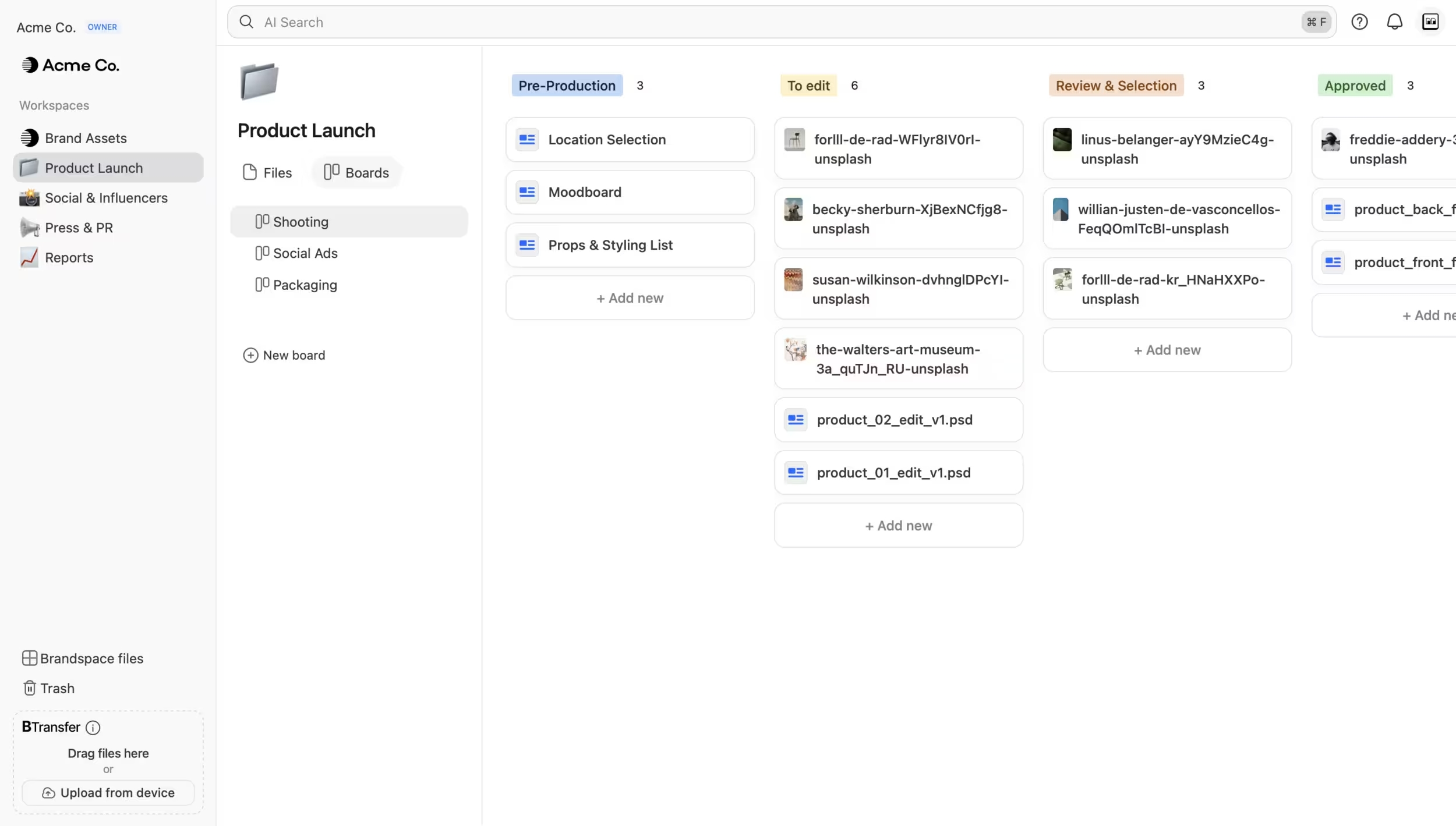 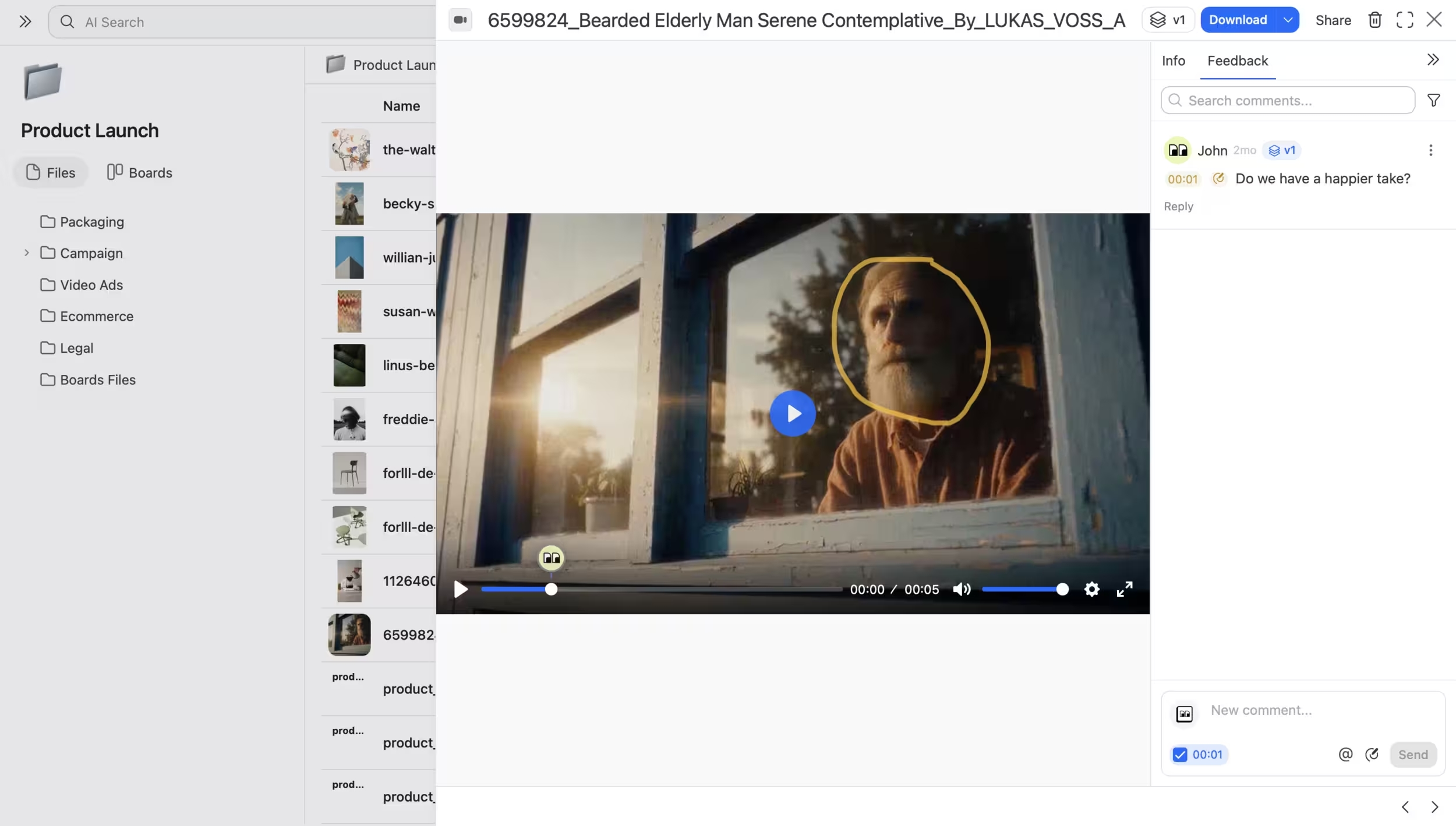  | CoSchedule Marketing Suite Screenshots  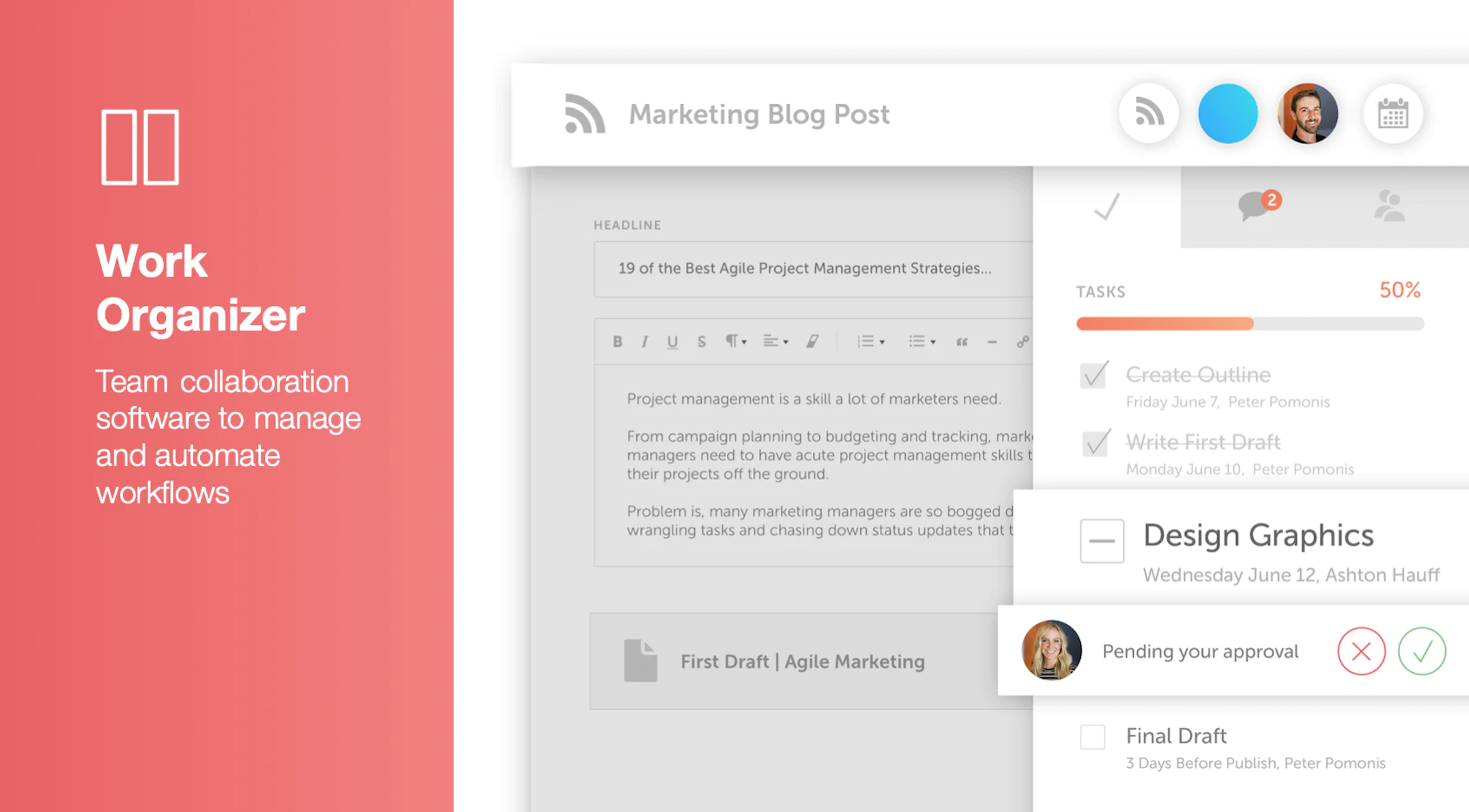    |