Caspio vs. SeaTable

Overview
ProductRatingMost Used ByProduct SummaryStarting Price
Caspio
Score 8.7 out of 10
N/A
Caspio is a solution providing the infrastructure, tools and support that allows users to create customized online databases, applications, reports, forms, and charts/graphs. The point-and-click interface requires no coding experience and apps can be integrated into any website, blog, intranet or content management system.
$100
per month
SeaTable
Score 8.4 out of 10
N/A
With SeaTable, teams can organize tasks, assets, projects and ideas. It looks like a spreadsheet but structures any type of information, in the cloud or on the user's own server. SeaTable is a web solution to design business processeses and workflows. SeaTable is designed to give teams the information that is currently needed. Individual views provide the freedom to organize work as it is needed. SeaTable can be linked with other business applications and…
$0
up to 3 users
Pricing
CaspioSeaTable
Editions & Modules
LITE
$100
per month
PLUS
$300
per month
BUSINESS
$600
per month
ENTERPRISE
Contact Us
per month
Free Version
$0
up to 3 users
Free Version
$0
per user, per year
Plus - monthly
$11
per user, per month
Enterprise - monthly
$22
per user, per month
General license
$84
per user, per year
Plus - yearly
$101
per user, per year
Enterprise - yearly
$203
per user, per year
Small Business Package #1
$483
for 10 users. per year
Small Business Package #2
$1,811
for 25 users, per year
Offerings
Pricing Offerings
CaspioSeaTable
Free Trial
YesNo
Free/Freemium Version
NoYes
Premium Consulting/Integration Services
YesYes
Entry-level Setup FeeOptionalNo setup fee
Additional Details> All plans include unlimited users. > Caspio offers a 10% discount to non-profits, NGOs, and customers in qualifying countries. > Compliance plans support strict regulatory requirements: HIPAA; FERPA; PCI DSS Level 1; VPAT 2.0/Section 508; GDPR; EU-US Privacy Shield; SOC 2 Type II; ISO 9001, 27001; CSA Star Level 1, 2 & 3; 3D Secure 2. > Project consultations for planning and customization, in-depth online help, how-to videos and instructor-led training. > Pricing plans designed for teams of all sizes. Discount for annual pricing.
More Pricing Information
Community Pulse
CaspioSeaTable
Features
CaspioSeaTable
Low-Code Development
Comparison of Low-Code Development features of Product A and Product B
Caspio
8.4
3 Ratings
0% below category average
SeaTable
-
Ratings
Visual Modeling7.02 Ratings00 Ratings
Drag-and-drop Interfaces7.03 Ratings00 Ratings
Platform Security9.43 Ratings00 Ratings
Platform User Management7.93 Ratings00 Ratings
Reusability9.73 Ratings00 Ratings
Platform Scalability9.33 Ratings00 Ratings
Project Management
Comparison of Project Management features of Product A and Product B
Caspio
-
Ratings
SeaTable
7.5
3 Ratings
3% below category average
Task Management00 Ratings9.13 Ratings
Resource Management00 Ratings9.13 Ratings
Gantt Charts00 Ratings1.01 Ratings
Scheduling00 Ratings4.83 Ratings
Workflow Automation00 Ratings8.32 Ratings
Team Collaboration00 Ratings9.13 Ratings
Support for Agile Methodology00 Ratings6.01 Ratings
Support for Waterfall Methodology00 Ratings6.01 Ratings
Document Management00 Ratings9.12 Ratings
Email integration00 Ratings7.42 Ratings
Mobile Access00 Ratings8.01 Ratings
Timesheet Tracking00 Ratings9.01 Ratings
Change request and Case Management00 Ratings10.01 Ratings
Budget and Expense Management00 Ratings8.32 Ratings
Professional Services Automation
Comparison of Professional Services Automation features of Product A and Product B
Caspio
-
Ratings
SeaTable
7.3
2 Ratings
6% below category average
Quotes/estimates00 Ratings8.01 Ratings
Invoicing00 Ratings8.01 Ratings
Project & financial reporting00 Ratings8.02 Ratings
Integration with accounting software00 Ratings5.01 Ratings
Best Alternatives
CaspioSeaTable
Small Businesses
Creatio
Creatio
Score 9.0 out of 10
Stackby
Stackby
Score 8.9 out of 10
Medium-sized Companies
Quixy
Quixy
Score 9.9 out of 10
InEight
InEight
Score 8.3 out of 10
Enterprises
Creatio
Creatio
Score 9.0 out of 10
InEight
InEight
Score 8.3 out of 10
All AlternativesView all alternativesView all alternatives
User Ratings
CaspioSeaTable
Likelihood to Recommend
10.0
(6 ratings)
10.0
(2 ratings)
Likelihood to Renew
10.0
(1 ratings)
-
(0 ratings)
Usability
-
(0 ratings)
9.0
(1 ratings)
Support Rating
8.4
(2 ratings)
-
(0 ratings)
User Testimonials
CaspioSeaTable
Likelihood to Recommend
Caspio
Contact forms are incredibly easy to build and customize, as are most other kinds of more involved forms. Forms allow html input and can be designed in a number of ways. It's helpful if you know some HTML. JavaScript knowledge can add advanced options, but is not necessary for the most common uses. The company used to call itself "No-Code," but has changed to say "Low Code," which is much more accurate.
Read full review
SeaTable
It does well as a CRM for a company to see all of their candidates or clients or whatever they are tracking. The sorting and grouping ability as well as the inclusion of many formula integrations is also helpful to organize content more meaningfully. If you don't have a lot of information that you need to track, this might have more than you require but it is still a great software to use.
Read full review
Pros
Caspio
  • Caspio is an online database platform. It allows one to create multiple tables and views to be stored via the web. Tables can be configured to not only hold data but also to hold files like Word docs and images.
  • Caspio is great at creating online forms and reports. It allows the user to create forms to capture, update data, whether it's password protected or just a simple form.
  • As a database platform, one can create online tables and forms linking multiple tables and views to each other. I would say it is the Microsoft Access of the online platforms.
  • The system is very easy. Wizards allow one to create forms, tables, and datapages. Since the platform is online, you may access your database anywhere.
Read full review
SeaTable
  • Combination of spreadsheet and database
  • Feature rich but still easy to use
  • Uncomplicated installation and Maintenance
Read full review
Cons
Caspio
  • Pricing for additional storage could be a bit more competitive
  • The builder wizard is helpful, however there could be a tutorial for first time users
  • Calendar pdf exports would be usefull
Read full review
SeaTable
  • SeaTable is a young company, and I have nothing to criticise, for now. - No solution will fit all use cases, in any event. --- I have found this one to be the most adaptable and complex on the European market. Due to the data location, I am reassured on the subject of GDPR compliance.
Read full review
Likelihood to Renew
Caspio
We are committed to Caspio Bridge. We could migrate to another product, but we would not be able to do so quickly. I estimate that we would need about a year (maybe more) to convert all of our forms and processes if we were to switch to some other product
Read full review
SeaTable
No answers on this topic
Usability
Caspio
No answers on this topic
SeaTable
It is easy to use even with keyboard only. It has a good documentation and a perfect support.
Read full review
Support Rating
Caspio
I've had some instances where my team and I discovered a bug in Caspio. We alerted the company, and the bug was fixed in the next regular update of the software. The few times that I've had to contact support, it was a pretty good experience. They're not terribly quick to respond and take action, but they don't ignore you, either.
Read full review
SeaTable
No answers on this topic
Alternatives Considered
Caspio
GroupHigh is so frustrating to use. It is constantly changing the way you can search for bloggers, and we can never find exactly what we are looking for
Read full review
SeaTable
For the value, you get much more with SeaTable including the statistics and the number of records that can be utilized on the free version. I also thoroughly enjoy the ease of adding formulas and having the reference right inside of the platform to ensure the selection of the correct formula to meet your needs.
Read full review
Return on Investment
Caspio
  • Positive impact of easy of adding new varieties.
  • Positive impact of having new emails added directly to email list through Zapier.
  • Positive impact on increasing productivity of our staff.
Read full review
SeaTable
  • Positive: Savings in administrative staffing needs.
  • Positive: Customisation allows for real-life workflow management
  • Positive: Automation is a goal that SeaTable supports very well.
  • Negative: Not many people are familiar with solutions like SeaTable. They are used to working with inflexible (and often not-fit for purpose) administrative systems. They are adept at finding ways to circumvent the issues by using secondary tools, or they wait passively for web developers to deliver the functionality they need. - It is quite difficult to convey the opportunities that SeaTable offers to people who have not used it before. SeaTable cannot be blamed for this, but it creates work in needing to convey this to the organisation's stakeholders. --- I would recommend one person to be assigned the role of SeaTable specialist in an organisation, so that any issues can be quickly resolved.
Read full review
ScreenShots

Caspio Screenshots

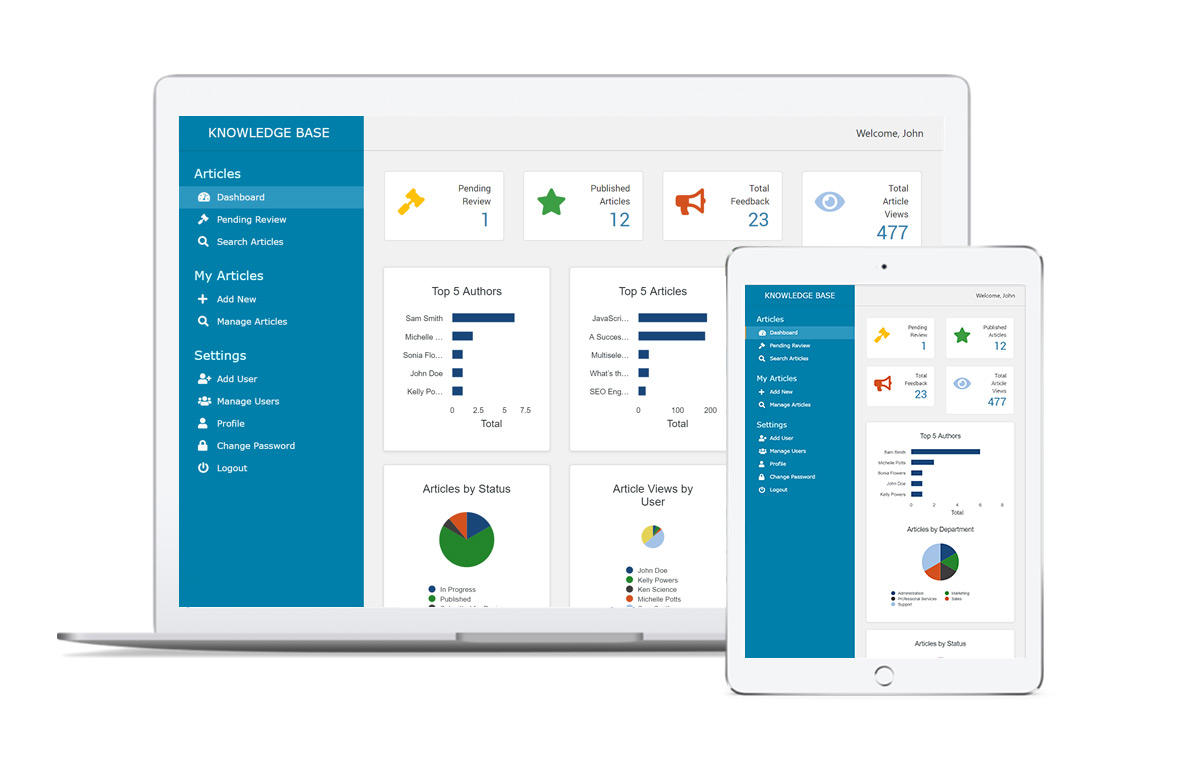
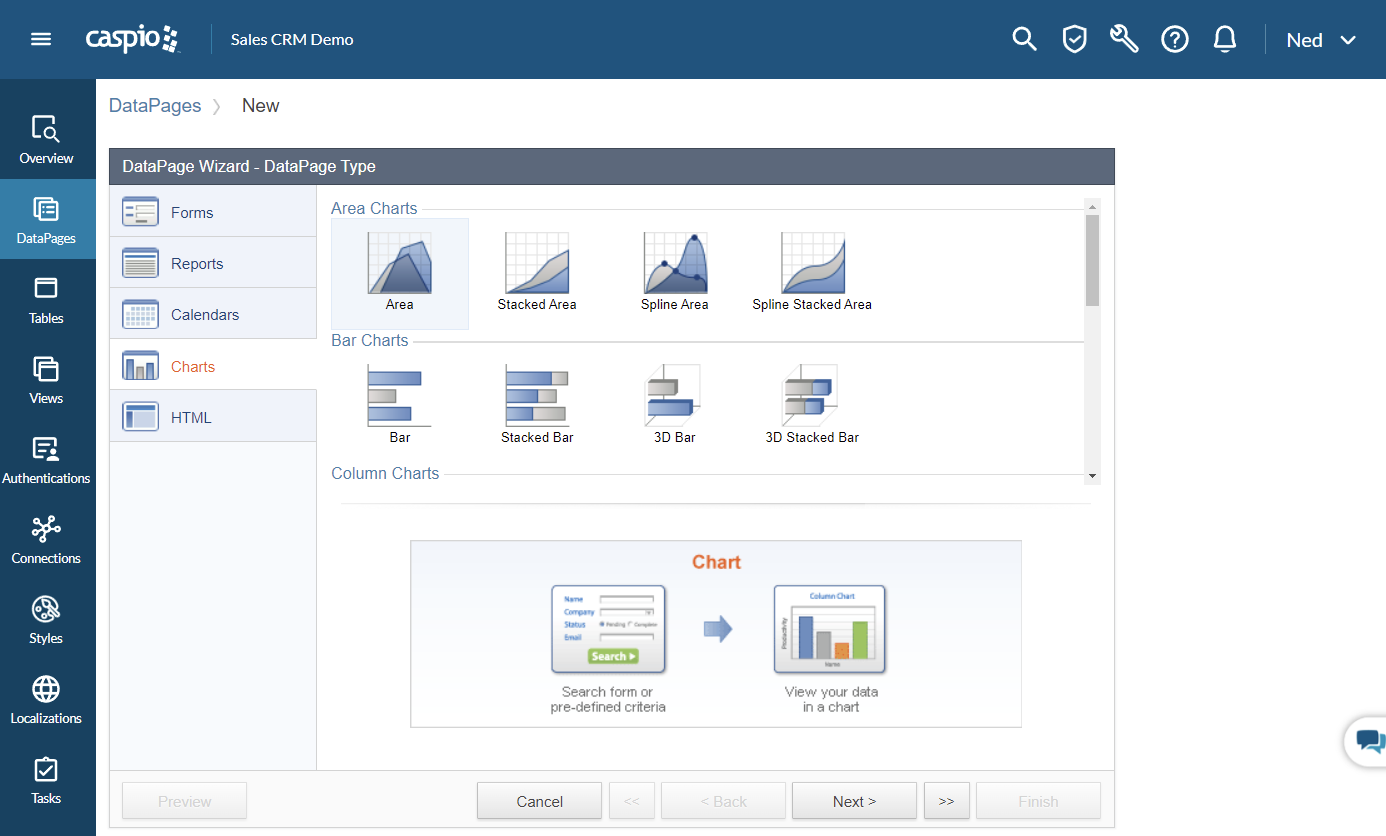
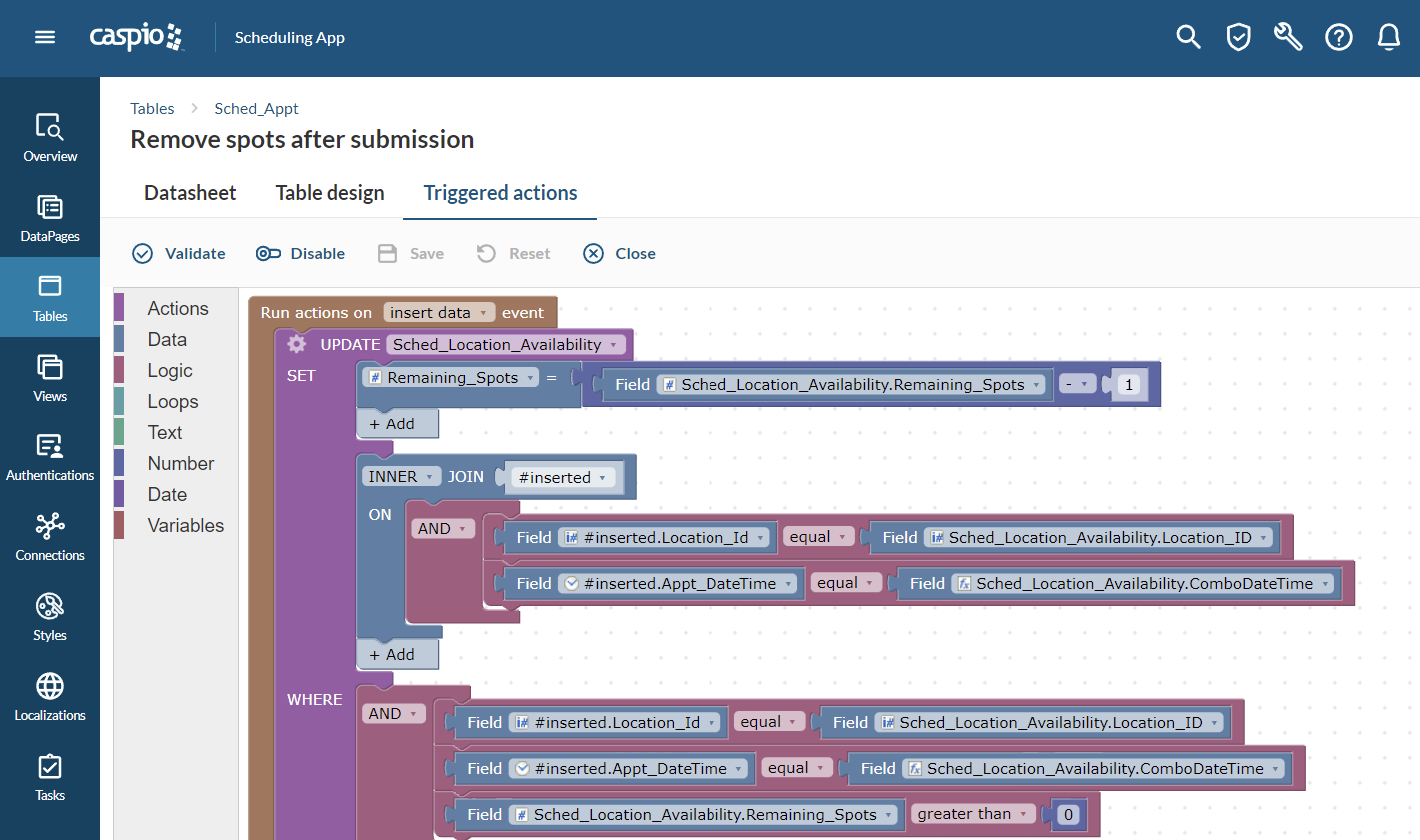
Screenshot of Custom Applications Built Without Coding - Caspio captures data, shares information and automates workflows in less time than traditional software development approaches.Screenshot of Built-In Cloud Database - Caspio includes the entire technology stack needed for enterprise-ready applications, including a scalable SQL database that's as easy to edit as a spreadsheet.Screenshot of Visual Application Builder - Features point-and-click tools to design, build and deploy applications faster than typical programming methods.Screenshot of Drag-and-Drop Process Designer - Application logic can be customized using a visual process designer, where specific events trigger custom workflows, automatic data updates and conditional logic.Screenshot of Low Code Since 2000 - With Caspio's low-code platform, the range of applications that can be built to any exact requirements is limited only by the user's imagination.

SeaTable Screenshots

Screenshot of This is your starting overview page with all your bases. We provide you with predefined templates to help you get started with SeaTable as easily as possible.Screenshot of Always keep track of all your ideas, tasks or projects. So that everyone in the team knows exactly what needs to be done.Screenshot of In just a few clicks, you can add your team members to SeaTable, assign tasks, mark individual team members, set permissions and comment on the various tasks. This way, everyone in the team always stays informed and knows what needs to be done.Screenshot of SeaTable can be extended with individual plug-ins. In addition to the gallery, calendar, map view and timeline plug-in, you also have the option of developing your own desired functions.Screenshot of Bring your data to life with SeaTable! In addition to pie charts, bar charts and line charts, SeaTable has a variety of other options for efficiently preparing your data.Screenshot of Do you have to regularly record data from your employees or business partners? With SeaTable you can create online forms in no time at all, which you can send to the respective recipients via a link. The entered data ends up directly in SeaTable.