Click Maint vs. IBM Maximo Application Suite

Overview
ProductRatingMost Used ByProduct SummaryStarting Price
Click Maint
Score 0.0 out of 10
N/A
Click Maint is a CMMS software for facilities and maintenance operations. The software's features help maintenance and facilities professionals streamline processes.
$35
per month per user
IBM Maximo Application Suite
Score 8.0 out of 10
N/A
IBM Maximo Application Suite is an enterprise asset management (EAM) platform.N/A
Pricing
Click MaintIBM Maximo Application Suite
Editions & Modules
No answers on this topic
Offerings
Pricing Offerings
Click MaintIBM Maximo Application Suite
Free Trial
YesYes
Free/Freemium Version
NoNo
Premium Consulting/Integration Services
YesYes
Entry-level Setup Fee$500 one-time feeNo setup fee
Additional Details
More Pricing Information
Community Pulse
Click MaintIBM Maximo Application Suite
Best Alternatives
Click MaintIBM Maximo Application Suite
Small Businesses

No answers on this topic

No answers on this topic

Medium-sized Companies

No answers on this topic

IFS Applications
IFS Applications
Score 7.7 out of 10
Enterprises

No answers on this topic

IFS Applications
IFS Applications
Score 7.7 out of 10
All AlternativesView all alternativesView all alternatives
User Ratings
Click MaintIBM Maximo Application Suite
Likelihood to Recommend
-
(0 ratings)
7.9
(66 ratings)
Likelihood to Renew
-
(0 ratings)
7.9
(7 ratings)
Usability
-
(0 ratings)
8.6
(6 ratings)
Support Rating
-
(0 ratings)
7.1
(4 ratings)
Implementation Rating
-
(0 ratings)
7.3
(3 ratings)
Ease of integration
-
(0 ratings)
5.0
(1 ratings)
Product Scalability
-
(0 ratings)
1.0
(1 ratings)
User Testimonials
Click MaintIBM Maximo Application Suite
Likelihood to Recommend
Click Maint
No answers on this topic
IBM
The software is very well-suited to asset lifecycle management and system condition monitoring. User-friendliness of the product and effectiveness in managing work orders. The software's pricing is much more affordable than that of other EAM systems. Many improvements are needed in the customer support services department. Delays in response are costly.
Read full review
Pros
Click Maint
No answers on this topic
IBM
  • Delivers Out-of-Box solutions for various industries without the need for customization and configuration
  • Modules and Applications are well developed and linked in an orderly way, with proper documentation and help guides that allow end users to start using the system with ease
  • Powerful Work Management, Contracts, Inventory, and Purchasing applications and features that are a better match to other ERP applications today
Read full review
Cons
Click Maint
No answers on this topic
IBM
  • Usually, we have problems with the mobile apps. For about seven out of ten customers, we need to use third-party mobile applications. It’s been a rollercoaster — Anywhere was terrible, then Maximo Mobile for 8 was pretty good, and now with Maximo 9, it’s problematic again. So it’s been ups and downs. But the good thing is that the architecture is open, so we can use third-party applications or even develop our own add-ons. Still, IBM could do this better.
Read full review
Likelihood to Renew
Click Maint
No answers on this topic
IBM
IBM Maximo Application Suite has provided a solution to our desire to consolidate the multiple applications serving the layers of the Procurement process we has been accustomed to using. By consolidating applications, licensing and software costs are reduced, and the overall headcount to support the various applications was able to be minimized.
Read full review
Usability
Click Maint
No answers on this topic
IBM
The IBM Maximo Application Suite is well known for inventory management solutions. This solution is in use by many corporations but mostly I have seen its use in Ports, defense and aerospace industries. Some of the benefits are 1. asset tracking is amazing 2. Maintenance cost is less 3. Reduced inspection costs 4. Less downtime 5. It allows customization 6 Simplify data management 7. Highly adaptable
Read full review
Performance
Click Maint
No answers on this topic
IBM
Depends on DB tuning, Query builds etc
Read full review
Support Rating
Click Maint
No answers on this topic
IBM
I have regularly contacted IBM Support to report issues and raise requests for issues we face during project implementations. The response from them has overall been good and to the point, and they get back to us within a day or 2 and guide us through the process of fixing it or providing an interim fix of the product
Read full review
In-Person Training
Click Maint
No answers on this topic
IBM
As expected, good content and instructions
Read full review
Implementation Rating
Click Maint
No answers on this topic
IBM
Implementation of IBM MAS as a service provider has been easy. The functionality in the OEM space has been the best of its class with all related modules and application subject to maintenance
Read full review
Alternatives Considered
Click Maint
No answers on this topic
IBM
As a computerized maintenance management system i do not have experience of any other system. The only experience I have is for Maximo and it works excellent for me. I am using many modules available in Maximo and all of these modules are almost fulfilling all of my business needs.
Read full review
Scalability
Click Maint
No answers on this topic
IBM
i dont use it
Read full review
Return on Investment
Click Maint
No answers on this topic
IBM
  • Being the core business of my organization, IBM Maximo had a complete ROI for our objectives. We are able to successfully maintain and offer multiple solutions based on our interaction with Maximo.
  • Based on our contracts, we are able to provide a great partnership with IBM thru Maximo and it's tools.
  • We are able to maintain our business with steady market growth based mainly on our offer of the IBM Maximo in various layers.
Read full review
ScreenShots

Click Maint Screenshots

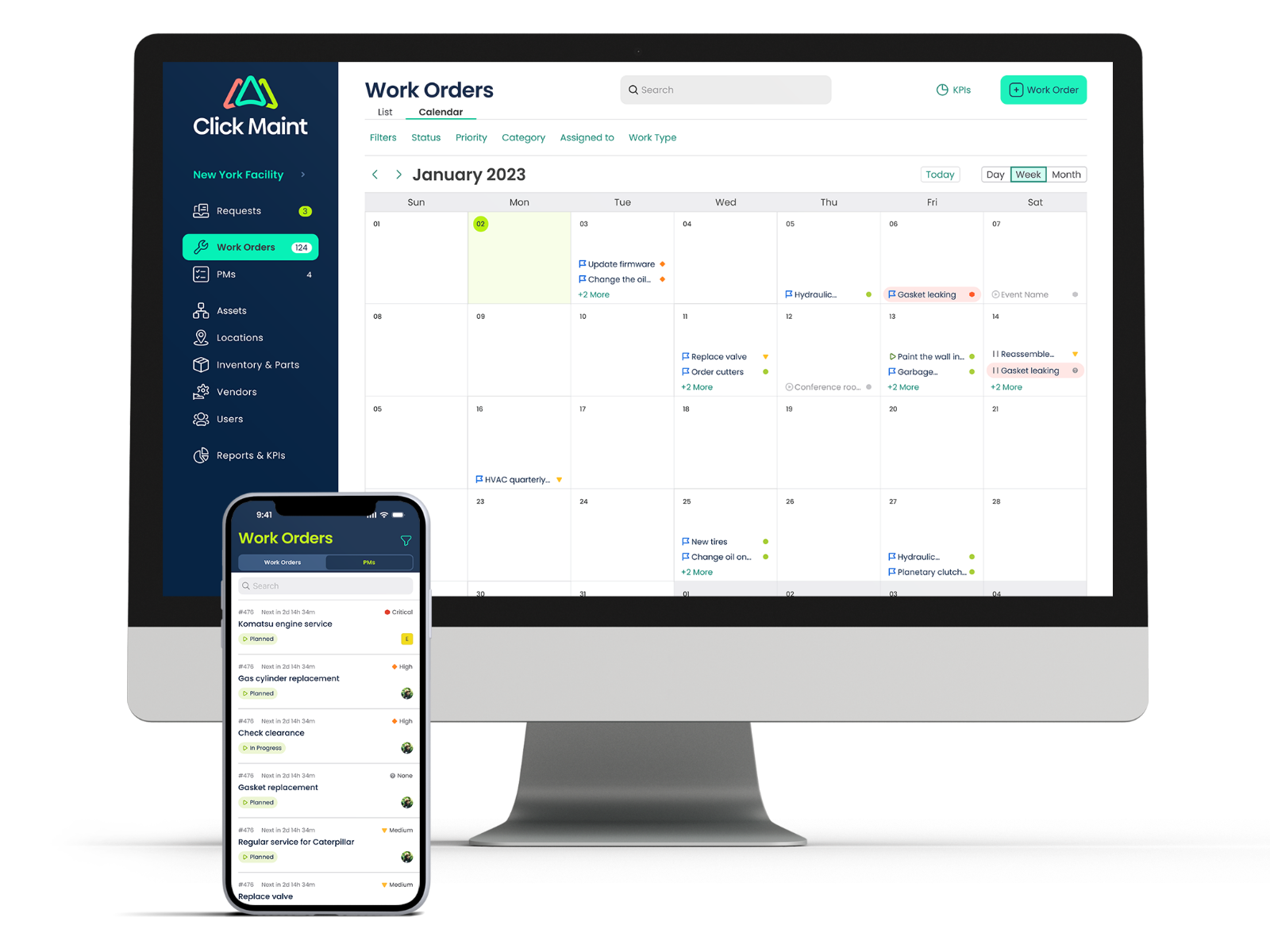
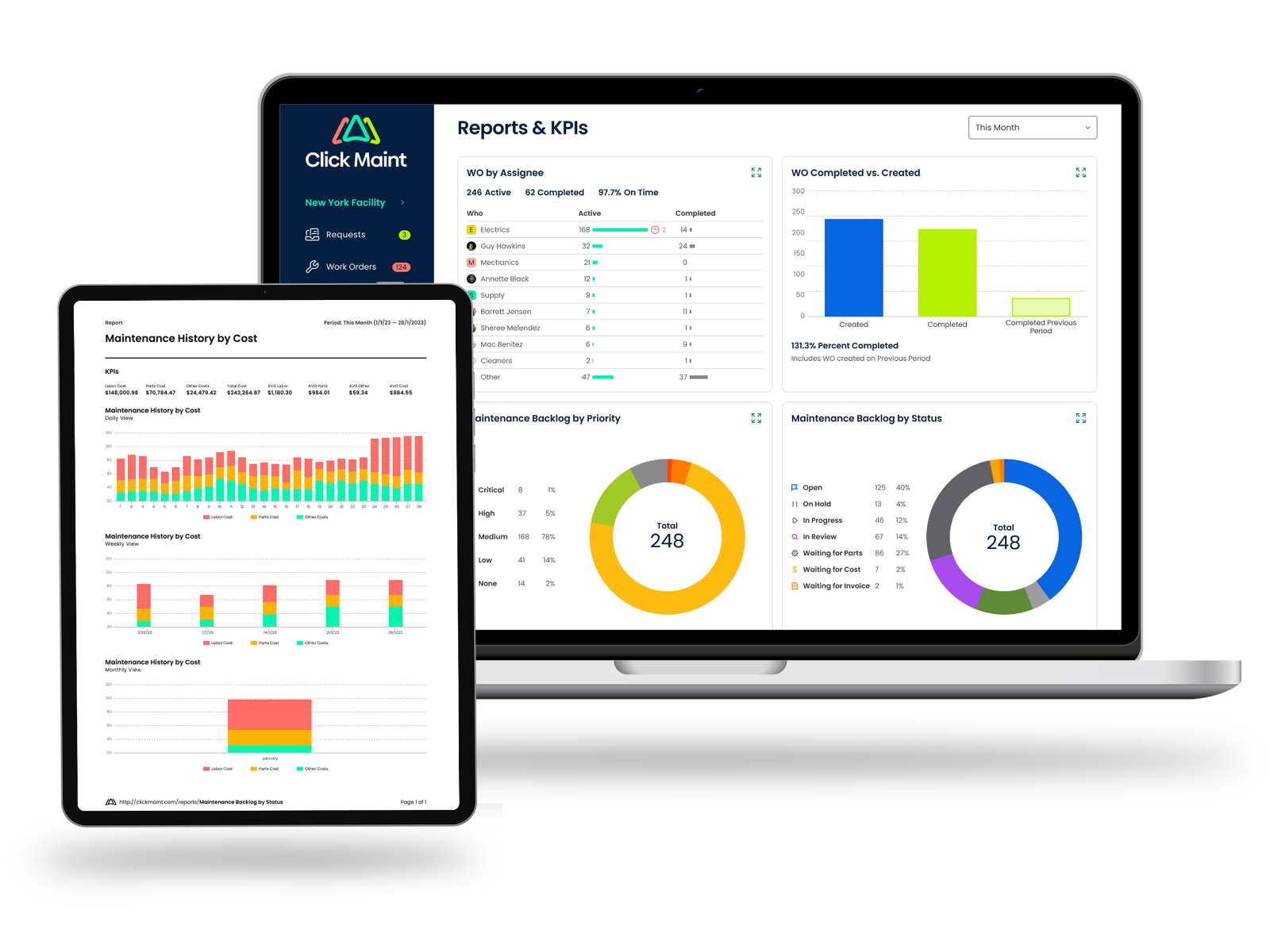
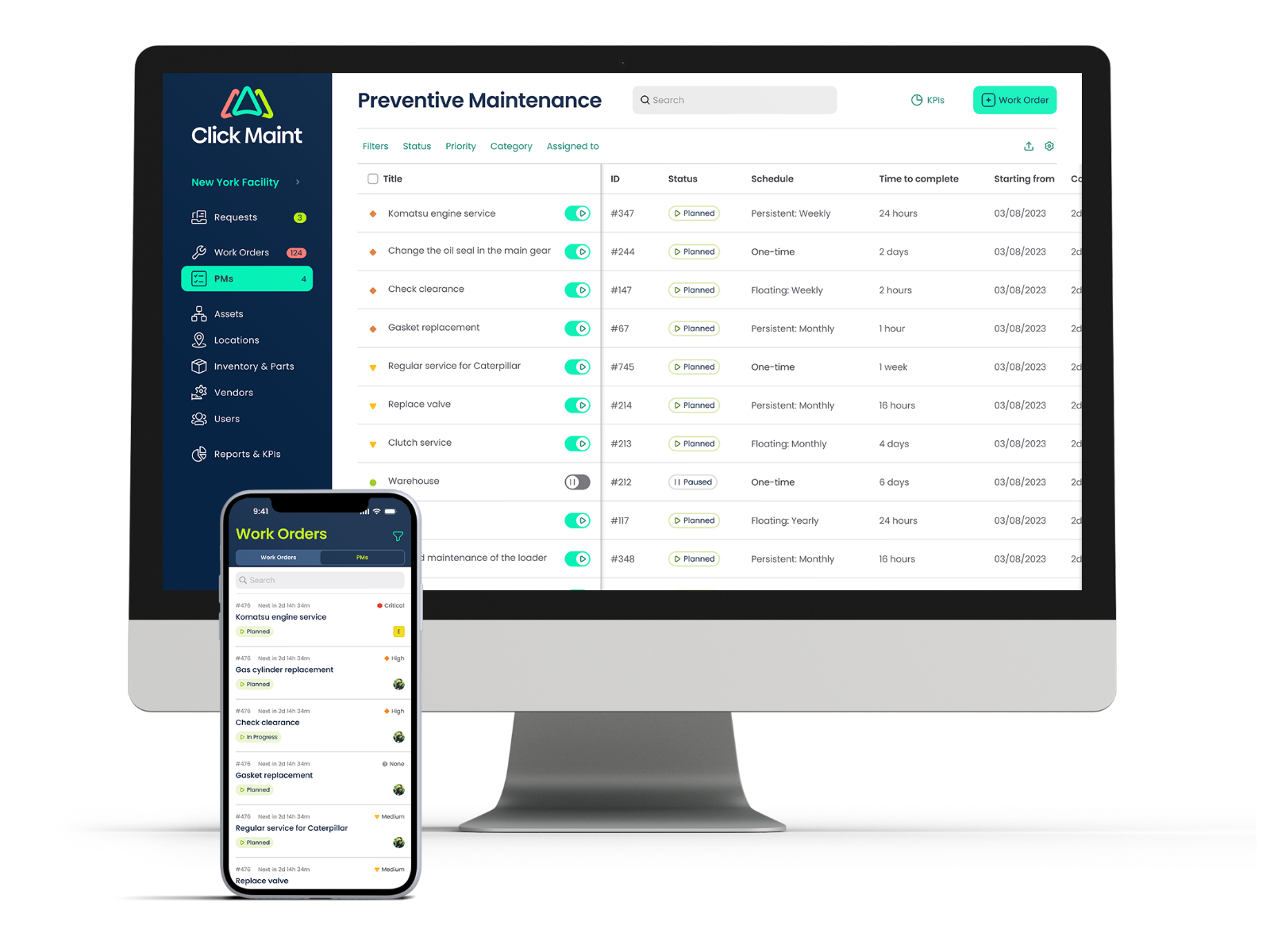
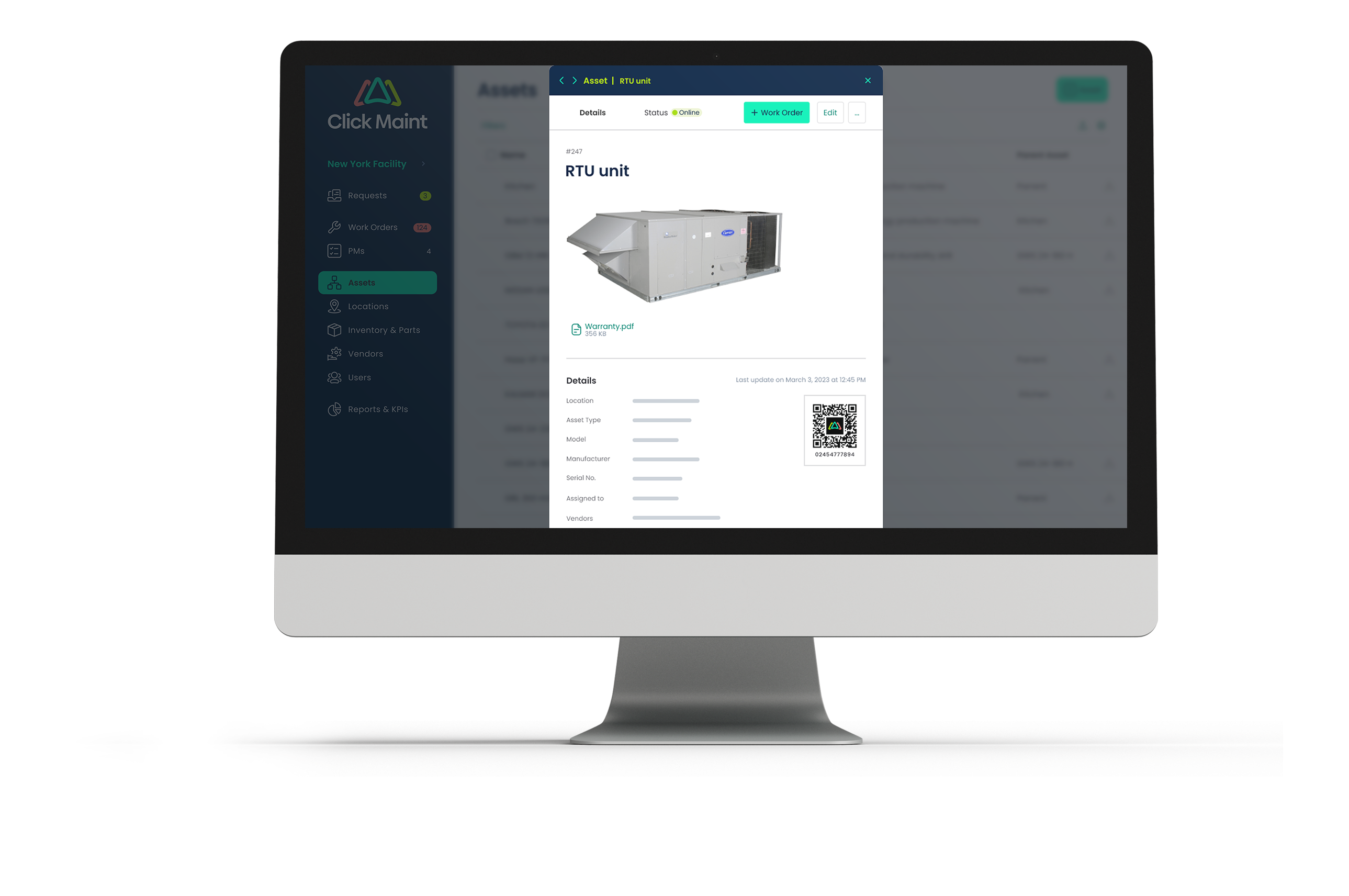
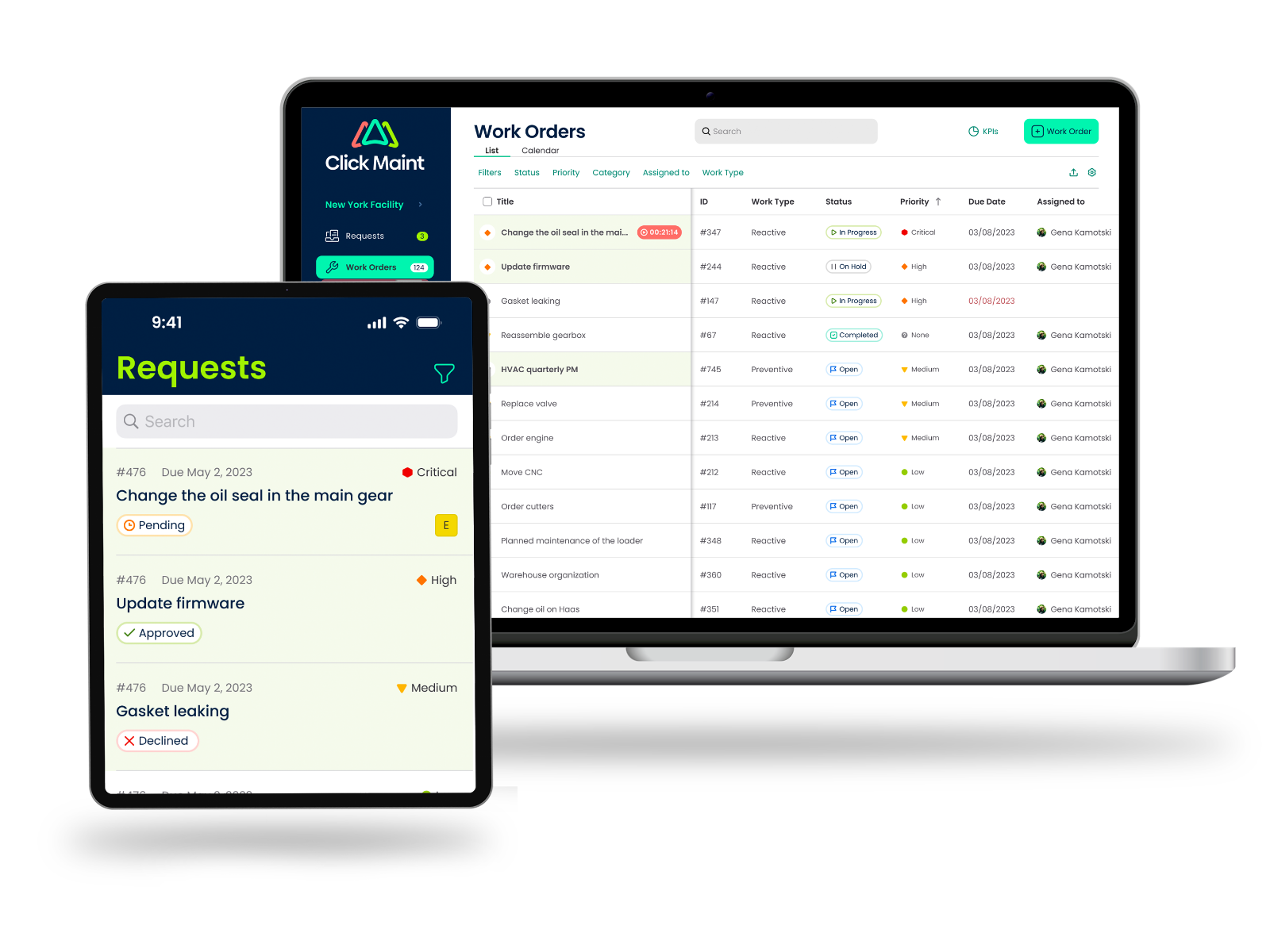
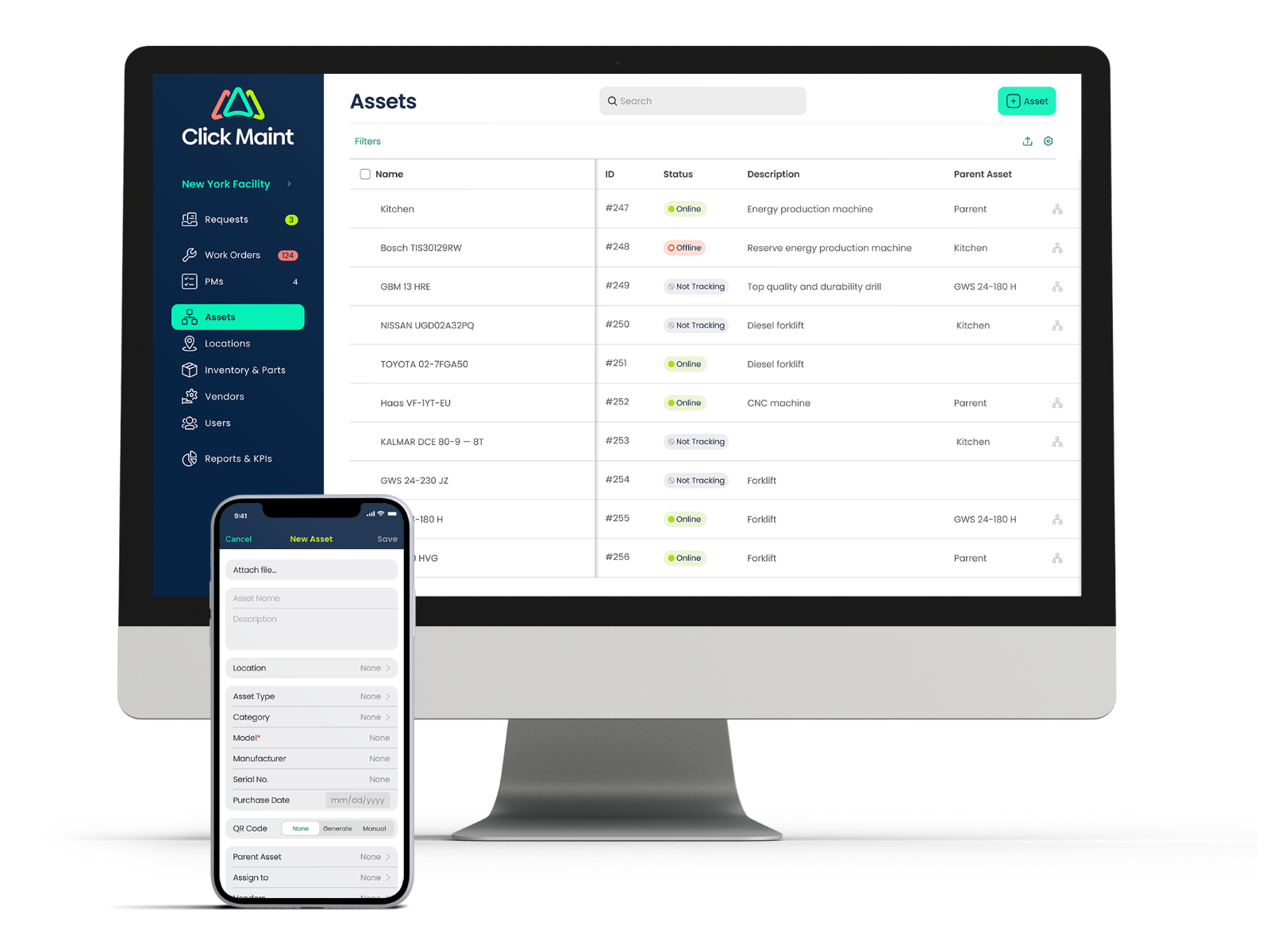
Screenshot of the calendar view, used to manage work orders and schedulesScreenshot of the KPI dashboard with key insights and analyticsScreenshot of the interface to schedule and automate preventive maintenanceScreenshot of a display of asset detailsScreenshot of the interface for maintenance requests and work ordersScreenshot of a display of all assets, from the desktop web app or mobile app