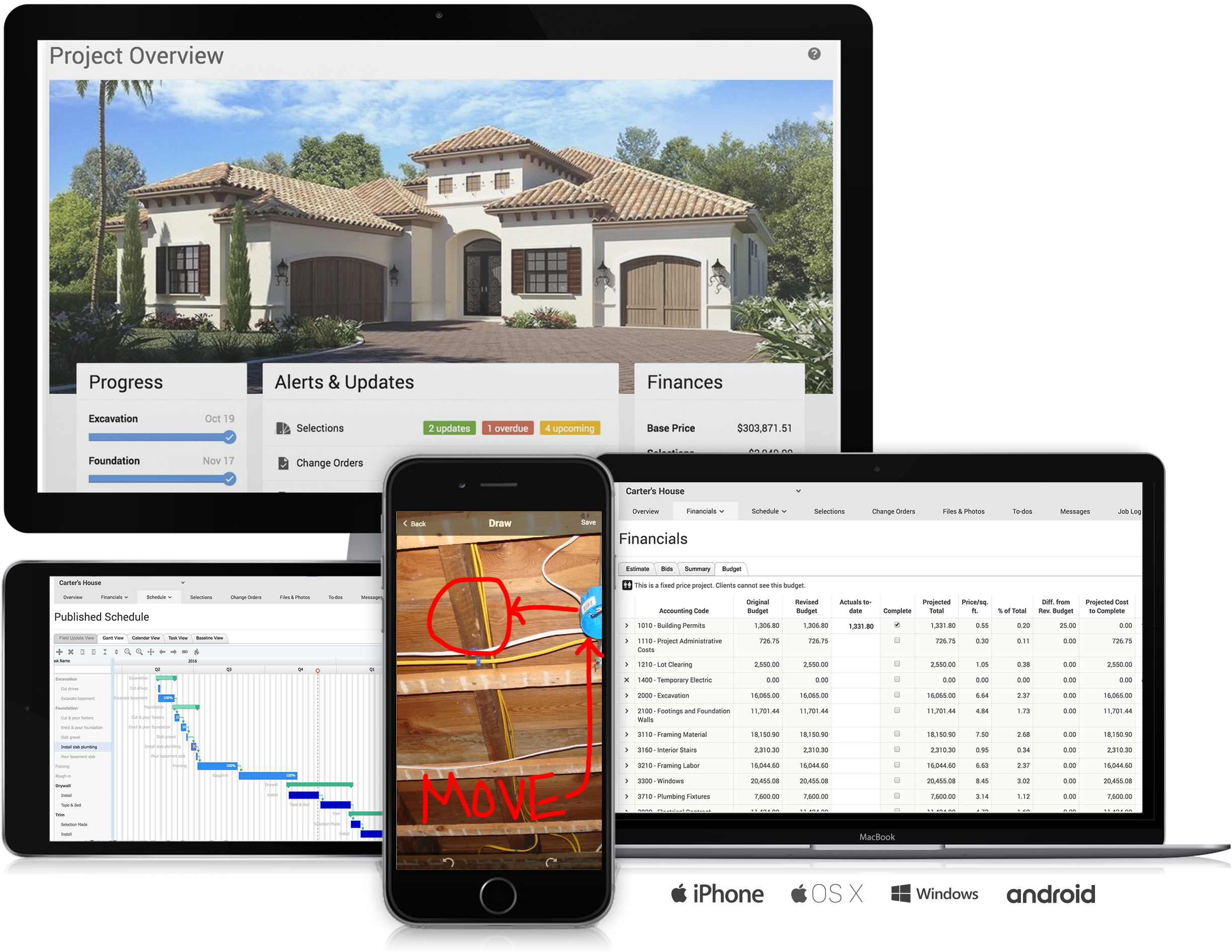
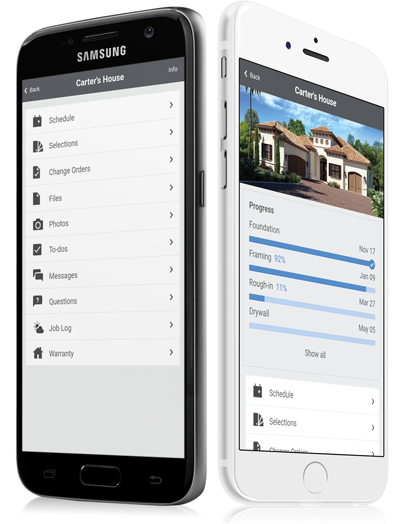
CoConstruct, from Buildertrend since the November 2021 acquisition, is a custom builder & remodeler software. It allows users to enter data once and have that information flow through the estimate, specs, selections, bids, proposals, change orders, and budgets, including to and from QuickBooks. In addition, CoConstruct includes scheduling and 3-way communication between builder, client, and trade partners. Everything is captured via email and texting. Login isn't required for…
$49
per month
SketchUp
Score8.3 out of 10
N/A
SketchUp is 3D modeling software with an emphasis on usability. SketchUp is a Trimble product.
$119
per year
Pricing
CoConstruct
SketchUp
Editions & Modules
Ramp
$49
per month
Plus 5
$299
per month
Plus 10
$399
per month
Plus 15
$499
per month
Free
$0.00
per year
For Schools (free with G Suite or Microsoft education account)
$0
For Students
$55.00
per year
For Educators
$55.00
per year
Studio for Students / Educators (Desktop version)
$55
per year
Shop
$119.00
per year
Pro
$299.00
per year
Professional
$299.00
per year
Studio (Windows only)
$699
per year
Studio
$1199.00
per year
Offerings
Pricing Offerings
CoConstruct
SketchUp
Free Trial
No
No
Free/Freemium Version
No
Yes
Premium Consulting/Integration Services
No
No
Entry-level Setup Fee
No setup fee
No setup fee
Additional Details
CoConstruct pricing is based on active job sites that have client access online, which means it is adaptable to builders & remodelers businesses. This means that there are an unlimited amount of projects available for estimates and proposals, so that customers only pay when they win a contract. Also built into the pricing are a myriad of services: a dedicated implementation coach, free estimate & scheduling templates based on industry best practices from successful builders and the NAHB, unlimited storage and users, software branded with the customer's logo, unlimited amount of warranty projects, and unlimited phone & email support. The vendor offers a money-back guarantee that is good for the first 90 days of service.
Owner / Production manager in Professional Services at Alloy Architecture and Construction (Construction, 11-50 employees)
Chose CoConstruct
I have looked at Builder Trend. It has a similar function and does many of the same things. Generally, I prefer the look and feel of CoConstruct, It has a cleaner and more approachable interface. Its ability to integrate with outside accounting software, specifically …
A de minimis incentive was given to thank the reviewer for their time. The incentive was not used to bias or drive a particular response, nor was the incentive contingent on a positive endorsement. More Info
Having the ability to completely manage a project from start to finish with one app is super helpful. The time reporting feature (when it works correctly) is a nice added bonus as it allows employees to switch from one task to another on the same project or to another project and task with ease, aiding in the accounting process of the total project. This was helpful for running analytics to see where we were spending too much time on certain tasks, thus allowing us to assess any training needs.
A de minimis incentive was given to thank the reviewer for their time. The incentive was not used to bias or drive a particular response, nor was the incentive contingent on a positive endorsement. More Info
SketchUp is great for individually studying options for building design. It is an awesome conceptual tool to be able to quickly model and manipulate a building to study different designs. It is not good for complex geometries, especially curves. Surfaces have a hard time registering and cutting into one another. It also eventually needs to go into Revit to be more realistic as it is not good as a documentation tool
A de minimis incentive was given to thank the reviewer for their time. The incentive was not used to bias or drive a particular response, nor was the incentive contingent on a positive endorsement. More Info
The integration of all aspects needed to run a remodeling company efficiently: project scheduling and management, financial planning and customer service. Since it’s an all-in-one suite and cloud-based, it enables our team to keep track of all our projects in real-time. Communication breakdown is the last thing we want, so being on the same page is not only desirable but makes for the best possible relationship with our clients.
Product education - We like how CoConstruct helps new users and get them to start using the tool right away. The dashboard resource materials are incredibly useful. We don’t have to spend a lot of time training new hires on the system and onboarding new clients.
A de minimis incentive was given to thank the reviewer for their time. The incentive was not used to bias or drive a particular response, nor was the incentive contingent on a positive endorsement. More Info
Quickly exploring solutions in 3D: We get a lot of "what if" and "what would that look like" questions. While hand-sketching and hand-drafting can be fairly quick, SketchUp allows me to quickly create 3D and 2D views of a detail or solution, change dimensions and materials in a flash, and show a client or installer the plan in minutes.
Creating professional design documents in LayOut: Projects of any scale need good documentation. Using a combination of SketchUp and LayOut, I can create a Design Intent Set, plans for permitting, a set for mechanical trades to mark-up, etc. Having clear, appropriately-scaled drawings with dimensions or notations is a must, and we don't always have the time or budget to get an architect involved!
Using live files to guide discussions: Not all clients are "visual" people, so opening their model and orbiting around their space in real time has been extremely helpful. Clients and trades enjoy the perspective views so much that we often include them in the full-sized drawing sets to give a good "overall" view of the project intent. For complex or tight spaces, sometimes un-rendered plans and elevations just aren't enough!
A de minimis incentive was given to thank the reviewer for their time. The incentive was not used to bias or drive a particular response, nor was the incentive contingent on a positive endorsement. More Info
Internal Communication - CoConstruct lacks the ability to tag-team members for internal communication using @mentions or any other means. This has been crippling for us and forced us to use alternative software for communicating among our team members.
Pipeline Management - CoConstruct's lead-tracking system feels clunky and hard to navigate and doesn't provide a pipeline view that's easy to navigate. We have moved our Pipeline Management outside of CoConstruct to make it easier for our sales team to track leads.
CRM - CoConstruct doesn't offer anything for customer follow-up after projects are completed. This, in addition to the lack of an effective pipeline system, has led to our decision to use Hubspot as our CRM. Moving projects into CoConstruct for Design and back our after Production.
A de minimis incentive was given to thank the reviewer for their time. The incentive was not used to bias or drive a particular response, nor was the incentive contingent on a positive endorsement. More Info
A de minimis incentive was given to thank the reviewer for their time. The incentive was not used to bias or drive a particular response, nor was the incentive contingent on a positive endorsement. More Info
We typically wait a few years in between renewing, as even older versions are powerful tools for modeling, and we make sure the amount of feature changes are worth the re-investment.
It is very user friendly and easy to learn. It's simplicity allows for a low learning curve so more people can learn it faster. The downside is that most schools are no longer teaching it, so many younger professionals come out of school not knowing it and knowing more complex software and they have a hard time "dumbing down" their skillsets
A de minimis incentive was given to thank the reviewer for their time. The incentive was not used to bias or drive a particular response, nor was the incentive contingent on a positive endorsement. More Info
The support staff is brilliant; they don't operate on Australian time, so you can't just dial up support when you need it. The response times are quick, and the staff is knowledgeable. They are also well versed in most of the differences between buildings in the US and the building in Australasia. Despite their funny accents and strange use of the English language, we get by just fine!
A de minimis incentive was given to thank the reviewer for their time. The incentive was not used to bias or drive a particular response, nor was the incentive contingent on a positive endorsement. More Info
Sketchup is so intuitive; I can't recall ever looking for official support. However, there are many user forums online that can answer more questions. The usefulness of the online forums is, however, tempered by the fact that there have been many versions of the software under different ownership and support regimes, and thus finding the right information for the right version of the software can be a challenge.
A de minimis incentive was given to thank the reviewer for their time. The incentive was not used to bias or drive a particular response, nor was the incentive contingent on a positive endorsement. More Info
Products like Procore and PlanGrid are geared towards projects with huge projects teams, multiple stakeholders and dozens of subcontractors. CoConstruct can be used for projects big and small (value) and also with small project teams or large projects teams. For small partial renovation or addition projects CoConstruct is a good more cost effective option.
A de minimis incentive was given to thank the reviewer for their time. The incentive was not used to bias or drive a particular response, nor was the incentive contingent on a positive endorsement. More Info
We have not evaluated any other competing software to this one. I heard about this software from a friend who teaches how to use it. She showed me in just a few minutes and I was HOOKED. I saw immediately the possible help it would be to my business. Thank you.
A de minimis incentive was given to thank the reviewer for their time. The incentive was not used to bias or drive a particular response, nor was the incentive contingent on a positive endorsement. More Info
A de minimis incentive was given to thank the reviewer for their time. The incentive was not used to bias or drive a particular response, nor was the incentive contingent on a positive endorsement. More Info
A de minimis incentive was given to thank the reviewer for their time. The incentive was not used to bias or drive a particular response, nor was the incentive contingent on a positive endorsement. More Info