TrustRadius: an HG Insights company

Save this comparison

Save this comparison

Add Product

Recommended Comparisons

    Overview
    ProductRatingMost Used ByProduct SummaryStarting Price

    Comm100

    Score8.2 out of 10
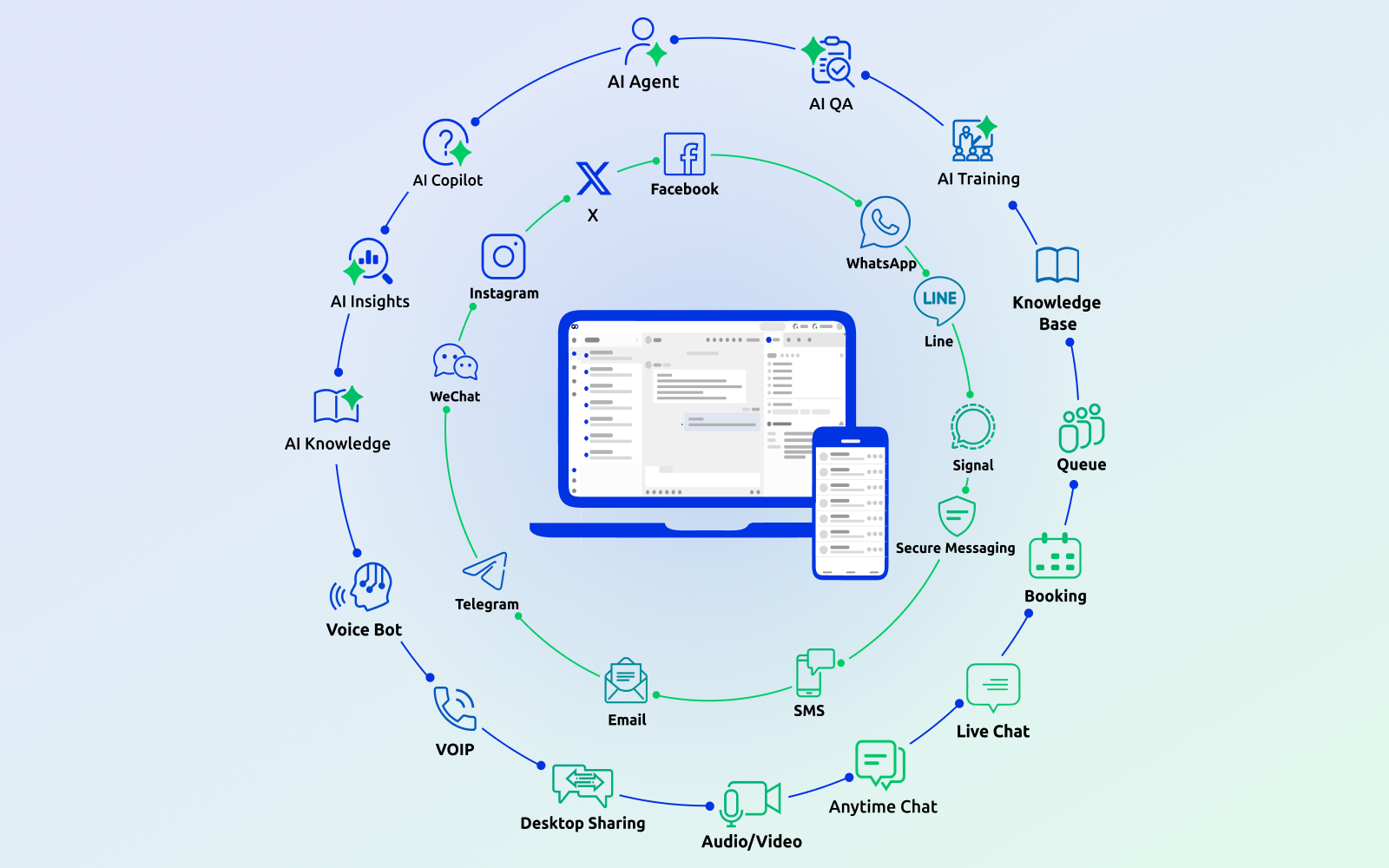
    N/AComm100 is a global provider of omnichannel customer support software for commercial, government, and nonprofit organizations of all sizes. The Comm100 platform unifies live chat, email, social media, secure messaging, and self-service resources into one support experience. Centralized conversations and workflows improve visibility, accelerate response times, and ensure consistent service delivery regardless of channel, audience, or interaction volume. The…

    $39

    per month per user

    Patch My PC Patch Management

    Score9.1 out of 10
    Enterprise companies (1,001+ employees)
    Software that extends Microsoft Configuration Manager to deploy and patch third-party applications. It is designed to handle the tedious task of packaging, testing, troubleshooting, and deploying applications in the environment. The software automates the creation and patching of third-party applications. Optionally, users can configure automatic deployment rules for complete automation and control over third-party patch management in the enterprise.

    $1

    per year per seat

    Pricing
    Comm100Patch My PC Patch Management
    Editions & Modules
    Booking
    $14
    per month per user
    AI Copilot
    $29
    per month per user
    Live Chat Startup
    $39
    per month per agent
    Ticketing & Messaging
    $59
    per month per user
    Live Chat Plus
    $69
    per month per agent
    AI Insights
    $100
    per month
    Live Chat Ultra
    Contact Sales
    per month per user
    AI Agent
    Contact Sales
    Basic
    $1
    per year per seat
    Enterprise
    $2
    per year per seat
    Intune Essentials
    $3.25
    per year per seat
    Enterprise Plus
    $3.50
    per year per seat
    Offerings
    Pricing Offerings
    Comm100Patch My PC Patch Management
    Free Trial
    YesYes
    Free/Freemium Version
    NoNo
    Premium Consulting/Integration Services
    YesNo
    Entry-level Setup FeeNo setup feeNo setup fee
    Additional Details——
    More Pricing Information
    Features
    Comm100Patch My PC Patch Management
    Threat Intelligence
    Comparison of Threat Intelligence features of Comm100 and Patch My PC Patch Management
    Feature
    Comm100
    -
    Ratings
    Patch My PC Patch Management
    10.0
    1 Ratings
    21% above category average
    Vulnerability Classification00 Ratings10.01 Ratings
    Vulnerability Management Tools
    Comparison of Vulnerability Management Tools features of Comm100 and Patch My PC Patch Management
    Feature
    Comm100
    -
    Ratings
    Patch My PC Patch Management
    10.0
    1 Ratings
    18% above category average
    Vulnerability Intelligence00 Ratings10.01 Ratings
    Best Alternatives
    Comm100Patch My PC Patch Management
    Small Businesses
    Olark
    Score10 out of 10
    No answers on this topic
    Medium-sized Companies
    Zoho SalesIQ
    Score9.7 out of 10
    Tenable Nessus
    Score8.8 out of 10
    Enterprises
    Genesys DX (discontinued)
    Score10 out of 10
    Tenable Vulnerability Management
    Score8.9 out of 10
    All AlternativesView all alternativesView all alternatives
    User Ratings
    Comm100Patch My PC Patch Management
    Likelihood to Recommend
    8.2
    (2 ratings)
    10.0
    (1 ratings)
    Likelihood to Renew
    8.2
    (1 ratings)
    10.0
    (1 ratings)
    Usability
    9.1
    (2 ratings)
    -
    (0 ratings)
    Support Rating
    7.3
    (1 ratings)
    -
    (0 ratings)
    Implementation Rating
    -
    (0 ratings)
    10.0
    (1 ratings)
    User Testimonials
    Comm100Patch My PC Patch Management
    Likelihood to Recommend
    Comm100
    Comm100 has been great for getting customers to specific pieces of content (drivers, downloads, collateral, use cases, etc.) while the customer reaches out. The ability to share specific links in the chat window and have a preview appear is especially neat
    Read full review
    Patch My PC
    I highly recommend Patch My PC to businesses of all types and sizes. The tool is highly customizable and can meet the needs of any organization. It is easy to implement with Configuration Manager (SCCM) and Intune and can be set up within a matter of minutes.
    Read full review
    Pros
    Comm100
    • We have a live chat icon on the website, so users can easily contact us for instant support.
    • Previously, we had to use email as the main contact channel. By using live chat, we found the conversation rate improved a lot, as customers are happier to get instant support.
    Read full review
    Patch My PC
    • Great customer support
    • Automation of application creation and updates
    • Easy to integrate and manage
    Read full review
    Cons
    Comm100
    • Salesforce integration is good, but is a touch buggy, and is tough to diagnose.
    • If you know anything about computers, the training Comm100 provides is remedial.
    Read full review
    Patch My PC
    • SAS solution
    • Be able to select a specific application version for deployment
    Read full review
    Likelihood to Renew
    Comm100
    No answers on this topic
    Patch My PC
    I consider Patch My PC a necessary tool for any environment I manage. I cannot imagine managing an environment without it, as the time and effort it saves is invaluable.
    Read full review
    Usability
    Comm100
    Super easy to use if you know anything about computers. Comm100 has done a good job of putting together functionality and easy of use for all levels.
    Read full review
    Patch My PC
    No answers on this topic
    Support Rating
    Comm100
    Customer support seems pretty good — though we haven't had many issues, our experience with getting them to troubleshoot our Salesforce integration was really the only frustrating part. We had to repeat ourselves a bunch, and the issue never really went away. We just ignored it and moved beyond
    Read full review
    Patch My PC
    No answers on this topic
    Implementation Rating
    Comm100
    No answers on this topic
    Patch My PC
    The implementation is super easy, specially if you're just Integrating it with Intune.
    Read full review
    Alternatives Considered
    Comm100
    After a lot of research, Comm100 was our first choice. No other platform seemed as robust or provided us with as much room for growth as Comm100 did/does.
    Read full review
    Patch My PC
    Patch My PC is a tool developed and maintained by experienced systems administrators, who have a deep understanding of the workings of Configuration Manager (SCCM) and Intune. They know what it takes to successfully deploy applications to end-users, making the tool an ideal choice for managing software updates and deployments.
    Read full review
    Return on Investment
    Comm100
    • Our download-to-purchase cycle increased by around 3% after applying the live chat system.
    Read full review
    Patch My PC
    • Saves countless hours on manually packaging applications
    • Saves countless hours on investigating what applications in your environment needs updated
    • saves you 1-3 headcounts in your department
    Read full review
    ScreenShots

    Comm100 Screenshots

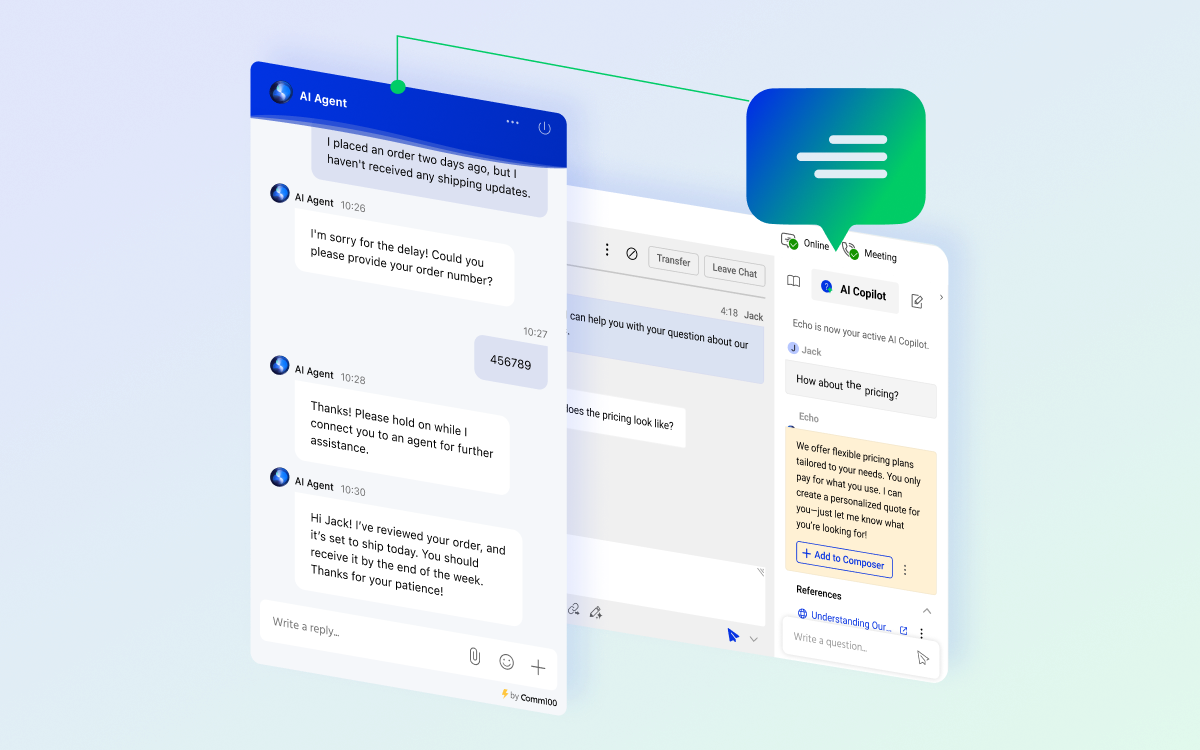
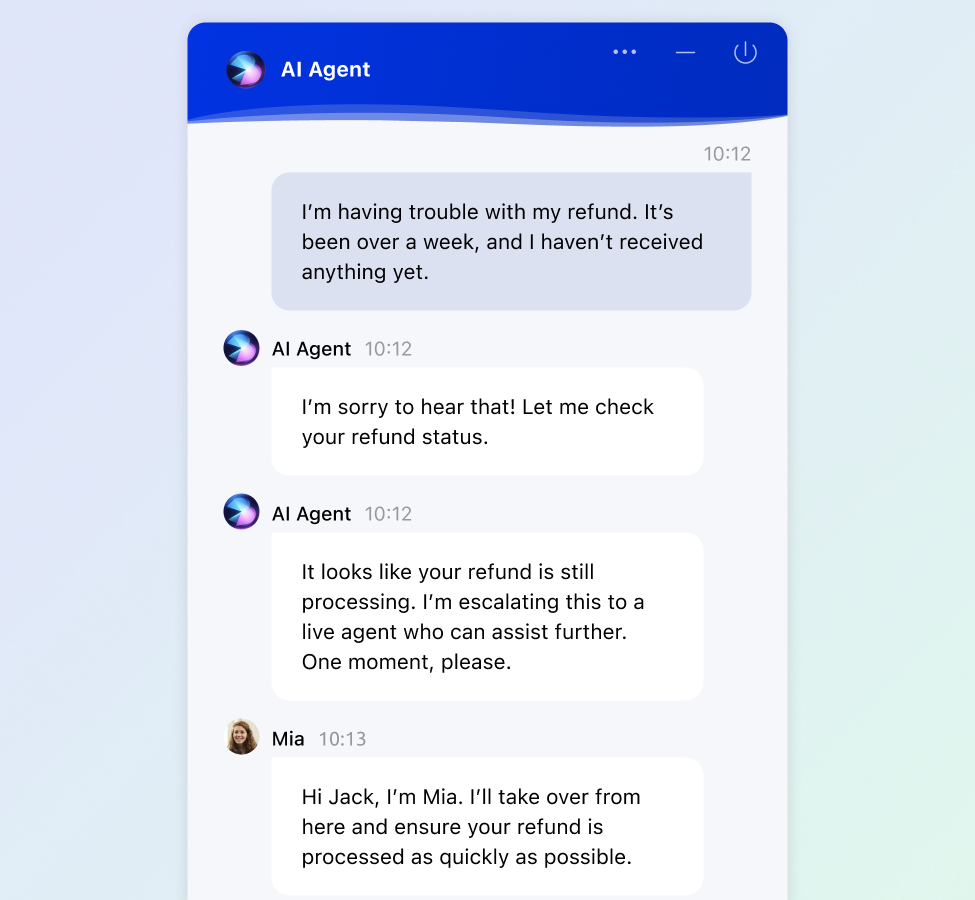
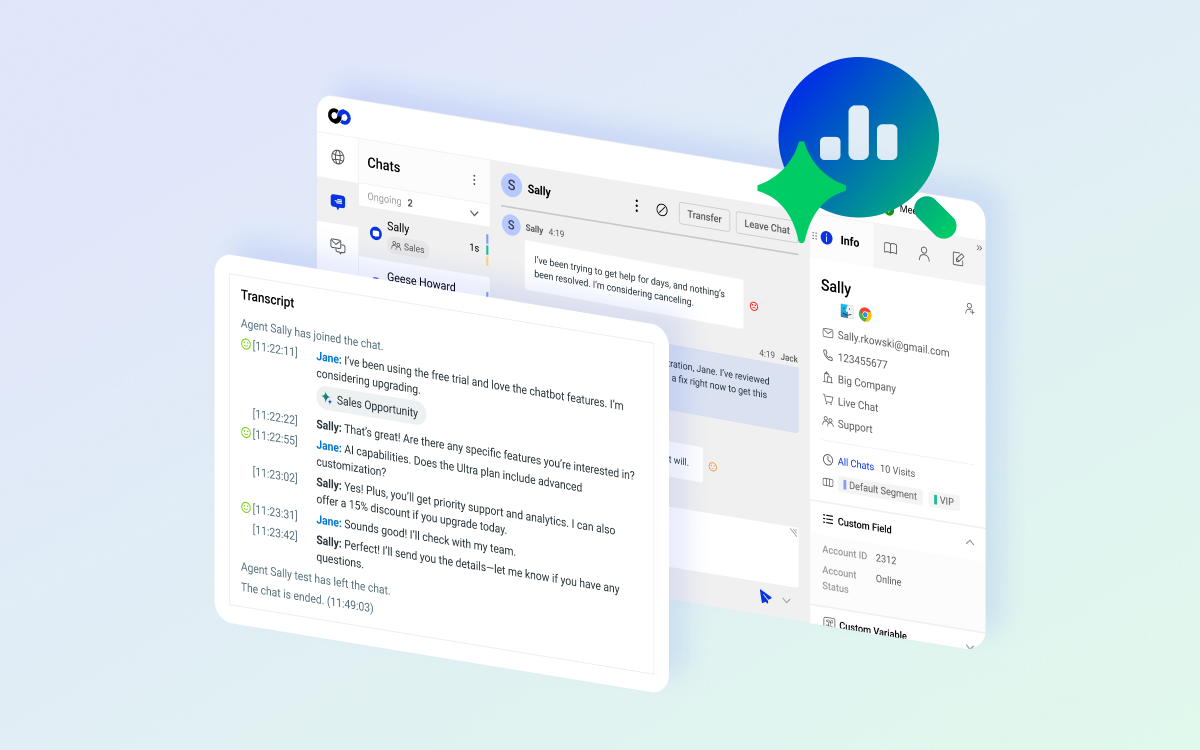
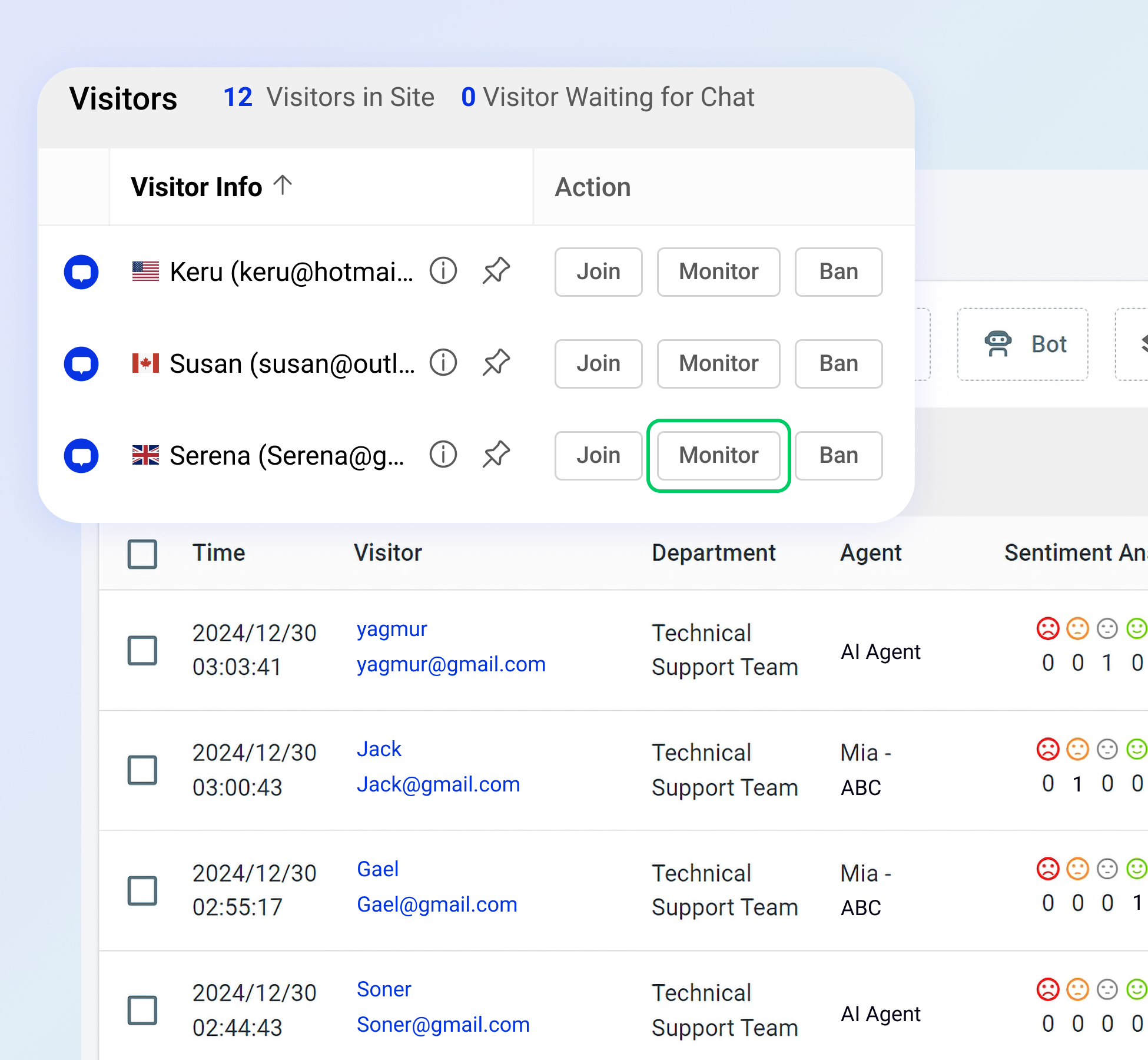
    Screenshot of Comm100 OmnichannelScreenshot of Comm100 AIScreenshot of Comm100 Live Chat with AI CopilotScreenshot of Comm100 AI AgentScreenshot of Comm100 AI InsightsScreenshot of Monitoring and Sentiment Analysis

    Patch My PC Patch Management Screenshots

    Screenshot of The general tab is where you can configure the license key and other general settings including the WSUS Code Signing certificate for third-party software updates.Screenshot of You can enable different third-party products to publish to WSUS and sync into Configuration Manager in the updates tab. You can also right-click on all products, vendors, or specific products to enable custom right-click actions.Screenshot of Enable products for application creation and management using the ConfigMgr Apps tab in the Publisher. This feature will automatically package third-party applications and keep them up to date. You can deploy these applications using task sequences or collection deployments in Configuration Manager.Screenshot of The CVE import wizard in the Patch My PC Publisher can evaluate CVE in a file and let you know which ones are either in the Patch My PC catalog or already published to WSUS.Screenshot of The sync schedule controls how often the Publisher will download the catalog and publish new third-party updates and applications to ConfigMgr or Intune.Screenshot of The alerts tab will automatically send you email, Microsoft Teams, or Slack alerts when new updates or applications are created. These alerts will also include details like severity level, classification level, and CVE's.