Customer.io vs. Pobuca

Overview
ProductRatingMost Used ByProduct SummaryStarting Price
Customer.io
Score 9.1 out of 10
Small Businesses (1-50 employees)
Customer.io is a customer engagement platform that enables marketers to build sophisticated automated messaging campaigns. With access to real-time behavioral data, users can create personalized and relevant messages to engage and retain customers. This includes sending emails, push notifications, SMS, in-app messages, and more through a visual building experience. Built for scale, Customer.io boasts users among over 5,300 companies, sending over 17 billion messages per year.
$100
per month
Pobuca
Score 8.7 out of 10
Mid-Size Companies (51-1,000 employees)
Pobuca Connect is a cloud app that turns multiple, overlapping and non-connected business contact lists into one unified company address book that’s easy to access from everywhere and ready to share with co-workers or business associates. It also includes the built-in Pobuca Bot, a virtual assistant to help keep business contacts up to date.
$0
Pricing
Customer.ioPobuca
Editions & Modules
No answers on this topic
Free
$0.00
Pro
$3.00
per user/per month
Enterprise
$5.00
per user/per month
Offerings
Pricing Offerings
Customer.ioPobuca
Free Trial
YesYes
Free/Freemium Version
NoYes
Premium Consulting/Integration Services
YesYes
Entry-level Setup FeeOptionalNo setup fee
Additional DetailsEssentials: For startups and small teams engaging customers on their mobile and web apps. - Up to 5,000 profiles*, Send Emails, Push, In-App, and SMS, Visual Workflow Builder, Segmentation, Two Workspaces, Email Support, Customer Community Premium: For high-growth companies looking for greater control over their messaging outcomes. - Everything in Essentials, Custom Data + Message Volume, Premium Product Features, Additional Workspaces, 90-day Onboarding Program, Premium Email & Chat Support, Managed Deliverability, Dedicated IPs, Parcel Pro Licenses, HIPAA Compliance Enterprise: For at-scale companies looking to create world-class customer experiences. - Everything in Premium, Managed Infrastructure*, Customer Success Manager, Quarterly Success Reviews, Technical Account Manager*, Audit Logging & Data Governance*, Parcel Business Licenses, Migration Support*, *Available by consultation.
More Pricing Information
Community Pulse
Customer.ioPobuca
Best Alternatives
Customer.ioPobuca
Small Businesses
Simplify360
Simplify360
Score 7.8 out of 10
Salesmate
Salesmate
Score 10.0 out of 10
Medium-sized Companies
Dialpad Support
Dialpad Support
Score 9.1 out of 10
Creatio
Creatio
Score 9.1 out of 10
Enterprises
Verint Community
Verint Community
Score 9.9 out of 10
Creatio
Creatio
Score 9.1 out of 10
All AlternativesView all alternativesView all alternatives
User Ratings
Customer.ioPobuca
Likelihood to Recommend
9.1
(16 ratings)
8.9
(3 ratings)
Usability
9.2
(9 ratings)
-
(0 ratings)
User Testimonials
Customer.ioPobuca
Likelihood to Recommend
Customer.io
Talking from the perspective of a marketer at a SaaS with average. 50K email subscribers, Customer IO has been an excellent tool for us. Our requirements include sending users newsletters, marketing emails, and transactional emails, running lead-nurturing campaigns, and more. For a comprehensive use case like ours, CustomerIO is great. While it also has a learning curve, when you have such requirements, it’s worth it. I don’t think CustomerIO is the best fit if you have basic requirements like only weekly newsletter emails.
Read full review
Pobuca Ltd
It is a great tool for everyone who has a lot of contacts to manage and is not good at keeping contacts. It has the capacity to hold a massive number of contacts and it arranges them so one can effortlessly find any of their contacts without wasting time.
Read full review
Pros
Customer.io
  • Managing users, attributes and events. You are easily able to modify any user, based on their ID, and add or remove attributes, assign events to them. That makes it very easy to segment later and to assign them to several campaigns based on behavior. Just a warning: this integration isn't so easy (at least it wasn't for us).
  • Creating workflows of campaigns is very easy. You can quickly create behavioral campaigns based on attributes, segments and add elements to the workflow. You can send an email, then wait, then send another, then exit the campaign if they converted, etc. The workflow is easy to configure and very powerful for automation.
  • We don't use many email templates (we make them in MJML) but it's very easy to add senders, to change templates and in general to test designs.
  • Deliverability works very well, at least for us. It sends emails pretty fast and without issues.
  • Exporting is very quick and easy. Importing wasn't a feature until recently, but it works well too.
  • Seeing activity it's also useful. In general, logs are awesome (be it of a customer, of activity on the site, email sends, etc.).
  • We don't use environments, but it might be very useful for a bigger company.
Read full review
Pobuca Ltd
  • Contacts are entered easily.
  • It has many options for different types of information you can input.
  • The ability to take pictures of business cards and it stores it makes it easier to find at a later date.
Read full review
Cons
Customer.io
  • Price is quite expensive for Premium or once you get into high volumes of contacts.
  • Depending on how you'll use it, it may require some help from developers to set up.
  • Despite the support being great, you have to email them, there's not chat feature.
Read full review
Pobuca Ltd
  • Alphabetical display
  • Merging contacts (fix screen so only contacts move, not the whole display of action buttons)
  • Improve scan quality
Read full review
Usability
Customer.io
Everything was pretty intuitive to use if you've used an ESP before. The only thing that was confusing is Campaigns vs Newsletters - some of their naming conventions aren't straightforward. But their docs, support and AI agents are all super solid.
Read full review
Pobuca Ltd
No answers on this topic
Support Rating
Customer.io
My experience with their support team has always been great. Very quick to respond, have an online chat, and are very helpful. They helped me resolve any issues I've had every time in a professional and knowledgeable manner. We've now switched to another tool, and I can't even compare the service level we get there to customer.io
Read full review
Pobuca Ltd
No answers on this topic
Alternatives Considered
Customer.io
Customer.io was really the first pure, full-featured drip email program on the market and as far as I know, it's still the simplest and best overall for that specific function. SendGrid has also added drip campaign features, but I would seriously evaluate Customer.io against any other drip email provider because they really have all the key elements you need to make it work.
Read full review
Pobuca Ltd
BizConnect’s customer service was not good and was a bit slow in searching contacts. But Pobuca is the best choice in this regard--from customer service to the ease with which we can add contact into it is amazing. Its flexibility is another major factor in choosing Pobuca. Finding any contact through this software is very simple, but its scanning feature is a bit slow and takes time.
Read full review
Return on Investment
Customer.io
  • Positive impact on the sales side. I'm not sure about the specific ROI (you have to include the designer and the time it takes to set up) but you certainly get back the investment in a few months, once you are able to scale your email marketing.
  • Customer experience is way better by having more segmented, contextual and accurate messages sent to them.
  • Integration is costly and it will take several days or weeks to be fully achieved. Expect to invest some money on this.
Read full review
Pobuca Ltd
  • Shortened time looking for leads
  • Practicality in dialing direct from the app
  • Our custom fields help us a lot job-wise
Read full review
ScreenShots

Customer.io Screenshots

Screenshot of data-driven or manual segments that can be created in the no-code builder for recipient lists, campaign triggers, filters, and conversion goals.Screenshot of the code editor for email, that helps navigate code and iterate.Screenshot of account performance, visible at a glance from the Dashboard view.Screenshot of drag and drop messages, time delays, and branches where desired, to build cross-channel campaigns.Screenshot of triggered campaigns based on forms submissions, customer attributes, customer actions, and dates.Screenshot of localization for global audiences. One message can be delivered in multiple languages.

Pobuca Screenshots

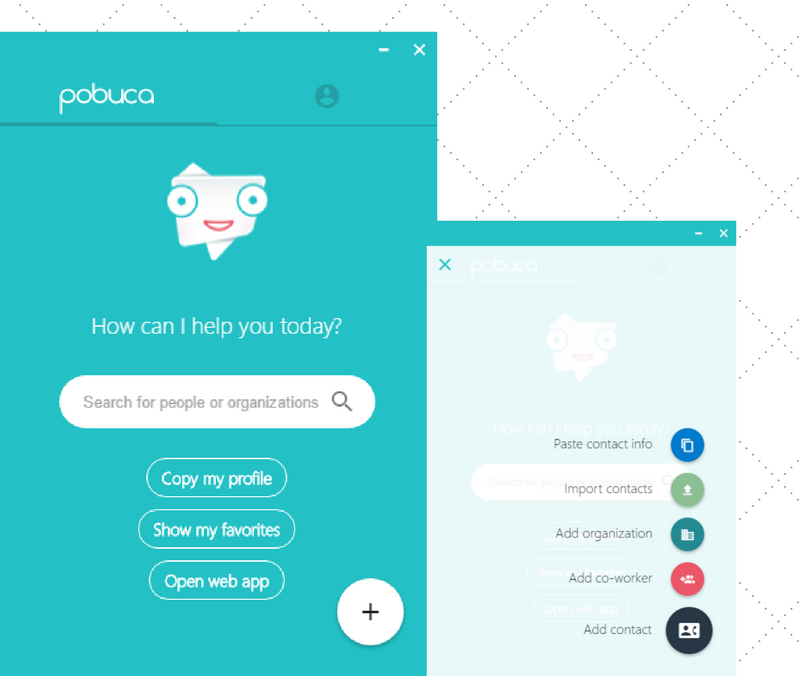
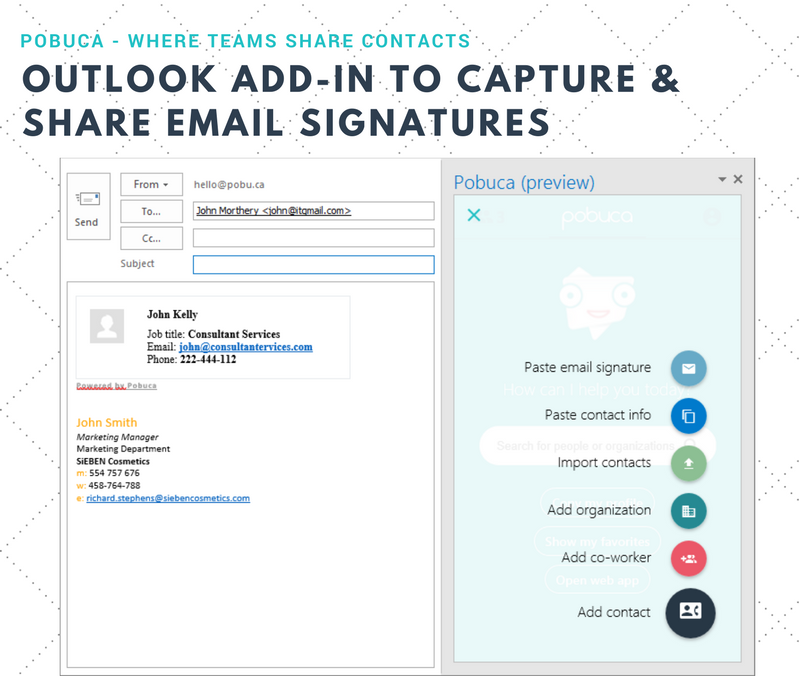
Screenshot of Pobuca-where teams share contactsScreenshot of Import business contacts in one placeScreenshot of Link contacts to related organizationsScreenshot of Smart search finds  the user is looking forScreenshot of Capture email signaturesScreenshot of Access contacts everywhere with Pobuca mobile app