DBArtisan vs. SolarWinds Database Performance Monitor

Overview
ProductRatingMost Used ByProduct SummaryStarting Price
DBArtisan
Score 8.0 out of 10
N/A
DBArtisan from Embarcadero Technologies (acquired by Idera) is a database administration toolset.N/A
SolarWinds Database Performance Monitor
Score 8.9 out of 10
N/A
VividCortex, acquired by SolarWinds in December 2019, provides database performance monitoring designed to increase system performance, team efficiency, and infrastructure cost savings. The GDPR- and SOC 2-compliant platform offers visibility into major open-source databases—MySQL, PostgreSQL, Amazon Aurora, MongoDB, and Redis—for the engineering team at scale. Industry leaders like Etsy, GitHub, SendGrid, and Yelp rely on Database Performance Monitor for all-query monitoring and drill…N/A
Pricing
DBArtisanSolarWinds Database Performance Monitor
Editions & Modules
No answers on this topic
Offerings
Pricing Offerings
DBArtisanSolarWinds Database Performance Monitor
Free Trial
NoYes
Free/Freemium Version
NoNo
Premium Consulting/Integration Services
NoYes
Entry-level Setup FeeNo setup feeNo setup fee
Additional Details
More Pricing Information
Community Pulse
DBArtisanSolarWinds Database Performance Monitor
Features
DBArtisanSolarWinds Database Performance Monitor
Database Development
Comparison of Database Development features of Product A and Product B
DBArtisan
8.5
3 Ratings
0% below category average
SolarWinds Database Performance Monitor
-
Ratings
Version control tools8.02 Ratings00 Ratings
Test data generation8.83 Ratings00 Ratings
Performance optimization tools8.02 Ratings00 Ratings
Schema maintenance9.83 Ratings00 Ratings
Database change management8.02 Ratings00 Ratings
Database Administration
Comparison of Database Administration features of Product A and Product B
DBArtisan
8.0
3 Ratings
1% below category average
SolarWinds Database Performance Monitor
-
Ratings
User management7.93 Ratings00 Ratings
Database security8.03 Ratings00 Ratings
Database status reporting8.02 Ratings00 Ratings
Change management8.02 Ratings00 Ratings
Best Alternatives
DBArtisanSolarWinds Database Performance Monitor
Small Businesses
DBeaver
DBeaver
Score 8.5 out of 10

No answers on this topic

Medium-sized Companies
DBeaver
DBeaver
Score 8.5 out of 10
LogicMonitor
LogicMonitor
Score 8.9 out of 10
Enterprises
DBeaver
DBeaver
Score 8.5 out of 10
LogicMonitor
LogicMonitor
Score 8.9 out of 10
All AlternativesView all alternativesView all alternatives
User Ratings
DBArtisanSolarWinds Database Performance Monitor
Likelihood to Recommend
8.0
(3 ratings)
8.0
(1 ratings)
Support Rating
5.0
(1 ratings)
-
(0 ratings)
User Testimonials
DBArtisanSolarWinds Database Performance Monitor
Likelihood to Recommend
Idera Software
DBArtisan is functional and suitable for any sized organization that needs to monitor its database resources and running queries.
Read full review
SolarWinds
Computing resources consumed by the DB instance, DPA queries & wait time, deadlock conditions, virtual infrastructure resources. The addition of NPM & DPA integration as well as cross-correlation in the identification of issues with the network or server or DB is all stupid-proof. Monitoring is more than just health and resource consumption, it's also performance. DB performance analysis is key to maintaining healthy DB instances.
Read full review
Pros
Idera Software
  • User interface is easy to use, and in some ways better than Toad. The left hand side shows all databases, and you can drill down to instance, storage, schemas, tablespaces, and performance views. The right hand side displays the details of the selected object.
  • This is the best tool if you want to manage multiple RDBMS platforms in a single tool using the same familiar interface. Other third party tools can do it also, but it's not nearly as integrated as this, and may require additional plug-ins installed. DBArtisan excels at this, and can perform cross-platform data migrations easily.
  • It has different DB analysts, which can help diagnose issues with performance, optimize storage, detect fragmentation, and plan for capacity growth. For almost any action you want to take, you can generate the DDL for preview, and/or schedule it to run at a specific time.
Read full review
SolarWinds
  • Simple to use and very easy to learn.
  • The execution engines run in parallel, can execute any syntax or query.
  • DPN can run all queries for both Oracle and SQL with no additional support.
Read full review
Cons
Idera Software
  • Locks up far too often
  • Licensing structure is expensive
Read full review
SolarWinds
  • The Reporting feature currently doesn't allow customization.
Read full review
Support Rating
Idera Software
I have never tried their support so the number above is meaningless
Read full review
SolarWinds
No answers on this topic
Alternatives Considered
Idera Software
DBArtisan does not have an in-depth performance analyzer for databases.
Read full review
SolarWinds
DPM is less expensive and more feature-rich. Also, Oracle tech support is garbage, unless you can afford to spend a day getting assistance.
Read full review
Return on Investment
Idera Software
  • It has a positive ROI on our organization. It's better than OEM and SQL Developer. Although the license could be expensive, it is perfect for large organizations, especially with multiple RDBMS platforms.
  • Most features are redundant between DBArtisan and Toad. I would not recommend using both if you already own one of them. Just download the trial for the one you're not using, and see what works best for your organization.
  • DBArtisan is great for DBAs and would be my personal preference. Toad is good for developers and DBAs alike but I feel like sometimes the interface is too busy and too clumsy to use.
Read full review
SolarWinds
  • What is the cost of a downed DB instance? That's your ROI. DPM lets you see issues before they become critical.
Read full review
ScreenShots

SolarWinds Database Performance Monitor Screenshots

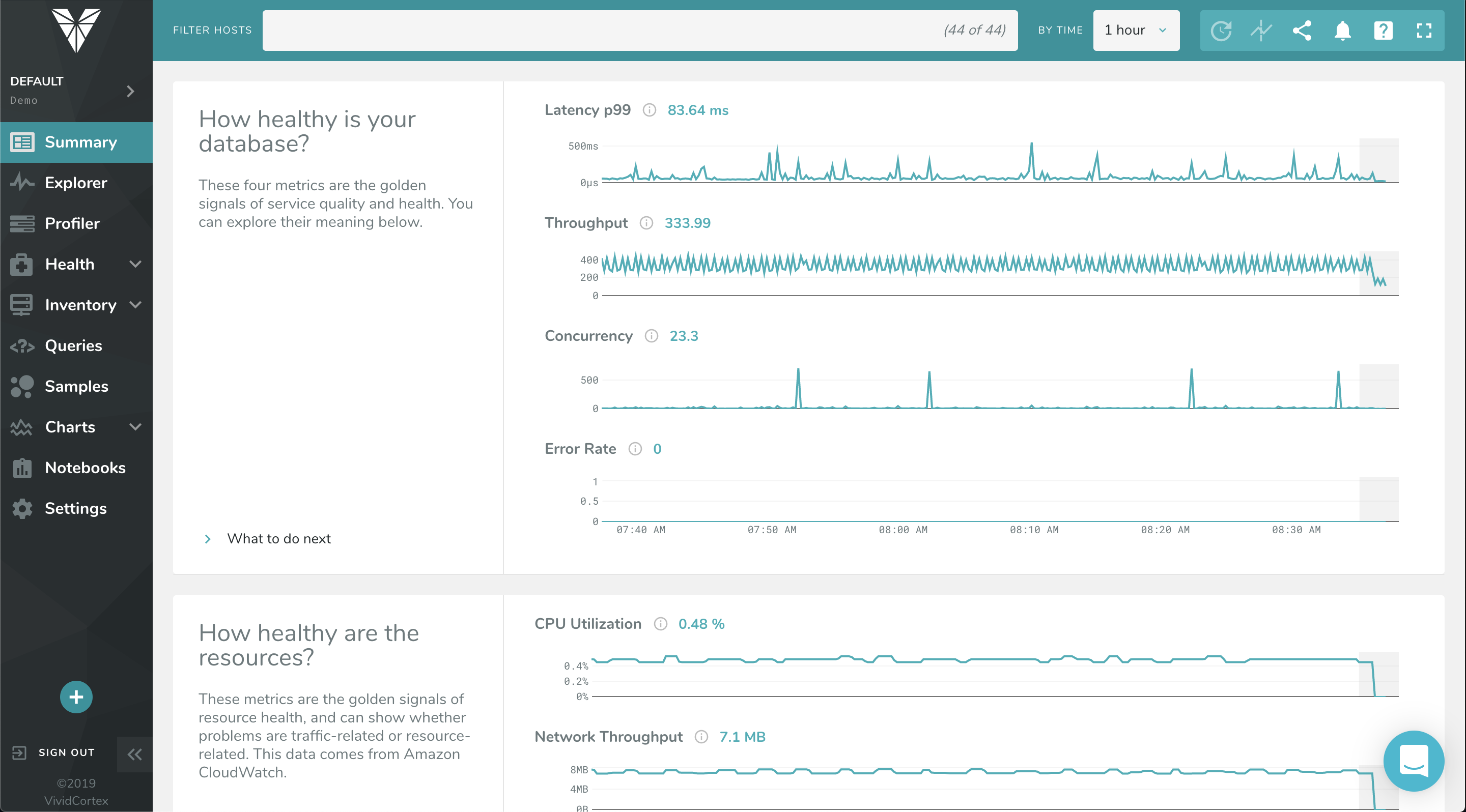
Screenshot of The Profiler Dashboard is a powerful, dynamic dashboard for ranking and filtering activity on your servers: It can instantly show you what needs attention and it provides a unified view of all your database types that VividCortex monitors. It enables you to view and understand your system by profiling it according to its most significant attributes—customized and selected by you.Screenshot of This dashboard displays a list of queries and allows you to filter them with powerful specificity. Filters can be set according to query text, host, and timeframe when the query was first seen / last active.Screenshot of VividCortex captures an enormous amount of data, and the Summary Dashboard helps users make sense of it, reducing their time-to-insight. It features widgets with automatic displays for Top 5 Queries by Total Time, Top 5 Queries by User CPU, Application Overview, Critical Events, and more.Screenshot of VividCortex monitors thousands of metrics in your system, and the Charts and Dashboard’s navigation pane allows you to toggle, customize, and enable various categories of generated charts. You can then easily navigate and examine the charts’ metrics with mouseover and zoom capabilities.