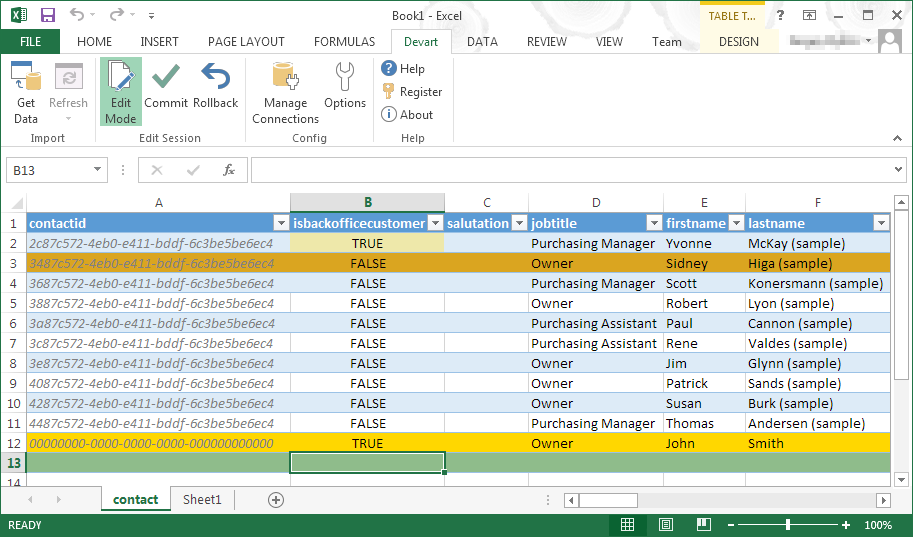
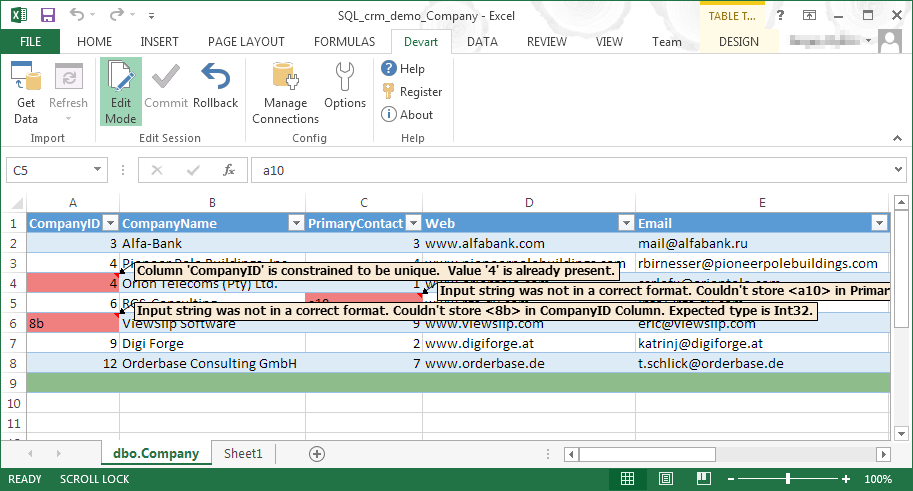
Devart Excel Add-ins allow you to use Excel capabilities to import, process, and analyze data from cloud applications and relational databases. The Excel Add-ins also allow users to make data changes and then save those changes back to the data source they were originally imported from.
$399.95
one-time fee
Toad Data Point
Score8.4 out of 10
N/A
Toad Data Point is a cross-platform, self-service, data-integration tool that simplifies data access, preparation and provisioning. It provides data connectivity and desktop data integration, and with the Workbook interface for business users, it provides simple-to-use visual query building and workflow automation.
$365
Pricing
Devart Excel Add-ins
Toad Data Point
Editions & Modules
Excel Add-in Database Pack
$399.95
one-time fee
Excel Add-in Cloud Pack
$499.95
one-time fee
Excel Add-in Universal Pack
$599.95
one-time fee
Base Edition
$365
Pro Edition
$528
Offerings
Pricing Offerings
Devart Excel Add-ins
Toad Data Point
Free Trial
Yes
No
Free/Freemium Version
No
No
Premium Consulting/Integration Services
No
No
Entry-level Setup Fee
No setup fee
No setup fee
Additional Details
Purchases include a perpetual license and 1 year of subscription which includes the product updates and premium support.
—
More Pricing Information
Features
Devart Excel Add-ins
Toad Data Point
Data Source Connection
Comparison of Data Source Connection features of Devart Excel Add-ins and Toad Data Point
Feature
Devart Excel Add-ins
8.5
1 Ratings
1% above category average
Toad Data Point
-
Ratings
Connect to traditional data sources
8.01 Ratings
00 Ratings
Connecto to Big Data and NoSQL
9.01 Ratings
00 Ratings
Data Transformations
Comparison of Data Transformations features of Devart Excel Add-ins and Toad Data Point
Feature
Devart Excel Add-ins
7.0
1 Ratings
15% below category average
Toad Data Point
-
Ratings
Simple transformations
8.01 Ratings
00 Ratings
Complex transformations
6.01 Ratings
00 Ratings
Data Modeling
Comparison of Data Modeling features of Devart Excel Add-ins and Toad Data Point
Feature
Devart Excel Add-ins
8.6
1 Ratings
8% above category average
Toad Data Point
-
Ratings
Data model creation
10.01 Ratings
00 Ratings
Metadata management
9.01 Ratings
00 Ratings
Business rules and workflow
8.01 Ratings
00 Ratings
Collaboration
9.01 Ratings
00 Ratings
Testing and debugging
7.01 Ratings
00 Ratings
Data Governance
Comparison of Data Governance features of Devart Excel Add-ins and Toad Data Point
A de minimis incentive was given to thank the reviewer for their time. The incentive was not used to bias or drive a particular response, nor was the incentive contingent on a positive endorsement. More Info
Appropriate for general querying and some DBA work. It's the universal least-offensive solution for most environments - not best of breed, but not subject to unusual/extensive requirements. It just works. On the other hand, some functionality (e.g. data import/export, snippets) are perfunctory and minimal and seem to be either difficult or impossible to automate. If you need to streamline those operations, you'll be forced to rely on third-party solutions that mostly work on top of (instead of with) TOAD.
A de minimis incentive was given to thank the reviewer for their time. The incentive was not used to bias or drive a particular response, nor was the incentive contingent on a positive endorsement. More Info
A de minimis incentive was given to thank the reviewer for their time. The incentive was not used to bias or drive a particular response, nor was the incentive contingent on a positive endorsement. More Info
A de minimis incentive was given to thank the reviewer for their time. The incentive was not used to bias or drive a particular response, nor was the incentive contingent on a positive endorsement. More Info
It has room for improvement in terms of security and making it possible for large organizations like us to use it in a more secure way with integrating with our in-house security systems.
Pricing could be reduced further for it to be adopted world-wide.
it isn't foolproof. Excel has no means of checking for human error during data entry, which means that the wrong information can skew all the results - sometimes severe.
Users unfamiliar with Excel syntax may also find entering calculations and calling up other functions a bit frustrating until they get a solid understanding.
A de minimis incentive was given to thank the reviewer for their time. The incentive was not used to bias or drive a particular response, nor was the incentive contingent on a positive endorsement. More Info
The workflow is a relatively new feature. Quest is adding additional functionality and the workflows are useful now.
Would be nice if the 'Automate' feature was a bit easier to use.
Would be nice if some of the SQL Editor features in the traditional interface worked better in the new workflow interface (although, these are being fixed with each release).
A de minimis incentive was given to thank the reviewer for their time. The incentive was not used to bias or drive a particular response, nor was the incentive contingent on a positive endorsement. More Info
It automated the whole reporting and excel. Our team can generate pivot, dashboards and multiple other reports in various formats and update them with one click. My Sales team need to update more then 1500 leads status on daily basis. By using this tool now they can do this in few minutes.
A de minimis incentive was given to thank the reviewer for their time. The incentive was not used to bias or drive a particular response, nor was the incentive contingent on a positive endorsement. More Info
I find Toad Data Point easy to use for both the novice and the experienced business analyst. If all you desire is to access data and create spreadsheets...this is a snap. Toad Data Point actually has cool data analysis features built into it. The newer workflow interface makes automating steps a snap
A de minimis incentive was given to thank the reviewer for their time. The incentive was not used to bias or drive a particular response, nor was the incentive contingent on a positive endorsement. More Info
Microsoft Excel is the most used tool in the software universe. As such, asking Microsoft Excel to be the tool used post data acquisition makes a ton of sense. Almost everyone we hire has some idea on how to use this tool, which decreases the time spend training new employees.
A de minimis incentive was given to thank the reviewer for their time. The incentive was not used to bias or drive a particular response, nor was the incentive contingent on a positive endorsement. More Info
A de minimis incentive was given to thank the reviewer for their time. The incentive was not used to bias or drive a particular response, nor was the incentive contingent on a positive endorsement. More Info
A de minimis incentive was given to thank the reviewer for their time. The incentive was not used to bias or drive a particular response, nor was the incentive contingent on a positive endorsement. More Info
It is the least common denominator - not particularly optimized for our environment or workflows.
Hangs or slowdowns add anywhere from 5% - 7% for projects utilizing large/complicated data setts. (This could be due to other IT-imposed constraints and not entirely due to TOAD.)
Trying to perform some operations requires reading documentation and experimenting in order to figure out the TOAD-specific approaches and commands.
It just works (when we understand it). Updates don't break things and things don't suddenly start behaving differently. Best of all, we don't mysteriously lose functionality.
A de minimis incentive was given to thank the reviewer for their time. The incentive was not used to bias or drive a particular response, nor was the incentive contingent on a positive endorsement. More Info