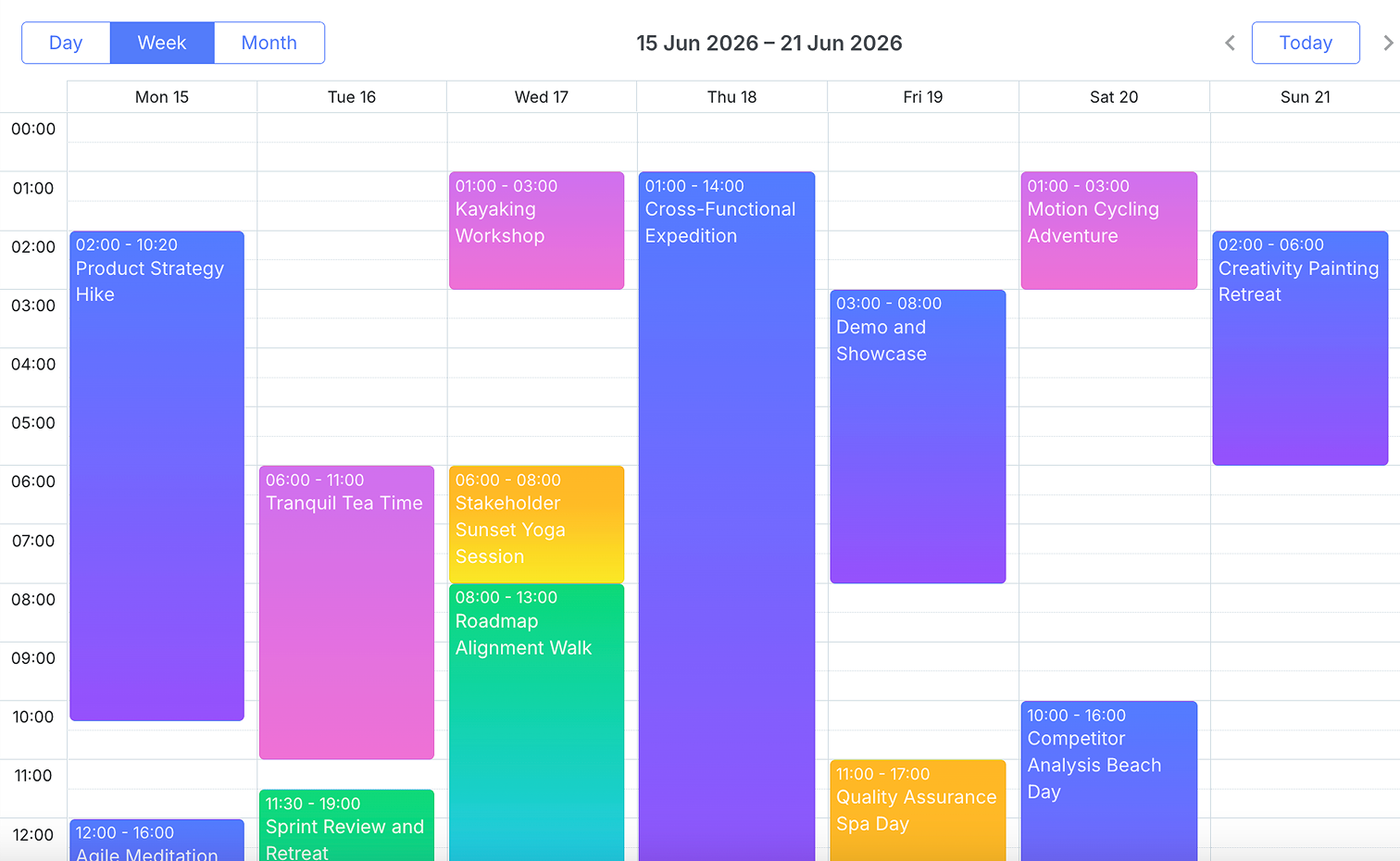
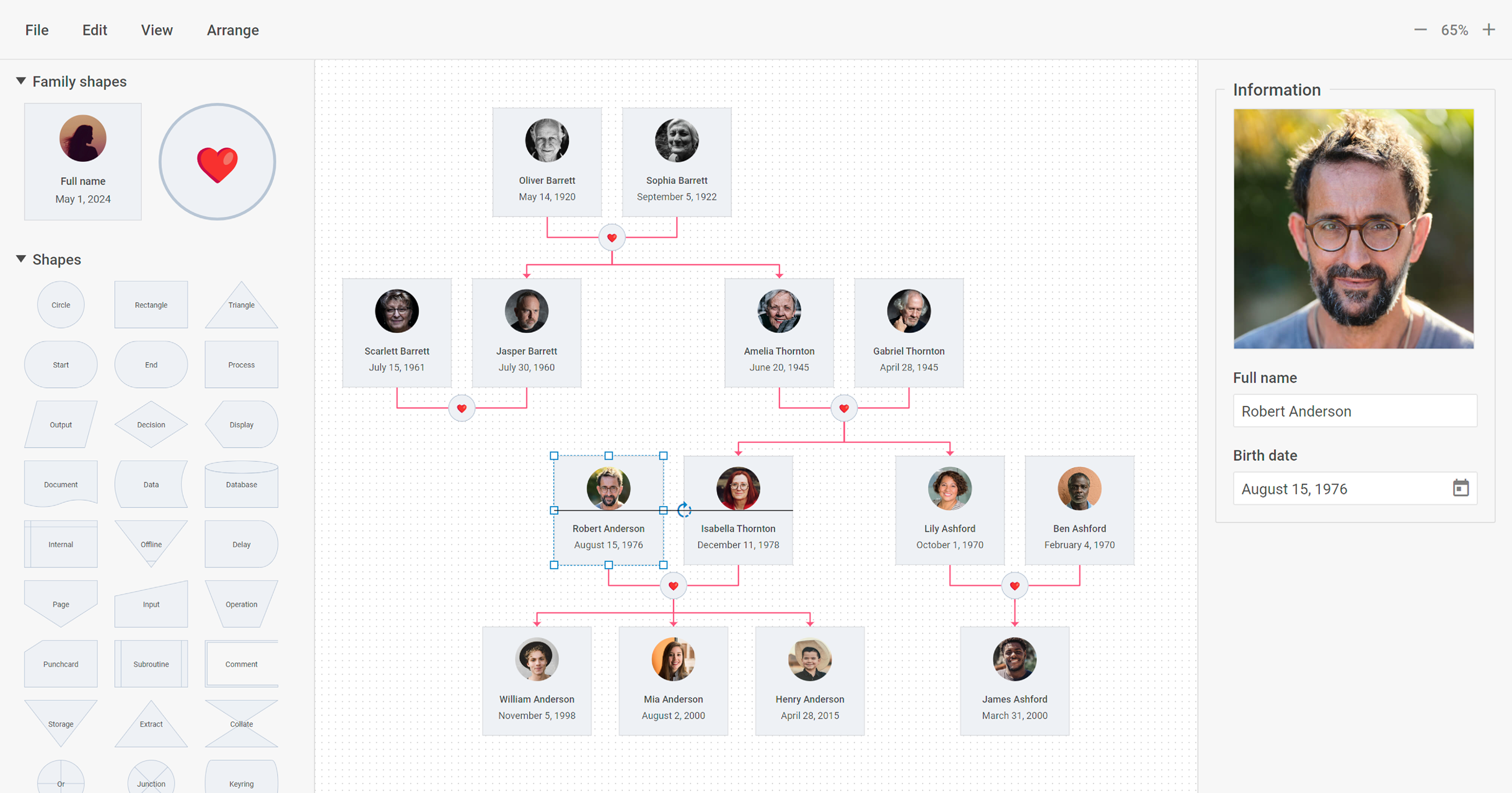
DHTMLX delivers JavaScript/HTML5 libraries and UI widgets designed for building enterprise web apps of any complexity. With these out-of-the-box components, web developers can streamline their coding processes and integrate advanced functionality, to reduce development time. The actual DHTMLX product lineup comprises a range of web-based tools that can cover most of the contemporary business needs. DHTMLX
$799
one-time fee lowest cost single component
Microsoft Power BI
Score8.5 out of 10
N/A
Microsoft Power BI is a visualization and data discovery tool from Microsoft. It allows users to convert data into visuals and graphics, visually explore and analyze data, collaborate on interactive dashboards and reports, and scale across their organization with built-in governance and security.
$168
per year per user
Pricing
DHTMLX
Microsoft Power BI
Editions & Modules
DHTMLX Gantt Individual - Professional Functionality with Standard Support
$799
one-time fee for 1 developer
DHTMLX Gantt Commercial - Professional Functionality with Premium Support
$1599
one-time fee for 5 developers
DHTMLX Gantt Enterprise - Professional Functionality with Premium Support
$2999
one-time fee for 20 developers
DHTMLX Gantt Ultimate - Professional Functionality with Ultimate Support
$5999
one-time fee for an unlimited number of developers
Power BI Pro
$14
per month (billed annually) per user
Power BI Premium
$24
per month (billed annually) per user
Offerings
Pricing Offerings
DHTMLX
Microsoft Power BI
Free Trial
Yes
Yes
Free/Freemium Version
Yes
Yes
Premium Consulting/Integration Services
No
No
Entry-level Setup Fee
No setup fee
No setup fee
Additional Details
UI widgets are available standalone or "a la carte," or as part of bundles built around a theme (e.g. complete edition, scheduling components, planning components, etc.).
Power BI Desktop is the data exploration and report authoring experience for Power BI, and is available as a free download.
More Pricing Information
Community Pulse
DHTMLX
Microsoft Power BI
Considered Both Products
DHTMLX
Verified User
Chose DHTMLX
We looked at Kendo UI for ASP.Net Core as it has a Gantt chart but it was not as close a fit to our requirements as the DHTMLX Gantt Resource Management component. We'd have had to do much more work to make this fit.
A de minimis incentive was given to thank the reviewer for their time. The incentive was not used to bias or drive a particular response, nor was the incentive contingent on a positive endorsement. More Info
Rapid development of web applications: DHTMLX provides a set of pre-built UI widgets that can be easily integrated into web applications, which makes it well suited for developing applications quickly. DHTMLX is well suited for building enterprise-level applications that require complex UI elements and data visualization. DHTMLX is less appropriate for Simple applications: If you are building a simple application that does not require a complex UI, DHTMLX may be overkill, and you may be better off using a lighter-weight framework.
A de minimis incentive was given to thank the reviewer for their time. The incentive was not used to bias or drive a particular response, nor was the incentive contingent on a positive endorsement. More Info
Has significantly improved collation of data and visualisation especially with business across Europe. Has given me the ability to see the Site availability at the click of a button to see which Site is in the "money" and seize opportunities based on Market data
A de minimis incentive was given to thank the reviewer for their time. The incentive was not used to bias or drive a particular response, nor was the incentive contingent on a positive endorsement. More Info
Options for data source connections are immense. Not just which sources, but your options for *how* the data is brought in.
Constant updates (this is both good and bad at times).
User friendliness. I can get the data connections set up and draft some quick visuals, then release to the target audience and let them expand on it how they want to.
A de minimis incentive was given to thank the reviewer for their time. The incentive was not used to bias or drive a particular response, nor was the incentive contingent on a positive endorsement. More Info
A de minimis incentive was given to thank the reviewer for their time. The incentive was not used to bias or drive a particular response, nor was the incentive contingent on a positive endorsement. More Info
Microsoft Power BI is an excellent and scalable tool. It has a learning curve, but once you get past that, the sky is the limit and you can build from the most simple to the most complex dashboards. I have built everything from simple reports with only a few data points to complex reports with many pages and advanced filtering.
With regard to the two major components we used, namely the tabular representation and the graphical modeler, we were able to effectively replace the existing building blocks of our applications by integrating them. We were able to retain existing functionalities and benefit from a significant enhancement with what DHTMLX offers natively. This made it easy for us to get our end-users to adopt the change.
Automating reporting has reduced manual data processing by 50-70%, freeing up analysts for higher-value tasks. A finance team that previously spent 20+ hours per week on Excel-based reports now does it in minutes with Microsoft Power BI's automated Real-time dashboards have shortened decision cycles by 30-40%, enabling leadership to react quickly to sales trends, operational bottlenecks, and customer behavior.
A de minimis incentive was given to thank the reviewer for their time. The incentive was not used to bias or drive a particular response, nor was the incentive contingent on a positive endorsement. More Info
It is a fantastic tool, you can do almost everything related with data and reports, it is a perfect substitutive of Power Point and Excel with a high evolution and flexibility, and also it is very friendly and easy to share. I think all companies should have Power BI (or other BI tool) in their software package and if they are in the MS Suite, for sure Power BI should be the one due to all the benefits of the MS ecosystem.
A de minimis incentive was given to thank the reviewer for their time. The incentive was not used to bias or drive a particular response, nor was the incentive contingent on a positive endorsement. TR verified that a representative sample of customers was invited. More Info
A de minimis incentive was given to thank the reviewer for their time. The incentive was not used to bias or drive a particular response, nor was the incentive contingent on a positive endorsement. More Info
We looked at Kendo UI for ASP.Net Core as it has a Gantt chart but it was not as close a fit to our requirements as the DHTMLX Gantt Resource Management component. We'd have had to do much more work to make this fit.
A de minimis incentive was given to thank the reviewer for their time. The incentive was not used to bias or drive a particular response, nor was the incentive contingent on a positive endorsement. More Info
Microsoft Power BI is free. If I didn't want to create a custom platform (i.e. my organization insisted on an existing platform that I *had* to use), I'd use Microsoft Power BI. For any start-up or SMB, I'd just use Claude & Grok to build it quickly, also for free. Would not pay for Tableau or Sigma anymore. Not worth it at all.
A de minimis incentive was given to thank the reviewer for their time. The incentive was not used to bias or drive a particular response, nor was the incentive contingent on a positive endorsement. More Info
A de minimis incentive was given to thank the reviewer for their time. The incentive was not used to bias or drive a particular response, nor was the incentive contingent on a positive endorsement. More Info
A de minimis incentive was given to thank the reviewer for their time. The incentive was not used to bias or drive a particular response, nor was the incentive contingent on a positive endorsement. More Info