DivvyHQ vs. QuarkXPress

Overview
ProductRatingMost Used ByProduct SummaryStarting Price
DivvyHQ
Score 9.0 out of 10
N/A
DivvyHQ is a content marketing platform with a central Dashboard and Calendar for managing publication schedules and coordinating workflow (with workflow controls for security), and publishing content. Pricing starts at $25 per month for each user (the Divvy Lite plan with limited features) and rises to $195 per month for each user (Divvy Enterprise with more advanced features, like Custom Workflow, Publishing, API, Calendar Layers, and a dedicated support specialist). DivvyHQ also offers…
$29
per month per user
QuarkXPress
Score 9.0 out of 10
N/A
QuarkXPress from Quark Software headquartered in Denver introduces modern responsive web design with Flex Layouts, reimagined Tables, and productivity-boosting design features.
$279
per year
Pricing
DivvyHQQuarkXPress
Editions & Modules
No answers on this topic
QuarkXPress Subscription License
$279
per year
QuarkXPress Perpetual License
$629
one-time fee
Offerings
Pricing Offerings
DivvyHQQuarkXPress
Free Trial
YesYes
Free/Freemium Version
NoNo
Premium Consulting/Integration Services
YesNo
Entry-level Setup Fee$1,500 one-time fee per installationOptional
Additional Details
More Pricing Information
Community Pulse
DivvyHQQuarkXPress
Features
DivvyHQQuarkXPress
Content Creation
Comparison of Content Creation features of Product A and Product B
DivvyHQ
9.3
2 Ratings
17% above category average
QuarkXPress
-
Ratings
Approval workflows9.01 Ratings00 Ratings
Content collaboration10.01 Ratings00 Ratings
Content calendar9.02 Ratings00 Ratings
Content Publishing
Comparison of Content Publishing features of Product A and Product B
DivvyHQ
9.3
2 Ratings
16% above category average
QuarkXPress
-
Ratings
Content hub10.01 Ratings00 Ratings
Embedded CTAs9.01 Ratings00 Ratings
Content distribution9.01 Ratings00 Ratings
Content automation9.01 Ratings00 Ratings
Content Reporting & Analytics
Comparison of Content Reporting & Analytics features of Product A and Product B
DivvyHQ
8.0
1 Ratings
7% above category average
QuarkXPress
-
Ratings
Campaign optimization dashboard8.01 Ratings00 Ratings
Best Alternatives
DivvyHQQuarkXPress
Small Businesses
CoSchedule Marketing Suite
Score 10.0 out of 10
CorelDRAW Graphics Suite
Score 7.1 out of 10
Medium-sized Companies
CoSchedule Marketing Suite
Score 10.0 out of 10
GIMP
GIMP
Score 8.0 out of 10
Enterprises
Conductor
Conductor
Score 9.3 out of 10
CorelDRAW Graphics Suite
Score 7.1 out of 10
All AlternativesView all alternativesView all alternatives
User Ratings
DivvyHQQuarkXPress
Likelihood to Recommend
8.0
(2 ratings)
9.9
(6 ratings)
Usability
-
(0 ratings)
10.0
(1 ratings)
User Testimonials
DivvyHQQuarkXPress
Likelihood to Recommend
DivvyHQ
It's a great visual representation for what's been scheduled for publishing. You're able to see whose project is whose, what the content item will be used for, and any other relevant details if you're curious enough to click on the calendar item. I have not used DivvyHQ for directly publishing content from within, like to social media platforms, websites, or newsletters, directly from Divvy.
Read full review
Quark Software Inc.
I used QuarkXPress to maintain a proper page layout for the UI which I receive from a UIUX developer. I develop Graphic Illustrations on the digital canvas to create creative content on the page design set and to develop designer headlines and sub-headlines where writers and editors can amend the text and place the copped images.
Read full review
Pros
DivvyHQ
  • High quality presentations
  • Low costs
Read full review
Quark Software Inc.
  • Excellent project conversion into PDFs and digital formats.
  • Incredibly user friendly and intuitive to use.
  • Works seamlessly with our Adobe Suite of programs.
Read full review
Cons
DivvyHQ
  • campaigns interface is a bit outdated
  • I'd like to see the dashboard/homepage spruced up
  • open on calendars rather than recent activity
Read full review
Quark Software Inc.
  • Currently does not have a way to open really old archived QuarkXPress files.
  • Text manipulation could be expanded upon (ie be able to warp or distort text).
  • Be able to output files in InDesign format.
Read full review
Usability
DivvyHQ
No answers on this topic
Quark Software Inc.
This is an industry standard. It is intuitive and pretty simple. I have been using it for 40 years and by no means do I use its potential, rather it does just what I want it to do.
Read full review
Alternatives Considered
DivvyHQ
The corporate communication team uses DivvyHQ, TweetDeck and Agorapulse. Each one is used for different purposes and helps us meets our objectives. DivvyHQ helps Unum and Colonial Life's corporate communications teams stay in touch with one another's work and aware of what the other is doing. It allows for content collaboration and keeps us on track to meet individual deadlines.
Read full review
Quark Software Inc.
QuarkXPress simply blew the competition out of the water when it came to pricing and scalability in our business. Every employee that uses Quark always speaks very highly about using the software. We are not a large company but, the amount of money saved on the cost of each license was about 60% when compared to the competitors' products.
Read full review
Return on Investment
DivvyHQ
  • This has saved man power by automating certain functions
  • We have created a new stream of marketing.
Read full review
Quark Software Inc.
  • On different computers, it does crash.
  • Issues with accidental (program) photo overrides.
  • Corrupted photo formats.
Read full review
ScreenShots

DivvyHQ Screenshots

Screenshot of Screenshot of Content Operations DashboardScreenshot of The most robust content calendar on the marketScreenshot of Content Interface (List View)Screenshot of Sandbox (Content item detail view)Screenshot of Sandbox > Content (HTML) Editor

QuarkXPress Screenshots

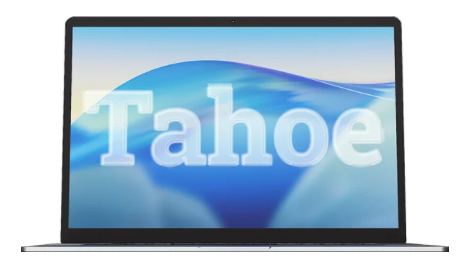
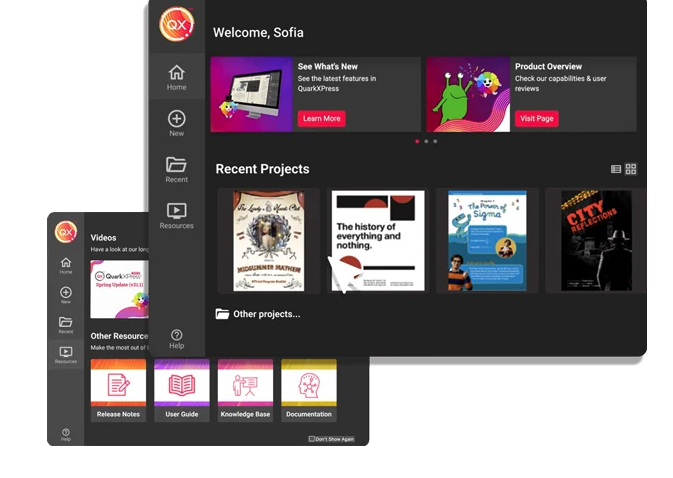
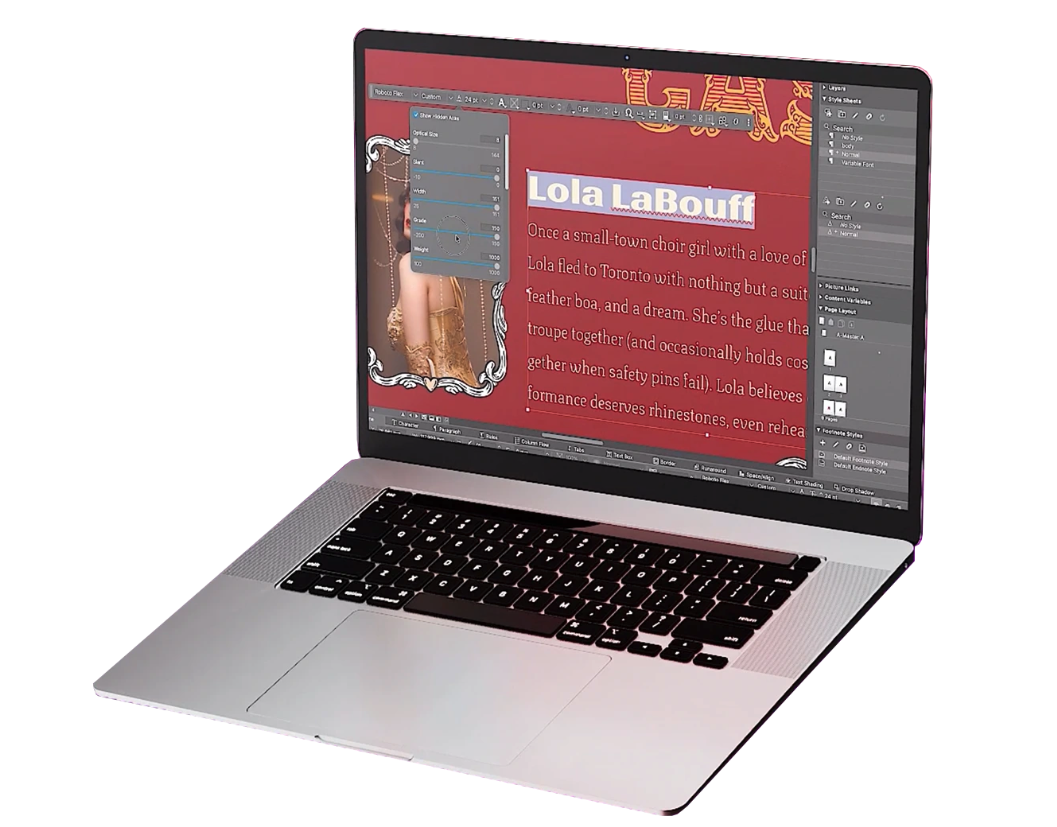
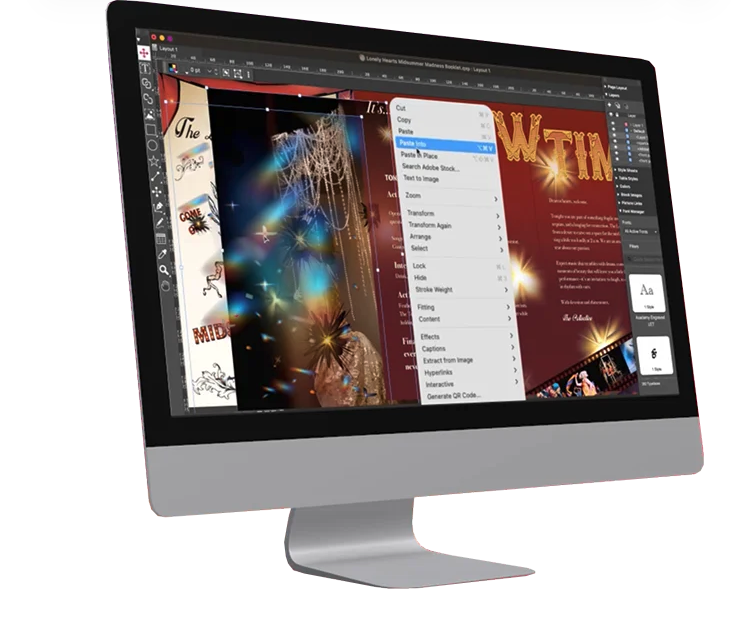
Screenshot of QuarkXPress 2026 is compatible with the latest macOS® 26.x (Tahoe), macOS® 15.x (Sequoia), macOS® 14.x (Sonoma).Screenshot of the Welcome Screen in QuarkXPress 2026, which has had a fresh redesign. Here, users can create new projects, find ready-to-use project size presets, use customized workspaces and quickly access built-in tutorials and useful resources.Screenshot of where to adjust typography with Variable Fonts in QuarkXPress 2026 to enhance creative freedom. With a single font file, users can adjust font characteristics like weight, width, slant, and more with sliders.Screenshot of the Paste Into feature. Users can display content creatively by masking images or grouping items through placing them inside container shapes.Screenshot of built-in support for LaTeX and MathML, so that there's no need for external tools or plugins for advanced mathematical equations. This is ideal while working in STEM or Academia, as it enables quick and accurate editing of math equations across print and digital formats.