DotSignage vs. Zoom Rooms

Overview
ProductRatingMost Used ByProduct SummaryStarting Price
DotSignage
Score 9.1 out of 10
Small Businesses (1-50 employees)
DotSignage is a Software-as-a-Service (SaaS) platform for digital signage management. The solution allows organizations to centralize the creation, scheduling, and remote management of visual content across distributed display networks. Key Capabilities Content Management System (CMS): Features a drag-and-drop editor for publishing visual content without manual coding or technical expertise. Template Library: Includes over 750 animated templates. The vendor…
$12
per month Per Screen
Zoom Rooms
Score 8.5 out of 10
N/A
Zoom's conference rooms that make it easy to run or join video meetings with a tap of a button. Zoom Rooms bring HD video collaboration into any space – in the office, in the classroom, or at home – and enables in-person and remote participants to interact in real time. The solution also makes it simple to start a meeting, book a room, and share content.
$498.96
per year per room
Pricing
DotSignageZoom Rooms
Editions & Modules
Monthly Subscription
$12
per month Per screen
No answers on this topic
Offerings
Pricing Offerings
DotSignageZoom Rooms
Free Trial
YesNo
Free/Freemium Version
NoNo
Premium Consulting/Integration Services
YesNo
Entry-level Setup FeeNo setup feeNo setup fee
Additional DetailsDiscount available for annual subscription.Hardware not included in price.
More Pricing Information
Features
DotSignageZoom Rooms
Performance & Compatibility of Online Events Software
Comparison of Performance & Compatibility of Online Events Software features of Product A and Product B
DotSignage
-
Ratings
Zoom Rooms
8.4
24 Ratings
6% above category average
High quality audio00 Ratings8.823 Ratings
High quality video00 Ratings8.724 Ratings
Low bandwidth requirements00 Ratings7.710 Ratings
Screen Sharing
Comparison of Screen Sharing features of Product A and Product B
DotSignage
-
Ratings
Zoom Rooms
9.1
15 Ratings
14% above category average
Desktop sharing00 Ratings9.015 Ratings
Whiteboards00 Ratings9.11 Ratings
Online Meetings / Events
Comparison of Online Meetings / Events features of Product A and Product B
DotSignage
-
Ratings
Zoom Rooms
9.1
15 Ratings
11% above category average
Calendar integration00 Ratings8.615 Ratings
Meeting initiation00 Ratings9.015 Ratings
Record meetings / events00 Ratings8.914 Ratings
Slideshows00 Ratings10.01 Ratings
Online Events Collaboration
Comparison of Online Events Collaboration features of Product A and Product B
DotSignage
-
Ratings
Zoom Rooms
8.8
10 Ratings
9% above category average
Live chat00 Ratings8.810 Ratings
Online Events Security
Comparison of Online Events Security features of Product A and Product B
DotSignage
-
Ratings
Zoom Rooms
9.0
14 Ratings
11% above category average
User authentication00 Ratings8.814 Ratings
Participant roles & permissions00 Ratings8.113 Ratings
Confidential attendee list00 Ratings10.01 Ratings
Best Alternatives
DotSignageZoom Rooms
Small Businesses

No answers on this topic

ClickMeeting
ClickMeeting
Score 9.5 out of 10
Medium-sized Companies
Zoom Rooms
Zoom Rooms
Score 8.5 out of 10
JioMeet
JioMeet
Score 9.8 out of 10
Enterprises
Zoom Rooms
Zoom Rooms
Score 8.5 out of 10
Webex Meetings
Webex Meetings
Score 8.7 out of 10
All AlternativesView all alternativesView all alternatives
User Ratings
DotSignageZoom Rooms
Likelihood to Recommend
9.1
(1 ratings)
8.7
(26 ratings)
Usability
9.1
(1 ratings)
8.9
(10 ratings)
User Testimonials
DotSignageZoom Rooms
Likelihood to Recommend
Zorior
DotSignage is well suited for single or multi location restaurants. Their temple editor is very helpful to design the menus very quickly. We have used their pre designed templates. Recently they have introduced animation which are very eye catchy to highlight deals or promotions. We have 5-6 TVs each store and we display menu boards on 4 TVs and rest two TVs are for promotions playing videos and slideshow.
Read full review
Zoom
Call quality is generally good with few issues, so everyday calls where Zoom is at its best are always good. In larger meetings with many action points, the AI summary can do a very good job of capturing the most important points. I find the room booking tool to be a nightmare and very inconsistent. Rooms take some time to book and are often rejected for no clear reason.
Read full review
Pros
Zorior
No answers on this topic
Zoom
  • Provides an AI transcript of the call, and includes talking points, action items, and other ways to mark up the transcript.
  • Access to "Zoom Rooms' is a great tool for large groups to work virtually off-site and then report back in for feedback.
  • Zoom provides connections via phone or internet using a wide range of toll-free numbers. I have called in via my cell, and while the network support is often too weak to allow for video, the audio is great.
Read full review
Cons
Zorior
No answers on this topic
Zoom
  • Support is prompt, but not always the most immediately knowledgable or helpful.
  • Admin portal is convoluted. There's gotta be a better way to assign scheduling permisissions.
  • Zoom account managers are constantly being reassigned. It is nearly impossible to keep track of who presently is our account manager. When we were going through the process of looking into Zoom Phone, our manager was literally switched twice, resulting in us working with three total managers during that two-month process.
Read full review
Usability
Zorior
Its simple and reliable. It does what it promises.
Read full review
Zoom
User friendliness (experience very similar to the already familiar Zoom app), consistency of the UX across locations and manufacturers. Screen sharing is made super easy (proximity). Zoom rooms support strategic needs for Hybrid work and reduced travels. Backend admin interface is simple (that's good) and provides useful dashboards for trend analysis.
Read full review
Alternatives Considered
Zorior
Support and prompt response was one of the reasons we went with DotSignage. We had fire sticks and TVs already available so we did not need to buy any other hardware. Template editor was again one of the key features we liked. We wanted something very easy to manage and keeps everything consistent.
Read full review
Zoom
I personally think Zoom Rooms is superior to Teams. I have setup 3 or 4 Zooms Rooms for my organisation and it is pretty straightforward to do without any formal training or education on Zoom Rooms. My experience with Teams was the opposite. A horrible interface and options deliberately hidden away in menus levels deep. On top of which, Zoom Room outperforms Teams Rooms in both video and audio. On the desktop, Teams is a bloated app whereas, in my experience, Zoom Rooms works well.
Read full review
Return on Investment
Zorior
No answers on this topic
Zoom
  • Great value for money as used it more than planned after installation.
  • Finding the use of screen share and whiteboards is becoming very popular and meant we wanted a larger screen for this. ;-)
Read full review
ScreenShots

DotSignage Screenshots

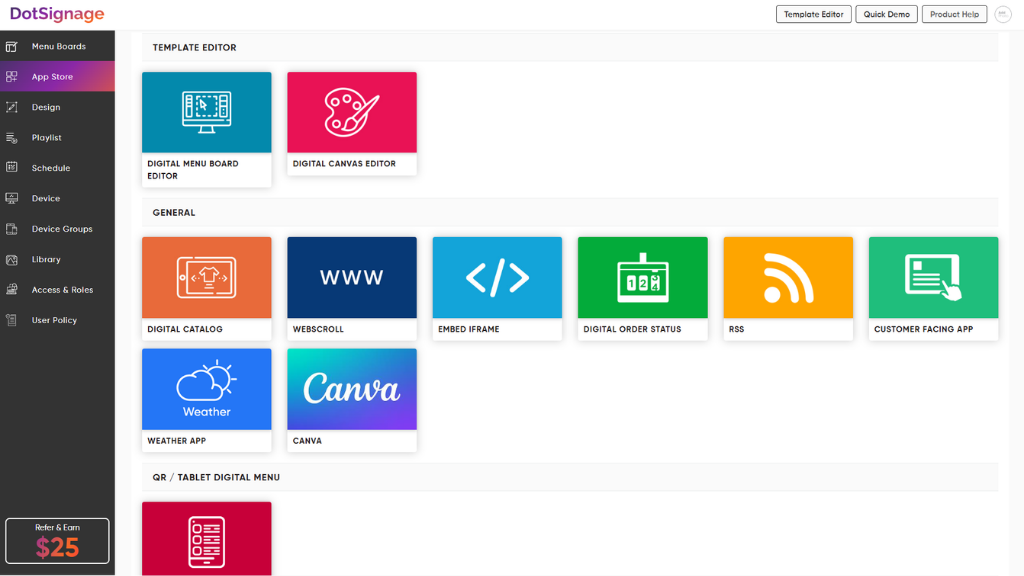
Screenshot of DotSignage Category wise Templates OptionScreenshot of DotSignage Templates Editor's Animation OptionsScreenshot of DotSignage 30+ Digital Signage AppsScreenshot of a Multizoned Screen with Published Content Status