
Chose Drupal
Drupal vs. Ingeniux CMS vs. TemplateToaster
Drupal vs. Ingeniux CMS vs. TemplateToaster
| Product | Rating | Most Used By | Product Summary | Starting Price |
|---|---|---|---|---|
 Drupal | N/A | Drupal is a free, open-source content management system written in PHP that competes primarily with Joomla and Plone. The standard release of Drupal, known as Drupal core, contains basic features such as account and menu management, RSS feeds, page layout customization, and system administration. | N/A | |
 Ingeniux CMS | Enterprise companies (1,001+ employees) | Ingeniux is a provider of web content management and digital experience software. The vendor states their solutions are built to enable organizations to orchestrate the entire customer experience – from acquisition through to support and service – on any device, application, or website. Ingeniux CMS is designed to manage and deliver modern websites, customer support portals, online communities, and other customer touchpoints. The vendor further states Ingeniux builds content… | N/A | |
 TemplateToaster | N/A | TemplateToaster is website template and theme generating software. It is developed by AcrossSoft, a software development company in New York, NY. The software is a desktop based application and generates templates or themes for content management systems such as WordPress, Joomla, Drupal, Magento, and Prestashop. | $49 one-time fee |
| Drupal | Ingeniux CMS | TemplateToaster | ||||||||||||||||||||||
|---|---|---|---|---|---|---|---|---|---|---|---|---|---|---|---|---|---|---|---|---|---|---|---|---|
| Editions & Modules | No answers on this topic | No answers on this topic |
| |||||||||||||||||||||
| Offerings |
| |||||||||||||||||||||||
| Entry-level Setup Fee | No setup fee | No setup fee | No setup fee | |||||||||||||||||||||
| Additional Details | — | — | Prices reflect a one-year subscription with optional paid updates following the initial year. | |||||||||||||||||||||
| More Pricing Information | ||||||||||||||||||||||||
| Drupal | Ingeniux CMS | TemplateToaster | |
|---|---|---|---|
| Considered Multiple Products |  Drupal |  Ingeniux CMS  Ian Moffitt Senior User Interface Developer Chose Ingeniux CMS Ingeniux CMS is intended for large sites, which WordPress and Drupal can sometimes struggle with. Also, it offers far more freedom in development than Cascade Server, as you can use C# and Razor templating to build the pages, and this gives you access to advanced functionality …  La Shauna Nichols Web Developer Chose Ingeniux CMS IGX has came a long way and is going even further. Once they integrate more self-support for developers, integrate with other languages and provide more detailed specific training, they will stack up to the leaders, Drupal and Joomla. IGX is on their way, I know product … |  TemplateToaster  Davis Brown Digital & Social Media Manager Chose TemplateToaster
|
| Drupal | Ingeniux CMS | TemplateToaster | |||||||||||||||||||||||||||||||||||
|---|---|---|---|---|---|---|---|---|---|---|---|---|---|---|---|---|---|---|---|---|---|---|---|---|---|---|---|---|---|---|---|---|---|---|---|---|---|
| Security |
| ||||||||||||||||||||||||||||||||||||
| Platform & Infrastructure |
| ||||||||||||||||||||||||||||||||||||
| Web Content Creation |
| ||||||||||||||||||||||||||||||||||||
| Web Content Management |
|
| Drupal | Ingeniux CMS | TemplateToaster | |
|---|---|---|---|
| Small Businesses |  ManageWP Score 10.0 out of 10 | ManageWP Score 10.0 out of 10 | ManageWP Score 10.0 out of 10 |
| Medium-sized Companies |  RWS Tridion Sites Score 9.0 out of 10 | RWS Tridion Sites Score 9.0 out of 10 | RWS Tridion Sites Score 9.0 out of 10 |
| Enterprises | RWS Tridion Sites Score 9.0 out of 10 | RWS Tridion Sites Score 9.0 out of 10 | RWS Tridion Sites Score 9.0 out of 10 |
| All Alternatives | View all alternatives | View all alternatives | View all alternatives |
| Drupal | Ingeniux CMS | TemplateToaster | |
|---|---|---|---|
| Likelihood to Recommend | 6.0 (84 ratings) | 9.0 (8 ratings) | 10.0 (2 ratings) |
| Likelihood to Renew | 1.0 (19 ratings) | 10.0 (2 ratings) | - (0 ratings) |
| Usability | 6.6 (18 ratings) | - (0 ratings) | - (0 ratings) |
| Availability | 9.7 (3 ratings) | - (0 ratings) | - (0 ratings) |
| Performance | 8.9 (2 ratings) | 9.0 (1 ratings) | - (0 ratings) |
| Support Rating | 1.0 (5 ratings) | 10.0 (1 ratings) | - (0 ratings) |
| In-Person Training | 8.0 (1 ratings) | - (0 ratings) | - (0 ratings) |
| Online Training | 6.0 (2 ratings) | - (0 ratings) | - (0 ratings) |
| Implementation Rating | 5.1 (4 ratings) | - (0 ratings) | - (0 ratings) |
| Ease of integration | 9.0 (1 ratings) | - (0 ratings) | - (0 ratings) |
| Product Scalability | 8.0 (2 ratings) | - (0 ratings) | - (0 ratings) |
| Drupal | Ingeniux CMS | TemplateToaster | |
|---|---|---|---|
| Likelihood to Recommend | Open Source
 Paul Nielsen Volunteer Web Developer | Ingeniux
La Shauna Nichols Web Developer | AcrossSoft
Davis Brown Digital & Social Media Manager |
| Pros | Open Source
| Ingeniux
 Jenson Albie Honorary Assistant Psychologist | AcrossSoft
Davis Brown Digital & Social Media Manager |
| Cons | Open Source
| Ingeniux
| AcrossSoft
Davis Brown Digital & Social Media Manager |
| Likelihood to Renew | Open Source
 Eric Batson Learning and Development Specialist | Ingeniux
 Robin Ruetenik Director of Online Content and Training | AcrossSoft No answers on this topic |
| Usability | Open Source
| Ingeniux No answers on this topic | AcrossSoft No answers on this topic |
| Reliability and Availability | Open Source
 Peter Wolanin Principal Engineer | Ingeniux No answers on this topic | AcrossSoft No answers on this topic |
| Performance | Open Source
 Michael Sypes Programmer Analyst | Ingeniux No answers on this topic | AcrossSoft No answers on this topic |
| Support Rating | Open Source
Michael Sypes Programmer Analyst | Ingeniux
Robin Ruetenik Director of Online Content and Training | AcrossSoft No answers on this topic |
| In-Person Training | Open Source
Eric Batson Learning and Development Specialist | Ingeniux No answers on this topic | AcrossSoft No answers on this topic |
| Online Training | Open Source
Eric Batson Learning and Development Specialist | Ingeniux No answers on this topic | AcrossSoft No answers on this topic |
| Implementation Rating | Open Source
Michael Sypes Programmer Analyst | Ingeniux No answers on this topic | AcrossSoft No answers on this topic |
| Alternatives Considered | Open Source
 Dustin Day Director of UX development, social media and SEO/SEM | Ingeniux
 Ronald Pleban Assistant Director of Admissions | AcrossSoft
 Mark Stephens Support Manager |
| Scalability | Open Source
Michael Sypes Programmer Analyst | Ingeniux No answers on this topic | AcrossSoft No answers on this topic |
| Return on Investment | Open Source
 Sohail Lajevardi Drupal Front-end Engineer | Ingeniux
 Anna O'Neal Technical Documentation Specialist | AcrossSoft
Davis Brown Digital & Social Media Manager |
| ScreenShots | Ingeniux CMS Screenshots   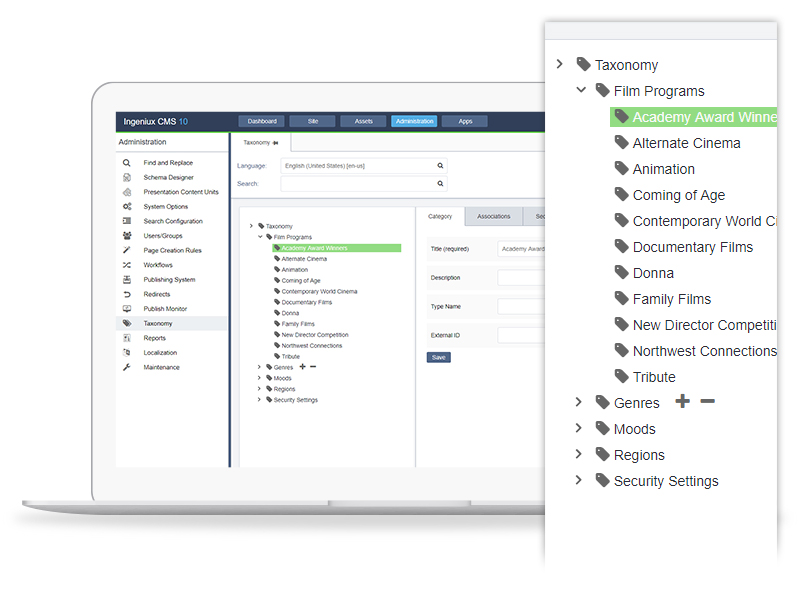   | TemplateToaster Screenshots  |