Dubb - Video Communication Platform vs. LaunchBrightly

Overview
ProductRatingMost Used ByProduct SummaryStarting Price
Dubb - Video Communication Platform
Score 8.1 out of 10
N/A
Dubb is a video communication platform that offers business users a platform to send personalized, trackable videos. Based in Los Angeles, the company was founded by technologists with specialties in marketing automation, artificial intelligence, and machine learning. The Dubb platform features a mobile app, Outlook Add-In, website, Slack app, and Chrome Extension (with integrations to LinkedIn, Gmail, and more). The company was built on the premise that everyone should have the ability to share…
$10
per user
LaunchBrightly
Score 0.0 out of 10
N/A
LaunchBrightly’s screenshot automation platform enables users to set up simple automation recipes to auto-generate the latest screenshots of a product and, automatically and continuously, update the screenshots in a help documentation as the product changes.
$275
per month per screenshot generated
Pricing
Dubb - Video Communication PlatformLaunchBrightly
Editions & Modules
Support
$10/mo
per user
Sales/Marketing Pro
$40/mo
per user
Pro Plus
$100/mo
per user
Free
$0
100 screenshots generated
Pro
$275
per month 500 Screenshots generated
Business
$599
per month 2000 Screenshots generated
Offerings
Pricing Offerings
Dubb - Video Communication PlatformLaunchBrightly
Free Trial
YesYes
Free/Freemium Version
YesYes
Premium Consulting/Integration Services
YesNo
Entry-level Setup FeeOptionalOptional
Additional Details20% discount for annual pricing.
More Pricing Information
Community Pulse
Dubb - Video Communication PlatformLaunchBrightly
Best Alternatives
Dubb - Video Communication PlatformLaunchBrightly
Small Businesses
Sendspark
Sendspark
Score 10.0 out of 10
Sendspark
Sendspark
Score 10.0 out of 10
Medium-sized Companies
Atlassian Loom
Atlassian Loom
Score 9.5 out of 10
Snagit
Snagit
Score 9.5 out of 10
Enterprises
Vyond
Vyond
Score 8.6 out of 10
Snagit
Snagit
Score 9.5 out of 10
All AlternativesView all alternativesView all alternatives
User Ratings
Dubb - Video Communication PlatformLaunchBrightly
Likelihood to Recommend
8.8
(62 ratings)
-
(0 ratings)
Likelihood to Renew
9.1
(2 ratings)
-
(0 ratings)
Usability
8.6
(16 ratings)
-
(0 ratings)
Support Rating
9.1
(15 ratings)
-
(0 ratings)
User Testimonials
Dubb - Video Communication PlatformLaunchBrightly
Likelihood to Recommend
Dubb
Although it is an extremely diverse platform with many use cases, I have found it best suited to creating a message based on a specific marketing strategy and being able to reach people at scale. While it offers adequate CRM functionality in most cases, if you are needing a more robust CRM it might not have the functionality you need.
Read full review
LaunchBrightly
No answers on this topic
Pros
Dubb
  • Very simple to use. When I'm considering a new tool, it has to make my day easier. Not add frustration to my day.
  • Includes personal branding in multiple places.
  • I really like the Presets. Before I realized presets were an option, I was spending an additional time adding CTAs. Now I have presets for each category. And I can add specific videos to each preset.
Read full review
LaunchBrightly
No answers on this topic
Cons
Dubb
  • I don't see how we can easily change the order in which videos are displayed on a showcase. It seems to default to the order in which the videos were uploaded, from oldest to most recent. That being said, I have not brought this up to the Dubb team yet; usually if something makes sense and can be done, the Dubb team figures out how to make it happen.
Read full review
LaunchBrightly
No answers on this topic
Likelihood to Renew
Dubb
It's our favorite tool. It continues to get better. It gives us the opportunity to make a passive income for an outstanding product. It makes marketing fun and much easier since talking is much easier and more enjoyable than writing is. Plus the open rate is through the roof. In a world that has become almost completely virtual, it allows us to give a personal, in-person touch.
Read full review
LaunchBrightly
No answers on this topic
Usability
Dubb
In 1987 I fell 3 stories and was in rehabilitation and surgeries for 2 years. I broke my arm and type with one finger on my right hand. I love that I can do so much with a video quickly than I can with typing. I still type plenty, however, if I can launch DUbb and record a video I will if I have a choice. Easy to use and makes a huge difference in my life. It's the one solution that has made the most impact on my life as far as my business is concerned
Read full review
LaunchBrightly
No answers on this topic
Support Rating
Dubb
They have three webinars a week for onboarding and Q&A purposes! They have a very active Facebook group, they are very active on email sending quality content for the growth of your initiatives. Only for support, I would get started all over with them
Read full review
LaunchBrightly
No answers on this topic
Alternatives Considered
Dubb
Dubb - Video Communication Platform's technology works. The other company's built-in video recording capability resulted in a very low-quality output (video), and Dubb - Video Communication Platform is built for business owners and marketers, which is a better fit for me, personally.
Read full review
LaunchBrightly
No answers on this topic
Return on Investment
Dubb
  • I've had challenges with screen recording. In my experience, the audio has cut out numerous times, which results in re-watching my video (which takes time) to see where the audio cuts out and then having to re-record (which takes more time too). I now use a different platform for screen recording because of this experience.
Read full review
LaunchBrightly
No answers on this topic
ScreenShots

Dubb - Video Communication Platform Screenshots
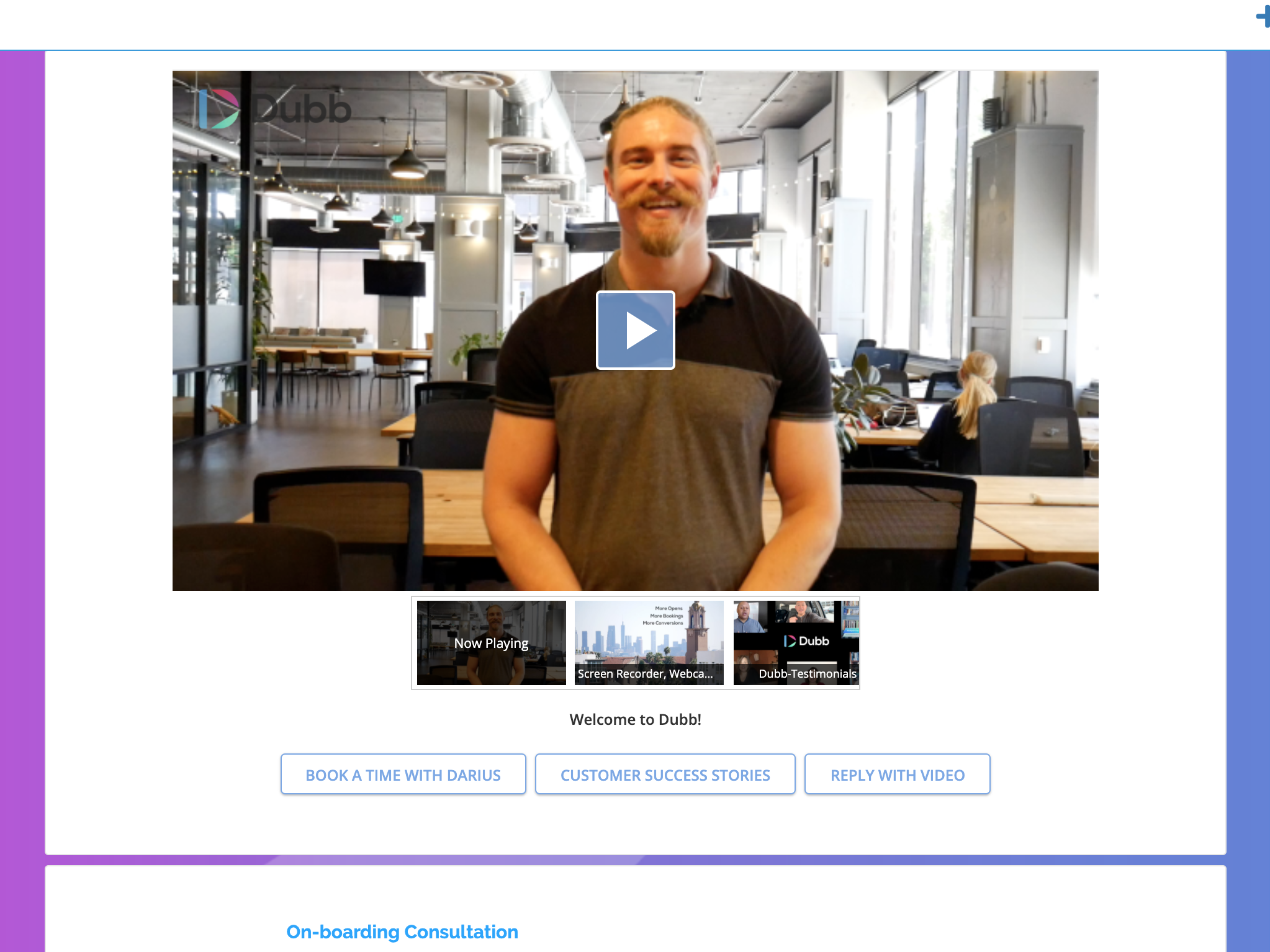
Screenshot of Custom Video Landing Pages with Multiple CTA's, Playlist, Exit Intent Module and more.Screenshot of Custom Email Templates with AutomationScreenshot of Video SMS & Video SMS Automation and Bulk Sending/Tracking

LaunchBrightly Screenshots

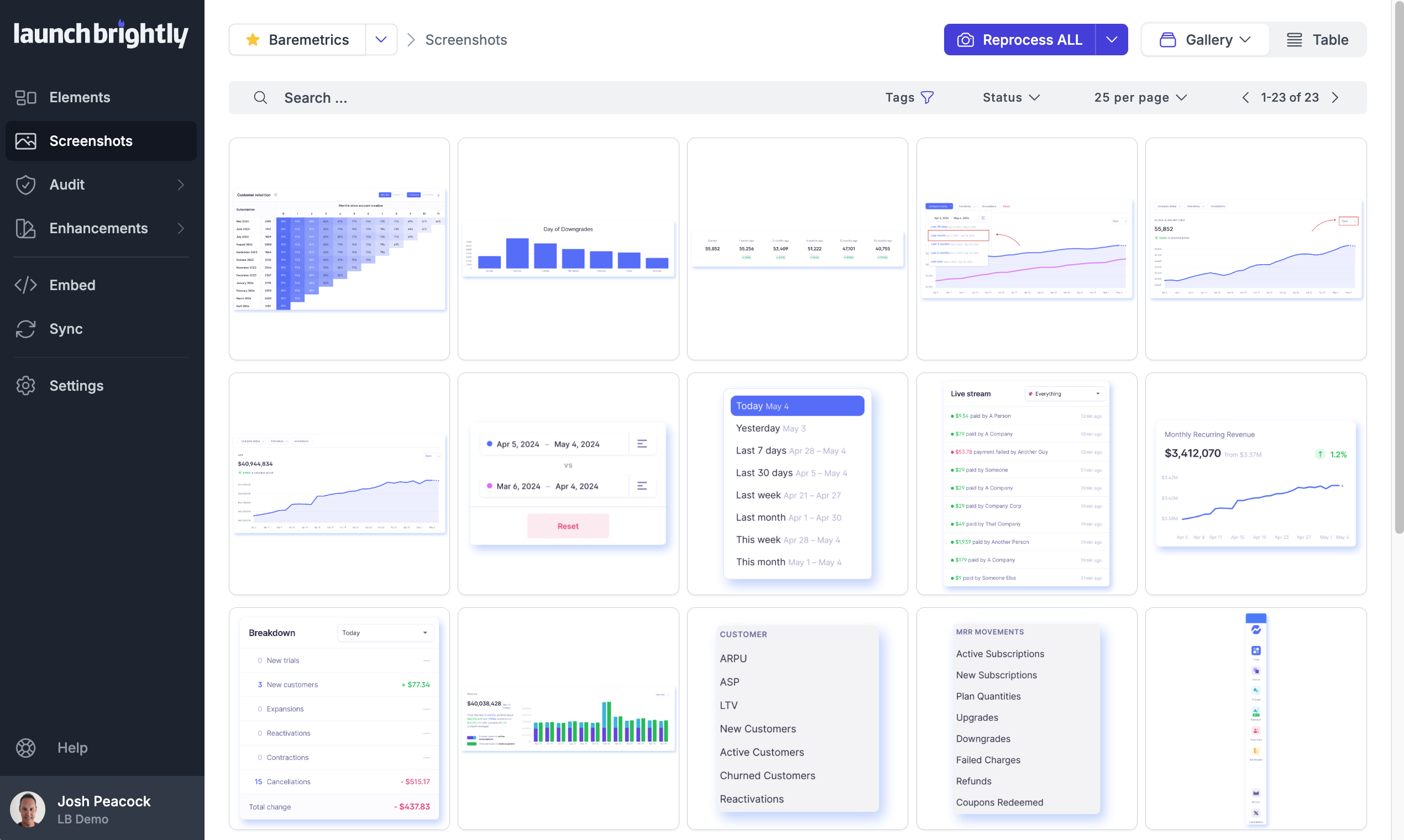
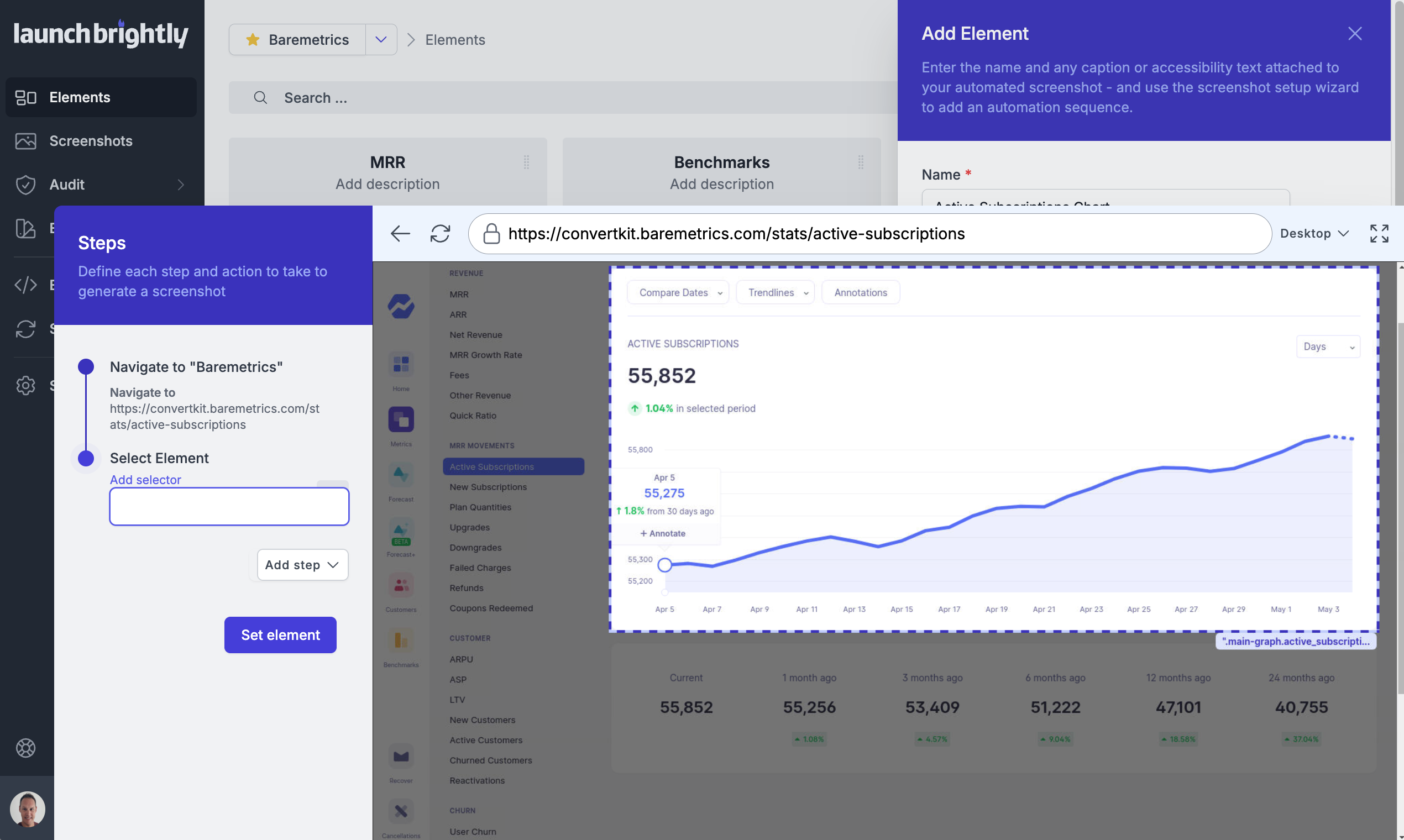
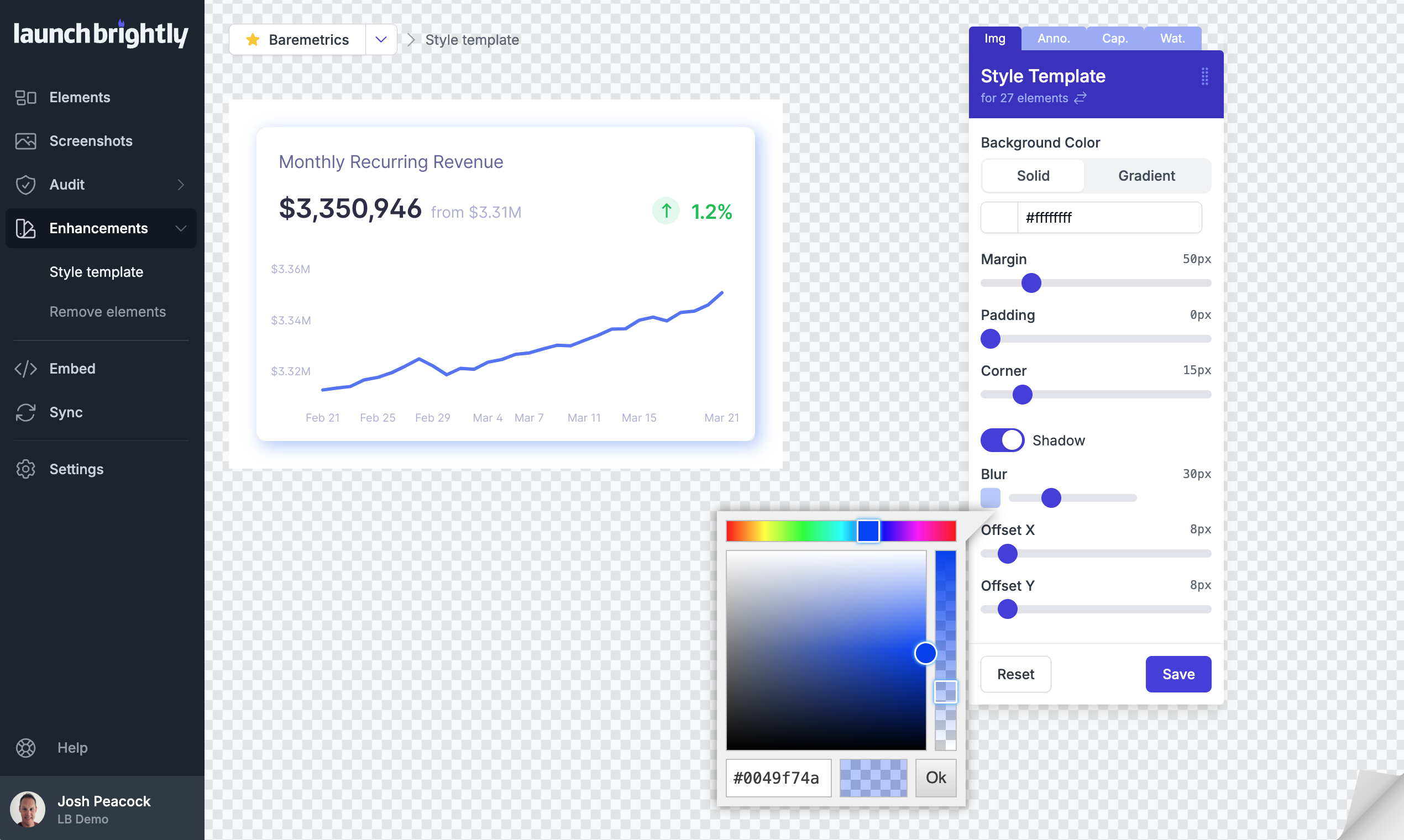
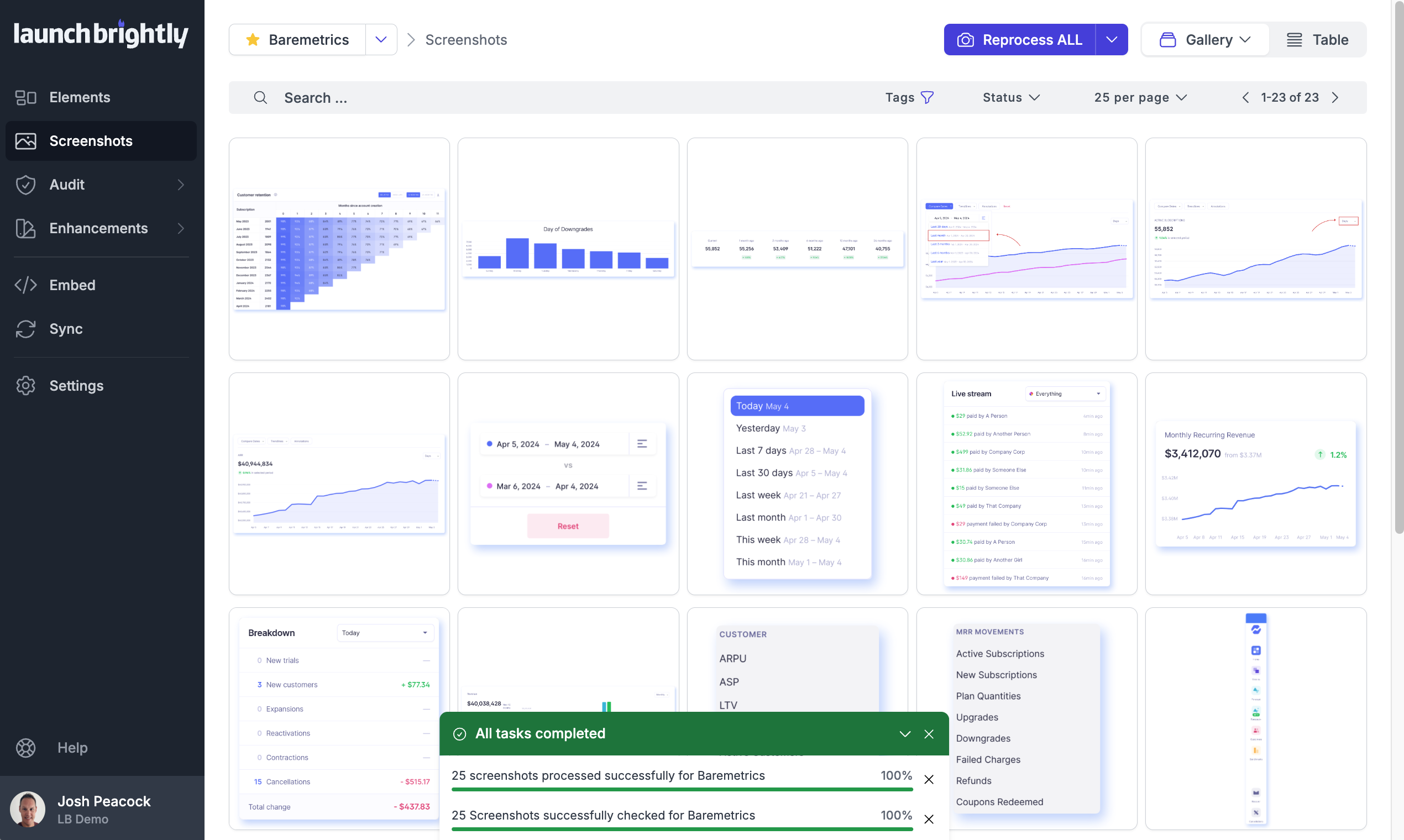
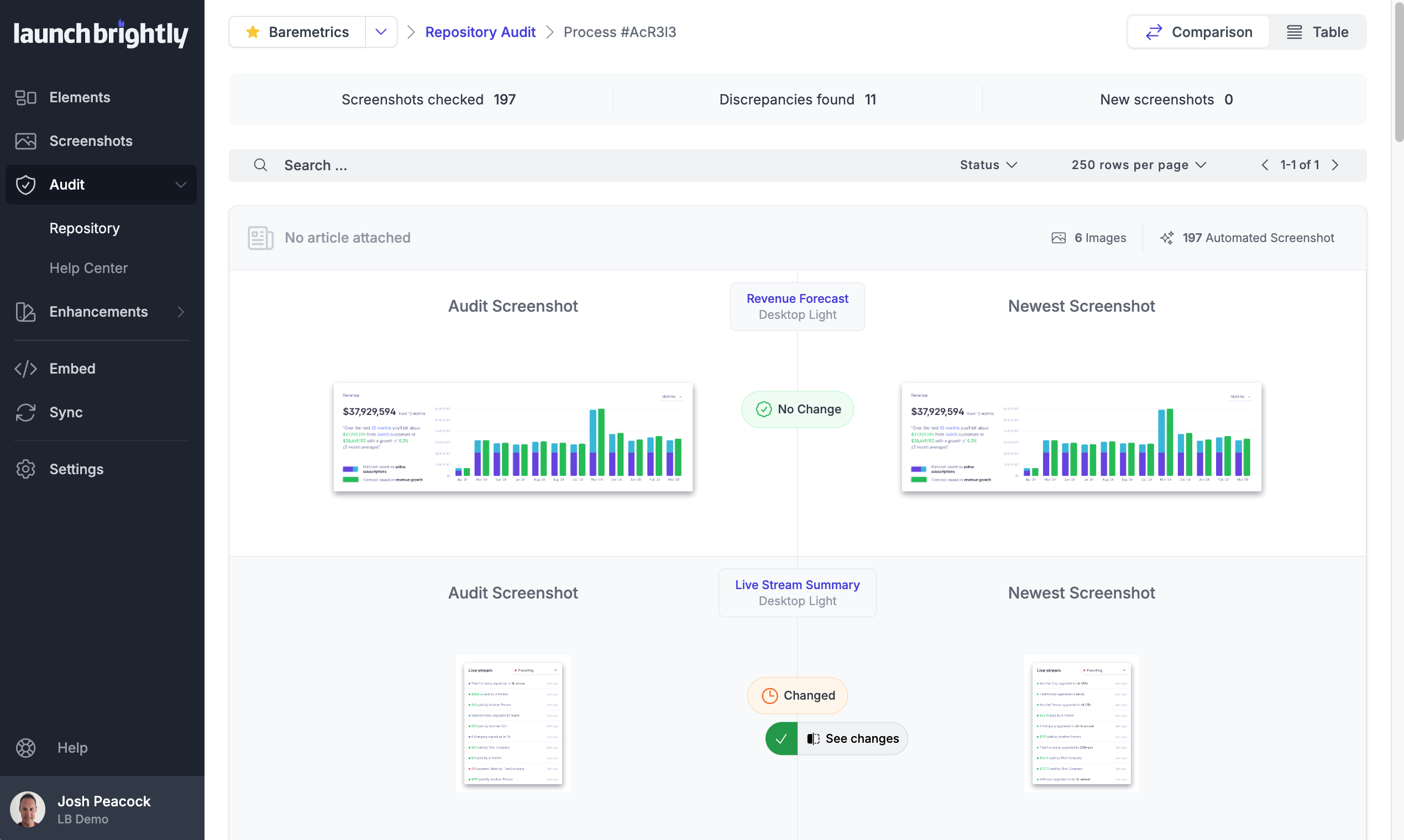
Screenshot of A gallery view of all automated screenshotsScreenshot of the Screenshot Recipe Builder is used to meticulously record the steps to capture an ideal screenshotScreenshot of the interface to style screenshots, annotations, and captions to match the product's brand identity, with reprocessing of changesScreenshot of the auto-reprocessing feature, used to automatically generate new screenshots reflecting the latest version of a  product, and ensure it always has the freshest screeshotsScreenshot of the Screenshot Audit, which is used to compare an up-to-the minute screenshot against previously generated screenshots to quickly identify what, if any, changes have occurred, with the option to accept or reject those changes.Screenshot of where each generated screenshot is preserved to history, providing a chronological screenshot archive tracking how the product changes over time