TrustRadius: an HG Insights company

erwin Data Modeler vs. Phocas Business Intelligence

Save this comparison

Save this comparison

Add Product

Recommended Comparisons

    Overview
    ProductRatingMost Used ByProduct SummaryStarting Price

    erwin Data Modeler

    Score10 out of 10
    N/Aerwin Data Modeler by Quest is a data modeling tool used to find, visualize, design, deploy and standardize high-quality enterprise data assets. It can discover and document any data from anywhere for consistency, clarity and artifact reuse across large-scale data integration, master data management, metadata management, Big Data, business intelligence and analytics initiatives, accomplishing this whil esupporting data governance and intelligence efforts.N/A

    Phocas Business Intelligence

    Score9.3 out of 10
    N/APhocas helps users discover data and provides results in real time.  It is designed for non-technical users and delivers a simple yet powerful analytical capability that quickly turns data into a chart, graph or map.  It brings up data on local, regional or global sales, inventory, forecasts, prices, profit margins, budgets and more. Phocas, based in the United Kingdom, is a business intelligence firm with offices in…N/A
    Pricing
    erwin Data ModelerPhocas Business Intelligence
    Editions & Modules
    No answers on this topic
    No answers on this topic
    Offerings
    Pricing Offerings
    erwin Data ModelerPhocas Business Intelligence
    Free Trial
    YesYes
    Free/Freemium Version
    NoNo
    Premium Consulting/Integration Services
    YesYes
    Entry-level Setup FeeOptionalNo setup fee
    Additional Details—Phocas has built its business model on exceeding customer expectations. We’ve operated on a subscription basis from the start and in the words of Phocas Group chairman and co-founder Paul Magee: ‘That puts the onus on us to perform’. And we like that. In fact, our whole company ecosystem is built around that ‘light bulb moment’ when customers achieve a breakthrough by seeing their business through fresh eyes.
    More Pricing Information
    Features
    erwin Data ModelerPhocas Business Intelligence
    BI Standard Reporting
    Comparison of BI Standard Reporting features of erwin Data Modeler and Phocas Business Intelligence
    Feature
    erwin Data Modeler
    -
    Ratings
    Phocas Business Intelligence
    9.0
    4 Ratings
    10% above category average
    Customizable dashboards00 Ratings9.04 Ratings
    Report Formatting Templates00 Ratings9.04 Ratings
    Ad-hoc Reporting
    Comparison of Ad-hoc Reporting features of erwin Data Modeler and Phocas Business Intelligence
    Feature
    erwin Data Modeler
    -
    Ratings
    Phocas Business Intelligence
    9.6
    4 Ratings
    18% above category average
    Drill-down analysis00 Ratings10.04 Ratings
    Formatting capabilities00 Ratings9.04 Ratings
    Report sharing and collaboration00 Ratings10.04 Ratings
    Report Output and Scheduling
    Comparison of Report Output and Scheduling features of erwin Data Modeler and Phocas Business Intelligence
    Feature
    erwin Data Modeler
    -
    Ratings
    Phocas Business Intelligence
    9.3
    4 Ratings
    12% above category average
    Publish to PDF00 Ratings10.04 Ratings
    Report Versioning00 Ratings8.03 Ratings
    Report Delivery Scheduling00 Ratings9.94 Ratings
    Data Discovery and Visualization
    Comparison of Data Discovery and Visualization features of erwin Data Modeler and Phocas Business Intelligence
    Feature
    erwin Data Modeler
    -
    Ratings
    Phocas Business Intelligence
    8.3
    4 Ratings
    4% above category average
    Pre-built visualization formats (heatmaps, scatter plots etc.)00 Ratings8.04 Ratings
    Location Analytics / Geographic Visualization00 Ratings9.03 Ratings
    Predictive Analytics00 Ratings8.04 Ratings
    Access Control and Security
    Comparison of Access Control and Security features of erwin Data Modeler and Phocas Business Intelligence
    Feature
    erwin Data Modeler
    -
    Ratings
    Phocas Business Intelligence
    9.9
    4 Ratings
    15% above category average
    Multi-User Support (named login)00 Ratings9.94 Ratings
    Role-Based Security Model00 Ratings9.94 Ratings
    Multiple Access Permission Levels (Create, Read, Delete)00 Ratings9.93 Ratings
    Mobile Capabilities
    Comparison of Mobile Capabilities features of erwin Data Modeler and Phocas Business Intelligence
    Feature
    erwin Data Modeler
    -
    Ratings
    Phocas Business Intelligence
    9.5
    3 Ratings
    20% above category average
    Responsive Design for Web Access00 Ratings9.03 Ratings
    Dashboard / Report / Visualization Interactivity on Mobile00 Ratings10.03 Ratings
    Best Alternatives
    erwin Data ModelerPhocas Business Intelligence
    Small Businesses
    No answers on this topic
    Cyfe
    Score4 out of 10
    Medium-sized Companies
    ER/Studio
    Score9.9 out of 10
    Qlik Cloud Analytics (Qlik Sense)
    Score8.1 out of 10
    Enterprises
    ER/Studio
    Score9.9 out of 10
    Sisense
    Score6.9 out of 10
    All AlternativesView all alternativesView all alternatives
    User Ratings
    erwin Data ModelerPhocas Business Intelligence
    Likelihood to Recommend
    6.1
    (7 ratings)
    8.1
    (4 ratings)
    Usability
    9.0
    (2 ratings)
    9.0
    (1 ratings)
    Support Rating
    9.0
    (3 ratings)
    9.0
    (1 ratings)
    Data Sharing and Collaboration
    -
    (0 ratings)
    8.0
    (3 ratings)
    Data Sources
    -
    (0 ratings)
    10.0
    (3 ratings)
    User Testimonials
    erwin Data ModelerPhocas Business Intelligence
    Likelihood to Recommend
    Quest Software
    I have had a chance to use few other data modeling tools from Quest and Oracle, but I am most comfortable using erwin Data Modeler. They understand your data modeling needs and have designed the software to give you a feeling of completeness when you are designing a data model.
    Incentivized
    Read full review
    Phocas
    If you would like your data in one place with easy access, this is the software for you. You can have data from multiple systems and bring it into one view so that you have a quick and easily visible dashboard for the data you wish to see.
    Incentivized
    Read full review
    Pros
    Quest Software
    • Reverse Engineering: I love the way we can import an SQL file containing schema meta data and generate ER diagram out of it. This is specifically useful if you are implementing erwin Data Modeler for an existing database.
    • Forward Engineering: We use this feature very frequently. Where we do database changes in our physical and logical data models and then generate deployment scripts for the changes made.
    • Physical vs Logical Models: I like to have my database model split into physical and logical models and at the same time still linked to each other. Any changes you make to logical model or physical model shows up in the other.
    Incentivized
    Read full review
    Phocas
    • Custom reports are simple to create.
    • The ability to manage users and their dashboards is solid.
    • Easy to navigate web interface makes the software accessible from anywhere.
    Incentivized
    Read full review
    Cons
    Quest Software
    • Cost is the single largest barrier to entry with this tool.
    • Would like to see a greater variety of export options available for use outside of the tool, for example as a vector graphic.
    • Support has been uneven at times.
    Incentivized
    Read full review
    Phocas
    • Phocas needs to make it easier to connect to different types of databases.
    • The data in Phocas needs to be updated faster in some cases.
    • It needs to provide functions to create better charts and graphs.
    Incentivized
    Read full review
    Usability
    Quest Software
    I had a lot of experience using erwin Data Modeler for designing data models. I think it's pretty intuitive and easy to use. It has enough features to represent your database requirements in form of a model.
    Incentivized
    Read full review
    Phocas
    It is a very user-friendly product and is easy to understand. You can get your data from just a quick click and the dashboard loads. You can take the data and drill down easy to find what you are looking for.
    Incentivized
    Read full review
    Support Rating
    Quest Software
    CA customer support and our account manager have been able to support us with any issues that we have had, from managing our serial keys to issues we logged tickets to resolve. There are aspects of key management that have made it difficult over the years but support usually has worked with us.
    Incentivized
    Read full review
    Phocas
    Support is responsive. You log a call and they will respond quickly and resolve your issues. We have only had great experiences with the support team.
    Incentivized
    Read full review
    Alternatives Considered
    Quest Software
    Not listed, but I've only used alternatives built into something like the Squirrel SQL editor. That one is semi-functional but lacking many features and, in some instances, just plain wrong. The only pro there is that it's freely available and works over ODBC. I've tried some of the other free ones like Creately but didn't have much success.
    Incentivized
    Read full review
    Phocas
    Phocas is easy to use for end users and can be used on desktops, laptops, and phones.
    Incentivized
    Read full review
    Return on Investment
    Quest Software
    • It is difficult to assign a monetary value to it. The initial learning curve was fairly long.
    • It allows us to have better support documentation.
    • It allows ease of communications between functional units.
    Incentivized
    Read full review
    Phocas
    • It has given our business a view on data
    • We can access it from anywhere
    • You can have multiple dashboards for different information
    Incentivized
    Read full review
    ScreenShots

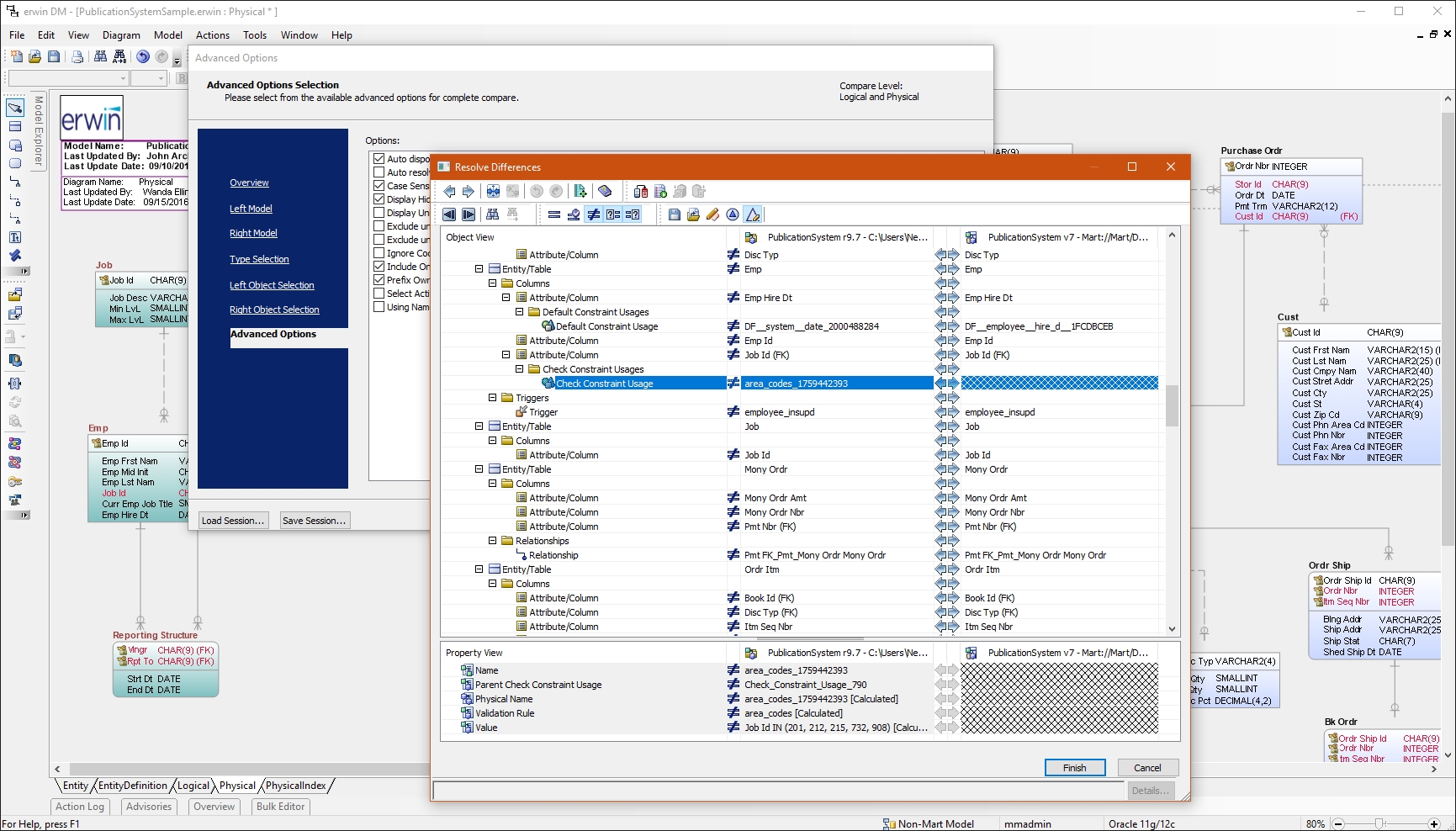
    erwin Data Modeler Screenshots

    Product screenshotProduct screenshotProduct screenshot

    Phocas Business Intelligence Screenshots
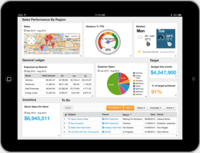
    Screenshot of Phocas Dashboard on iPadScreenshot of Phocas Dashboard on Laptop