eXo Platform is an open-source, social-collaboration software designed for enterprises. Some key features include: Enterprise Social Network, Enterprise Content Management and Social Collaboration.
$0
engaged user/month
Microsoft Office 2016 (discontinued)
Score 8.6 out of 10
N/A
Microsoft Office 2016 is the familiar suite of Office products including applications such as Word, Excel, and PowerPoint for use on a single PC or Mac. The 2016 is no longer available for sale from Microsoft, and support is at an end since 2020.
N/A
Pricing
eXo Platform
Microsoft Office 2016 (discontinued)
Editions & Modules
Community
$0
engaged user/month
Social Intranet
$3
per month per user
Digital Workplace Cloud
$5
per month per user
Digital Workplace On-Premise
$5
per month per user
Enterprise Unlimited
9$
engaged user/month
No answers on this topic
Offerings
Pricing Offerings
eXo Platform
Microsoft Office 2016 (discontinued)
Free Trial
Yes
No
Free/Freemium Version
Yes
No
Premium Consulting/Integration Services
Yes
No
Entry-level Setup Fee
No setup fee
No setup fee
Additional Details
—
—
More Pricing Information
Community Pulse
eXo Platform
Microsoft Office 2016 (discontinued)
Features
eXo Platform
Microsoft Office 2016 (discontinued)
Project Management
Comparison of Project Management features of Product A and Product B
eXo Platform
9.2
5 Ratings
17% above category average
Microsoft Office 2016 (discontinued)
-
Ratings
Task Management
10.05 Ratings
00 Ratings
Gantt Charts
8.02 Ratings
00 Ratings
Scheduling
10.04 Ratings
00 Ratings
Workflow Automation
8.33 Ratings
00 Ratings
Mobile Access
10.05 Ratings
00 Ratings
Search
10.05 Ratings
00 Ratings
Visual planning tools
8.03 Ratings
00 Ratings
Communication
Comparison of Communication features of Product A and Product B
eXo Platform
9.5
4 Ratings
17% above category average
Microsoft Office 2016 (discontinued)
-
Ratings
Chat
10.04 Ratings
00 Ratings
Notifications
10.04 Ratings
00 Ratings
Discussions
10.04 Ratings
00 Ratings
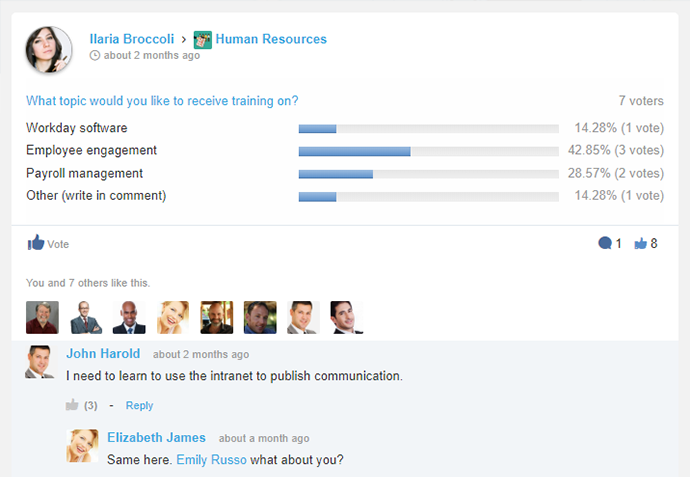
Surveys
7.13 Ratings
00 Ratings
Internal knowledgebase
10.04 Ratings
00 Ratings
Integrates with GoToMeeting
9.01 Ratings
00 Ratings
Integrates with Gmail and Google Hangouts
10.02 Ratings
00 Ratings
Integrates with Outlook
10.03 Ratings
00 Ratings
File Sharing & Management
Comparison of File Sharing & Management features of Product A and Product B
It is especially suitable for working together remotely or from disconnected locations, allowing them to access collaborative work and tools to facilitate communication. Internal and cloud options also seem to offer a flexible adoption roadmap. It addresses the problems of efficient collaboration and effective communication between employees, particularly with regard to working and completing projects
I'd recommend [Microsoft] Office2016 for any business that has more than a couple of users, as the software is very scalable from just a small business to a large enterprise corporation. I don't know of any case where it might not be appropriate, as even home users and students use the software suite as well.
I personally love the user-friendly interface. Often you find software which is difficult to learn, and not utilized as often as it should be because of this. With eXo Platform, the interface is easy to understand, and is not particularly challenging to new users and non-tech savvy individuals.
It allows you to get work done, without feeling like using the platform is part of the actual work. It feels more like a natural system you would use in your leisure time to connect with friends and family, rather than a social intranet designed to facilitate employee communication and help you meet project deadlines.
The cloud platform allows users to easily share information and files, and collaborate on project work. Another benefit to this is it makes mobile collaboration possible.
Data manipulation. Excel takes the raw data we receive and allows us to digest it in ways that are useful to our business processes.
Communication. Outlook serves as our primary means of communication and setting up appointments.
Documentation. Word is the default standard when it comes to using a word processor and we are no different in this regard. Nearly every user has to use the application on a regular basis in order to accomplish their work.
As the platform appears to be packed with features and functionality it may be a bit daunting at first to get used to it.
The initial adoption in a corporate setting would involve a number of questions, such as integration with other applications, data migration and security and the optimum adoption road map in order to maximise the benefit from the platform.
We believe that office 2016 offers the best value when it comes to features included out of the box. The software is used in its entirety by our organization and is easily supported by our staff of IT technicians. Users find this software to be easy to learn and easy to use with minimal learning curve.
This platform has a pleasant user interface, is very easy to use, and offers a lot of useful accessories and add-ons. At first it can be a little intimidating, but it doesn't take long to get used to it. It is considerably reliable and safe. Facilitates connection and collaboration with coworkers. It provides tools that allow you to capture, organize and act according to the internal knowledge of your team.
It's fairly easy to use, but the automatic formatting or capturing of formatting when pasting is wonky - especially when there are outlines or other bullets/numbered lists. Fixing and sizing up tables can be annoying, and there are sometimes formatting issues that we just absolutely cannot fix for some reason
The eXo platform offers a high quality support, which satisfies the requirements of our company, especially when the platform begins to be used, due to the amount of tools that can be overwhelming. Support responses are made in a short period of time.
I am an MS feedback hub participant and they certainly don't pay enough attention to several bugs several people raise it in the portal. For the enterprise, it seems to me based on my prior experience that yes, they have a dedicated team to support operations. For mid to small companies or single users, it has been a struggle. So, you are pretty much with MS Blogs and others.
We selected this product firstly because it's easy to use for end-users, even if it's not so simple to configure from an administrative point of view. Managing and tracking overall activities is quite easy and it's also possible to have an immediate vision of everything that is done on the platform. Users feel confident and are encouraged to share resources.
We use Microsoft Office 2016 because at the time it was the best tool for us, but now with full attention to cloud products, we may be thinking of migrating our solution to a cloud service.
Microsoft Office 2016 saves me a lot of time daily. I have functions and macros set up that calculate and show me a lot of things just from a couple of my inputs. This would take full days sometimes if not for that.
Apart from time, it saves me money, I manage data in Excel, I don't have to buy software specifically for that.
Sooner or later my company will have to switch to new edition, which will hurt revenues because of a subscription model.