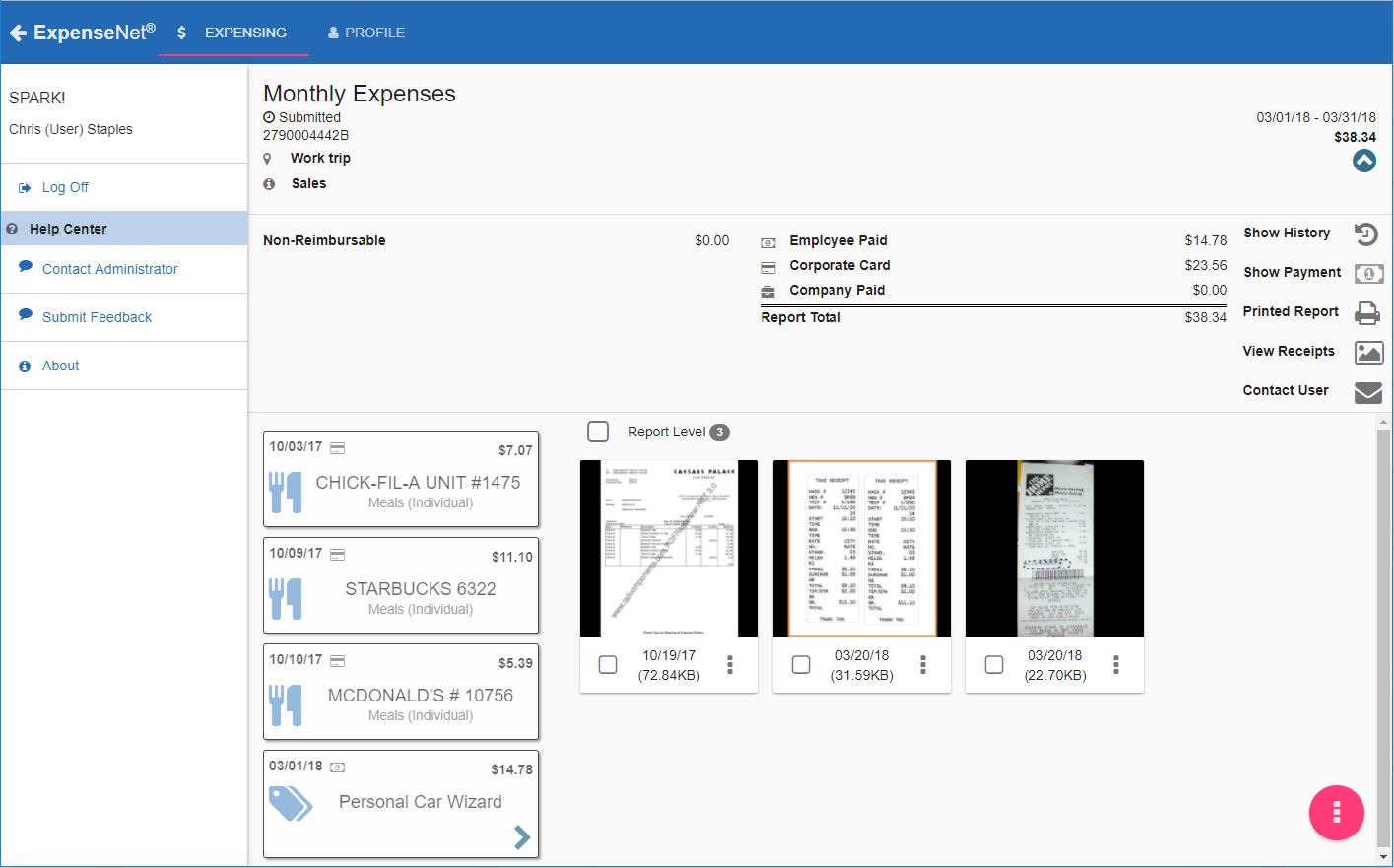
InterpIX ExpenseNet 8.0 offers expense reporting for enterprises. The product is compatible with nearly all global languages and currencies, and aims to significantly reduce the time it takes to complete the expense reporting process. According to the vendor, ExpenseNet 8.0 is the next generation of expense reporting.
N/A
Gusto
Score8.9 out of 10
N/A
Gusto offers payroll, benefits and compliance capabilities. Gusto is scaled for small to mid-sized businesses, and emphasizes an easy to use interface.
$49
per month
Pricing
ExpenseNet
Gusto
Editions & Modules
No answers on this topic
Simple: A streamlined set of automatic payroll features and benefits integrations
$49/month + $6/mo per person
per month
Plus: Comprehensive payroll, benefits, and HR tools for employers building a great place to work
$80/month + $12/mo per person
per month
Premium: Scalable payroll and benefits, expert HR, and dedicated support for the complex needs of growing teams
$180/month + $22/mo per person
per month
Offerings
Pricing Offerings
ExpenseNet
Gusto
Free Trial
No
Yes
Free/Freemium Version
No
No
Premium Consulting/Integration Services
Yes
Yes
Entry-level Setup Fee
Required
No setup fee
Additional Details
We offer a complete solution for automating your Expense Reporting process for the lowest cost on the market. The BEST value in Expense Reporting.
Gusto offers three pricing plans for payroll, benefits, and HR.
ExpenseNet is well suited to a large organization with many travelers or purchasing cards holders. It allows the entire expense reporting process to be done electronically. For employees who are not based on site or not based at the same site as their manager and accounting, it really streamlines the process compared to having paper or even e-mailed expense reports. The wholly electronic process also enables easier reporting and auditing. ExpenseNet would likely be less appropriate for small organizations with few travelers.
A de minimis incentive was given to thank the reviewer for their time. The incentive was not used to bias or drive a particular response, nor was the incentive contingent on a positive endorsement. More Info
I think Gusto is well-suited for any business, big or small, to use for accounting purposes. It makes it easy to keep track of many things, such as pay stubs, benefits, paid time off, and much more. Where I could see it being less useful is maybe for enterprise businesses with way more employees.
A de minimis incentive was given to thank the reviewer for their time. The incentive was not used to bias or drive a particular response, nor was the incentive contingent on a positive endorsement. More Info
A de minimis incentive was given to thank the reviewer for their time. The incentive was not used to bias or drive a particular response, nor was the incentive contingent on a positive endorsement. More Info
A de minimis incentive was given to thank the reviewer for their time. The incentive was not used to bias or drive a particular response, nor was the incentive contingent on a positive endorsement. More Info
Overall the look and feel is dated and the navigation is clunky. Even employees who travel a lot will only go into the system once a month to do their expense report. A more user-friendly interface would take some of the chore out of it.
The feature to take a picture of a receipt and then e-mail it to your ExpenseNet account is great, but it does not always work, which can be frustrating to redo
It would be handy if just as the charges from the corporate card are imported, the statement could be as well. This would eliminate the need for the employee to go into their corporate card account to download and save the statement and then attach it in ExpenseNet.
It is senseless that once you add a receipt to the queue, you cannot delete it until after you have submitted the given report. Sometimes, a duplicate receipt will be loaded or a receipt will be loaded in error. To have to work around it in the queue is rather annoying.
A de minimis incentive was given to thank the reviewer for their time. The incentive was not used to bias or drive a particular response, nor was the incentive contingent on a positive endorsement. More Info
Gusto upsold us labor law posters, but I later found them available for free online. Since we’re a fully remote team, I had to manually download and distribute them digitally. It would be much more efficient if Gusto offered free, auto-distributed digital posters tailored to remote compliance.
Benefits setup is unintuitive for startups
While our rep was helpful, navigating the benefits system felt complex and not tailored to early-stage companies. More guided flows or simplified options for small, remote startups would be a big help.
Limited dashboard customization for remote workflows
As a fully online company, we’d benefit from dashboard options that highlight relevant tools for remote operations—like compliance tracking, digital communications, or onboarding checklists.
A de minimis incentive was given to thank the reviewer for their time. The incentive was not used to bias or drive a particular response, nor was the incentive contingent on a positive endorsement. More Info
Unless they break it, I'm never leaving. It's just too easy. Gusto is also really affordable, and for what I pay, it's worth having the historical record within the system. I like that I can go back and pull up W2's for year's past. This sort of easy access reporting, has been helpful especially when getting reports for PPP loans.
Gusto is pretty user-friendly, and the website is easy to navigate overall. They also offer good, responsive customer support and have helpful articles available when needed. So far, I have not had any major issues with the platform and am overall very happy with it.
A de minimis incentive was given to thank the reviewer for their time. The incentive was not used to bias or drive a particular response, nor was the incentive contingent on a positive endorsement. More Info
Gusto's customer service has really deteriorated lately and they seem to have really changed their focus. It used to be when you called you were routed to an individual who knew about payroll, benefits, reporting, etc. but now you get someone who seems to have not received the correct training. My last call about a dismissal payroll took me over an hour of my time and the person still could not help me and finally transferred me to someone else.
A de minimis incentive was given to thank the reviewer for their time. The incentive was not used to bias or drive a particular response, nor was the incentive contingent on a positive endorsement. More Info
Reach out to support immediately if you are having trouble setting up Gusto. Rather than being confused and trying to figure it out yourself, it's much better to talk to someone who knows what they are doing. Save yourself time and frustration and reach out to support
A de minimis incentive was given to thank the reviewer for their time. The incentive was not used to bias or drive a particular response, nor was the incentive contingent on a positive endorsement. More Info
While I never actually got to the point of trying out ADP, I had several conversations with an ADP representative, and it seemed that they would be able to provide the same (if not less) level of service for a significantly higher price
A de minimis incentive was given to thank the reviewer for their time. The incentive was not used to bias or drive a particular response, nor was the incentive contingent on a positive endorsement. More Info
A de minimis incentive was given to thank the reviewer for their time. The incentive was not used to bias or drive a particular response, nor was the incentive contingent on a positive endorsement. More Info
A de minimis incentive was given to thank the reviewer for their time. The incentive was not used to bias or drive a particular response, nor was the incentive contingent on a positive endorsement. More Info