TrustRadius: an HG Insights company

Save this comparison

Save this comparison

Add Product

Recommended Comparisons

    Overview
    ProductRatingMost Used ByProduct SummaryStarting Price

    EZ File Drop

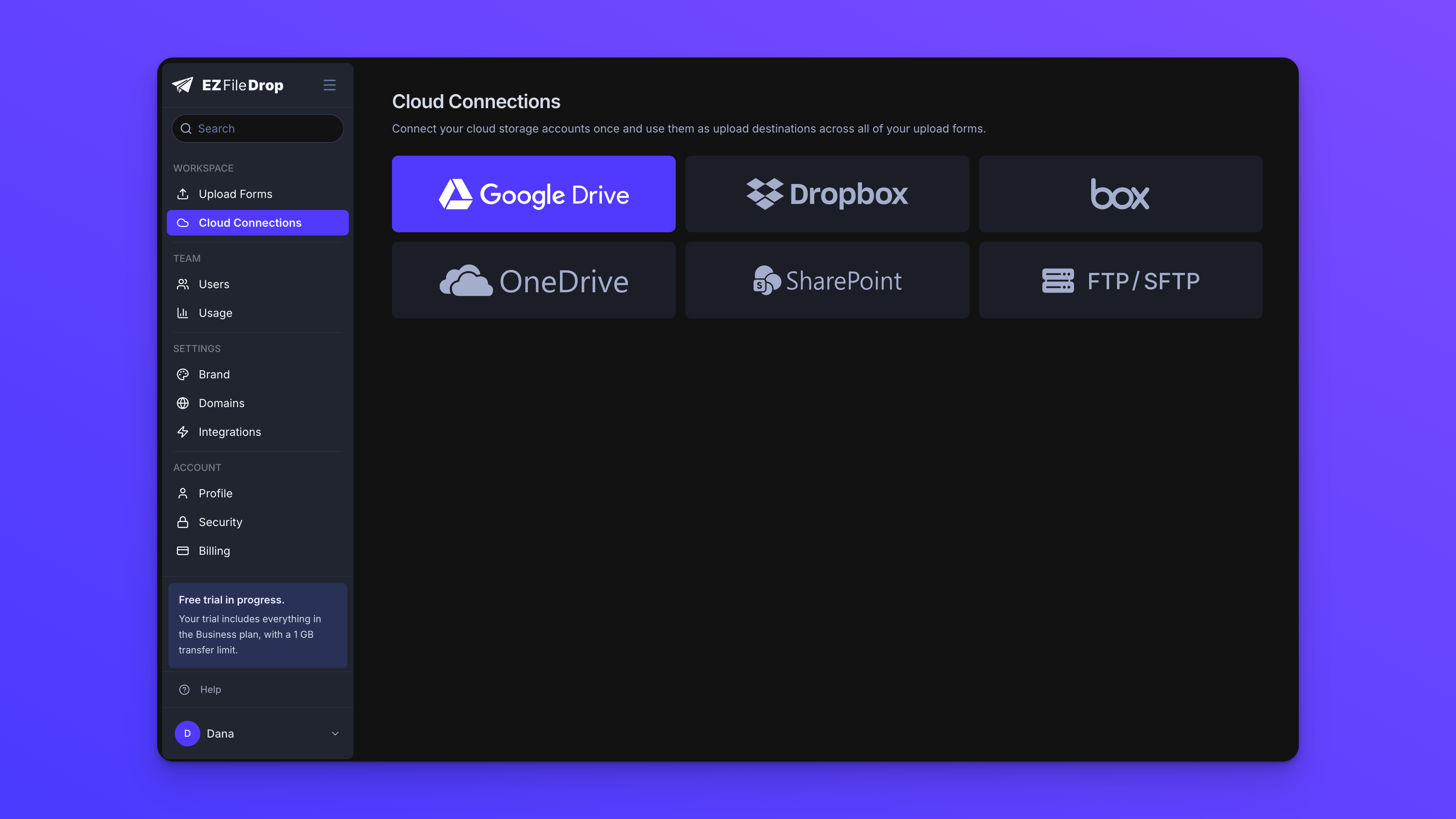
    N/AN/AEZ File Drop is a file collection tool for teams that receive files from people outside their organization. Users build a branded upload form, share it as a link, QR code, or website embed, and every submission is delivered into the account owner's own cloud storage: Google Drive, Dropbox, OneDrive, SharePoint, Box, or FTP/SFTP. The people sending files do not need an account, an app, or a sign-in. What it replaces: EZ File Drop is positioned against three common…

    $12

    per month

    SugarSync

    Score3.6 out of 10
    N/ASugarSync is a cloud storage and backup solution designed for small businesses.

    $7.50

    per month

    Pricing
    EZ File DropSugarSync
    Editions & Modules
    Starter
    $12
    per month
    Business
    $49
    per month
    Premium
    $149
    per month
    100 GB
    $7.49
    per month
    250 GB
    $9.99
    per month
    500 GB
    $18.95
    per month
    Offerings
    Pricing Offerings
    EZ File DropSugarSync
    Free Trial
    YesYes
    Free/Freemium Version
    NoNo
    Premium Consulting/Integration Services
    NoNo
    Entry-level Setup FeeNo setup feeNo setup fee
    Additional DetailsPrices shown are for monthly billing. Annual billing is available at two months free: Starter $120/year, Business $490/year, Premium $1,490/year. Plans differ mainly by monthly upload allowance (5 GB, 100 GB, or 1 TB) and by feature set. Starter is limited to one user and a 5 GB cap per submission. Business and Premium include up to 20 users with no per-seat fees, a 25 GB cap per submission, and features such as dynamic subfolders, file renaming, conditional logic, white-label branding, website embedding, and Zapier and webhook integrations. Premium adds 1 TB of monthly bandwidth, custom domains for share links and notification emails, and priority email support. Pricing is based on bandwidth used rather than storage or seats. Files are delivered into the customer's own cloud storage, so there is no separate storage charge. Every plan includes unlimited forms and all six cloud destinations. The 25 GB per-submission cap can be raised on request. Every account begins with a 7-day trial of the Business plan with no credit card required.
    More Pricing Information
    Features
    EZ File DropSugarSync
    File Sharing & Management
    Comparison of File Sharing & Management features of EZ File Drop and SugarSync
    Feature
    EZ File Drop
    -
    Ratings
    SugarSync
    9.4
    8 Ratings
    11% above category average
    Versioning00 Ratings8.06 Ratings
    Video files00 Ratings9.05 Ratings
    Audio files00 Ratings10.05 Ratings
    Document collaboration00 Ratings10.07 Ratings
    Access control00 Ratings10.08 Ratings
    File search00 Ratings9.08 Ratings
    Device sync00 Ratings10.08 Ratings
    Cloud Storage Security & Administration
    Comparison of Cloud Storage Security & Administration features of EZ File Drop and SugarSync
    Feature
    EZ File Drop
    -
    Ratings
    SugarSync
    9.7
    8 Ratings
    11% above category average
    User and role management00 Ratings10.07 Ratings
    File organization00 Ratings9.08 Ratings
    Device management00 Ratings10.08 Ratings
    Cloud Storage Platform
    Comparison of Cloud Storage Platform features of EZ File Drop and SugarSync
    Feature
    EZ File Drop
    -
    Ratings
    SugarSync
    10.0
    8 Ratings
    14% above category average
    Performance00 Ratings10.08 Ratings
    Reliability00 Ratings10.08 Ratings
    Storage Reports00 Ratings10.06 Ratings
    Best Alternatives
    EZ File DropSugarSync
    Small Businesses
    Dropbox DocSend
    Score8.3 out of 10
    IDrive Online Backup and Object Storage e2
    Score9.1 out of 10
    Medium-sized Companies
    Dropbox DocSend
    Score8.3 out of 10
    Apple iCloud
    Score8.4 out of 10
    Enterprises
    No answers on this topic
    ownCloud
    Score9.2 out of 10
    All AlternativesView all alternativesView all alternatives
    User Ratings
    EZ File DropSugarSync
    Likelihood to Recommend
    -
    (0 ratings)
    10.0
    (10 ratings)
    Likelihood to Renew
    -
    (0 ratings)
    9.0
    (3 ratings)
    Support Rating
    -
    (0 ratings)
    10.0
    (1 ratings)
    User Testimonials
    EZ File DropSugarSync
    Likelihood to Recommend
    EZ File Drop
    No answers on this topic
    Ziff Davis Inc
    When doing daily jobs, if you’re sharing large files, I think Dropbox works a lot better but if you have a system where you’re working within that system and you want to be able to work with that system and have certain folders that you have access to all the time then SugarSync might be just the ticket.
    Incentivized
    Read full review
    Pros
    EZ File Drop
    No answers on this topic
    Ziff Davis Inc
    • Sync files in any folder - rather than forcing you to store them in a certain place (Although this can be confusing too)
    • Works in the background - although this is true for all
    • You can share with others - including those who do not use SugarSync
    Incentivized
    Read full review
    Cons
    EZ File Drop
    No answers on this topic
    Ziff Davis Inc
    • Can only think of one thing. I have helped others to get going with SugarSync and they if they have problems it is understanding the cloud.... So maybe (if it dosen't exist already) I would like to have a animation of the proces with "flying" folders between desktops, clouds etc. Otherwise SugarSync is just great.
    Incentivized
    Read full review
    Likelihood to Renew
    EZ File Drop
    No answers on this topic
    Ziff Davis Inc
    1. Freemium model is the ideal marketing for an app like this. 2. Now their sync methods with Android are worse
    Read full review
    Support Rating
    EZ File Drop
    No answers on this topic
    Ziff Davis Inc
    Customer service is amazing, they are always fast to respond and very helpful.
    Incentivized
    Read full review
    Alternatives Considered
    EZ File Drop
    No answers on this topic
    Ziff Davis Inc
    SugarSync, like all solutions, has its place in the data storage stack within a company. The main reason SugarSync is better than the other solutions is that it enables me to leave my hard drive organized and keep my existing file trees. I don't have to constantly move or copy files to a specific folder if I want them backed up.
    Incentivized
    Read full review
    Return on Investment
    EZ File Drop
    No answers on this topic
    Ziff Davis Inc
    • There were some opensource alternatives but we wanted something with better support which SugarSync offers.
    • We achieved faster project collaboration with SugarSync.
    Incentivized
    Read full review
    ScreenShots

    EZ File Drop Screenshots

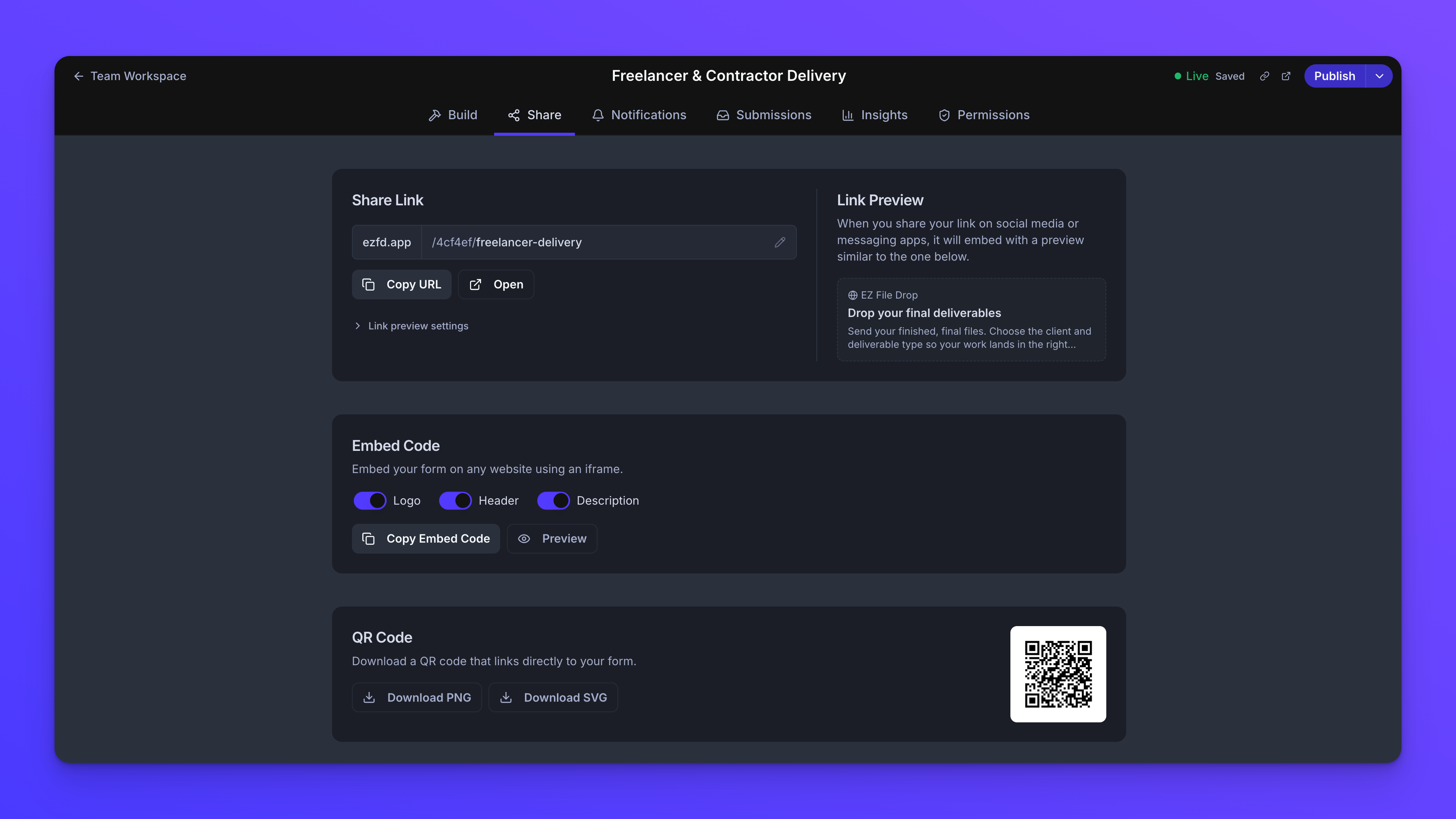
    Screenshot of the customization options.Screenshot of EZ File Drop isn't a storage product. Every submission is delivered into the cloud account you've connected: Google Drive, Dropbox, OneDrive, SharePoint, Box, or FTP/SFTP. You stay in control of where your files live, who can access them, and how long they're kept. EZ File Drop is a pipeline, not a destination.Screenshot of Every form ships with a standalone share link, an embed code, and a built-in QR code. On Premium, share links and notification emails can run on your own custom domain so EZ File Drop never appears in the customer-facing experience.Screenshot of Every form supports three notification groups: the uploader, your team, and third-party recipients. Use the default templates or write your own HTML. On Business and Premium you control the reply-to address and the full email design. On Premium, notifications can also send from an address on your own domain.Screenshot of Starter is a single-user plan. On Business and Premium you can add up to 20 users with no per-seat pricing. Two roles cover the common cases: Owners administer the account, and Members work on the forms they have access to. Granular per-form permissions let each team member see and edit only the forms relevant to their work. Private and shared forms are managed in separate workspaces.