F5 Distributed Cloud Bot Defense (formerly Shape Defense, acquired January 2020) provides security to protect a website from bots, fake users, and unauthorized transactions, preventing large scale fraud and eroded user experiences. Companies get visibility, detection and mitigation outcomes to reduce fraud and cloud hosting, bandwidth and compute costs, improve user experiences, and optimize their business based on real human traffic.
N/A
SonarQube
Score8.7 out of 10
N/A
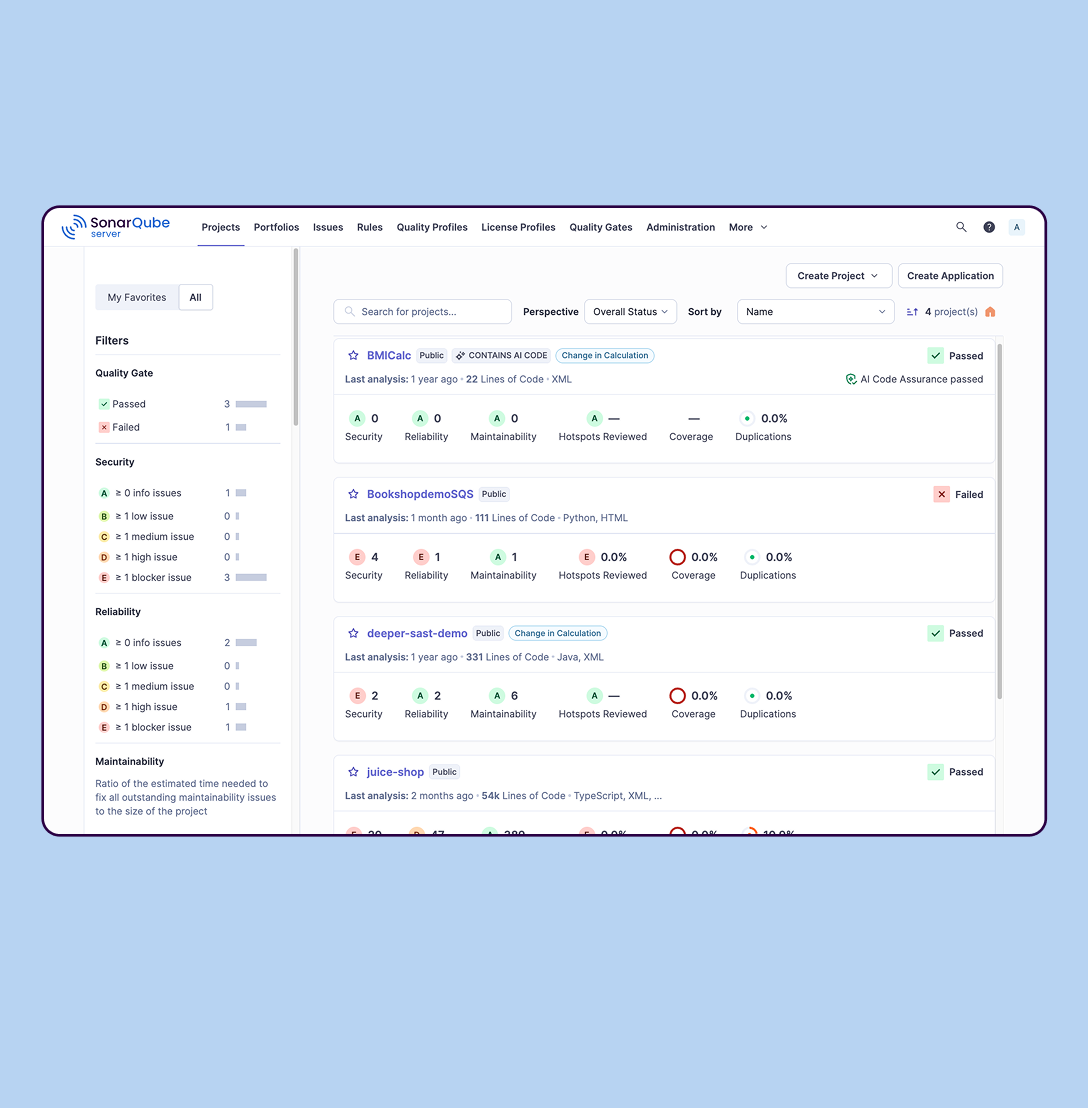
SonarQube is an automated code review solution, serving as the verification layer for code quality and SDLC security. SonarQube is used to ensure that code is secure, reliable, and maintainable. It is available through SaaS or self-managed deployment.
I'd strongly recommend it, but with a few caveats depending on how mature the team is with behavioral based security tools. One of our fintech clients was getting hit with low volume, widely spread login attempts, below our rate limiting thresholds. F5 Distributed Cloud Bot Defense was able to flag abnormal input timings, inconsistent device fingerprinting and high entropy in field population behavior. You can only imagine the wave of downstream account lockouts this saved the client. On the other end we had a client with a real time trading platform using Graphql over websockets. F5 Distributed Cloud Bot Defense wasn't able to tap into that stream natively. we had to reverse engineer a proxy layer to inspect events. It worked but it was clunky and not officially supported
A de minimis incentive was given to thank the reviewer for their time. The incentive was not used to bias or drive a particular response, nor was the incentive contingent on a positive endorsement. More Info
SonarQube is excellent if you start using it at the beginning when developing a new system, in this situation you will be able to fix things before they become spread and expensive to correct. It’s a bit less suitable to use on existing code with bad design as it’s usually too expensive to fix everything and only allows you to ensure the situation doesn’t get worse.
A de minimis incentive was given to thank the reviewer for their time. The incentive was not used to bias or drive a particular response, nor was the incentive contingent on a positive endorsement. More Info
Quickly helps mitigate the retooling and newer advanced bot attacks
Excellent customer service from our f5 bot Defense team/partners
Easy to do Traffic Analysis/False Positive reviews with their dashboard of data
Our F5 Security/Solutions Architect and TAM is always there for us whenever we need them
First class service by the F5 Distributed Cloud Bot DefenseSOC, the Tactics Team, the F5 Testing person that helps us, the mobile SDK experts, the Client-Side Signals experts and F5 management
Industry best Threat Briefings
Not only is F5 Distributed Cloud Bot Defense great at stopping the advanced bot attacks, they also have protection against any tampering or replay attacks.
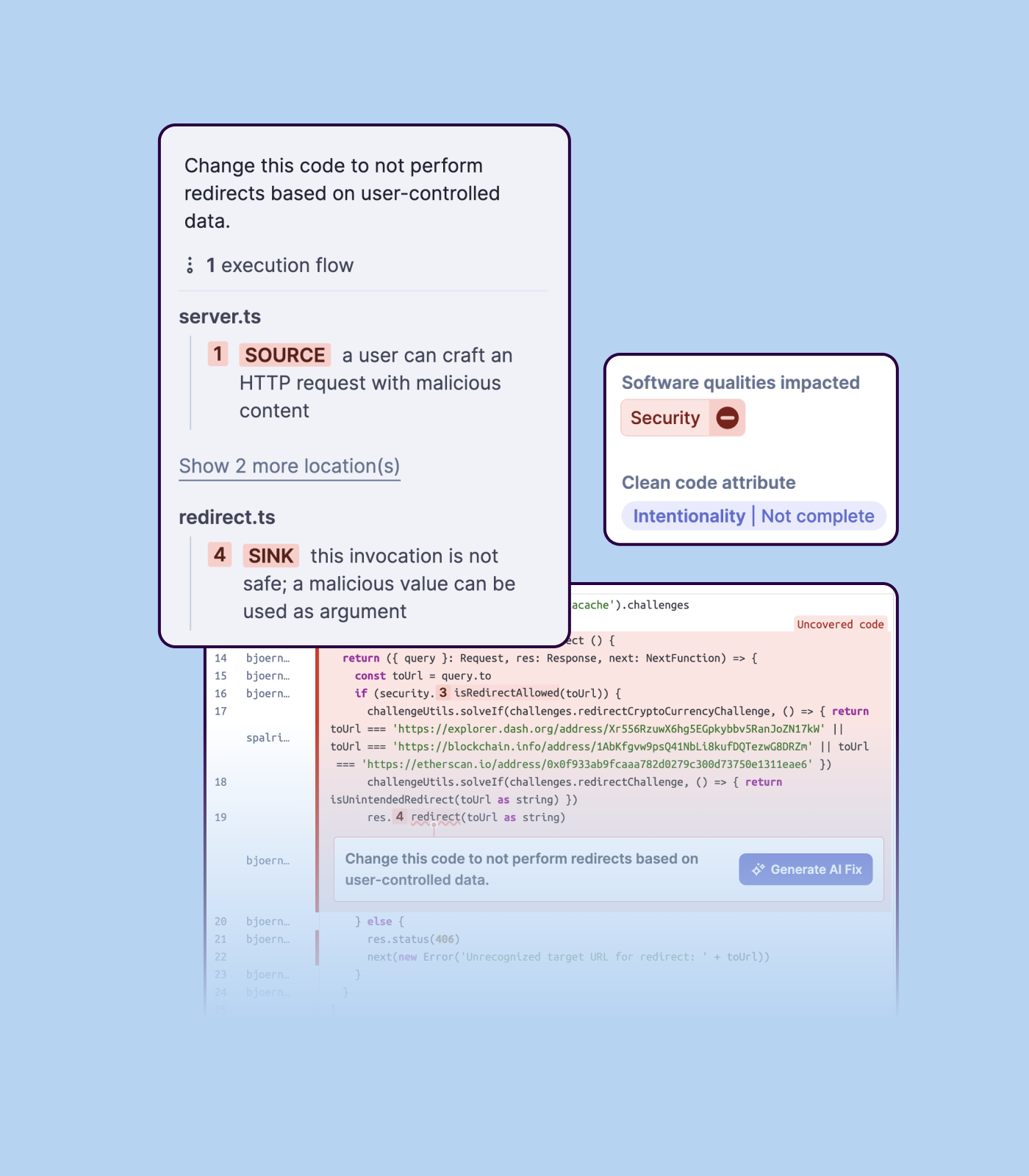
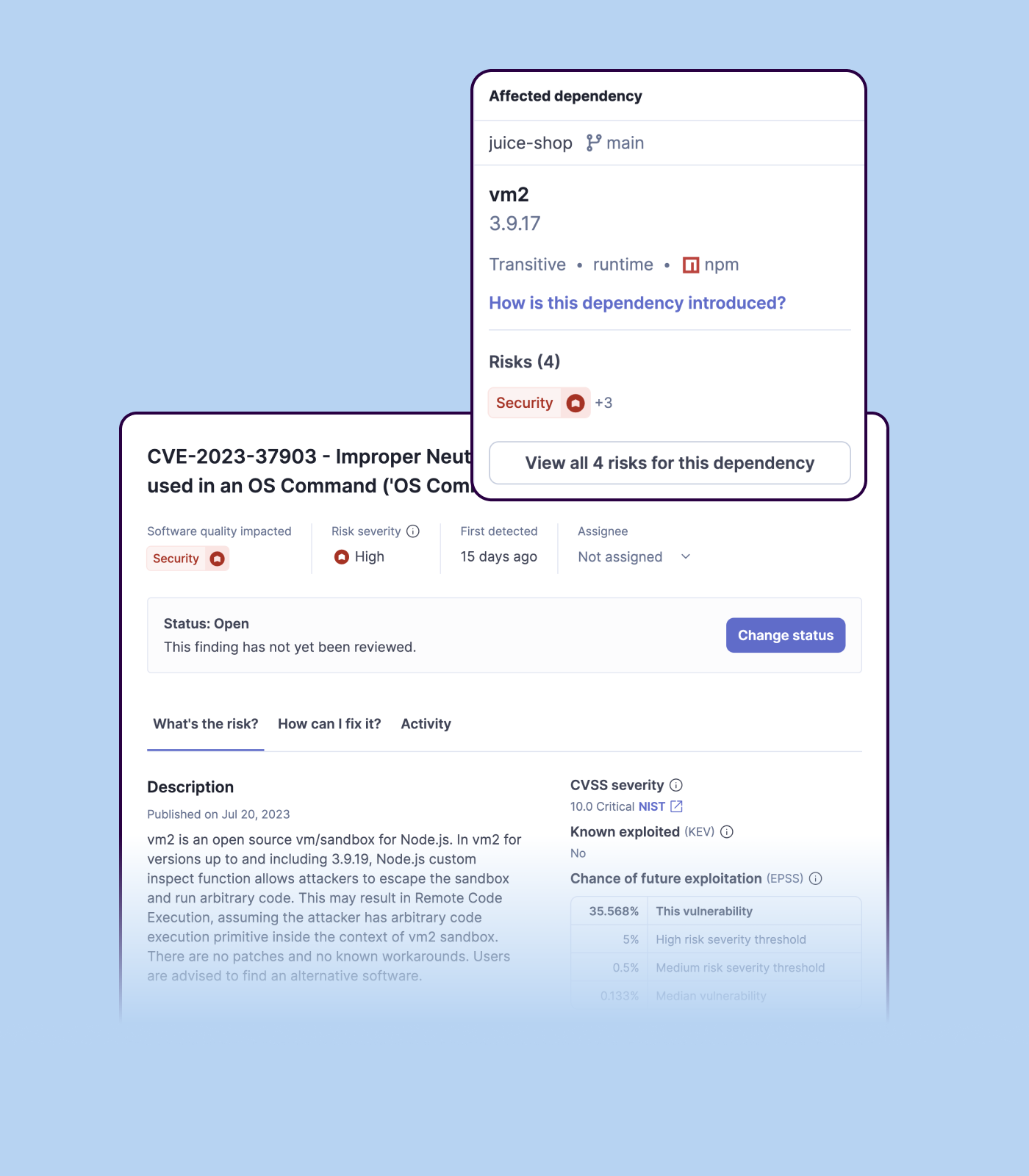
Detecting bugs and vulnerabilities: SonarQube can identify a wide range of bugs and vulnerabilities in code, such as null pointer exceptions, SQL injection, and cross-site scripting (XSS) attacks. It uses static analysis to analyze the code and identify potential issues, and it can also integrate with dynamic analysis tools to provide even more detailed analysis.
Measuring code quality: SonarQube can measure a wide range of code quality metrics, such as cyclomatic complexity, duplicated code, and code coverage. This can help teams understand the quality of their code and identify areas that need improvement.
Providing actionable insights: SonarQube provides detailed information about issues in the code, including the file and line number where the issue occurs and the severity of the issue. This makes it easy for developers to understand and address issues in the code.
Integrating with other tools: SonarQube can be integrated with a wide range of development tools and programming languages, such as Git, Maven, and Java. This allows teams to use SonarQube in their existing development workflow and take advantage of its powerful code analysis capabilities.
Managing technical debt: SonarQube provides metrics and insights on the technical debt on the codebase, enabling teams to better prioritize issues to improve the quality of the code.
Compliance with coding standards: SonarQube can check the code against industry standards like OWASP, CWE and more, making sure the code is compliant with security and coding standards.
A de minimis incentive was given to thank the reviewer for their time. The incentive was not used to bias or drive a particular response, nor was the incentive contingent on a positive endorsement. More Info
Importing a new custom quality profile on SonarQube is a bit tricky, it can be made easier
Every second time when we want to rerun the server, we have to restart the whole system, otherwise, the server stops and closes automatically
When we generate a new report a second time and try to access the report, it shows details of the old report only and takes a lot of time to get updated with the details of the new and fresh report generated
A de minimis incentive was given to thank the reviewer for their time. The incentive was not used to bias or drive a particular response, nor was the incentive contingent on a positive endorsement. More Info
A de minimis incentive was given to thank the reviewer for their time. The incentive was not used to bias or drive a particular response, nor was the incentive contingent on a positive endorsement. More Info
A de minimis incentive was given to thank the reviewer for their time. The incentive was not used to bias or drive a particular response, nor was the incentive contingent on a positive endorsement. More Info
Official support can sometimes take time to reach the right people. However, once you are in contact with the appropriate experts, the support is excellent, as F5 staff are true specialists. On the other hand, we always receive prompt assistance from our local sales team, who typically help us connect with the right people quickly.
A de minimis incentive was given to thank the reviewer for their time. The incentive was not used to bias or drive a particular response, nor was the incentive contingent on a positive endorsement. More Info
We we easily able to integrate the SonarQube steps into our TFS process via the Microsoft Marektplace, we didn't have the need to call SonarQube support. We've used their online documentation and community forum if we ran into any issues.
A de minimis incentive was given to thank the reviewer for their time. The incentive was not used to bias or drive a particular response, nor was the incentive contingent on a positive endorsement. More Info
Implementation of Distributed Cloud is accomplished a few different ways, it would pay to meet with the F5 team and map out your implementation prior to acquisition to make sure you Infrastructure and Operations teams are aligned to the approach and requirements.
A de minimis incentive was given to thank the reviewer for their time. The incentive was not used to bias or drive a particular response, nor was the incentive contingent on a positive endorsement. More Info
Clodflare bot management was our other obvious option for us. We tested it on a staging version of our RFQ platform. It was great for broad traffic filtering but had a hard time with nuanced differences between real subcontractors and low volume bots mimickingt human input whereas that's where F5 Distributed Cloud Bot Defense thrived
A de minimis incentive was given to thank the reviewer for their time. The incentive was not used to bias or drive a particular response, nor was the incentive contingent on a positive endorsement. More Info
SonarQube is an open-source. It's a scalable product. The costs for this application, for the kind of job it does, are pretty descent. Pipeline scan is more secured in SonarQube. Its a very good tool and its support multiple languages. Its main core competency is of static code analysis and that is why SonarQube exists and it does it exceedingly well. The quality of scan on code convention, best practices, coding standards, unit test coverage etc makes them one of the best competent tool in the market
A de minimis incentive was given to thank the reviewer for their time. The incentive was not used to bias or drive a particular response, nor was the incentive contingent on a positive endorsement. More Info
F5 Distributed Cloud Bot Defense has helped our customers identify real human traffic and bot traffic, allowing them to prioritize real traffic to applications and improve cloud service usage.
F5 Distributed Cloud Bot Defense ha ayudado a nuestros clientes a poder identificar cuál es el tráfico real de personas y cual el de Bot para así poder priorizar el tráfico real hacia las aplicaciones mejorando los consumos de servicios en nube.
A de minimis incentive was given to thank the reviewer for their time. The incentive was not used to bias or drive a particular response, nor was the incentive contingent on a positive endorsement. More Info
Positive ROI from the standpoint of flagging several issues that would have otherwise likely been unaddressed and caused more time to be spent closer to launch
Slightly positive ROI from time-saving perspective (it's an automated check which is nice, but depending on the issues it finds, can take developers time to investigate and resolve)