TrustRadius: an HG Insights company

Save this comparison

Save this comparison

Add Product

Recommended Comparisons

    Overview
    ProductRatingMost Used ByProduct SummaryStarting Price

    Fortra’s Automate

    Score8 out of 10
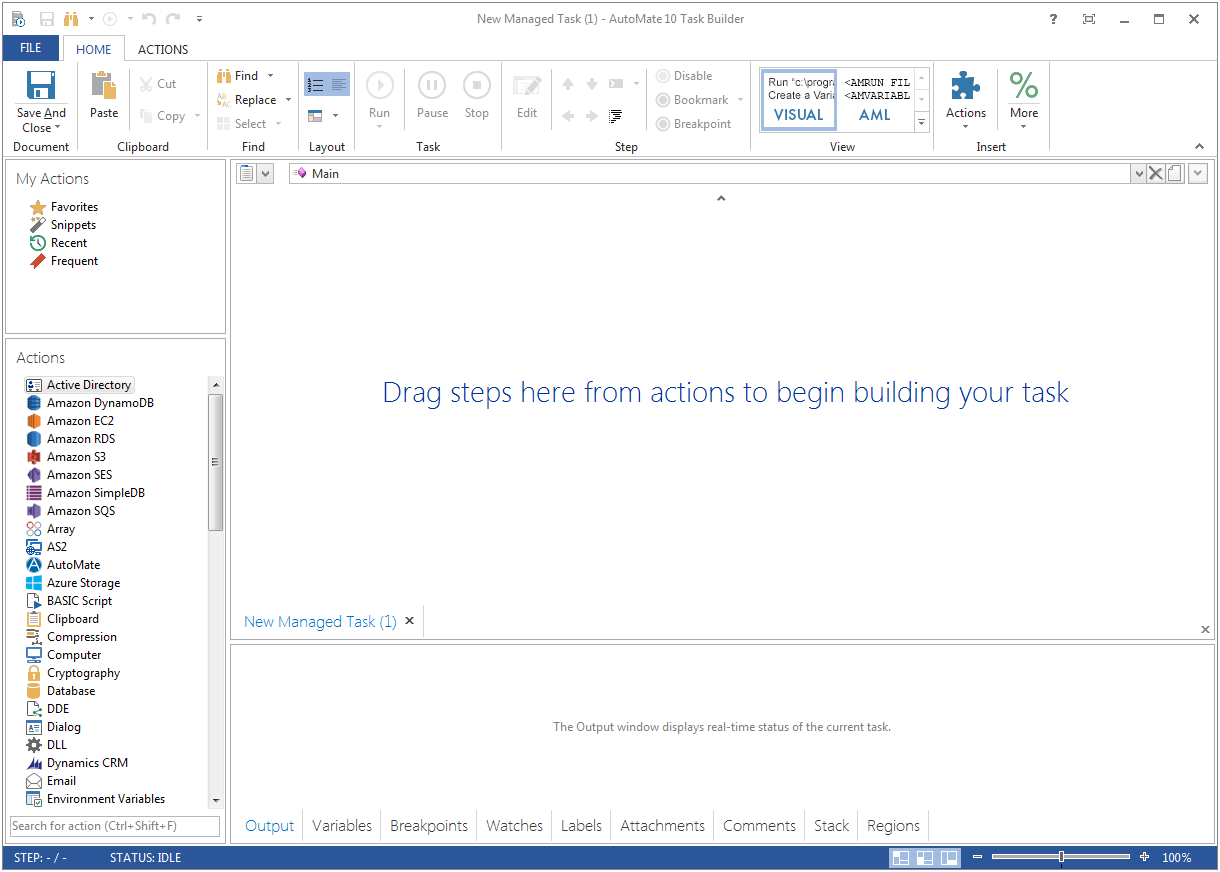
    N/AFortra's Automate (formerly HelpSystems Automate) is a robotic process automation platform for desktop applications. According to the vendor, it offers the ability to automate almost any business process, and no technical expertise is required—IT and business users alike can understand the drag-and-drop interface.N/A

    Oracle SQL Developer

    Score8.1 out of 10
    N/AOracle SQL Developer is an integrated development environment (IDE) which provides editors for working with SQL, PL/SQL, Stored Java Procedures, and XML in Oracle databases.N/A
    Pricing
    Fortra’s AutomateOracle SQL Developer
    Editions & Modules
    No answers on this topic
    No answers on this topic
    Offerings
    Pricing Offerings
    Fortra’s AutomateOracle SQL Developer
    Free Trial
    YesNo
    Free/Freemium Version
    NoYes
    Premium Consulting/Integration Services
    YesNo
    Entry-level Setup FeeOptionalNo setup fee
    Additional Details——
    More Pricing Information
    Community Pulse
    Fortra’s AutomateOracle SQL Developer
    Considered Both Products
    Fortra
    No answer on this topic
    Oracle
    No answer on this topic
    Key User Insights
    Would buy again
    No answers on this topic
    96%
    Would buy again
    22 Answers
    Delivers good value for the price
    No answers on this topic
    100%
    Delivers good value for the price
    22 Answers
    Happy with the feature set
    No answers on this topic
    96%
    Happy with the feature set
    22 Answers
    Lived up to sales and marketing promises
    No answers on this topic
    93%
    Lived up to sales and marketing promises
    13 Answers
    Implementation went as expected
    No answers on this topic
    100%
    Implementation went as expected
    20 Answers
    Best Alternatives
    Fortra’s AutomateOracle SQL Developer
    Small Businesses
    No answers on this topic
    No answers on this topic
    Medium-sized Companies
    IBM Robotic Process Automation
    Score8.4 out of 10
    Redgate SQL Toolbelt Essentials
    Score9.6 out of 10
    Enterprises
    UiPath Automation Platform
    Score8.5 out of 10
    Redgate SQL Toolbelt Essentials
    Score9.6 out of 10
    All AlternativesView all alternativesView all alternatives
    User Ratings
    Fortra’s AutomateOracle SQL Developer
    Likelihood to Recommend
    10.0
    (4 ratings)
    9.0
    (74 ratings)
    Likelihood to Renew
    -
    (0 ratings)
    9.0
    (5 ratings)
    Usability
    10.0
    (1 ratings)
    8.9
    (4 ratings)
    Support Rating
    10.0
    (1 ratings)
    7.0
    (2 ratings)
    Implementation Rating
    -
    (0 ratings)
    9.2
    (2 ratings)
    User Testimonials
    Fortra’s AutomateOracle SQL Developer
    Likelihood to Recommend
    Fortra
    It's great for repetitive or regularly scheduled activities like reports or file transfers. However, it's not so good for on-demand activities. It doesn't support task shortcuts to run specific tasks. If it did it would be perfect.
    Incentivized
    Read full review
    Oracle
    Almost all development activities (the tool is called "SQL Developer", not "DBA Toolset") can be done easily and quick with [Oracle] SQL Developer. From data model creation (tables, views) to development (creation of procedures, functions, packages) and then testing (SQL Developer includes an easy to use debugger), all tasks can be performed in a single tool.
    It may not be as complete as other solutions for DBA tasks like instance monitoring, but it is usually OK for development and testing environments if you want to do some basic troubleshooting.
    Incentivized
    Read full review
    Pros
    Fortra
    • Very detailed task builder. Easy to read step by step a task's operation even if you don't have much programming knowledge.
    • Scheduling for automation jobs is very flexible. Allows us to create all kinds of job schedules as needed.
    • Organization of jobs, tasks, conditions is done well. Allows us to easily manage our items.
    Incentivized
    Read full review
    Oracle
    • Object Browser in SQL Developer allows you to explore the contents of your database using the connection tree.
    • The SQL Worksheet is an editor that allows for execution of SQL statements, scripts, and PL/SQL anonymous blocks. SELECT statements can be executed to return results in a spreadsheet-like 'grid' or can be executed as a script such to emulate SQL*Plus behavior and output
    • DBA Console allows users with administrative privileges to access DBA features such as database init file configuration, RMAN backup, storage, etc.
    Incentivized
    Read full review
    Cons
    Fortra
    • A reporting capability on tasks: enabled, disabled, by folder, by trigger, etc. Currently there is none.
    • An "OR" in their conditional statements - currently there is only "AND".
    • Some kind of temporary backup when changing a task - separate from the current back up/restore functionality (which works well).
    Incentivized
    Read full review
    Oracle
    • Inability to run multiple queries on the same database. You can only run one query on a given database.
    • Analytical models created from complex tables isn't accurate, and needs work.
    • Inability to view multiple tables of a database side-by-side. When trying to find correlations between tables, it would help to be able to see them at once on the same page.
    Incentivized
    Read full review
    Likelihood to Renew
    Fortra
    No answers on this topic
    Oracle
    We had already thought of changing to TOAD, but we decided to stick with Oracle SQL Developer until the end.
    Incentivized
    Read full review
    Usability
    Fortra
    It's just very easy to use, extremely versatile, and very reliable. It's hard to find use cases where it won't work.
    Incentivized
    Read full review
    Oracle
    Oracle SQL Developer is very easy to use and there are a wide range of courses available which can help you get started just within a day. Data can be exported in multiple formats based on user requirements. Organizational data can be stored and management effectively using Oracle SQL Developer. All the data, tables, sequences, indexes can be easily created and updated in Oracle SQL Developer.
    Incentivized
    Read full review
    Support Rating
    Fortra
    Support is very helpful and responsive, although using the tool is very user-friendly, so I hardly use the service.
    Incentivized
    Read full review
    Oracle
    Large user community support
    Incentivized
    Read full review
    Implementation Rating
    Fortra
    No answers on this topic
    Oracle
    Just download and uncompress!
    Incentivized
    Read full review
    Alternatives Considered
    Fortra
    Incentivized
    Read full review
    Oracle
    I have started to use Toad for Oracle recently because it is easier to sort and filter results, due to their memory sort feature that puts the results from your query in memory so that you don't have to rerun your query. I have used SQL Developer to easily update records in tables that I need to fix. I haven't found an easy way to do this in Toad other than writing SQL insert statements.
    Incentivized
    Read full review
    Return on Investment
    Fortra
    • It's been a net positive as AutoMate requires less eyes on specific tasks so that people can focus attention elsewhere and do more analysis.
    • Less manual work also decreases the chances of mistakes and/or missed jobs. Since Automate can schedule everything, send email notifications, etc., there is less time wasted.
    Incentivized
    Read full review
    Oracle
    • It gives 100% return on investment as it is free of cost.
    • No need to have multiple tools for each database
    • Considering the employee training, so one can save money on training, as it is not very hard to use so still savings.
    Incentivized
    Read full review
    ScreenShots

    Fortra’s Automate Screenshots

    Product screenshotProduct screenshot