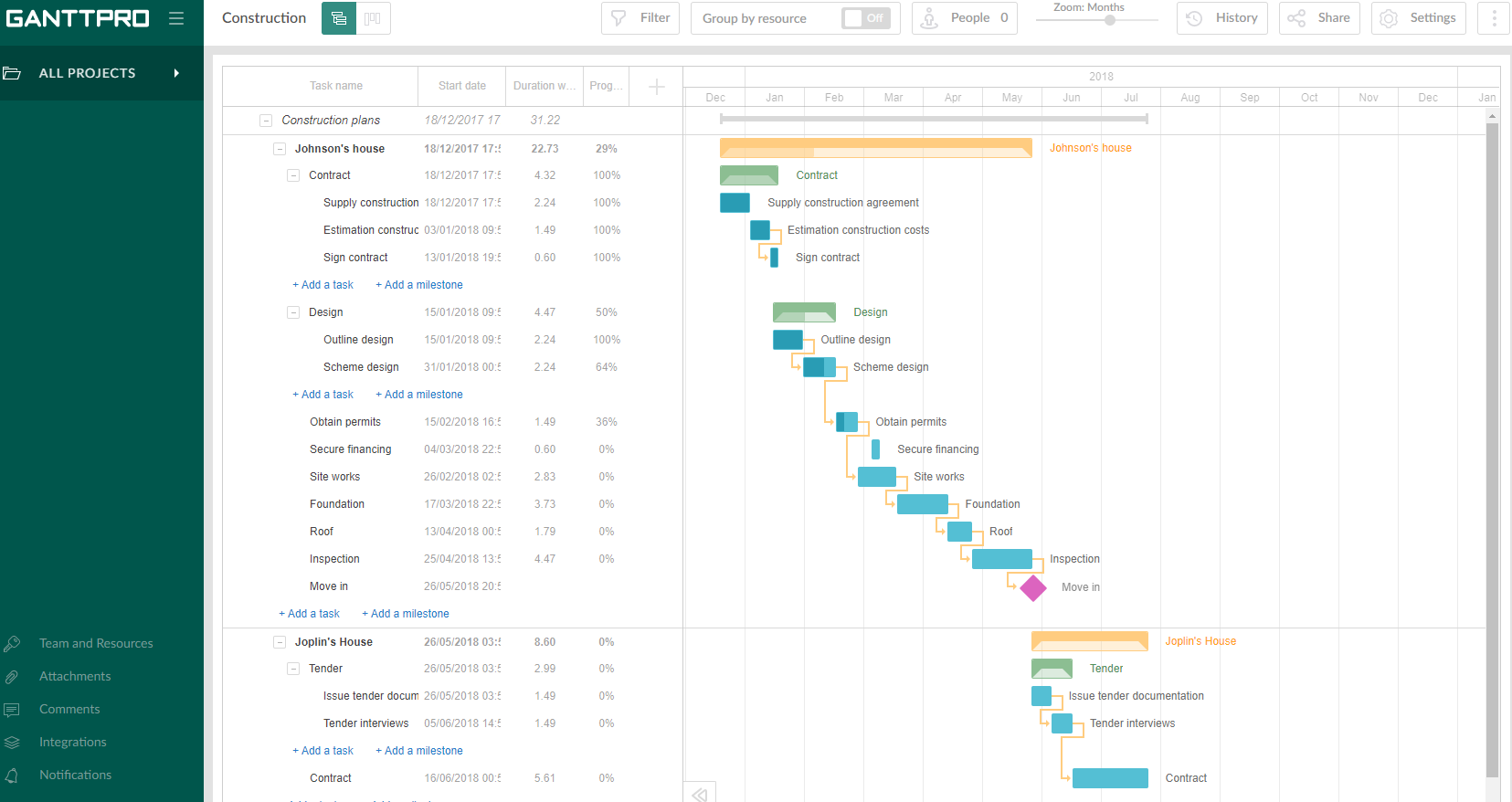
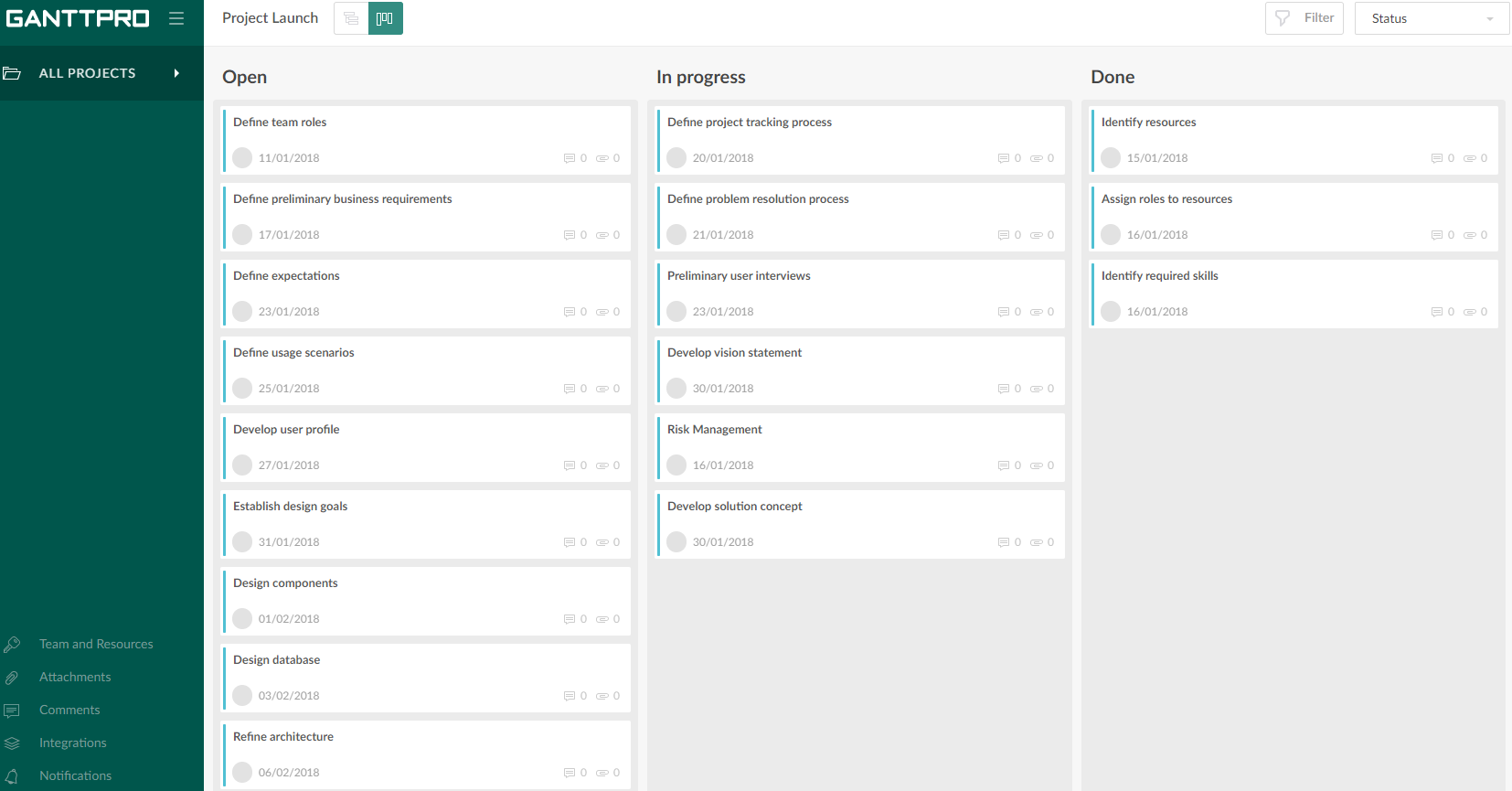
GanttPRO is a project planning tool based on a Gantt chart approach. It visualizes all tasks along a timeline, and it supports resource management, collaboration within teams, and importing and exporting projects onto 3rd party programs.
$8.90
per user per month
Intel Unite
Score8 out of 10
N/A
Intel Unite is a collaboration tool combining document sharing, visual collaboration, whiteboarding, and meeting space controls in a single platform.
Projects are a lot easier to set up with GanttPRO than most tools that support a WBS, so although I've used GanttPRO for very simple projects, it's great for projects with complex WBS' and/or dynamic backlogs (using Agile methodologies). I've used it for long-running projects with multiple phases, where I needed to set up high-level plans for downstream phases (for budgeting) that got updated and modified based on outcomes from upstream phases.
It's a fantastic tool [Intel Unite] in meeting rooms where staff frequently change and/or bring their own devices to connect. No more wires or dongles, just a wifi connection needed and that's it to stream to the screen. It'll even display on the screen exactly what end-users need to do to connect, which makes getting connected for less tech-savvy users very easy. If you have an IT or AV department that isn't great, this probably isn't a great option to roll-your-own, but they do sell dedicated Intel Unite PCs with everything pre-done on them.
A de minimis incentive was given to thank the reviewer for their time. The incentive was not used to bias or drive a particular response, nor was the incentive contingent on a positive endorsement. More Info
A de minimis incentive was given to thank the reviewer for their time. The incentive was not used to bias or drive a particular response, nor was the incentive contingent on a positive endorsement. More Info
No dongles needed any longer for connections, it's all through a local wifi (or the corporate one depending on how you set it up). You can stream from mobile devices too.
Simple set-up - laptops connect very easily, mobiles connect quickly with an app.
A de minimis incentive was given to thank the reviewer for their time. The incentive was not used to bias or drive a particular response, nor was the incentive contingent on a positive endorsement. More Info
A de minimis incentive was given to thank the reviewer for their time. The incentive was not used to bias or drive a particular response, nor was the incentive contingent on a positive endorsement. More Info
The initial setup was a bit of a pain - when we started they required specific hardware to make it work (Intel vPro), which wasn't on the PC used for presentations at the time and we had to change hardware out.
Software versions are difficult to find on the Intel website - it's a bit of a jumble and not clear as to what needs to be installed and where.
A de minimis incentive was given to thank the reviewer for their time. The incentive was not used to bias or drive a particular response, nor was the incentive contingent on a positive endorsement. More Info
Intuitive interface, clean, and nice design. As an online app, the data can be viewed on Windows PCs, Macs, and tablets. It saves the data very quickly (depending on the Internet speed) as if it is a locally installed application. Training is minimal, plus there is an extensive range of learning videos and topics in the GanttPRO learning center.
A de minimis incentive was given to thank the reviewer for their time. The incentive was not used to bias or drive a particular response, nor was the incentive contingent on a positive endorsement. More Info
The support for GanttPro is very good. I have no troubles reaching out for their customer support whenever I have questions, they respond almost instantly. I just hope that they will have live chat support for a real-time support experience on the user-end and can answer the questions in real-time.
GanttPRO is easy to use and just works. If you need to do something quickly or do a small project then GanttPro is a great tool to use. If you are managing a large project then I would consider using Microsoft Project even though it is a more substantial investment overtime.
A de minimis incentive was given to thank the reviewer for their time. The incentive was not used to bias or drive a particular response, nor was the incentive contingent on a positive endorsement. More Info
GoToMeeting and Webex both require either a connection to the display screen or a PC mounted to the display to connect through. [Intel] Unite handles both of those areas, though it doesn't function as a remote meeting platform to bring people together from different locations. It's just for local display.
A de minimis incentive was given to thank the reviewer for their time. The incentive was not used to bias or drive a particular response, nor was the incentive contingent on a positive endorsement. More Info
A de minimis incentive was given to thank the reviewer for their time. The incentive was not used to bias or drive a particular response, nor was the incentive contingent on a positive endorsement. More Info
For us, this has been a creature comfort primarily as it has allowed us to simplify connections in meeting rooms for infrequent staff.
We had a lot of theft of dongles from meeting rooms due to presenters snatching them when they packed up for the day. [Intel] Unite let us allow presenters to connect wirelessly to the display screens, and no more dongles to hand out in the first place!
A de minimis incentive was given to thank the reviewer for their time. The incentive was not used to bias or drive a particular response, nor was the incentive contingent on a positive endorsement. More Info