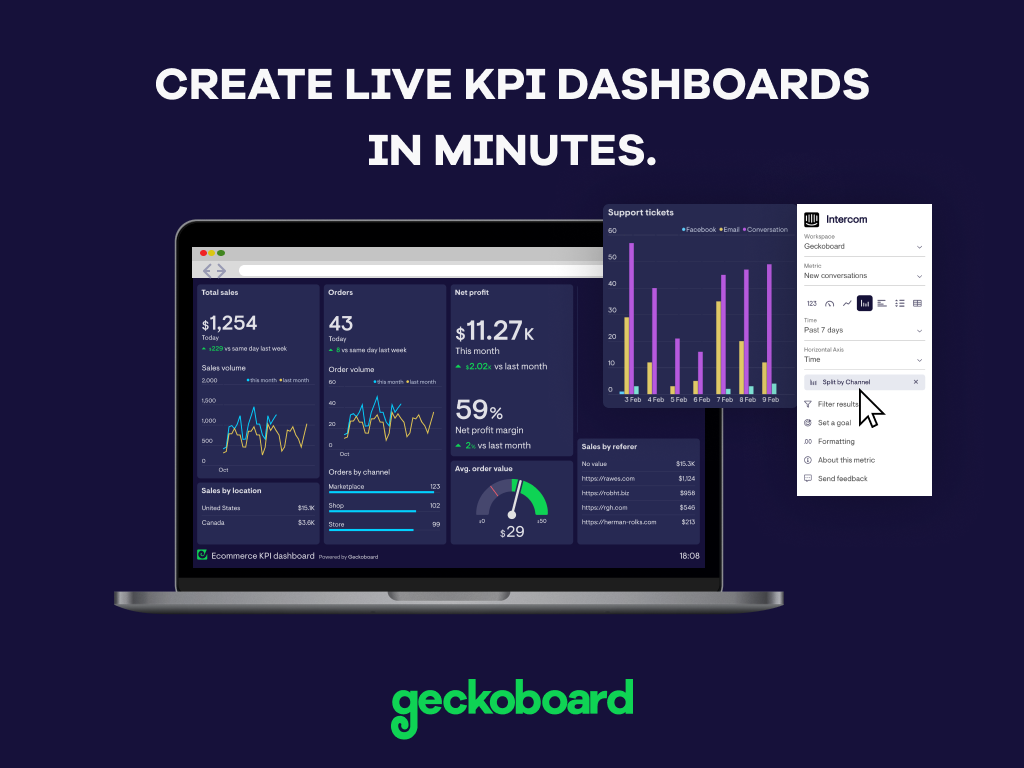
Geckoboard enables users to create real time dashboards using data from over 80 cloud services. It integrates with other products such as: AWeber, Basecamp, Campaign Monitor and HubSpot.
$35
per month
Gephi
Score6 out of 10
N/A
N/A
$0
Pricing
Geckoboard
Gephi
Editions & Modules
Starter
$35
per month
Team
$159
per month
Team Plus
$275
per month
Company
$599
per month
No answers on this topic
Offerings
Pricing Offerings
Geckoboard
Gephi
Free Trial
Yes
No
Free/Freemium Version
Yes
Yes
Premium Consulting/Integration Services
No
No
Entry-level Setup Fee
No setup fee
No setup fee
Additional Details
—
Gephi is open-source and free to use.
More Pricing Information
Features
Geckoboard
Gephi
BI Standard Reporting
Comparison of BI Standard Reporting features of Geckoboard and Gephi
Feature
Geckoboard
9.3
5 Ratings
13% above category average
Gephi
6.7
3 Ratings
20% below category average
Pixel Perfect reports
8.03 Ratings
4.01 Ratings
Customizable dashboards
10.05 Ratings
8.02 Ratings
Report Formatting Templates
10.04 Ratings
8.03 Ratings
Ad-hoc Reporting
Comparison of Ad-hoc Reporting features of Geckoboard and Gephi
Feature
Geckoboard
7.7
5 Ratings
4% below category average
Gephi
4.3
3 Ratings
60% below category average
Drill-down analysis
8.04 Ratings
8.02 Ratings
Formatting capabilities
8.03 Ratings
2.23 Ratings
Integration with R or other statistical packages
7.02 Ratings
5.01 Ratings
Report sharing and collaboration
8.05 Ratings
2.01 Ratings
Report Output and Scheduling
Comparison of Report Output and Scheduling features of Geckoboard and Gephi
Feature
Geckoboard
9.0
5 Ratings
9% above category average
Gephi
4.0
3 Ratings
69% below category average
Publish to Web
10.05 Ratings
2.01 Ratings
Publish to PDF
9.01 Ratings
8.02 Ratings
Report Versioning
9.02 Ratings
2.01 Ratings
Report Delivery Scheduling
8.03 Ratings
00 Ratings
Delivery to Remote Servers
9.03 Ratings
00 Ratings
Data Discovery and Visualization
Comparison of Data Discovery and Visualization features of Geckoboard and Gephi
Great value for the money. Excellent for smaller agencies with multiple projects and teams in a smaller space. We can quickly roll out mobile displays to help with a particular deployment push or monitoring a clients website engagement. It's also useful for showing live data without requiring analytics to run reports from a CRM, etc.
A de minimis incentive was given to thank the reviewer for their time. The incentive was not used to bias or drive a particular response, nor was the incentive contingent on a positive endorsement. More Info
It is well suited for projects that are more discovery related. If this is a one-time project that we create a visual for, this would definitely make sense to use. If this is an ongoing analysis (monthly for example), we might look to another software that we would be able to automate a little further in how the visualization comes together
A de minimis incentive was given to thank the reviewer for their time. The incentive was not used to bias or drive a particular response, nor was the incentive contingent on a positive endorsement. More Info
A de minimis incentive was given to thank the reviewer for their time. The incentive was not used to bias or drive a particular response, nor was the incentive contingent on a positive endorsement. More Info
In comparison to other tools such as GraphWiz or Circos, Gephi comes with an intuitive, easy-to-use interface that makes it easy to load your data, and quickly start building all sorts of different graphs. There's absolutely no code that needs to be written for either loading or modeling. And without downloading additional plug-ins, Gephi ships with quite a few standard graph models, as well as some "fun" extras such as the Sierpinski triangle, and a variety of force atlas types.
Most of the layout types (maybe all) are highly configurable, which can make for extremely customized and unique displays of your data. Again, none of this requires the user to write any code. That said, it is possible to script custom functionality for your models, or even update the Java source code yourself, if you feel like getting technical. Gephi builds are available on GitHub, and the developers encourage people to contribute ideas, improvements, and plug-ins.
There's a plug-in for Gephi that allows for streaming data to update your model. This essentially allows you to create near realtime graphs of your data in motion. This plug-in was by far the biggest reaston we invested time in the product; to create animated data visualizations without exhaustive hours in development.
I (and many others) have had to expand Gephi's memory manually by experimenting with the configuration file. I'm glad it's possible, but it should be easier.
Gephi sometimes crashes inexplicably and loses your work, so I have developed a habit of explicitly exporting versions of my graphs as csv's, but I think this should be handled automatically in Gephi.
Because it is prone to crash, ideally, Gephi would help the user manage his/her use, by estimating processing and memory for very large tasks and prompting the user to confirm their requests before executing. Instead, I just tend to avoid certain functions.
A de minimis incentive was given to thank the reviewer for their time. The incentive was not used to bias or drive a particular response, nor was the incentive contingent on a positive endorsement. More Info
While Gephi isn't perfect, it's a powerful tool for mathematical graph modelling that's hard to find in other products, particularly by way of its interface. It grants non-software developers access to a point-and-click way of creating accurate, beautiful visualizations that would normally take hours in other applications. The fact that it allows for live streaming data is also something that's hard to come by, at least for visualization software
With a simple interface and available templates, creating basic dashboards is easy. Obviously depending on the data you want to visualize, there may be higher learning curves. That being said, they have a huge amount of integrations and extensible frameworks. If you are using anything made in the past ten years there is an API function or integration that can get it talking to the platform. As such, it's pretty easy to hit the main data points you want and get it on a cheap display in front of your team.
A de minimis incentive was given to thank the reviewer for their time. The incentive was not used to bias or drive a particular response, nor was the incentive contingent on a positive endorsement. More Info
Gephi is very intuitive and the fact that it shows its process helps the user understand what's going on. However, the animation features can really slow it down and there isn't a way to shut them off. Furthermore, the failures on saving mean you frequently have to start over. These problems disrupt the workflow and can be frustrating.
The support levels vary based on the level of plan that you have but that's to be expected. Virtually everything except the Enterprise plan has basic chat/email support. While they are responsive they are not going to be much assistance in helping you figure out API calls or implementing 3rd party integrations. That is to be expected and the support community can pretty much get you in the right direction if you look.
A de minimis incentive was given to thank the reviewer for their time. The incentive was not used to bias or drive a particular response, nor was the incentive contingent on a positive endorsement. More Info
A de minimis incentive was given to thank the reviewer for their time. The incentive was not used to bias or drive a particular response, nor was the incentive contingent on a positive endorsement. More Info
The interactivity in Gephi and the quality of the output figures are impressive. However, the selling point was the fact that we were able to link Gephi into our pipeline using Java's interface. Other products were less customizable and lacking of the sophistication Gephi provided without too much pain during the liking process.
A de minimis incentive was given to thank the reviewer for their time. The incentive was not used to bias or drive a particular response, nor was the incentive contingent on a positive endorsement. More Info
While we originally used this as an internal IS tool, we eventually have expanded it to be used by nearly every department.
Because pricing is monthly, we can grow or decrease our usage based on our current client needs.
Because it is low cost and easy to deploy, we can utilize it in place of considerable resources in analytics and reporting by delivering snapshots of data without pulling reports.
A de minimis incentive was given to thank the reviewer for their time. The incentive was not used to bias or drive a particular response, nor was the incentive contingent on a positive endorsement. More Info
I have only used the product for education purposes. I will not be the best person to provide details about ROI and business efficiency and customer service. I was personally very excited about the tool and am continuing my work on the tool.