TrustRadius: an HG Insights company

Save this comparison

Save this comparison

Add Product

Recommended Comparisons

    Overview
    ProductRatingMost Used ByProduct SummaryStarting Price

    Atlassian Bamboo

    Score6.7 out of 10
    N/AAustralian company Atlassian offers Bamboo, a continuous integration server.

    $1,200

    1 remote agent

    GForge

    N/A
    Enterprise companies (1,001+ employees)
    GForge is a DevOps and project management platform offering tools for tickets, code, documentation, and collaboration. Available as both cloud-hosted SaaS and on-premise installation, GForge supports air-gapped networks and offline deployment - making it a fit for defense contractors, aerospace companies, and other organizations with strict security or compliance requirements. Core Capabilities Project Management: Customizable trackers…

    $6

    per month per user

    Pricing
    Atlassian BambooGForge
    Editions & Modules
    1 Remote Agent
    $1200
    5 Remote Agents
    $3200
    10 Remote Agents
    $5840
    25 Remote Agents
    $11,600
    100 Remote Agents
    $23,280
    250 Remote Agents
    $58,160
    500 Remote Agents
    $87,280
    1000 Remote Agents
    $133,840
    2000 Remote Agents
    $187,380
    Standard
    $6
    per month per user
    Offerings
    Pricing Offerings
    Atlassian BambooGForge
    Free Trial
    NoYes
    Free/Freemium Version
    NoYes
    Premium Consulting/Integration Services
    NoYes
    Entry-level Setup FeeNo setup fee$2,000 one-time fee per installation
    Additional DetailsAll features are included at every pricing level - there are no add-on modules or tiered feature gates. The first 5 users are free on both SaaS and on-premise deployments. Enterprise licensing is available for organizations that need to deploy multiple on-premise instances without separate procurement for each installation. Contact GForge Group for enterprise pricing.
    More Pricing Information
    Community Pulse
    Atlassian BambooGForge
    Considered Both Products
    Atlassian
    No answer on this topic
    The GForge Group, Inc
    No answer on this topic
    Key User Insights
    Would buy again
    89%
    Would buy again
    8 Answers
    No answers on this topic
    Delivers good value for the price
    100%
    Delivers good value for the price
    8 Answers
    No answers on this topic
    Happy with the feature set
    100%
    Happy with the feature set
    9 Answers
    No answers on this topic
    Lived up to sales and marketing promises
    71%
    Lived up to sales and marketing promises
    5 Answers
    No answers on this topic
    Implementation went as expected
    88%
    Implementation went as expected
    7 Answers
    No answers on this topic
    Best Alternatives
    Atlassian BambooGForge
    Small Businesses
    Octopus Deploy
    Score8.8 out of 10
    Polarion ALM
    Score10 out of 10
    Medium-sized Companies
    Octopus Deploy
    Score8.8 out of 10
    PTC Windchill RV&S
    Score2 out of 10
    Enterprises
    Octopus Deploy
    Score8.8 out of 10
    Polarion ALM
    Score10 out of 10
    All AlternativesView all alternativesView all alternatives
    User Ratings
    Atlassian BambooGForge
    Likelihood to Recommend
    6.4
    (24 ratings)
    -
    (0 ratings)
    Usability
    9.3
    (5 ratings)
    -
    (0 ratings)
    Support Rating
    7.3
    (6 ratings)
    -
    (0 ratings)
    User Testimonials
    Atlassian BambooGForge
    Likelihood to Recommend
    Atlassian
    If you value integration over cost, Bamboo is clearly the way to go. It offers tight integration to the rest of the Atlassian suite, and when you need traceability from issue to build, Atlassian is the right way to go. However, if you find yourself needing to save on costs, you may consider taking an approach of rolling your own build system with open source alternatives, such as Jenkins, if you don't [mind] putting in a little extra elbow grease.
    Incentivized
    Read full review
    The GForge Group, Inc
    No answers on this topic
    Pros
    Atlassian
    • Levels of granularity. Organization has many projects that have many build plans that have many jobs that have many tasks, etc. And branch builds allow source control branches to be built separately.
    • Versatility. I can use bamboo to manage my Java, node, or .NET build plans. I can use it to spin up Windows or Linux build agents, or install it on a Mac to build there as well.
    • Bamboo integrates with other Atlassian products like Bitbucket, Stash, JIRA, etc. If a company commits to the entire Atlassian stack then work can be tracked through the whole development lifecycle which is really useful.
    Incentivized
    Read full review
    The GForge Group, Inc
    No answers on this topic
    Cons
    Atlassian
    • Extremely hard barrier to entry for non-backend developers
    • Blackbox makes it hard to customize functionality
    • The inability to add features without breaking core functionality
    • No cloud solution
    • Tasks cannot be put in if/else statements
    • No clear right way to form build plans
    Incentivized
    Read full review
    The GForge Group, Inc
    No answers on this topic
    Usability
    Atlassian
    Bamboo offers solid usability for teams looking for an integrated, scalable CI/CD solution, especially those using Atlassian tools. Its interface is intuitive for existing Atlassian users, and its focus on deployment automation makes it a strong option for continuous delivery. However, its complexity and cost may pose challenges for small teams or those new to CI/CD. Overall, Bamboo’s usability shines in environments where ease of integration and streamlined workflows are prioritized. Still, it may require more effort for teams unfamiliar with its setup or without dedicated resources.
    Incentivized
    Read full review
    The GForge Group, Inc
    No answers on this topic
    Support Rating
    Atlassian
    Bamboo is a fairly small product but having said that it was fairly easy to get assistance. Especially for the small to easy things. Anything large or fairly complex was an issue finding detailed answers for. This caused a lot of trial and error on our part to try to find a solution.
    Read full review
    The GForge Group, Inc
    No answers on this topic
    Alternatives Considered
    Atlassian
    We selected Bamboo because its capabilities to integrate with other Atlassian products specially Jira Software, Bitbucket and in some useful scenarios with Confluence. Also, we found these pros important for us: great user interface, easily agent deployment, Docker compability, simply to maintain / manage, and straightforwardly integration with different notification platforms
    Incentivized
    Read full review
    The GForge Group, Inc
    No answers on this topic
    Return on Investment
    Atlassian
    • It helped us achieve the Continuous Deployment and Continuous Integration goals for our applications, a huge milestone that saved a lot of time for developers in making the builds and deployments and saved time for QA in running the automated tests.
    • Helped with DevOps: we moved the formal approval from the email to the system and allowed the approver to actually push the button for the production deployments.
    • Biggest positive impact of using Bamboo is that it improved our response time to customers and increased the frequency of our deliveries to them.
    Incentivized
    Read full review
    The GForge Group, Inc
    No answers on this topic
    ScreenShots

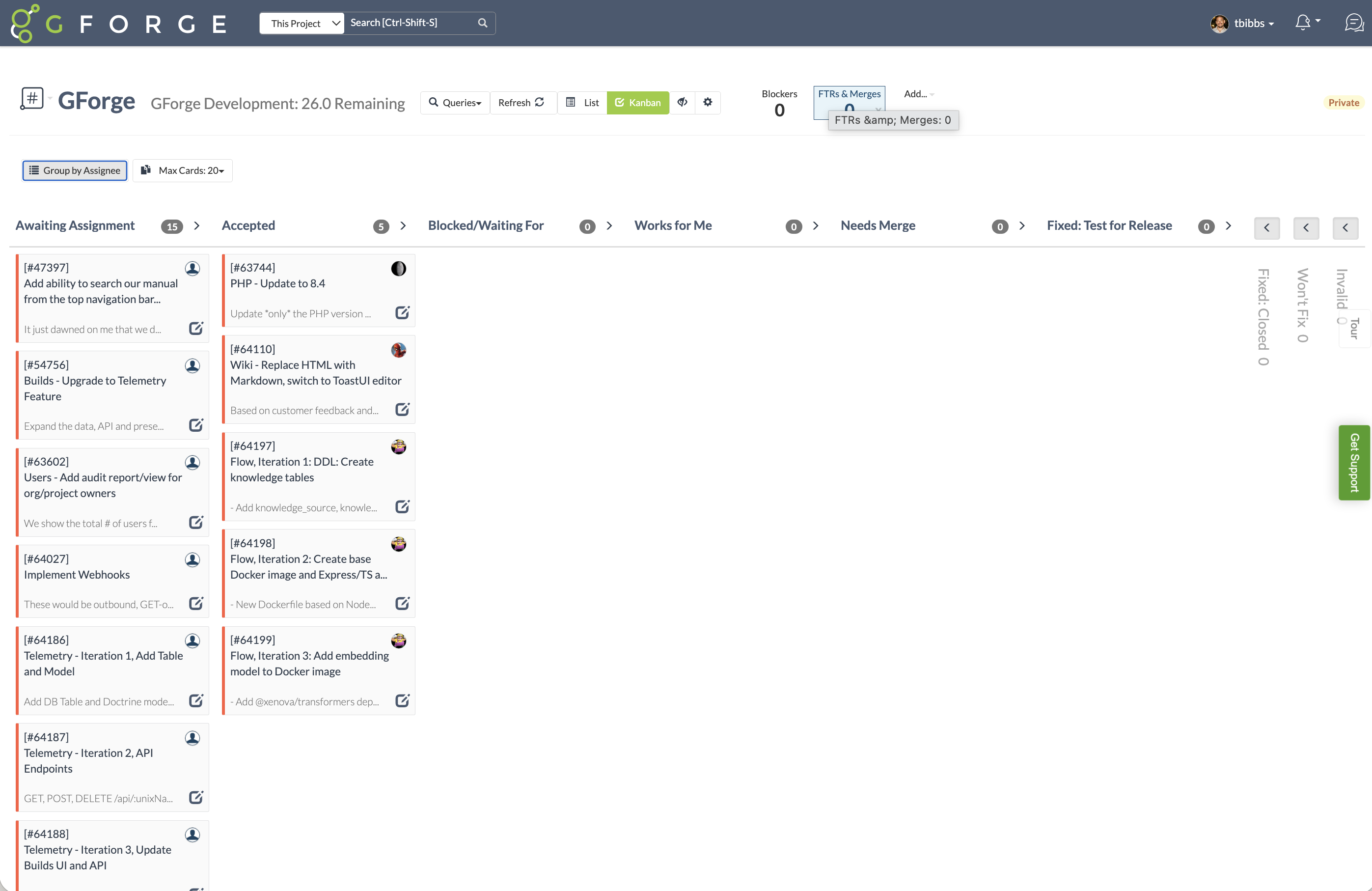
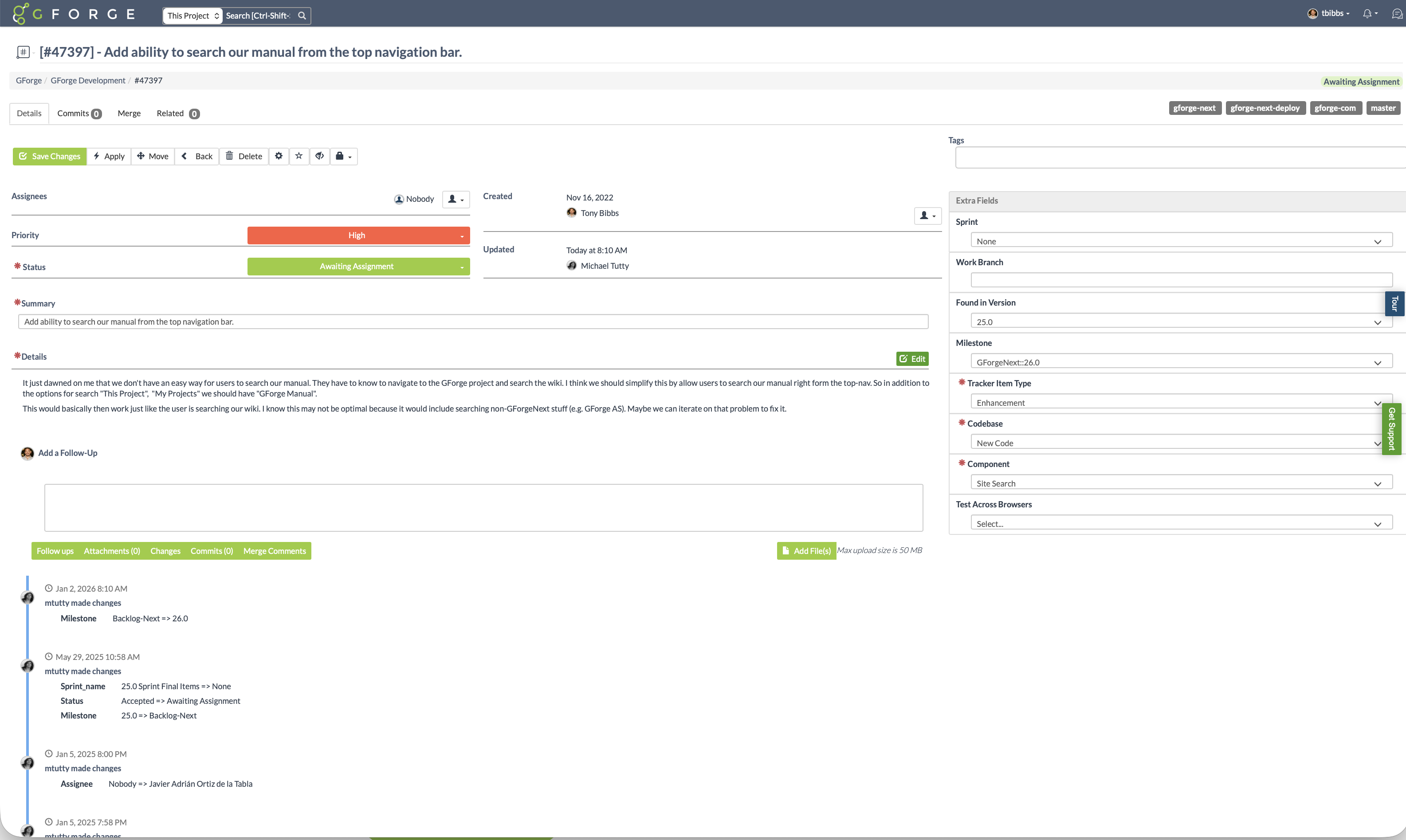
    GForge Screenshots

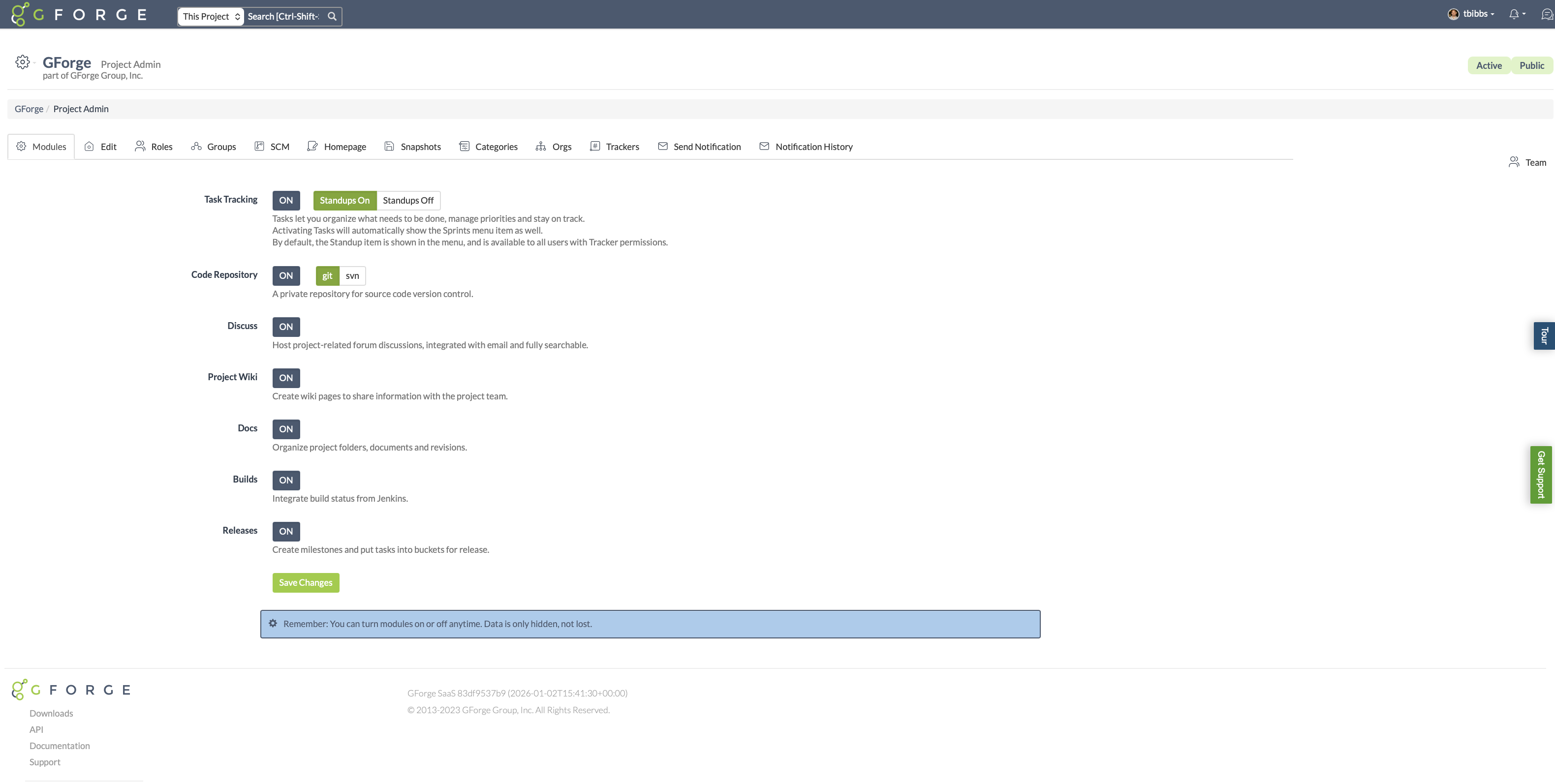
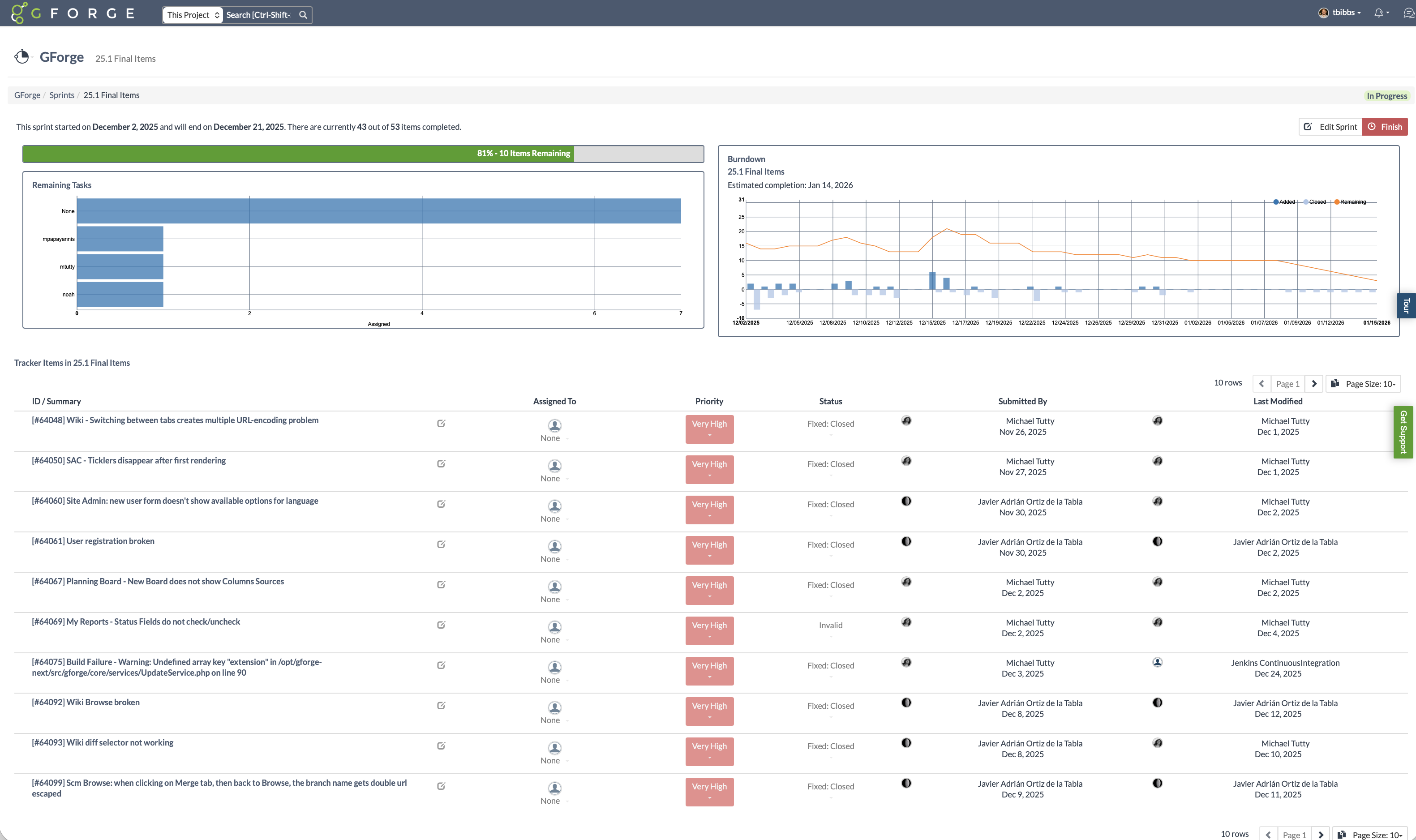
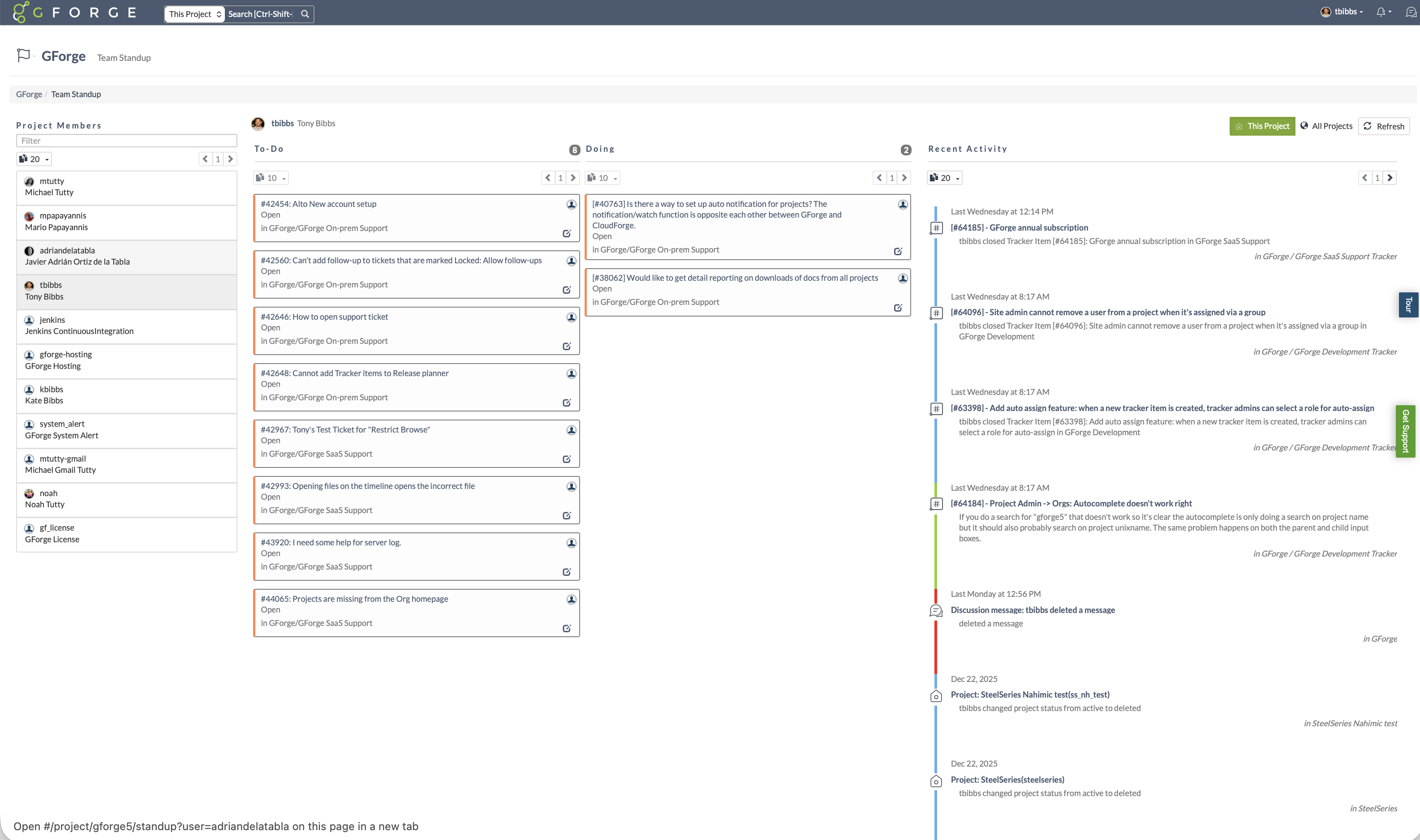
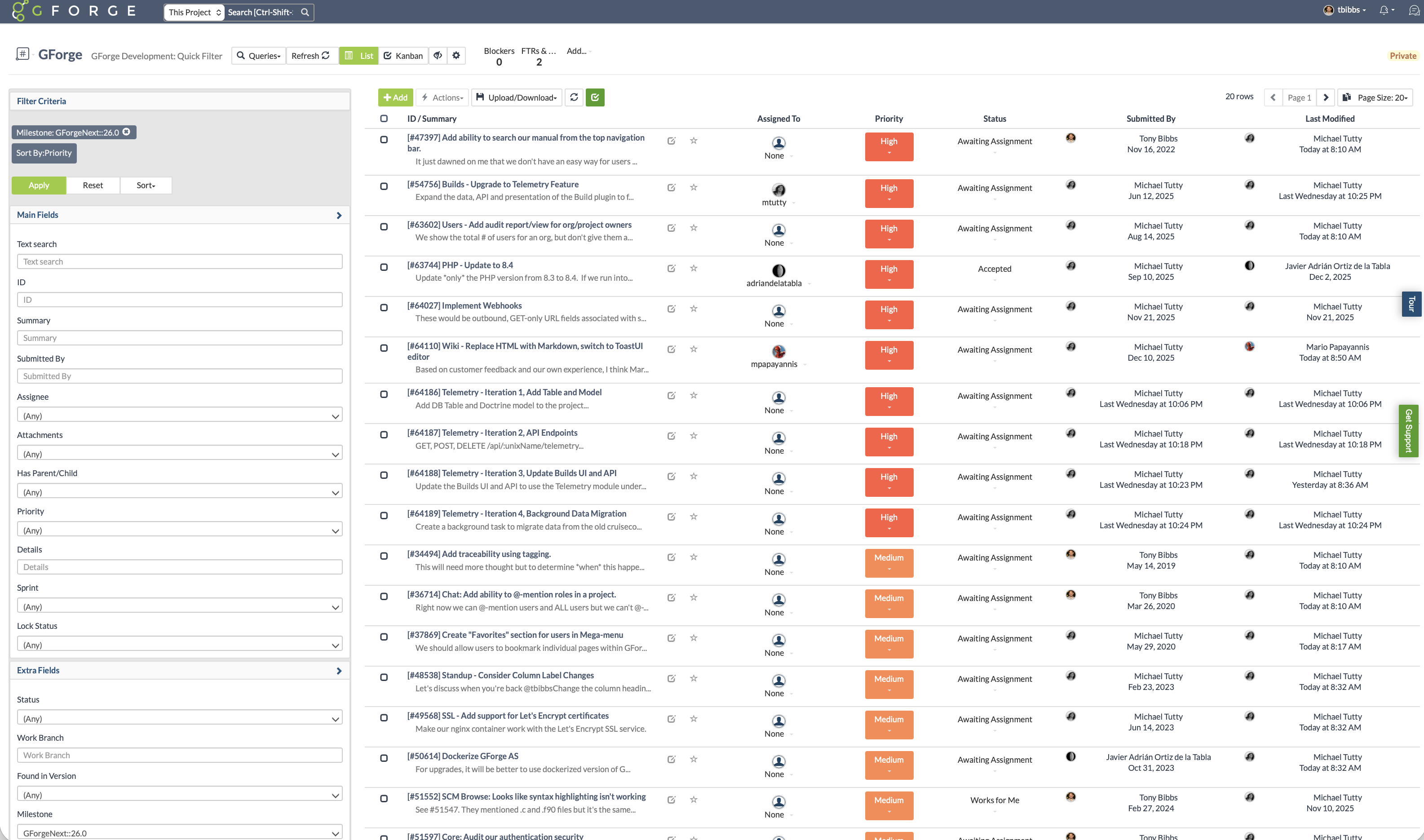
    Screenshot of Use only the features you need. GForge lets project administrators enable or disable task tracking, source control (Git or SVN), wiki, documents, builds, and releases at any time. GForge scales up or down with your project - without losing data.Screenshot of Track sprint progress with visual burndown charts and estimated completion dates. See remaining tasks by assignee, monitor velocity, and keep releases on track - all integrated with your trackers and milestones.Screenshot of See what everyone is working on at a glance. The standup view shows each team member's to-do and in-progress items alongside a real-time activity stream - replacing the need for daily status meetings or separate standup tools.Screenshot of Filter and sort issues by milestone, priority, status, assignee, or any custom field. Save filtered views for quick access to the tasks that matter most - whether that's your current sprint backlog, high-priority bugs, or items awaiting assignment.Screenshot of Visualize workflow with drag-and-drop Kanban boards. Cards move through customizable status columns as work progresses - switch between Kanban and list views with one click.Screenshot of Every issue captures the full picture: priority, status, custom fields, file attachments, and linked commits. A complete change history shows who changed what and when - providing full traceability from request to release.