
GForge vs. OnRamp
GForge vs. OnRamp
| Product | Rating | Most Used By | Product Summary | Starting Price |
|---|---|---|---|---|
 GForge | Enterprise companies (1,001+ employees) | GForge is a DevOps and project management platform offering tools for tickets, code, documentation, and collaboration. Available as both cloud-hosted SaaS and on-premise installation, GForge supports air-gapped networks and offline deployment - making it a fit for defense contractors, aerospace companies, and other organizations with strict security or compliance requirements. Core Capabilities Project Management: Customizable trackers… | $6 per month per user | |
 OnRamp | N/A | OnRamp is customer onboarding experience software that aims to make white-glove onboarding and implementation possible at any scale. Their customer-led onboarding solution helps B2B businesses deliver better onboarding experiences, keep customers engaged, and ramp up customer value without ramping up resources or project management busywork. | $7,164 per year 3 users |
| GForge | OnRamp | |||||||||||||||
|---|---|---|---|---|---|---|---|---|---|---|---|---|---|---|---|---|
| Editions & Modules |
| No answers on this topic | ||||||||||||||
| Offerings |
| |||||||||||||||
| Entry-level Setup Fee | $2,000 one-time fee per installation | No setup fee | ||||||||||||||
| Additional Details | All features are included at every pricing level - there are no add-on modules or tiered feature gates. The first 5 users are free on both SaaS and on-premise deployments. Enterprise licensing is available for organizations that need to deploy multiple on-premise instances without separate procurement for each installation. Contact GForge Group for enterprise pricing. | — | ||||||||||||||
| More Pricing Information | ||||||||||||||||
| GForge | OnRamp | |
|---|---|---|
| Small Businesses |  Polarion ALM Score 9.9 out of 10 |  ChurnZero Score 8.4 out of 10 |
| Medium-sized Companies | Polarion ALM Score 9.9 out of 10 | ChurnZero Score 8.4 out of 10 |
| Enterprises | Polarion ALM Score 9.9 out of 10 | No answers on this topic |
| All Alternatives | View all alternatives | View all alternatives |
| GForge | OnRamp | |
|---|---|---|
| Likelihood to Recommend | - (0 ratings) | 8.5 (2 ratings) |
| Usability | - (0 ratings) | 8.0 (2 ratings) |
| GForge | OnRamp | |
|---|---|---|
| Likelihood to Recommend | The GForge Group, Inc No answers on this topic |  OnRamp Technology, Inc.
|
| Pros | The GForge Group, Inc No answers on this topic | OnRamp Technology, Inc.
|
| Cons | The GForge Group, Inc No answers on this topic | OnRamp Technology, Inc.
|
| Usability | The GForge Group, Inc No answers on this topic | OnRamp Technology, Inc.
|
| Alternatives Considered | The GForge Group, Inc No answers on this topic | OnRamp Technology, Inc.
|
| Return on Investment | The GForge Group, Inc No answers on this topic | OnRamp Technology, Inc.
|
| ScreenShots | GForge Screenshots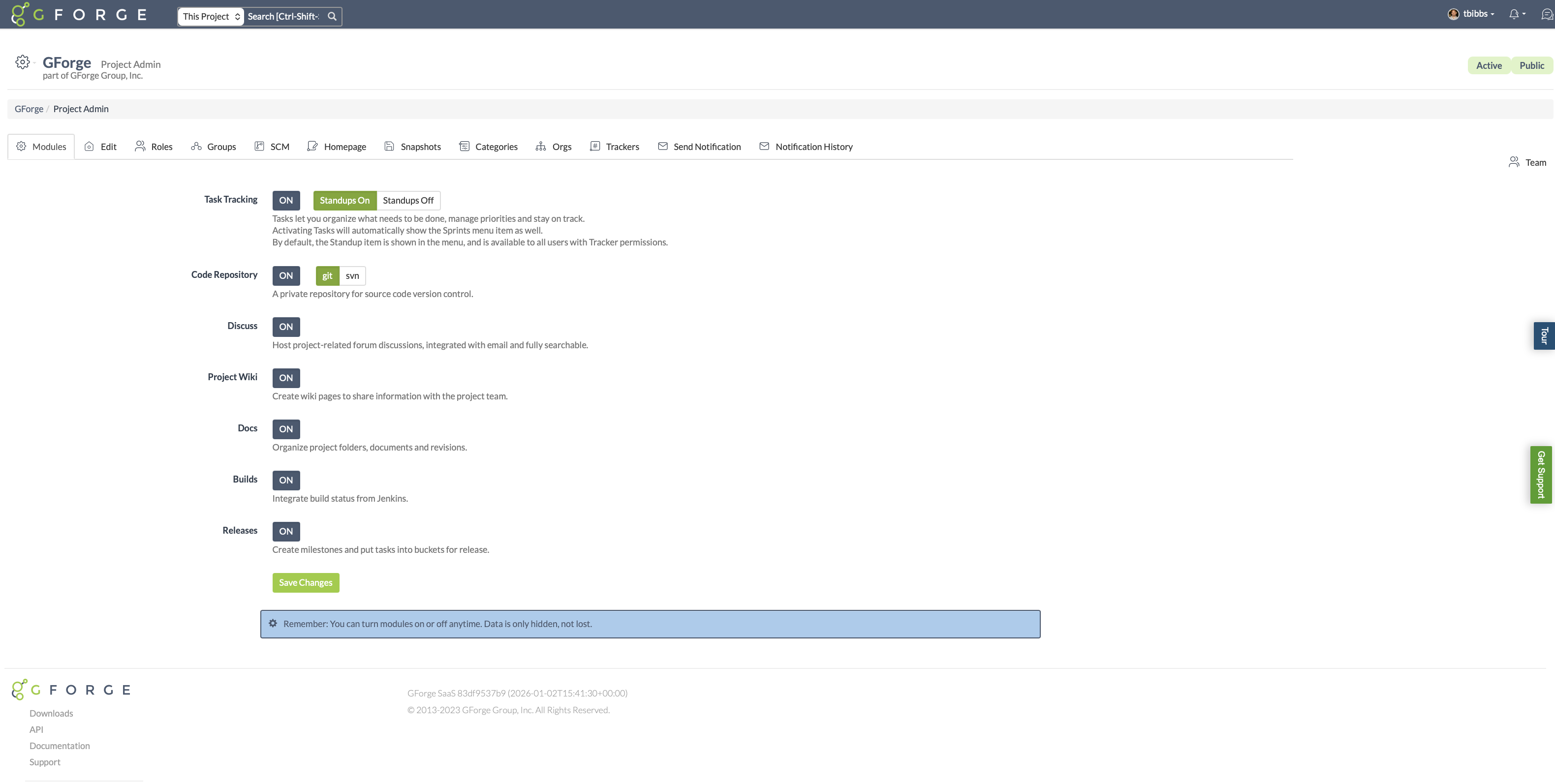 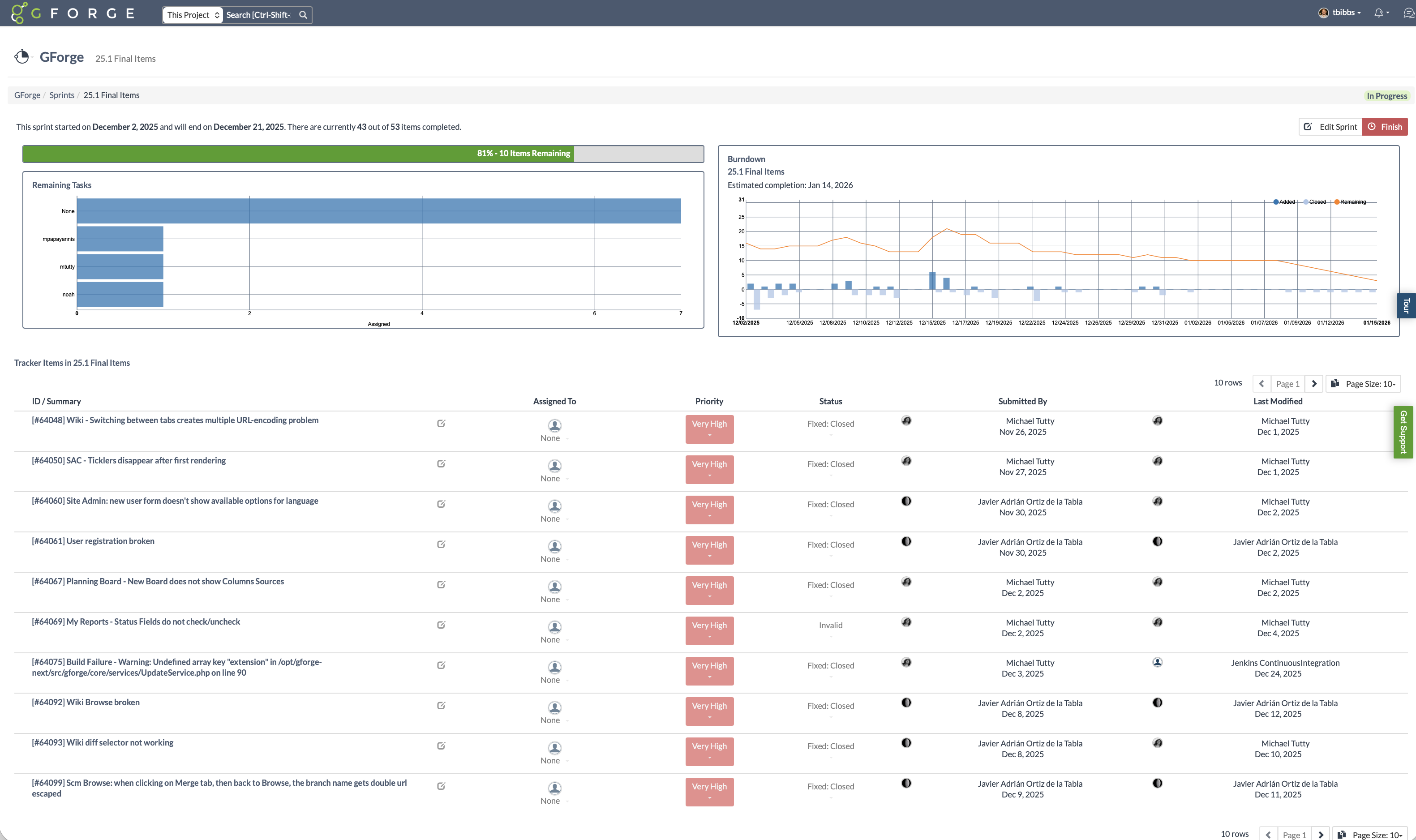 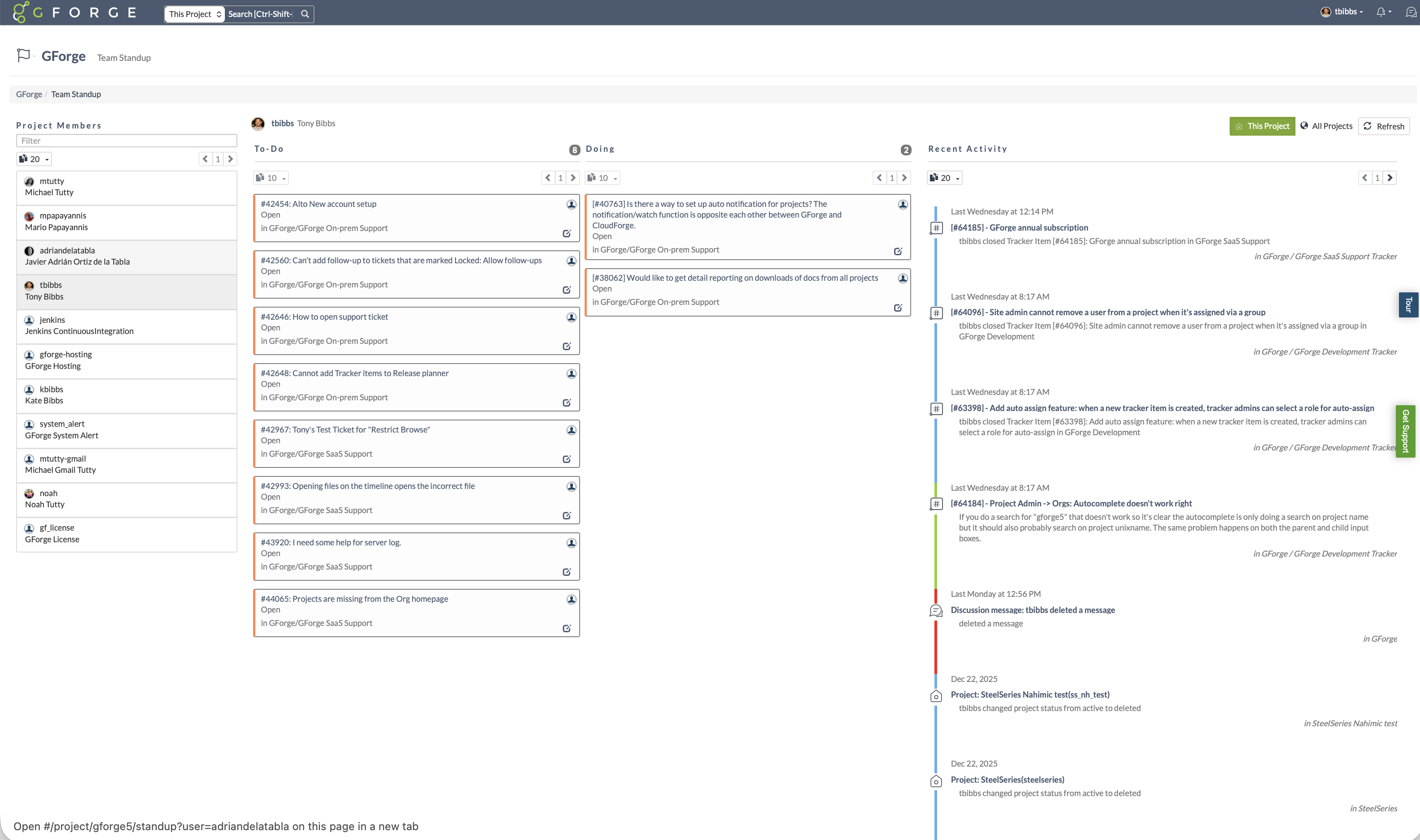 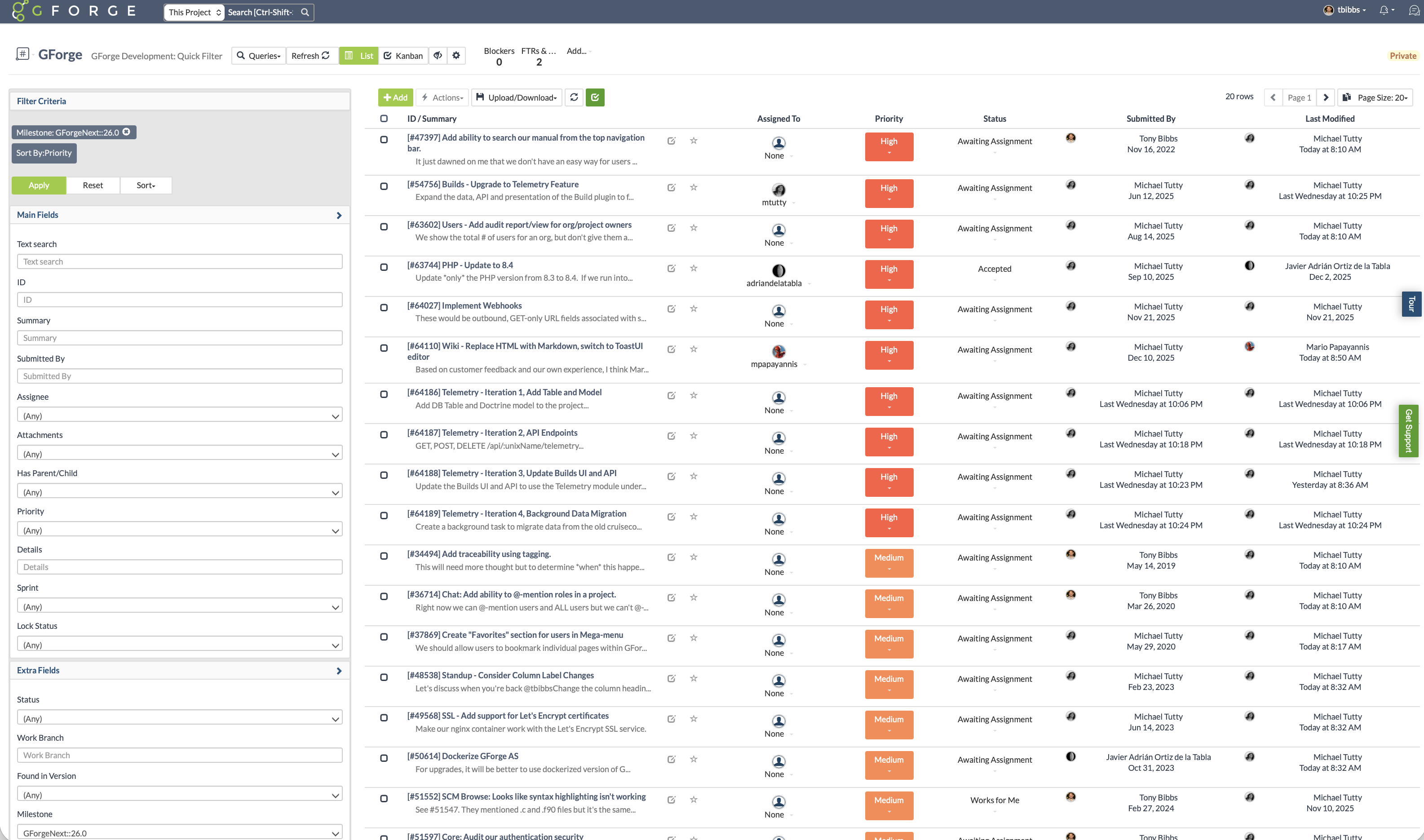 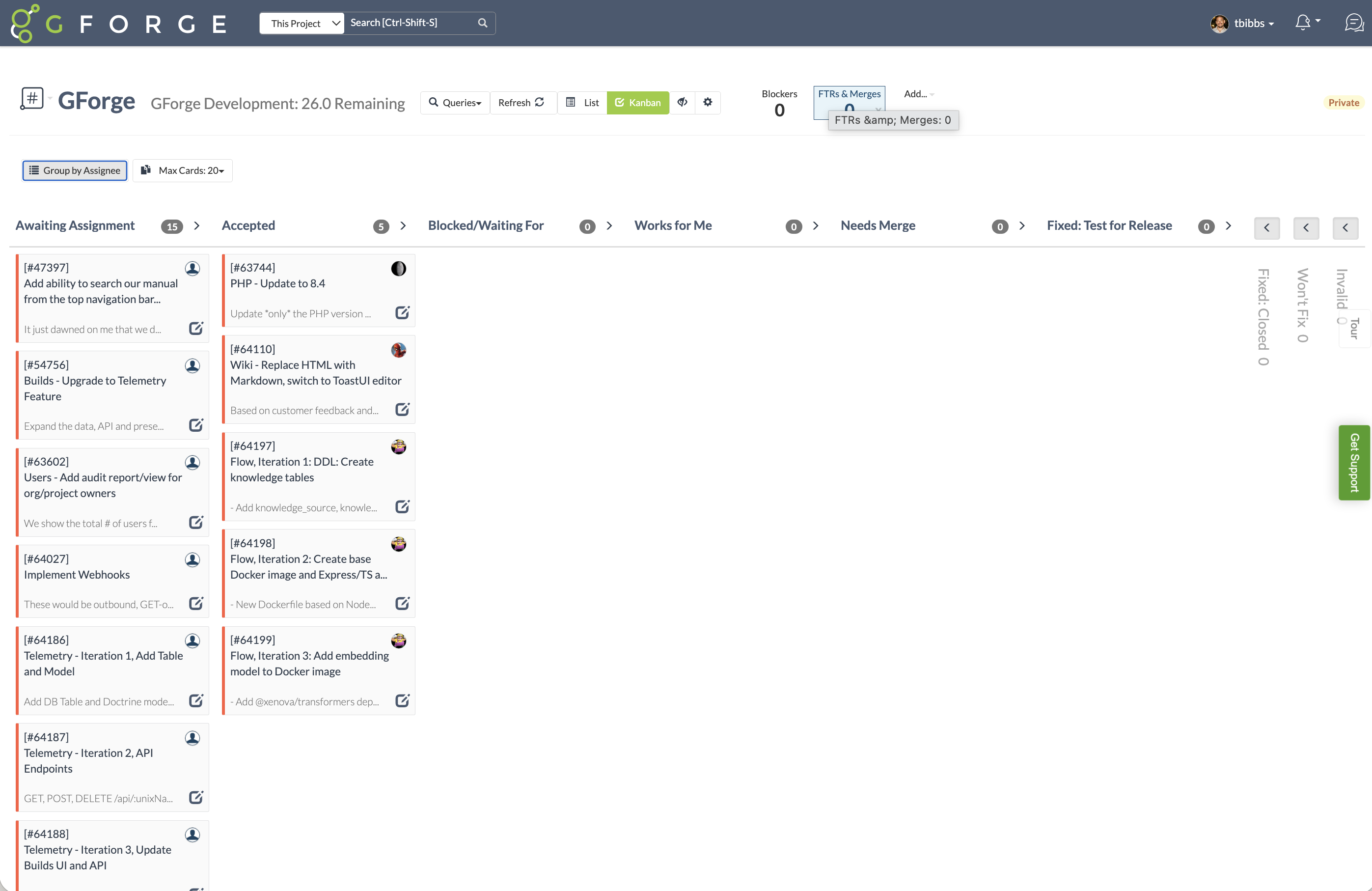 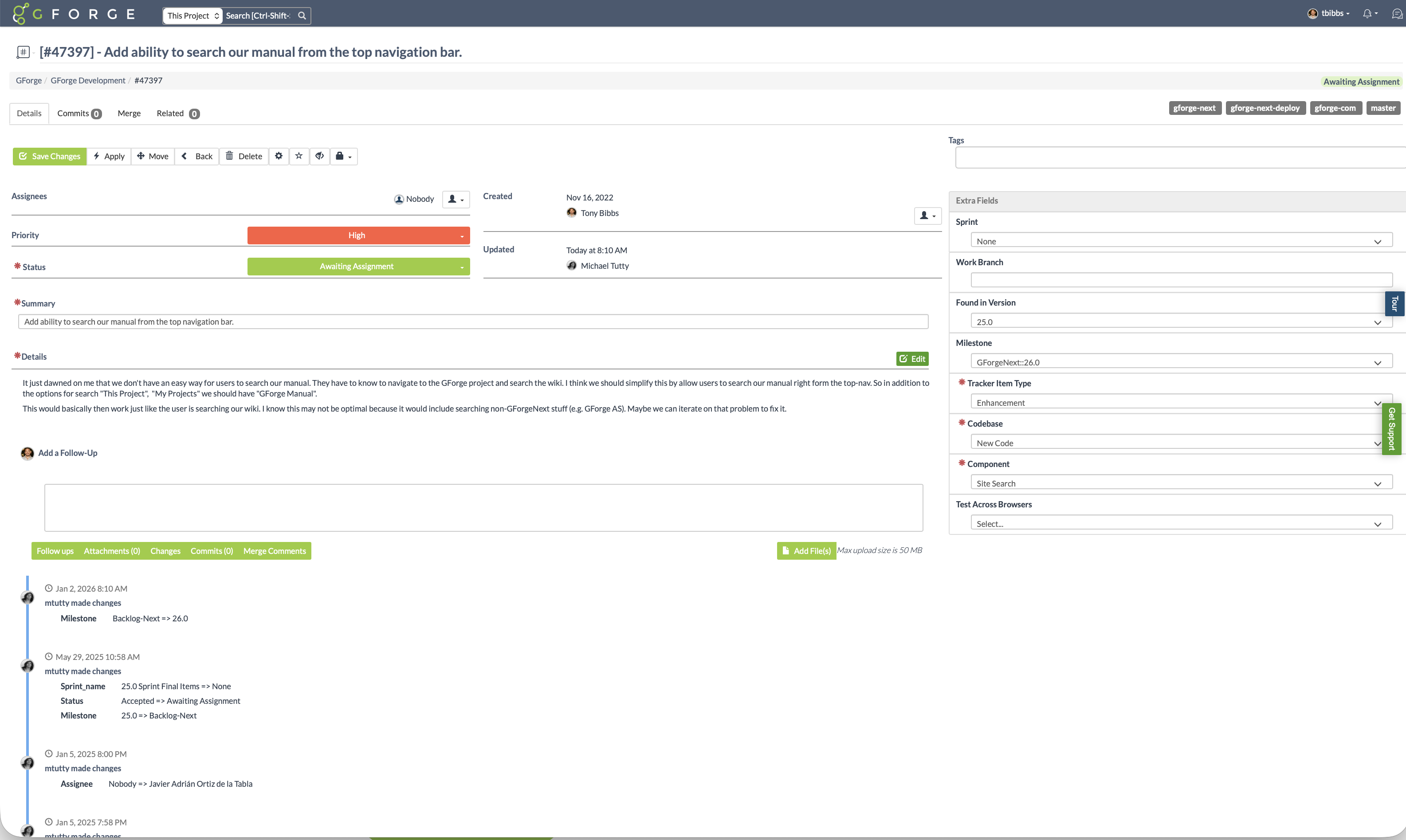 |