GoDial vs. Readymode

Overview
ProductRatingMost Used ByProduct SummaryStarting Price
GoDial
Score 0.0 out of 10
N/A
N/A
$5
per month
Readymode
Score 10.0 out of 10
N/A
Readymode (formerly Xencall) is a cloud-based predictive dialer used to connect sales and call center agents with more leads in less time. The outbound call center platform helps agents dial smarter and connect faster, so call centers can increase contact rates and make every call count. Readymode will also automate manual customer data entry with its included call center CRM software, so reps can focus on the conversation. Immediate access to customer profiles…
$150
per month per license
Pricing
GoDialReadymode
Editions & Modules
Basic
$5
per month
Readymode - starting at
$150
per month per license
Offerings
Pricing Offerings
GoDialReadymode
Free Trial
YesNo
Free/Freemium Version
NoNo
Premium Consulting/Integration Services
NoNo
Entry-level Setup FeeNo setup feeRequired
Additional Details17% discount for annual pricing.
More Pricing Information
Community Pulse
GoDialReadymode
Considered Both Products
GoDial

No answer on this topic

Readymode
Chose Readymode
I think it stacks up very well to UJET. The systems are different and have many different features but it's been a great experience trying to use both. I feel like having all the access in one area is very helpful in this program.
Chose Readymode
Aircall provides chat, phone, and email support in less than an hour if the chat agent is unable to help you he will book you a call with a technician who will do the zoom meeting with you and solve the issue then and there. They will ask for the screen control and take care of …
Chose Readymode
MojoDialer is very easy to use and you can get started with little to no instruction. My cold caller is in the Philippines and it's easier for her to use and track prospects. The whole design of Mojo makes more sense, it's simple, easy to map contacts to predefined fields and …
Chose Readymode
Vici dial - This was only a calling software and it stored notes, it did not have the exclusive reporting XenCALL has.
Features
GoDialReadymode
Preview Dialer
Comparison of Preview Dialer features of Product A and Product B
GoDial
-
Ratings
Readymode
7.3
Ratings
0% above category average
Contact preview00 Ratings7.00 Ratings
Call notes & tags00 Ratings7.50 Ratings
Automatic call logging00 Ratings7.50 Ratings
Core Dialer
Comparison of Core Dialer features of Product A and Product B
GoDial
-
Ratings
Readymode
7.9
Ratings
3% above category average
Outbound dialing00 Ratings8.00 Ratings
Inbound routing00 Ratings8.00 Ratings
Custom caller ID00 Ratings8.00 Ratings
Click-to-call00 Ratings7.50 Ratings
Dialer contact import00 Ratings8.00 Ratings
Campaign & list management00 Ratings8.10 Ratings
Call Follow-up and Quality Assurance
Comparison of Call Follow-up and Quality Assurance features of Product A and Product B
GoDial
-
Ratings
Readymode
6.8
Ratings
12% below category average
Follow-up calls00 Ratings8.00 Ratings
Dialer reporting & analytics00 Ratings6.00 Ratings
Dialer compliance00 Ratings6.50 Ratings
Best Alternatives
GoDialReadymode
Small Businesses
Salesmate
Salesmate
Score 10.0 out of 10
Salesmate
Salesmate
Score 10.0 out of 10
Medium-sized Companies
CloudTalk
CloudTalk
Score 7.4 out of 10
CloudTalk
CloudTalk
Score 7.4 out of 10
Enterprises
Dialpad Sell
Dialpad Sell
Score 8.8 out of 10
Dialpad Sell
Dialpad Sell
Score 8.8 out of 10
All AlternativesView all alternativesView all alternatives
User Ratings
GoDialReadymode
Likelihood to Recommend
-
(0 ratings)
5.5
(0 ratings)
User Testimonials
GoDialReadymode
Likelihood to Recommend
No answers on this topic
XenCall is well suited for any company looking to make outbound calls to prospects more efficiently and effectively. It might not be appropriate for calls where you want to have a more quality conversation unless you stick with the 1 line dialer. Using multiple lines allows companies to hit many prospects in one day.
Read full review
Pros
No answers on this topic
  • Call logging
  • Agent monitoring
  • Agent reporting
  • File organization
Read full review
Cons
No answers on this topic
  • Customer Support.
  • Complaints team.
Read full review
Alternatives Considered
No answers on this topic
Aircall provides chat, phone, and email support in less than an hour if the chat agent is unable to help you he will book you a call with a technician who will do the zoom meeting with you and solve the issue then and there. They will ask for the screen control and take care of setting up everything as per your need which means you don't have to sit and wait.
Read full review
Return on Investment
No answers on this topic
  • Improved customer contact.
  • QA improvement.
Read full review
ScreenShots

Readymode Screenshots

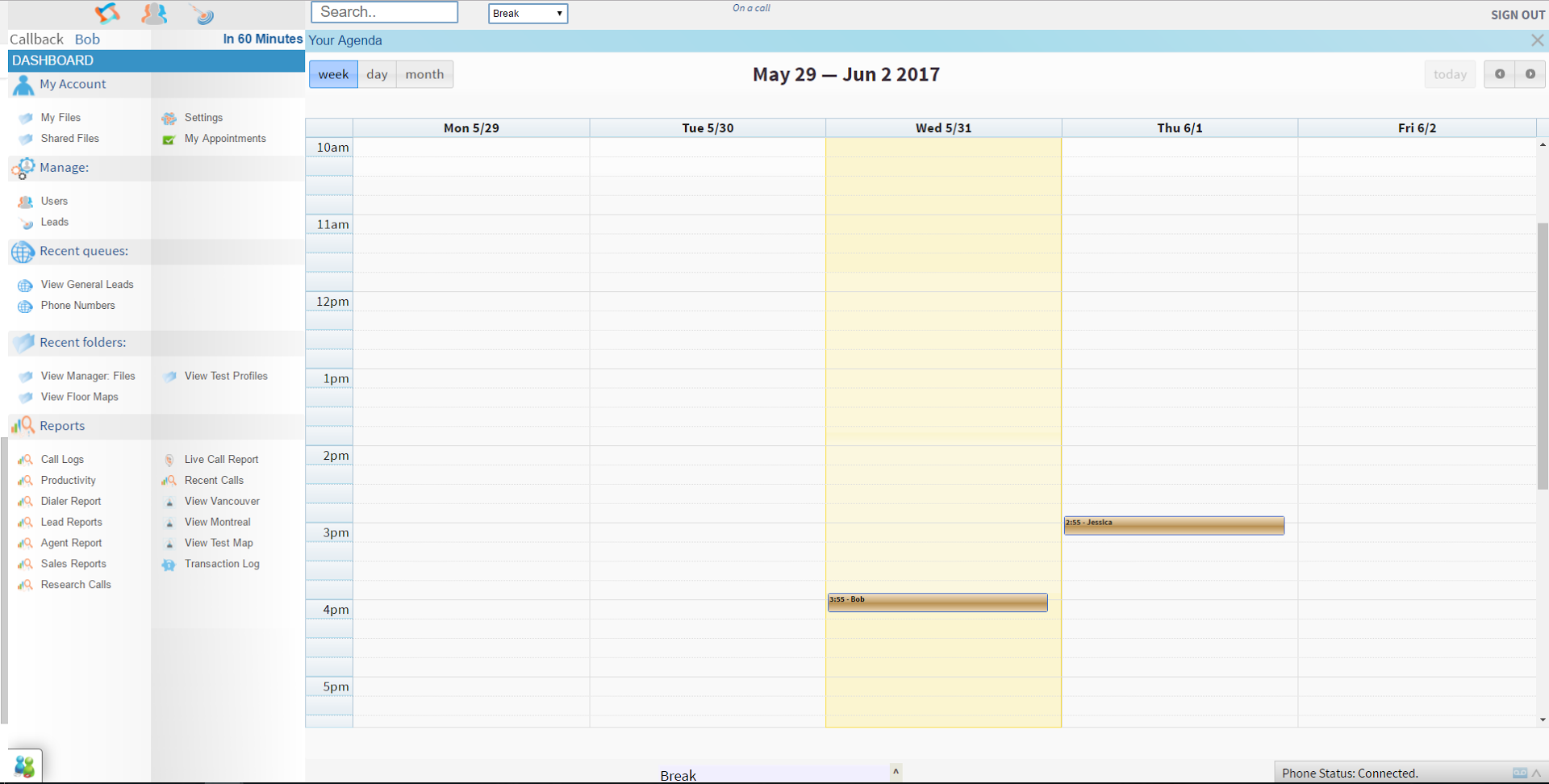
Screenshot of the custom profile fields for info on leads and customers.Screenshot of productivity data on call center agents.Screenshot of the custom calendars for appointments and phone meetings with leads and clients.Screenshot of info and performance data on call center agents.