TrustRadius: an HG Insights company

Hornetsecurity 365 Total Protection vs. SugarSync

Save this comparison

Save this comparison

Add Product

Recommended Comparisons

    Overview
    ProductRatingMost Used ByProduct SummaryStarting Price

    Hornetsecurity 365 Total Protection

    Score10 out of 10
    N/AWith 365 Total Protection, Hornetsecurity offers users enterprise security management in conjunction with Microsoft Office 365. The Enterprise version gives users enhanced functionality and protection, and covers legally compliant email archiving with advanced features such as eDiscovery and 10-year email retention. It also offers protection against advanced persistent threats through the use of AI-based analysis mechanisms.N/A

    SugarSync

    Score3.6 out of 10
    N/ASugarSync is a cloud storage and backup solution designed for small businesses.

    $7.50

    per month

    Pricing
    Hornetsecurity 365 Total ProtectionSugarSync
    Editions & Modules
    No answers on this topic
    100 GB
    $7.49
    per month
    250 GB
    $9.99
    per month
    500 GB
    $18.95
    per month
    Offerings
    Pricing Offerings
    Hornetsecurity 365 Total ProtectionSugarSync
    Free Trial
    NoYes
    Free/Freemium Version
    NoNo
    Premium Consulting/Integration Services
    NoNo
    Entry-level Setup FeeOptionalNo setup fee
    Additional Details
    More Pricing Information
    Features
    Hornetsecurity 365 Total ProtectionSugarSync
    File Sharing & Management
    Comparison of File Sharing & Management features of Hornetsecurity 365 Total Protection and SugarSync
    Feature
    Hornetsecurity 365 Total Protection
    -
    Ratings
    SugarSync
    9.4
    8 Ratings
    11% above category average
    Versioning00 Ratings8.06 Ratings
    Video files00 Ratings9.05 Ratings
    Audio files00 Ratings10.05 Ratings
    Document collaboration00 Ratings10.07 Ratings
    Access control00 Ratings10.08 Ratings
    File search00 Ratings9.08 Ratings
    Device sync00 Ratings10.08 Ratings
    Cloud Storage Security & Administration
    Comparison of Cloud Storage Security & Administration features of Hornetsecurity 365 Total Protection and SugarSync
    Feature
    Hornetsecurity 365 Total Protection
    -
    Ratings
    SugarSync
    9.7
    8 Ratings
    11% above category average
    User and role management00 Ratings10.07 Ratings
    File organization00 Ratings9.08 Ratings
    Device management00 Ratings10.08 Ratings
    Cloud Storage Platform
    Comparison of Cloud Storage Platform features of Hornetsecurity 365 Total Protection and SugarSync
    Feature
    Hornetsecurity 365 Total Protection
    -
    Ratings
    SugarSync
    10.0
    8 Ratings
    14% above category average
    Performance00 Ratings10.08 Ratings
    Reliability00 Ratings10.08 Ratings
    Storage Reports00 Ratings10.06 Ratings
    Best Alternatives
    Hornetsecurity 365 Total ProtectionSugarSync
    Small Businesses
    Backupify
    Score5.6 out of 10
    IDrive Online Backup and Object Storage e2
    Score9.1 out of 10
    Medium-sized Companies
    Spanning Backup
    Score7.4 out of 10
    Apple iCloud
    Score8.4 out of 10
    Enterprises
    Veeam Data Cloud for Azure
    Score7.9 out of 10
    ownCloud
    Score9.2 out of 10
    All AlternativesView all alternativesView all alternatives
    User Ratings
    Hornetsecurity 365 Total ProtectionSugarSync
    Likelihood to Recommend
    -
    (0 ratings)
    10.0
    (10 ratings)
    Likelihood to Renew
    -
    (0 ratings)
    9.0
    (3 ratings)
    Support Rating
    -
    (0 ratings)
    10.0
    (1 ratings)
    User Testimonials
    Hornetsecurity 365 Total ProtectionSugarSync
    Likelihood to Recommend
    Hornetsecurity Inc.
    No answers on this topic
    Ziff Davis Inc
    When doing daily jobs, if you’re sharing large files, I think Dropbox works a lot better but if you have a system where you’re working within that system and you want to be able to work with that system and have certain folders that you have access to all the time then SugarSync might be just the ticket.
    Incentivized
    Read full review
    Pros
    Hornetsecurity Inc.
    No answers on this topic
    Ziff Davis Inc
    • Sync files in any folder - rather than forcing you to store them in a certain place (Although this can be confusing too)
    • Works in the background - although this is true for all
    • You can share with others - including those who do not use SugarSync
    Incentivized
    Read full review
    Cons
    Hornetsecurity Inc.
    No answers on this topic
    Ziff Davis Inc
    • Can only think of one thing. I have helped others to get going with SugarSync and they if they have problems it is understanding the cloud.... So maybe (if it dosen't exist already) I would like to have a animation of the proces with "flying" folders between desktops, clouds etc. Otherwise SugarSync is just great.
    Incentivized
    Read full review
    Likelihood to Renew
    Hornetsecurity Inc.
    No answers on this topic
    Ziff Davis Inc
    1. Freemium model is the ideal marketing for an app like this. 2. Now their sync methods with Android are worse
    Read full review
    Support Rating
    Hornetsecurity Inc.
    No answers on this topic
    Ziff Davis Inc
    Customer service is amazing, they are always fast to respond and very helpful.
    Incentivized
    Read full review
    Alternatives Considered
    Hornetsecurity Inc.
    No answers on this topic
    Ziff Davis Inc
    SugarSync, like all solutions, has its place in the data storage stack within a company. The main reason SugarSync is better than the other solutions is that it enables me to leave my hard drive organized and keep my existing file trees. I don't have to constantly move or copy files to a specific folder if I want them backed up.
    Incentivized
    Read full review
    Return on Investment
    Hornetsecurity Inc.
    No answers on this topic
    Ziff Davis Inc
    • There were some opensource alternatives but we wanted something with better support which SugarSync offers.
    • We achieved faster project collaboration with SugarSync.
    Incentivized
    Read full review
    ScreenShots

    Hornetsecurity 365 Total Protection Screenshots
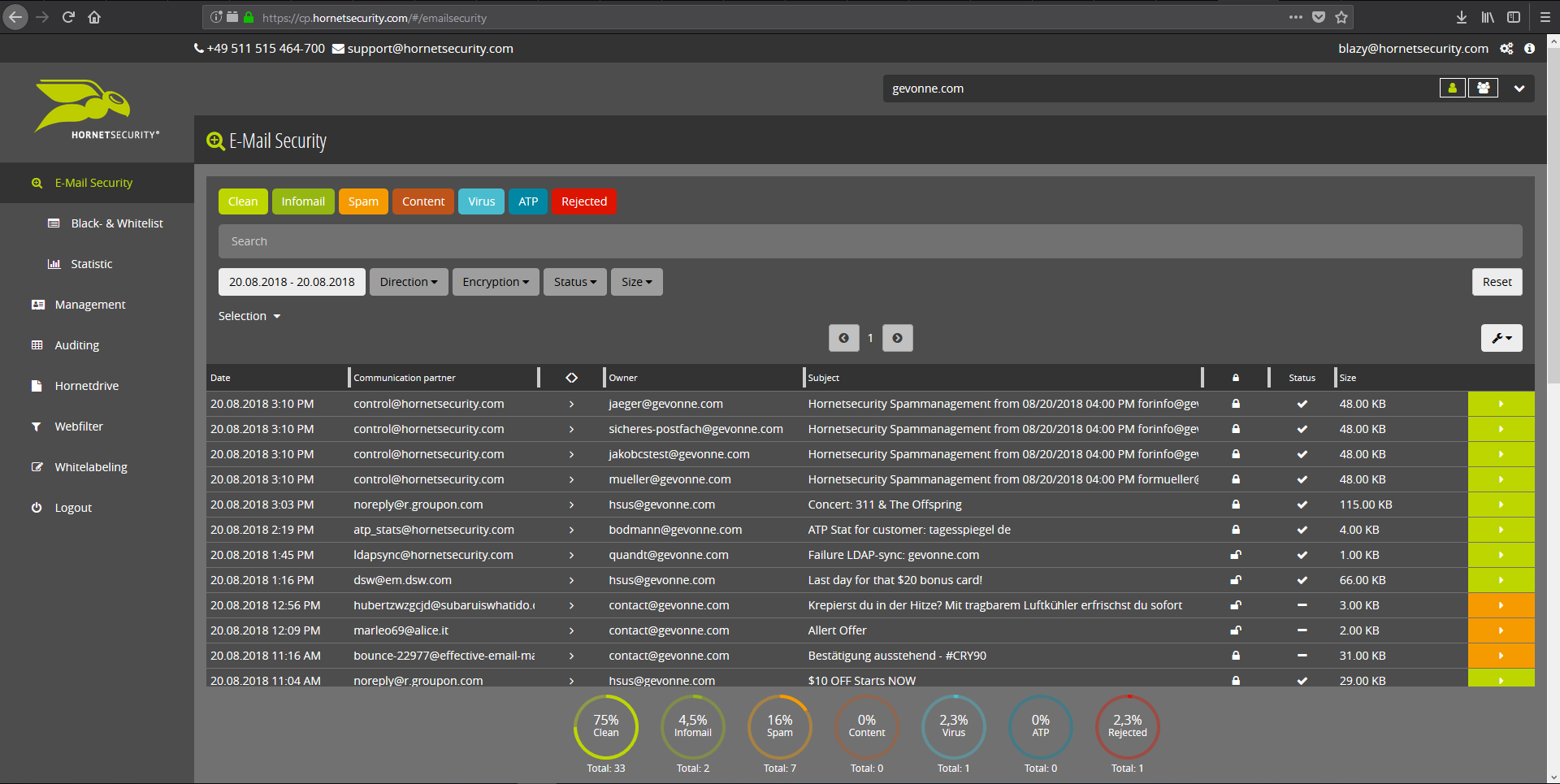
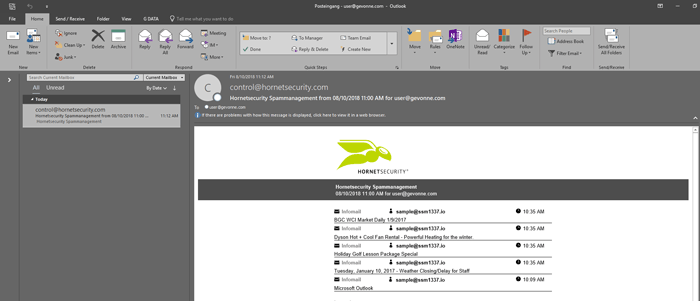
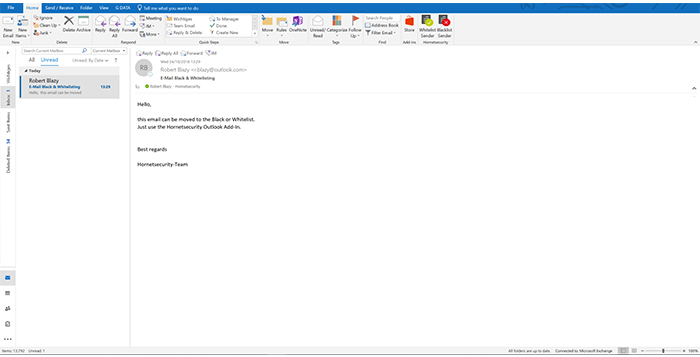
    Screenshot of Email Live Tracking with user-defined settings offers users a complete overview of all Emails addressed to them. If an incoming Email has, for example, been classified as spam, you will receive comprehensive information and can individually determine any further interaction. This means that you can always quickly find any email you are searching for and delivery options can be defined for the future.Screenshot of With the help of Infomail Handlings, the inboxes or smartphones of your users will no longer be flooded with newsletters and ad mails. Users are no longer distracted by the constant arrival of unimportant emails, thus making it easier for them to keep track of relevant business matters.Screenshot of Content Control protects your email communication from receiving or sending unwanted or unauthorized file attachments in keeping with your company policy. When running Content Control, umbrella terms and categories (e.g., .docmacro or .executable) may be blocked, for example in the default group (mailboxes that are not allocated to any particular group). For a department such as Marketing, however, the receipt of media files and macros can, on the other hand, be necessary for daily business: In this respect, one can create, for example, a group for the Marketing department and adjust the settings in Content Control so that only potentially dangerous, e.g. executable, file formats are blocked for this group.Screenshot of If an incoming email (e.g. phishing or spam mail) constitutes a threat, the attack is immediately detected by the multi-stage filter systems of 365 Total Protection. Unwanted emails are directly rejected by the Threat Blocking function or detected in later analyses by Threat Intelligence and sent straight to Quarantine. In both cases, these emails will not be delivered to your mailbox.Screenshot of If you do not want to receive emails from one or several specific senders, you can put these on your personal Blacklist. With just one click directly in your in-box the selected senders can be added to the Blacklist to prevent emails from the same sender from being delivered to you in future. If an email from a generally unobjectionable sender lands in Quarantine by mistake, thus appearing in the spam report, the “Whitelist” function can be used. Emails from senders on your Whitelist will always be delivered to your in-box in future.Screenshot of Every email sent out by a company is not only relevant to the business, but is also your company’s business card. In terms of content, a company-wide standardized structure and the completeness of signature datasets are essential. In this context, all email signatures also have the same visual design and layout. This task can also be allocated to the Marketing department or office management via the “What You See is What You Get” editor.