HP OpenView, later HP BTO was a system and network monitoring tool from Hewlett-Packard, and is now End of Life (EOL).
N/A
SolarWinds Server & Application Monitor
Score 7.8 out of 10
N/A
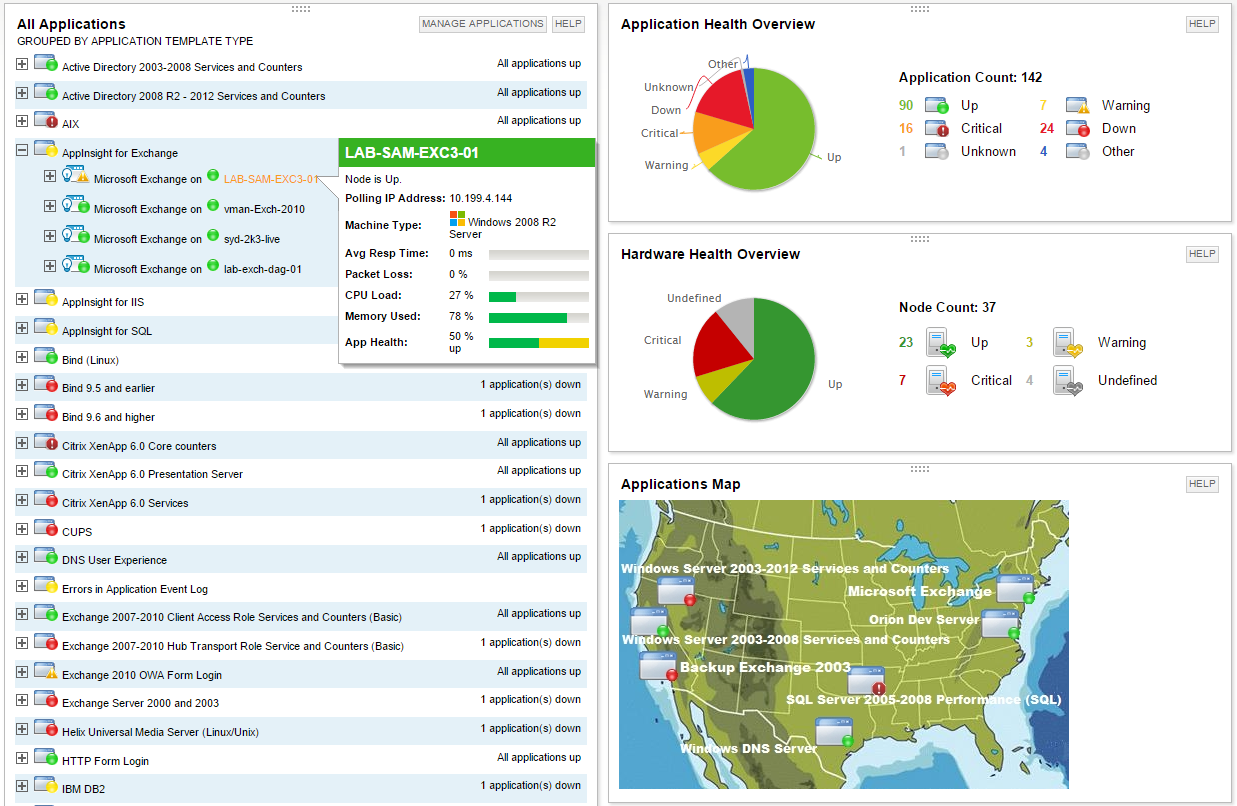
SolarWinds Server & Application Monitor (SAM) delivers application and server monitoring capabilities. SAM allows for self-service for easy setup, 1200+ monitoring templates, and customization options, as well as integrate with other SolarWinds products.
N/A
Pricing
HP OpenView (Discontinued)
SolarWinds Server & Application Monitor
Editions & Modules
No answers on this topic
No answers on this topic
Offerings
Pricing Offerings
HP OpenView (Discontinued)
SolarWinds Server & Application Monitor
Free Trial
No
Yes
Free/Freemium Version
No
No
Premium Consulting/Integration Services
No
No
Entry-level Setup Fee
No setup fee
No setup fee
Additional Details
—
SAM pricing starts at $2,995.
More Pricing Information
Community Pulse
HP OpenView (Discontinued)
SolarWinds Server & Application Monitor
Considered Both Products
HP OpenView (Discontinued)
No answer on this topic
SolarWinds Server & Application Monitor
Verified User
Engineer
Chose SolarWinds Server & Application Monitor
SolarWinds is comparable to many of the network monitoring solutions above. They are doing similar things. SolarWinds has a great user community called THWACK. SolarWinds is an affordable solution no matter the size of the network. Their support is decent. They are more of a …
SolarWinds Server & Application Monitor is way more user-friendly than PRTG. We can't get OpenView anymore, but we moved from that to SolarWinds at one point and never looked back. Prime really doesn't offer any application monitoring.
We looked into other monitoring programs such as Ciscoview and HP Openview and other products but found that Solarwinds Server & Application Monitor seemed to supply more of exactly what we were looking for as well as came across as a better overall product for our company. …
It is a well-suited software for monitoring and surveillance of your deployed nodes. The error-readability and filter options for filtering out logs and errors could be improved. But overall, it has a good UI design, is user-friendly, and is very easy to learn and access for new users.
We are heavily invested in Solarwinds products for a reason. They are generally easy to setup and run with, requiring only some interfacing with support or help articles on rare occasions. They do what we bought them to do and we can't ask for more.
SolarWinds Server & Application Monitor is quite easy to use and super versatile. It allows you to do just about anything you can through premade templates or through scripting. You can use an agent on the servers if you want to, or you can monitor through WMI or SNMP credentials. You can customize thresholds for alerting quickly, and you can configure alerts to be as complex or as simple as you want.
The graphical interface and the performance of the database leave a little to be desired, they could be better explored.Some functionality and screens do not work well depending on the browser used. The integrations never had any problems or caused crashes in other systems.
I think there was only a couple times I had to open a support case for SAM and one time they got multiple engineers on the phone to get a better idea what I was trying to monitor and was able to point me in the best direction to monitor that system.
Nagios requires far more manual work to configure than SolarWinds does, though that also encourages customization and perfect-fit solutions. Nagios also requires far, far fewer resources to run than SolarWinds: SolarWinds wants great gobs of memory and disk, while Nagios is refreshingly humble. Nagios starts working from the first minute, too, whereas SolarWinds needs lots of set-up time.