Chose IBM Cloud for VMware Solutions
When you want to manage the hypervisor and have root access to control the entire environment.

| Product | Rating | Most Used By | Product Summary | Starting Price |
|---|---|---|---|---|
 IBM Cloud for VMware Solutions | Enterprise companies (1,001+ employees) | IBM Cloud for VMware Solutions is designed to make cloud adoption easier, allowing the user to optimize the value of existing on-premises infrastructure, while leveraging the same tools, technologies and skills in the cloud. The solution provides rapid scalability, deployment in 35+ global data centers and access to disaster recovery, backup, security and compliance solutions from an array of ecosystem partners. To address varying workload needs, IBM Cloud… | $0 IBM Cloud Object Storage Cross-Regional Smart Tier 1 GB (hourly) | |
 Proxmox VE | N/A | Proxmox Virtual Environment is an open source server virtualization management solution based on QEMU/KVM and LXC. Users can manage virtual machines, containers, highly available clusters, storage and networks via a web interface or CLI. Proxmox VE code is licensed under the GNU Affero General Public License, version 3. The project is developed and maintained by Proxmox Server Solutions GmbH. | $90 year & CPU socket | |
 VMware vSphere | N/A | An enterprise workload platform, vSphere is used to improve the performance for a data center. It is used to boost operational efficiency, supercharge workload performance, and accelerate innovation. | $995 per year |
| IBM Cloud for VMware Solutions | Proxmox VE | VMware vSphere | ||||||||||||||||||||||
|---|---|---|---|---|---|---|---|---|---|---|---|---|---|---|---|---|---|---|---|---|---|---|---|---|
| Editions & Modules |
|
|
| |||||||||||||||||||||
| Offerings |
| |||||||||||||||||||||||
| Entry-level Setup Fee | Optional | No setup fee | No setup fee | |||||||||||||||||||||
| Additional Details | — | Proxmox Virtual Environment's source code is published under the free software license GNU AGPL, v3 and thus is freely available for download, use and share. A Proxmox VE Subscription is an additional service program that helps IT professionals and businesses keep Proxmox VE deployments up-to-date. A subscription provides access to the stable Proxmox VE Enterprise Repository delivering software updates and security enhancements, technical help and support. | — | |||||||||||||||||||||
| More Pricing Information | ||||||||||||||||||||||||
| IBM Cloud for VMware Solutions | Proxmox VE | VMware vSphere | |
|---|---|---|---|
| Considered Multiple Products | IBM Cloud for VMware Solutions  Jesus Mora Luna System Administrator Chose IBM Cloud for VMware Solutions Compared to AWS, I found the IBM Cloud for VMware solutions service very easy to use since the administration interface is intuitive, well distributed and easy to use, also in the way of performing configurations and deployments it has fewer steps than on AWS, the security …  Amir Shokoohi IT director Chose IBM Cloud for VMware Solutions We have previously used Veeam and while they offer a very good solution for the purposes of backups and virtualization, IBM's is superiors by far. I would imagine the years of experience IBM has in the industry has helped them come up with a more efficient version of the …  Rajesh Singh CEO & MD Chose IBM Cloud for VMware Solutions We chose VMware over Azure App Service because of the way that it was at that point natural and still offered similar cloud capacities that Azure would have acquired us. This permitted us to continue to utilize a similar interface and not need to relearn everything beginning to … Chose IBM Cloud for VMware Solutions We ended up choosing iland instead of IBM Cloud for VMware Solutions primarily because of support and performance. IBM's cloud is not on par with others. It's slower and out of date on some aspects, and the support is just not responsive or available.  Steve Redman IT Manager Chose IBM Cloud for VMware Solutions We looked at Citrix but the model was not what ideal in considering all our business needs.  Trevor Hernandez Lead Infrastructure Architect Chose IBM Cloud for VMware Solutions From what I've seen so far, IBM cloud has the same features as any other cloud provider. | Proxmox VE  Armando Insfran Network Development Manager Chose Proxmox VE Based on my experience , I selected Proxmox VE because it offers a range of powerful features and functionalities at a lower cost than proprietary platforms such as VMware ESXi and Citrix Hypervisor. Additionally, Proxmox VE is an open-source platform, which means that users …  Mauro Giannandrea DevOps Specialist Chose Proxmox VE Proxmox VE is cheaper than VMware, especially upscaling an HA architecture. Compared with other free or less expensive solutions, Proxmox VE is high compatible with more types of hardware solutions and more VM types. From my point of view, Proxmox VE has no competitor at the …  Joseph Brower Owner and Lead Engineer Chose Proxmox VE Proxmox emulates hardware exceptionally well. This makes migration easier between systems. Additionally, the licensing model is friendly and the system is quite featureful. On top of that, by having a common base (Debian Linux) we have access to tools without needing to jump …  Joe Foran Director Of Information Technology and HIPAA Privacy Officer Chose Proxmox VE With an incredibly easy to use interface, quick setup, and wide support for different hardware we found it was the perfect lab tool for our department to build, stage, and eventually move VMs into production with.  Eric Renfro System Administrator Chose Proxmox VE VMWare pricing is steep when compared to the Proxmox VE licensing model. You can use Proxmox VE GPL for free to fully evaluate every aspect of it. VMWare also requires you to install software on your virtual machine instances to which you wouldn't normally need. Proxmox VE just … |  VMware vSphere  Steve Athanas Associate CIO Chose VMware vSphere vSphere is superior to any other on-premises hypervisor that I've personally used or heard about. vSphere is the de facto industry standard, receives substantially more partner support and investment, and benefits from a significantly longer maturation period than other …  Md Tanjil Islam Bappi Senior Manager Chose VMware vSphere vSphere provides more control over the Virtualization environment. It allows users to have great management User Interface with lots of dynamic features. VM creation.  Chris Saenz Lead System Engineer Chose VMware vSphere vSphere simply is best-in-class for its features and functionality. It does guest OS management, thin provisioning, deployment, management, networking, vMotion, and automation better than all the rest. vSphere is always the first to implement new and advanced features and push …  Jewemars Christian Riano System Administrator Chose VMware vSphere I researched on the web and upon stumbling on millions and millions of articles, found that vSphere is a technology that was leading in the magic quadrant at that time. The technology was able to cater to the business needs and requirements for its vision and goals. The …  Akos Krommer, CISA, ACDA Solution Specialist (Data Analytics) Chose VMware vSphere In terms of security, VMware has made important security enhancements, which now provides the same security features and level as Hyper-V. In terms of scalability, VMware improved scalability, which supports up to 64 hosts in the cluster now and it can now accommodate more than …  Michael Haberkern Network Engineer Supervisor Chose VMware vSphere vSphere is superior to Hyper-V. I have had several issues in Hyper-V that I have not experienced in vSphere. vSphere just works. It costs more money, but it works. I am curious to see the outcome of the Microsoft licensing model as they try to take on VMWare with Hyper-V. …  Chris Hartwig Security Analyst Chose VMware vSphere vSphere is more robust than VirtualBox and is widely used so VSphere is the product of choice to avoid compatibility issues.  Hans Huang Systems Administrator Chose VMware vSphere vSphere has a lot more feature sets than Hyper-V but at a much higher cost of entry versus MS Hyper-V. I have not been able to play with Hyper-V as much as I would have liked, but the setup and ongoing maintenance seems to be easier in vSphere than with Hyper-V  Jon Shurtliff Vice President of Information Technology Chose VMware vSphere VSphere is Heads and shoulders above the rest! |
| IBM Cloud for VMware Solutions | Proxmox VE | VMware vSphere | |||||||||||||||||||||||
|---|---|---|---|---|---|---|---|---|---|---|---|---|---|---|---|---|---|---|---|---|---|---|---|---|---|
| Server Virtualization |
|
| IBM Cloud for VMware Solutions | Proxmox VE | VMware vSphere | |
|---|---|---|---|
| Small Businesses |  DigitalOcean Droplets Score 9.6 out of 10 | DigitalOcean Droplets Score 9.6 out of 10 | DigitalOcean Droplets Score 9.6 out of 10 |
| Medium-sized Companies |  VMware vSOM (discontinued) Score 10.0 out of 10 | VMware vSOM (discontinued) Score 10.0 out of 10 | VMware vSOM (discontinued) Score 10.0 out of 10 |
| Enterprises | VMware vSOM (discontinued) Score 10.0 out of 10 | VMware vSOM (discontinued) Score 10.0 out of 10 | VMware vSOM (discontinued) Score 10.0 out of 10 |
| All Alternatives | View all alternatives | View all alternatives | View all alternatives |
| IBM Cloud for VMware Solutions | Proxmox VE | VMware vSphere | |
|---|---|---|---|
| Likelihood to Recommend | 8.5 (0 ratings) | 8.4 (0 ratings) | 7.0 (0 ratings) |
| Likelihood to Renew | - (0 ratings) | 10.0 (0 ratings) | 7.0 (0 ratings) |
| Usability | 9.0 (0 ratings) | 8.0 (0 ratings) | 8.0 (0 ratings) |
| Availability | - (0 ratings) | 9.0 (0 ratings) | - (0 ratings) |
| Performance | - (0 ratings) | 10.0 (0 ratings) | - (0 ratings) |
| Support Rating | 9.0 (0 ratings) | 10.0 (0 ratings) | 8.0 (0 ratings) |
| Implementation Rating | 8.0 (0 ratings) | 10.0 (0 ratings) | 9.0 (0 ratings) |
| Product Scalability | - (0 ratings) | 10.0 (0 ratings) | - (0 ratings) |
| IBM Cloud for VMware Solutions | Proxmox VE | VMware vSphere | |
|---|---|---|---|
| Likelihood to Recommend |
|
Armando Insfran Network Development Manager |
|
| Pros |
|
|
|
| Cons |
|
|
|
| Likelihood to Renew | No answers on this topic |
Eric Renfro System Administrator |
 Aaron Myers Senior Business Systems Analyst |
| Usability |
|
|
|
| Reliability and Availability | No answers on this topic |
Eric Renfro System Administrator | No answers on this topic |
| Performance | No answers on this topic |
Eric Renfro System Administrator | No answers on this topic |
| Support Rating |
|
Eric Renfro System Administrator |
|
| Implementation Rating |
|
Eric Renfro System Administrator |
Aaron Myers Senior Business Systems Analyst |
| Alternatives Considered |
Rajesh Singh CEO & MD |
|
Md Tanjil Islam Bappi Senior Manager |
| Scalability | No answers on this topic |
Eric Renfro System Administrator | No answers on this topic |
| Return on Investment |
|
Joseph Brower Owner and Lead Engineer |
|
| ScreenShots | IBM Cloud for VMware Solutions Screenshots   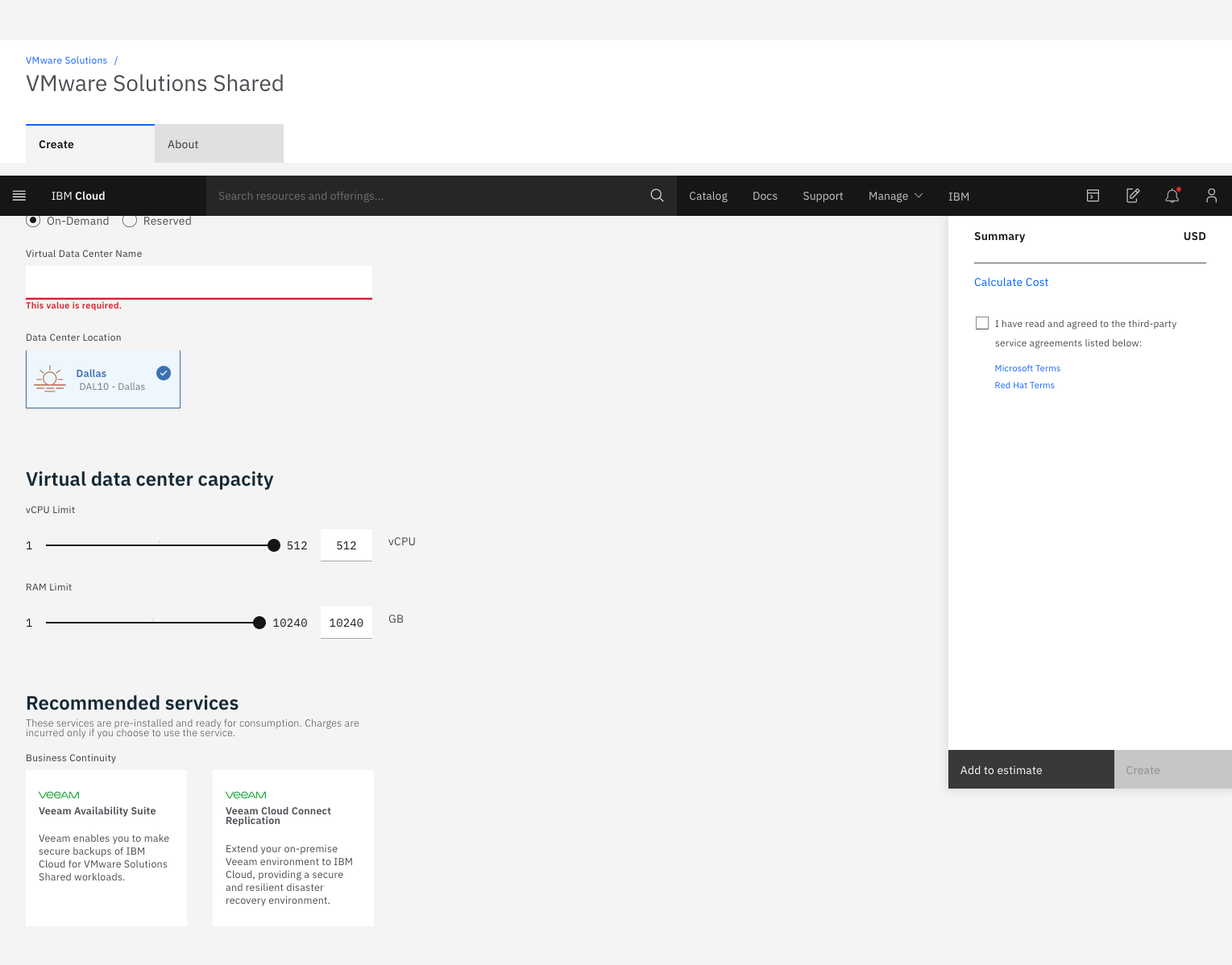 |
