IBM Cloud Virtual Servers are customizable, public or private, cloud-based servers available from IBM. User can launch applications and software across blended, hybrid environments as the servers integrate with all cloud models.
$0.01
per hour
SAP Integration Suite
Score8.5 out of 10
N/A
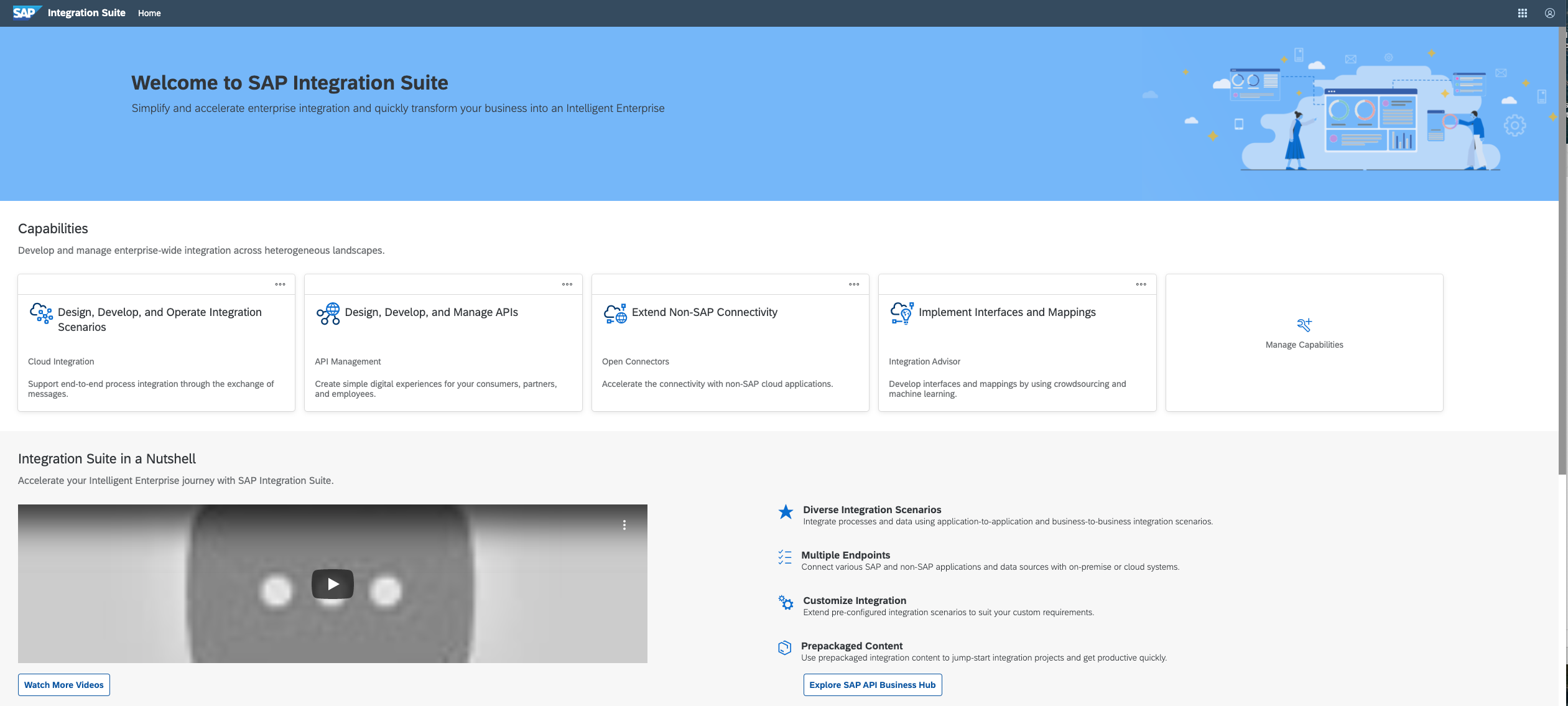
SAP Integration Suite is a modern, secure integration platform as a service (iPaaS) that connects applications, data, processes, and AI agents across SAP and non‑SAP environments.
$11,199
per year
Pricing
IBM Cloud Virtual Servers for VPC
SAP Integration Suite
Editions & Modules
IBM Cloud Virtual Servers (dedicated host)
starting at $0.22
per hour
IBM Cloud Virtual Servers (dedicated host)
starting at $149.00
per month
IBM Cloud Virtual Servers (multi-tenant)
starting at $0.038
per hour
IBM Cloud Virtual Servers (multi-tenant)
starting at $25.21
per month
IBM Cloud Virtual Servers (reserved)
starting at $0.02
per hour
IBM Cloud Virtual Servers (reserved)
starting at $13.27
per month
IBM Cloud Virtual Servers (transient)
starting at $0.01
per hour
No answers on this topic
Offerings
Pricing Offerings
IBM Cloud Virtual Servers for VPC
SAP Integration Suite
Free Trial
Yes
Yes
Free/Freemium Version
Yes
No
Premium Consulting/Integration Services
Yes
No
Entry-level Setup Fee
Optional
No setup fee
Additional Details
IBM Cloud virtual servers include 250 GB of outbound public bandwidth, unmetered inbound public bandwidth, and unmetered private and management network bandwidth.
Access to free tier services does not expire while there is an active Pay-As-You-Go or CPEA account with SAP. Once a free tier service limit has been reached users have the option to update from a free to a paid service plan in the same account.
One scenario that immediately came to my mind was large-scale data processing, IBM Cloud Virtual Servers is well-suited for organizations that require high-performance computing capabilities, particularly when processing large amounts of data. It can also be useful for companies or organizations that wish to migrate their workplace to the cloud and it may suite companies that have strict compliance requirements since the servers have robust security features.
A de minimis incentive was given to thank the reviewer for their time. The incentive was not used to bias or drive a particular response, nor was the incentive contingent on a positive endorsement. More Info
Good at: 1. Integrations with in SAP applications, especially with event based triggers 2. Can be integrated very well with other BTP services to attain Batch processing and store credentials 3. Supports many authentication models Improvements: 1. No version history available compared to as it is available in S4HANA 2. Need a lot of improvement in git hub connections
A de minimis incentive was given to thank the reviewer for their time. The incentive was not used to bias or drive a particular response, nor was the incentive contingent on a positive endorsement. More Info
Scalability: IBM Cloud Virtual Servers enable businesses to simply and quickly scale up or down the resources they require in response to changing business demands. This enables firms to respond to traffic spikes, requests for new services, or changes in business size without the need for additional hardware purchases or maintenance.
Cost savings: By employing virtual servers in the cloud, enterprises can decrease capital expenditures for hardware and infrastructure while also lowering ongoing operational expenses by removing server maintenance and management costs. This can result in significant cost savings for enterprises, particularly those that need to raise or decrease their computer capacity fast and easily.
High availability: IBM Cloud Virtual Servers is built with high availability in mind, giving enterprises the certainty that their applications and data will be available and accessible even if hardware fails or other disruptions occur. This assists enterprises in maintaining business continuity and lowering the chance of downtime, which is crucial for firms that rely on 24/7 access to their systems. Furthermore, IBM's comprehensive network and security features aid in the prevention of data breaches and other security risks, assuring the availability and reliability of their applications and data.
A de minimis incentive was given to thank the reviewer for their time. The incentive was not used to bias or drive a particular response, nor was the incentive contingent on a positive endorsement. More Info
A de minimis incentive was given to thank the reviewer for their time. The incentive was not used to bias or drive a particular response, nor was the incentive contingent on a positive endorsement. More Info
It would also be nice if there were more templates to choose from when creating a server. Right now there are only a few options, and we'd like to see more variety.
We'd like to see the ability to create server groups. This would make it easier to manage a large number of servers since we could do all of the updates and management tasks for them at once.
There doesn't seem to be a way to automatically install updates on all of the virtual servers. We have to go in and manually update each one, which can be time-consuming. It would be really nice if automatic updates can be done.
A de minimis incentive was given to thank the reviewer for their time. The incentive was not used to bias or drive a particular response, nor was the incentive contingent on a positive endorsement. TR verified that a representative sample of customers was invited. More Info
Provide more pre-built integrations to use within SuccessFactors or other modules instead of everything having to be custom built
Support is unable to provide advice on custom builds so you often have to engage a 3rd party partner
Works best when you have the functional and technical teams working together. Otherwise, the system is too technical for a functional user to create integration and a technical user not always understand the functional perspective
A de minimis incentive was given to thank the reviewer for their time. The incentive was not used to bias or drive a particular response, nor was the incentive contingent on a positive endorsement. TR verified that a representative sample of customers was invited. More Info
It has a flexible and affordable pricing, easy to configure and manage. It is easy to spawn one or multiple instances and have them up and running in no time
A de minimis incentive was given to thank the reviewer for their time. The incentive was not used to bias or drive a particular response, nor was the incentive contingent on a positive endorsement. More Info
It is in place, our system integrators are familiar with it, and it fits into the ecosystem. A better user interface, flow build and debugging experience would see it grow, many technical staff do not enjoy using it for this reason, however it is quite capable and powerful behind this one shortcoming.
A de minimis incentive was given to thank the reviewer for their time. The incentive was not used to bias or drive a particular response, nor was the incentive contingent on a positive endorsement. TR verified that a representative sample of customers was invited. More Info
The user interface is messy and not intuitive. It has a steep learning curve, and flows developed around are easy to make a mess with layout and can be difficult to follow. The debugging is also quite difficult, it takes some time to figure out how to follow the flow and examine data. Error handling is also difficult and not intuitive, it is better to let some errors leak and monitor through ALM.
A de minimis incentive was given to thank the reviewer for their time. The incentive was not used to bias or drive a particular response, nor was the incentive contingent on a positive endorsement. TR verified that a representative sample of customers was invited. More Info
A de minimis incentive was given to thank the reviewer for their time. The incentive was not used to bias or drive a particular response, nor was the incentive contingent on a positive endorsement. More Info
A de minimis incentive was given to thank the reviewer for their time. The incentive was not used to bias or drive a particular response, nor was the incentive contingent on a positive endorsement. More Info
It is adequate, but you need to be ready to argue your point - which is fair enough, I suppose, but being given the opposite of the benefit of the doubt every time does not necessarily result in an enjoyable user experience.
A de minimis incentive was given to thank the reviewer for their time. The incentive was not used to bias or drive a particular response, nor was the incentive contingent on a positive endorsement. More Info
The support for SAP Integration Suite is satisfactory. We leverage SAP support through our manage services partner. So far, we have not had many major issues. One concern, to make our rating a ten, would be turnaround time on high priority incidents. SAP Integration Suite drives our key business functions forward. Without a reasonable service level agreement on turnaround, we sometimes find us running into issues running pay, etc.
A de minimis incentive was given to thank the reviewer for their time. The incentive was not used to bias or drive a particular response, nor was the incentive contingent on a positive endorsement. More Info
A de minimis incentive was given to thank the reviewer for their time. The incentive was not used to bias or drive a particular response, nor was the incentive contingent on a positive endorsement. TR verified that a representative sample of customers was invited. More Info
A de minimis incentive was given to thank the reviewer for their time. The incentive was not used to bias or drive a particular response, nor was the incentive contingent on a positive endorsement. More Info
IBM Cloud Virtual Servers offer more customization options than Amazon EC2, with the ability to select from a range of operating systems, storage types, and network configurations. IBM also provides a wide range of tools and services to help manage and optimize your virtual servers, including a web-based console, CLI, and API.
AWS EC2 is a more managed platform, with a focus on providing a simple and easy-to-use interface. Amazon provides a range of predefined instance types, each with different specs and pricing, to make it easy to find the right option for your needs. AWS also offers a number of management and monitoring tools, but these are often more basic than what is available from IBM.
A de minimis incentive was given to thank the reviewer for their time. The incentive was not used to bias or drive a particular response, nor was the incentive contingent on a positive endorsement. More Info
Before deploying SAP Integration Suite, we assessed Oracle Financial Services Analytics and IBM Risk Analytics. While Oracle had proved its mettle in the exceptional database support and IBM in presenting risk model tools, SAP Integration Suite overwhelmed others by being effortlessly integrated with our existing banking framework.
A de minimis incentive was given to thank the reviewer for their time. The incentive was not used to bias or drive a particular response, nor was the incentive contingent on a positive endorsement. More Info
A de minimis incentive was given to thank the reviewer for their time. The incentive was not used to bias or drive a particular response, nor was the incentive contingent on a positive endorsement. More Info
A de minimis incentive was given to thank the reviewer for their time. The incentive was not used to bias or drive a particular response, nor was the incentive contingent on a positive endorsement. TR verified that a representative sample of customers was invited. More Info