IBM Cognos Analytics vs. OneAdvisor

Overview
ProductRatingMost Used ByProduct SummaryStarting Price
IBM Cognos Analytics
Score 7.4 out of 10
N/A
IBM Cognos is a full-featured business intelligence suite by IBM, designed for larger deployments. It comprises Query Studio, Reporting Studio, Analysis Studio and Event Studio, and Cognos Administration along with tools for Microsoft Office integration, full-text search, and dashboards.
$11.25
per month per user
OneAdvisor
Score 0.0 out of 10
N/A
OneAdvisor is an analytics software that provides conversational data analysis personalized to business needs. The system combines data science with domain expertise, allowing users to request insights in natural language without technical training. OneAdvisor features AI agents that interpret prompts, convert them into code, and run analyses on internal company data, delivering narrated insights with visualizations. The platform includes…N/A
Pricing
IBM Cognos AnalyticsOneAdvisor
Editions & Modules
On Demand - Standard
USD 11.25
per month per user
On Demand - Premium
USD 44.90
per month per user
No answers on this topic
Offerings
Pricing Offerings
IBM Cognos AnalyticsOneAdvisor
Free Trial
YesNo
Free/Freemium Version
NoNo
Premium Consulting/Integration Services
NoNo
Entry-level Setup FeeOptionalNo setup fee
Additional Details
More Pricing Information
Community Pulse
IBM Cognos AnalyticsOneAdvisor
Considered Both Products
IBM Cognos Analytics
Chose IBM Cognos Analytics
i believe that CA is more powerful, has better modelling, and is not held back by a cumbersome method of re-using data models. The only thing that holds it back is the complexity of licensing.
Chose IBM Cognos Analytics
IBM Cognos Analytics is robust in terms of reporting, governance and scheduling while Power BI excels in use, interactivity and visuals. In nutshell, IBM Cognos Analytics has edge over Power BI for enterprise grade , structured reporting needs.
Chose IBM Cognos Analytics
We chose IBM Cognos Analytics because, in our experience, IBM Cognos Analytics was Better, had more feature functionality, and is easier to use
Chose IBM Cognos Analytics
have been using since it's creation
Chose IBM Cognos Analytics
Microsoft Power BI and MicroStrategy Analytics
Chose IBM Cognos Analytics
We chose IBM Cognos Analytics because, in our opinion, IBM Cognos Analytics has Better enterprise integration
Chose IBM Cognos Analytics
Much more powerful and complete
Chose IBM Cognos Analytics
Power BI is stronger for quick ad-hoc analysis and dashboards, but IBM Cognos Analytics is better when consistency, precision, and mass distribution matter. Tableau is best for interactive analysis, while IBM Cognos Analytics is better for standardized, repeatable enterprise …
Chose IBM Cognos Analytics
IBM Cognos Analytics was more matured enterprise modeling-based tool. Our power Bi struggled against large ERP data sets, which IBM didn't after few initial days.

IBM had much better scalability and security when comes to user reports distribution. The schedule feature worked …
Chose IBM Cognos Analytics
Compared to other tools like Power BI, Tableau, and Google studio, IBM Cognos Analytics is better for the companies who looks strong control on detailed reports. Power BI and Tableau are easy to use and good for quick presentation, but Cognos has more options for security, such …
Chose IBM Cognos Analytics
Tableau, Power BI, QlikView were the other options considered. Tableau lacked the following key components of business intelligence and analytics. Some other statistical functions that are available on the platform were not matched by Power BI. QlikView lacked robust …
Chose IBM Cognos Analytics
We selected IBM Cognos Analytics based on the following. The scalable and robust features for large organizations allowing it to grow as we do. The nest feature is the strong data governance and security features. It also supports a wide variety of data sources. Lastly, it …
Chose IBM Cognos Analytics
It was due to trust in IBM. Very good support provide by IBM. Response time is pretty good
Product is proven in past & well robust feature
Many good enterprises have used this product
Chose IBM Cognos Analytics
My company selected IBM Congos Analytics because of its advanced features and data representation for data analysis. Its row and column features are very effective for creating dashboards and reports to visualize data. It's chart representation and view format are very …
Chose IBM Cognos Analytics
Not to be compared. Completely different products.
Chose IBM Cognos Analytics
It does well however, we need more user friendly interfaces, integration options and visualizations.
Chose IBM Cognos Analytics
IBM Cognos Analytics is our legacy BI solution. It hadn't stacked up well against its modern contemporaries. We are thinking of replacing it with Microsoft BI.
Chose IBM Cognos Analytics
Cognos provides very advanced analytics functionalities, maybe even more advanced than the competition, and works great when used in collaboration with Watson. However, Tableau and other newer products are much better regarding overall usability.
OneAdvisor

No answer on this topic

Features
IBM Cognos AnalyticsOneAdvisor
BI Standard Reporting
Comparison of BI Standard Reporting features of Product A and Product B
IBM Cognos Analytics
7.6
Ratings
7% below category average
OneAdvisor
-
Ratings
Pixel Perfect reports7.50 Ratings00 Ratings
Customizable dashboards7.80 Ratings00 Ratings
Report Formatting Templates7.60 Ratings00 Ratings
Ad-hoc Reporting
Comparison of Ad-hoc Reporting features of Product A and Product B
IBM Cognos Analytics
7.5
Ratings
7% below category average
OneAdvisor
-
Ratings
Drill-down analysis6.80 Ratings00 Ratings
Formatting capabilities7.80 Ratings00 Ratings
Integration with R or other statistical packages7.30 Ratings00 Ratings
Report sharing and collaboration8.20 Ratings00 Ratings
Report Output and Scheduling
Comparison of Report Output and Scheduling features of Product A and Product B
IBM Cognos Analytics
5.8
Ratings
34% below category average
OneAdvisor
-
Ratings
Publish to Web6.40 Ratings00 Ratings
Publish to PDF7.80 Ratings00 Ratings
Report Versioning3.60 Ratings00 Ratings
Report Delivery Scheduling8.40 Ratings00 Ratings
Delivery to Remote Servers2.70 Ratings00 Ratings
Data Discovery and Visualization
Comparison of Data Discovery and Visualization features of Product A and Product B
IBM Cognos Analytics
7.0
Ratings
13% below category average
OneAdvisor
-
Ratings
Pre-built visualization formats (heatmaps, scatter plots etc.)7.70 Ratings00 Ratings
Location Analytics / Geographic Visualization7.50 Ratings00 Ratings
Predictive Analytics6.50 Ratings00 Ratings
Pattern Recognition and Data Mining6.20 Ratings00 Ratings
Access Control and Security
Comparison of Access Control and Security features of Product A and Product B
IBM Cognos Analytics
7.4
Ratings
14% below category average
OneAdvisor
-
Ratings
Multi-User Support (named login)7.00 Ratings00 Ratings
Role-Based Security Model7.10 Ratings00 Ratings
Multiple Access Permission Levels (Create, Read, Delete)6.70 Ratings00 Ratings
Report-Level Access Control7.90 Ratings00 Ratings
Single Sign-On (SSO)8.20 Ratings00 Ratings
Mobile Capabilities
Comparison of Mobile Capabilities features of Product A and Product B
IBM Cognos Analytics
6.3
Ratings
21% below category average
OneAdvisor
-
Ratings
Responsive Design for Web Access6.60 Ratings00 Ratings
Mobile Application6.50 Ratings00 Ratings
Dashboard / Report / Visualization Interactivity on Mobile6.50 Ratings00 Ratings
Application Program Interfaces (APIs) / Embedding
Comparison of Application Program Interfaces (APIs) / Embedding features of Product A and Product B
IBM Cognos Analytics
7.4
Ratings
4% below category average
OneAdvisor
-
Ratings
REST API7.10 Ratings00 Ratings
Javascript API7.30 Ratings00 Ratings
iFrames8.30 Ratings00 Ratings
Java API6.90 Ratings00 Ratings
Themeable User Interface (UI)7.10 Ratings00 Ratings
Customizable Platform (Open Source)7.80 Ratings00 Ratings
Best Alternatives
IBM Cognos AnalyticsOneAdvisor
Small Businesses
Yellowfin
Yellowfin
Score 8.6 out of 10
Yellowfin
Yellowfin
Score 8.6 out of 10
Medium-sized Companies
Reveal
Reveal
Score 10.0 out of 10
Reveal
Reveal
Score 10.0 out of 10
Enterprises
Kyvos Semantic Layer
Score 9.5 out of 10
Kyvos Semantic Layer
Score 9.5 out of 10
All AlternativesView all alternativesView all alternatives
User Ratings
IBM Cognos AnalyticsOneAdvisor
Likelihood to Recommend
7.7
(0 ratings)
-
(0 ratings)
Likelihood to Renew
8.1
(0 ratings)
-
(0 ratings)
Usability
7.3
(0 ratings)
-
(0 ratings)
Availability
8.6
(0 ratings)
-
(0 ratings)
Performance
9.0
(0 ratings)
-
(0 ratings)
Support Rating
1.0
(0 ratings)
-
(0 ratings)
In-Person Training
8.7
(0 ratings)
-
(0 ratings)
Online Training
8.0
(0 ratings)
-
(0 ratings)
Implementation Rating
7.0
(0 ratings)
-
(0 ratings)
Configurability
7.0
(0 ratings)
-
(0 ratings)
Ease of integration
5.7
(0 ratings)
-
(0 ratings)
Product Scalability
2.7
(0 ratings)
-
(0 ratings)
Vendor post-sale
7.0
(0 ratings)
-
(0 ratings)
Vendor pre-sale
7.0
(0 ratings)
-
(0 ratings)
User Testimonials
IBM Cognos AnalyticsOneAdvisor
Likelihood to Recommend
IBM Cognos Analytics has great scheduling capabilities. A single report can be parameterized (e.g., “Store Manager ID”) and burst to thousands of recipients with their slice of data.IBM Cognos Analytics is a good fit for highly complex, multi-level calculations which can be handled by Report Studio. For example Monthly balance sheet that requires multi step calculation
Read full review
No answers on this topic
Pros
  • Data Visualization: Plenty of options exist for multiple use cases, and dashboards are easy to implement and customize.
  • Integration with IBM Watson: makes it easy to use Watson AI features (NLP etc.) on your data.
  • Its advanced analytics functionalities with powerful pattern detection/prediction models.
Read full review
No answers on this topic
Cons
  • IBM Cognos Analytics enables customer data segmentation, which is essential for marketing, improving and streamlining purchasing behavior and preferences. This helps companies create more targeted and effective marketing campaigns.
  • Our clients Through data analysis, we can identify and observe trends in the behavior of other clients, allowing us to anticipate needs and adjust strategies to avoid consequences.
Read full review
No answers on this topic
Likelihood to Renew
It took my BI team one year to become productive at developing useful content on the IBM Cognos platform. After this year, the reports being developed for a client were stale and no longer relative to the ever changing needs of the business client. Given the same opportunity, I would select a platform that allows the team to quickly produce BI content. Fail fast and recover quickly!
Read full review
No answers on this topic
Usability
We have a strong user base (3500 users) that are highly utilizing this tool. Basic users are able to consume content within the applied security model. We have a set of advanced users that really push the limits of Cognos with Report and Query Studio. These users have created a lot of personal content and stored it in 'My Reports'. Users enjoy this flexibility.
Read full review
No answers on this topic
Reliability and Availability
Reports can typically be viewed through any browser that can access the server, so the availability is ultimately up to what the company utilizing it is comfortable with allowing, though report development tends to be more picky about browsers and settings as mentioned above. It also has an optional iPad app and general mobile browsing support, but dashboards lack the mobile compatibility. What keeps it from getting a higher score is the desktop tools that are vital to the development process. The compatibility with only Windows when the server has a wide range of compatibility can be a real sore point for a company that outfits its employees exclusively with Mac or Linux machines. Of course, if they are planning on outsourcing the development anyways, it's a rather moot point
Read full review
No answers on this topic
Performance
Overall no major complaints but it doesn't handle DMR (Dimensionally Modeled for Relational) very well. DMR modelling is a capability that IBM Cognos Framework Manager provides allowing you to specify dimensional information for relational metadata and allows for OLAP-style queries. However, the capability is not very efficient and, for example, if I'm using only 2 columns on a 20-column model, the software is not smart enough to exclude 18 columns and the query side gets progressively larger and larger until it's effectively unusable.
Read full review
No answers on this topic
Support Rating
Why is their web application not working as fast as you think it should? They never know, and it is always a a bunch of shots in the dark to find out. Trying to download software from them is like trying to find a book at the library before computers were invented.
Read full review
No answers on this topic
In-Person Training
Onsite training provided by IBM Cognos was effective and as expected. They did not perform training with our data which was a bit difficult for our end-users.
Read full review
No answers on this topic
Online Training
The online courses they offer are thorough and presented in such a way that someone who isn't already familiar with the general design methodologies used in this field will be capable of making a good design. The training environments are provided as a fully self contained virtual machine with everything needed already to create the environments. We've had some persisting issues with the environments becoming unavailable, but support has been responsive when these issues arise and straightening them out for us
Read full review
No answers on this topic
Implementation Rating
The implementation was handled very well. The initial implementation exposed a lot of disagreement between our campuses and departments as to how we define data. This was not entirely unexpected, but I thought that we did a nice job as a team to work through some of these challenges.
Read full review
No answers on this topic
Alternatives Considered
IBM Cognos Analytics is robust in terms of reporting, governance and scheduling while Power BI excels in use, interactivity and visuals. In nutshell, IBM Cognos Analytics has edge over Power BI for enterprise grade , structured reporting needs.
Read full review
No answers on this topic
Scalability
The Cognos architecture is well suited for scalability. However, the architecture must be designed with scalability in mind from day one of the implementation. We recently upgraded from 10.1 to 10.2.1 and took the opportunity to revamp our architecture. It is now poised for future growth and scalability.
Read full review
No answers on this topic
Return on Investment
  • The platform can be pretty pricey.
  • Convoluted contracts and they fine you for any breach during audits.
  • Things are changed between releases without any warning and break.
  • It is second to none at being able to customize list and crosstab type reports.
  • You can easily set up a report to be emailed out every day and even have it export the report to a shared folder.
  • On-prem environments can be scaled up pretty much as much as you would like.
Read full review
No answers on this topic
ScreenShots

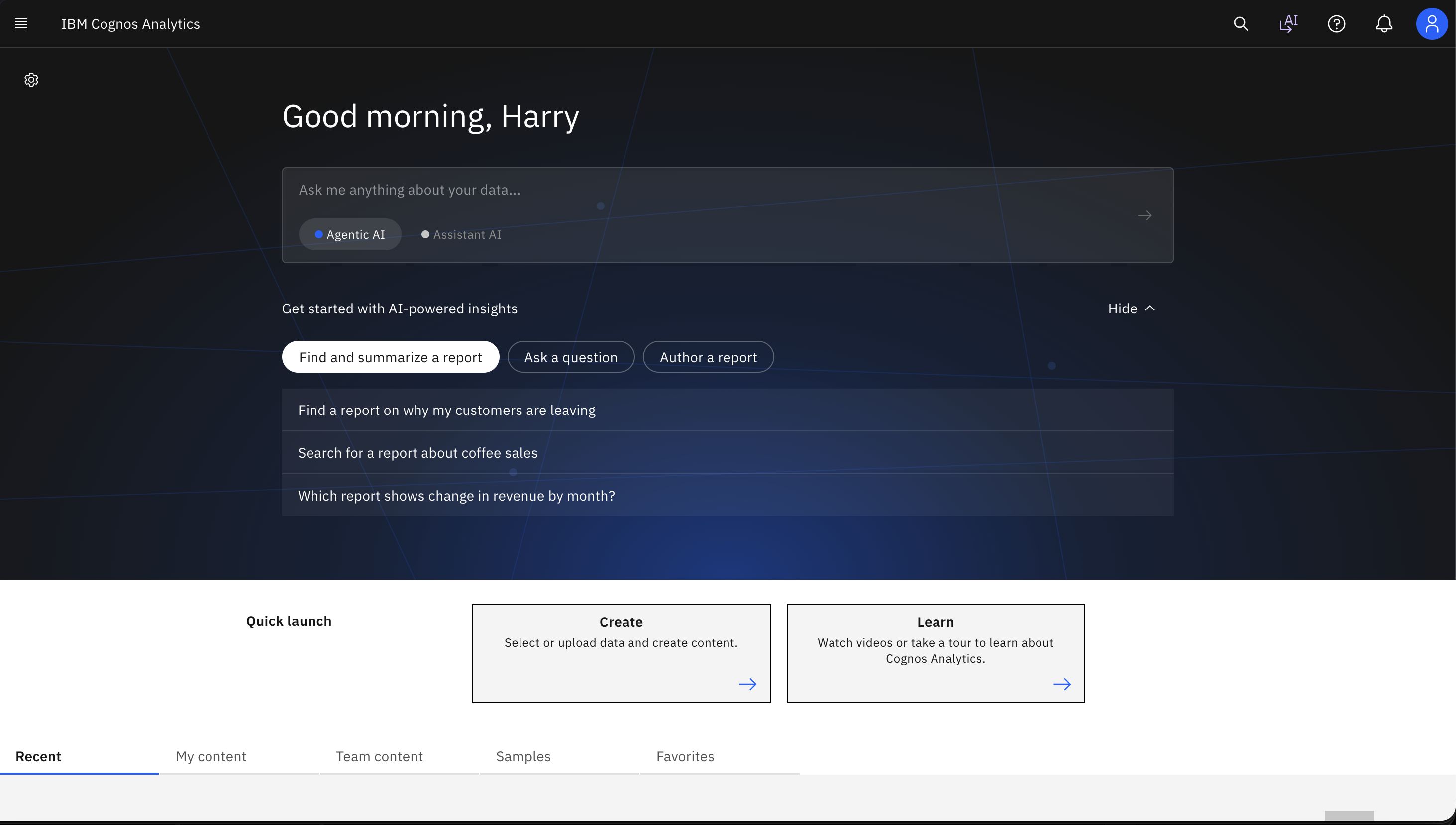
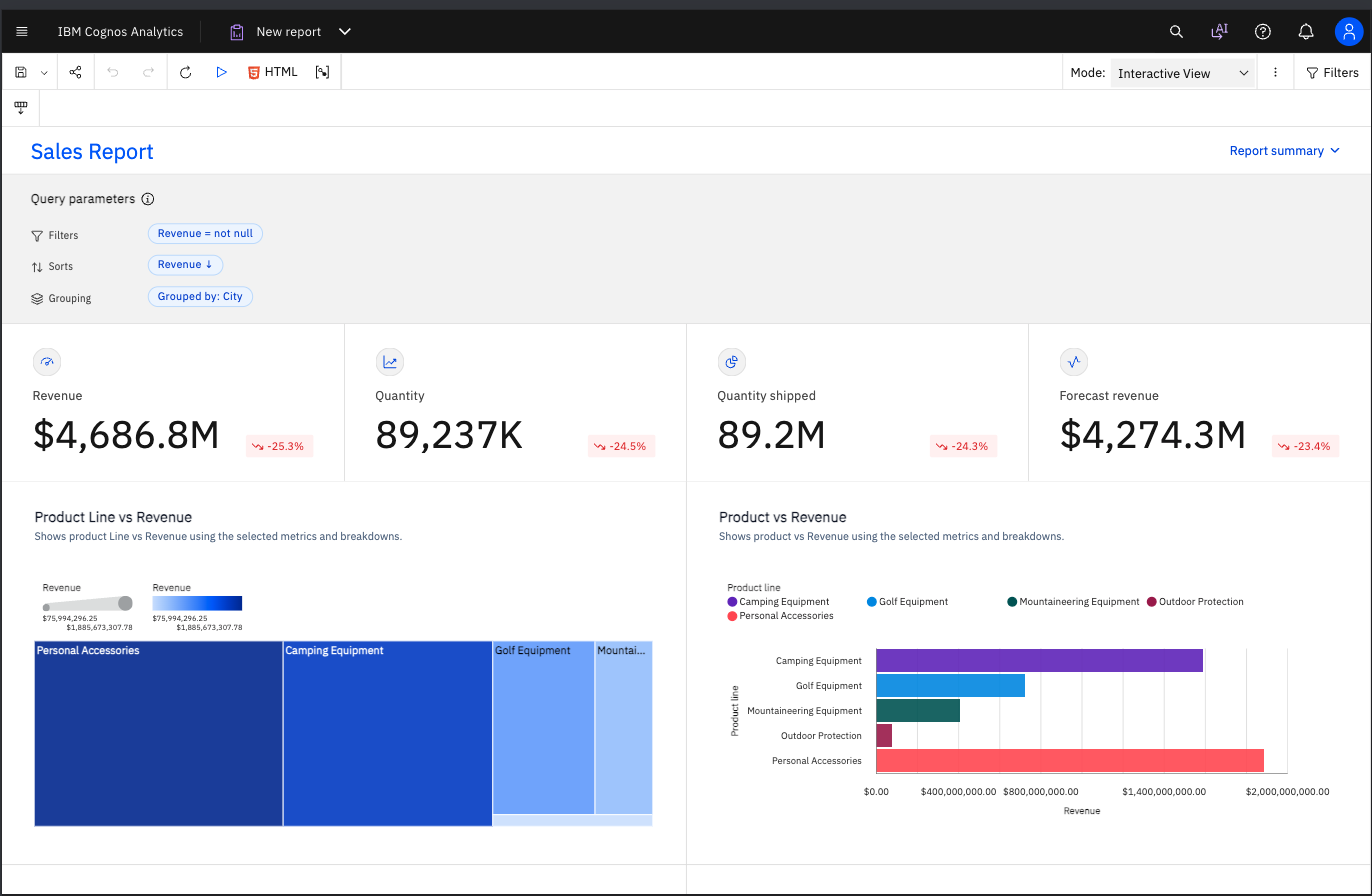
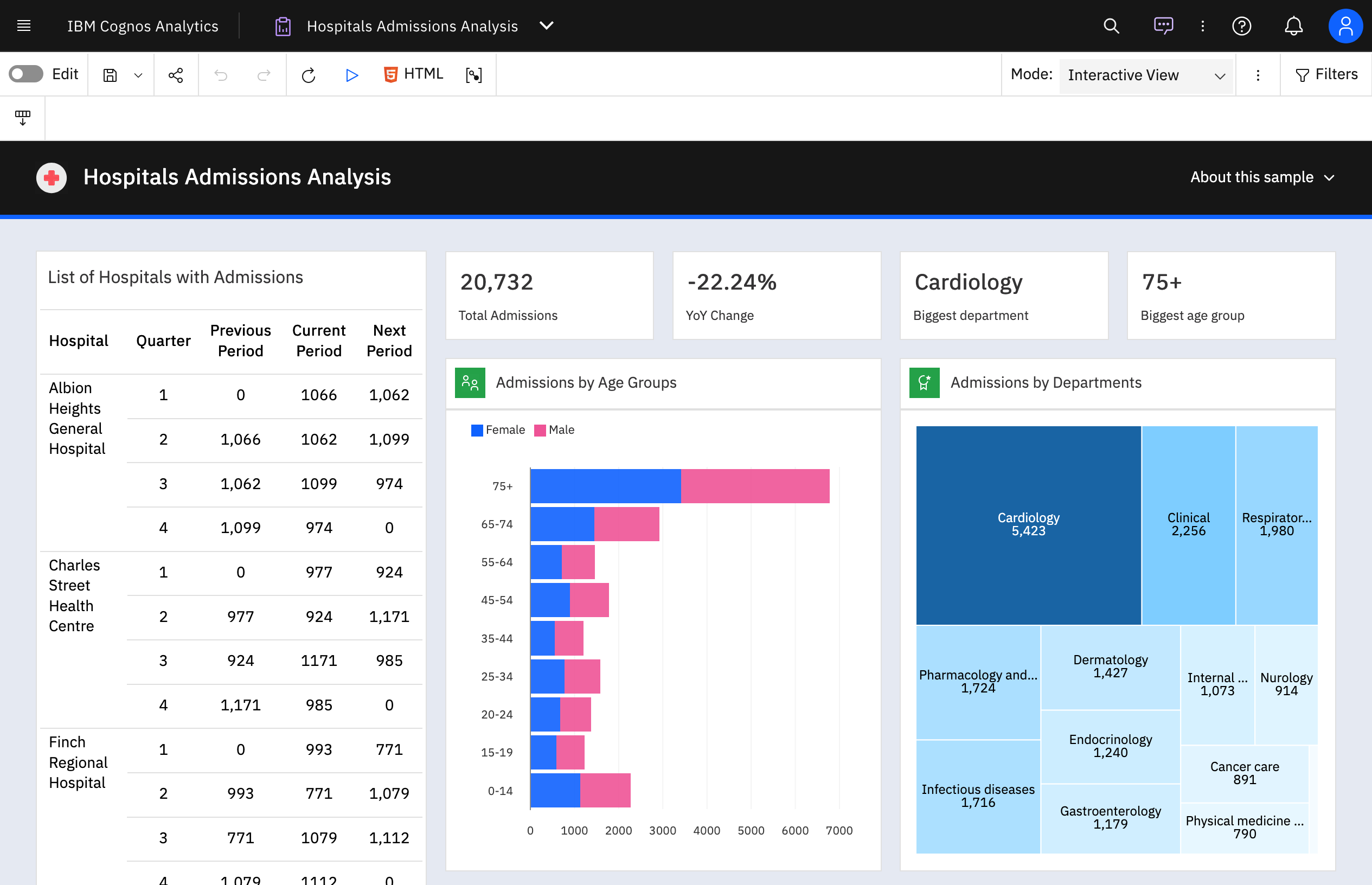
IBM Cognos Analytics Screenshots

Screenshot of Screenshot of Screenshot of Screenshot of Screenshot of Screenshot of

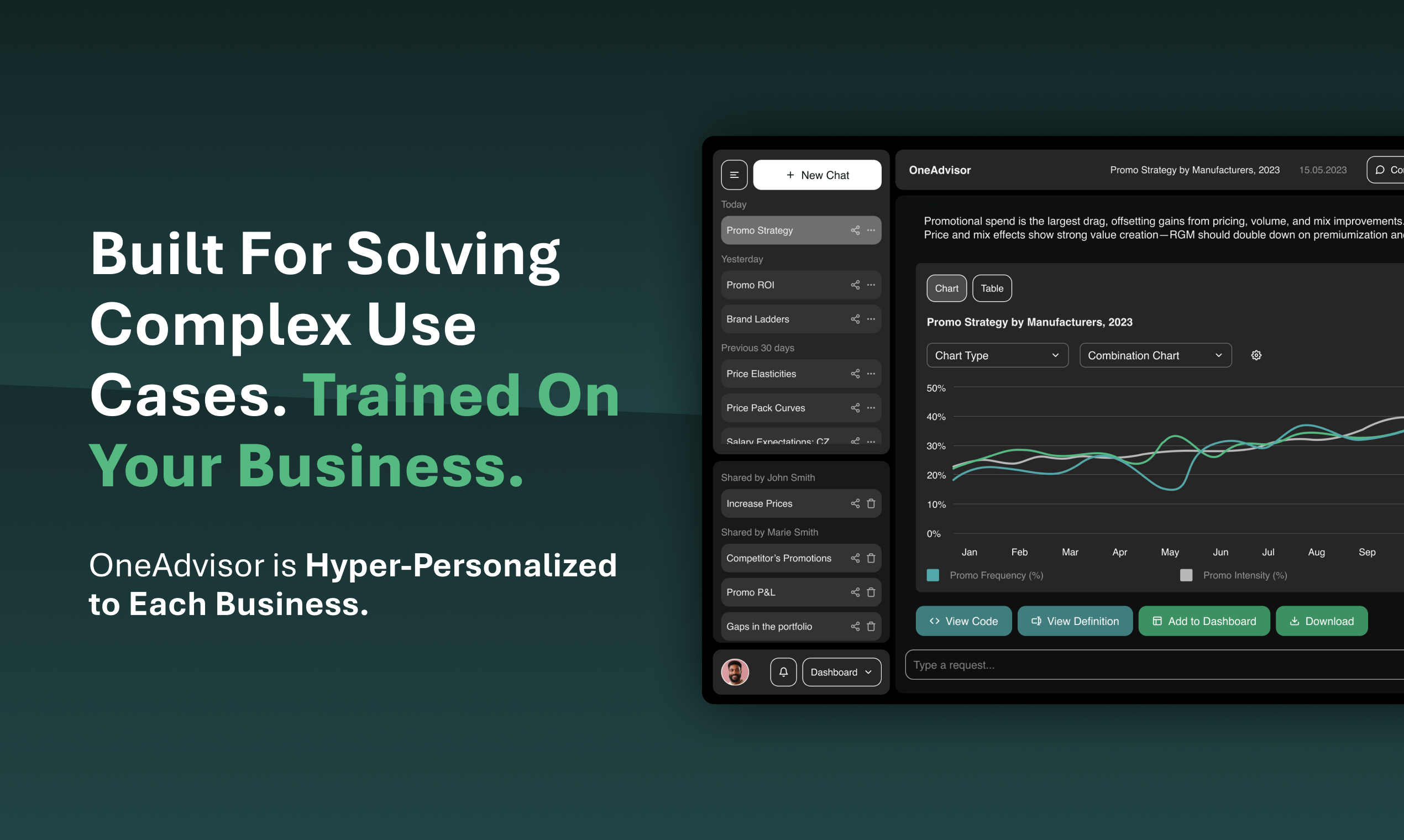
OneAdvisor Screenshots

Screenshot of OneAdvisor is Hyper-Personalized to Each Business.Screenshot of Hyper-Personalized Decision Intelligence Powered By Agentic AI.Screenshot of OneAdvisor delivers clear insights through transparent data science.