IBM Cognos is a full-featured business intelligence suite by IBM, designed for larger deployments. It comprises Query Studio, Reporting Studio, Analysis Studio and Event Studio, and Cognos Administration along with tools for Microsoft Office integration, full-text search, and dashboards.
$11.25
per month per user
SAS Viya
Score 10.0 out of 10
N/A
An end-to-end platform for AI, data science, and analytics, used for modeling, as well as management and deployment of AI models.
In our environment, we used to use a reporting tool called Crystal Reports and we replaced this tool with Cognos. I would recommend this switch for any one who's using a report tool that can be replaced with Cognos. This eliminates any JDBC or ODBC connections and User setups within any databases which was needed so the users can gain access to the report. Cognos makes logging in and fetching any report much easier.
SAS Advance Analytics is well suited for data that is visual. Data where you want to see multiple graphs and models are good for this software. However, if your data is more descriptive this may not be the best program. SAS is well suited for data where you need to make comparisons on the feasibility of two different programs. Data that can be compared is perfect for this software.
Enterprise reporting - Create, customise, and run reports on sales trends, consumer sentiment, etc.
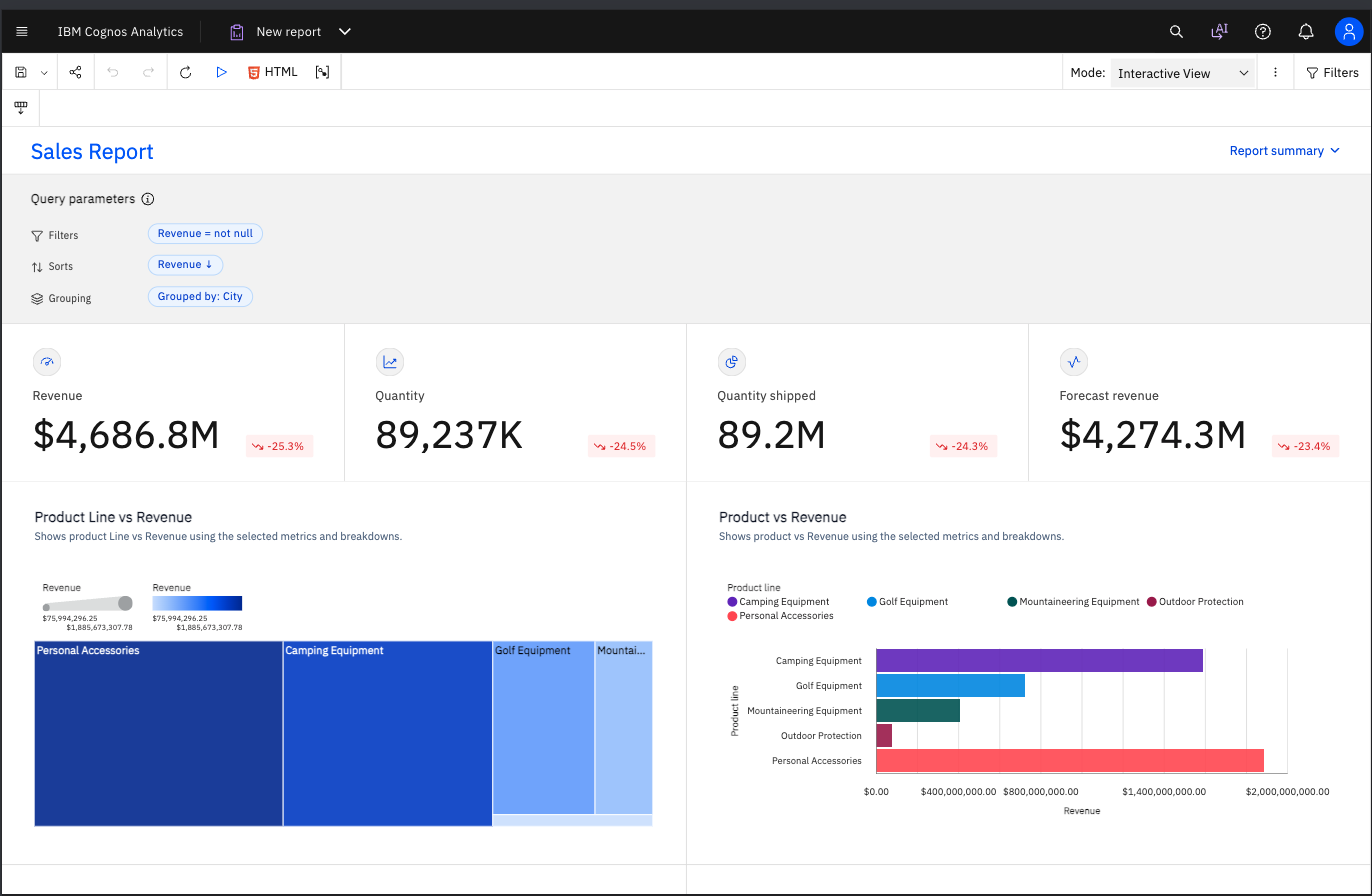
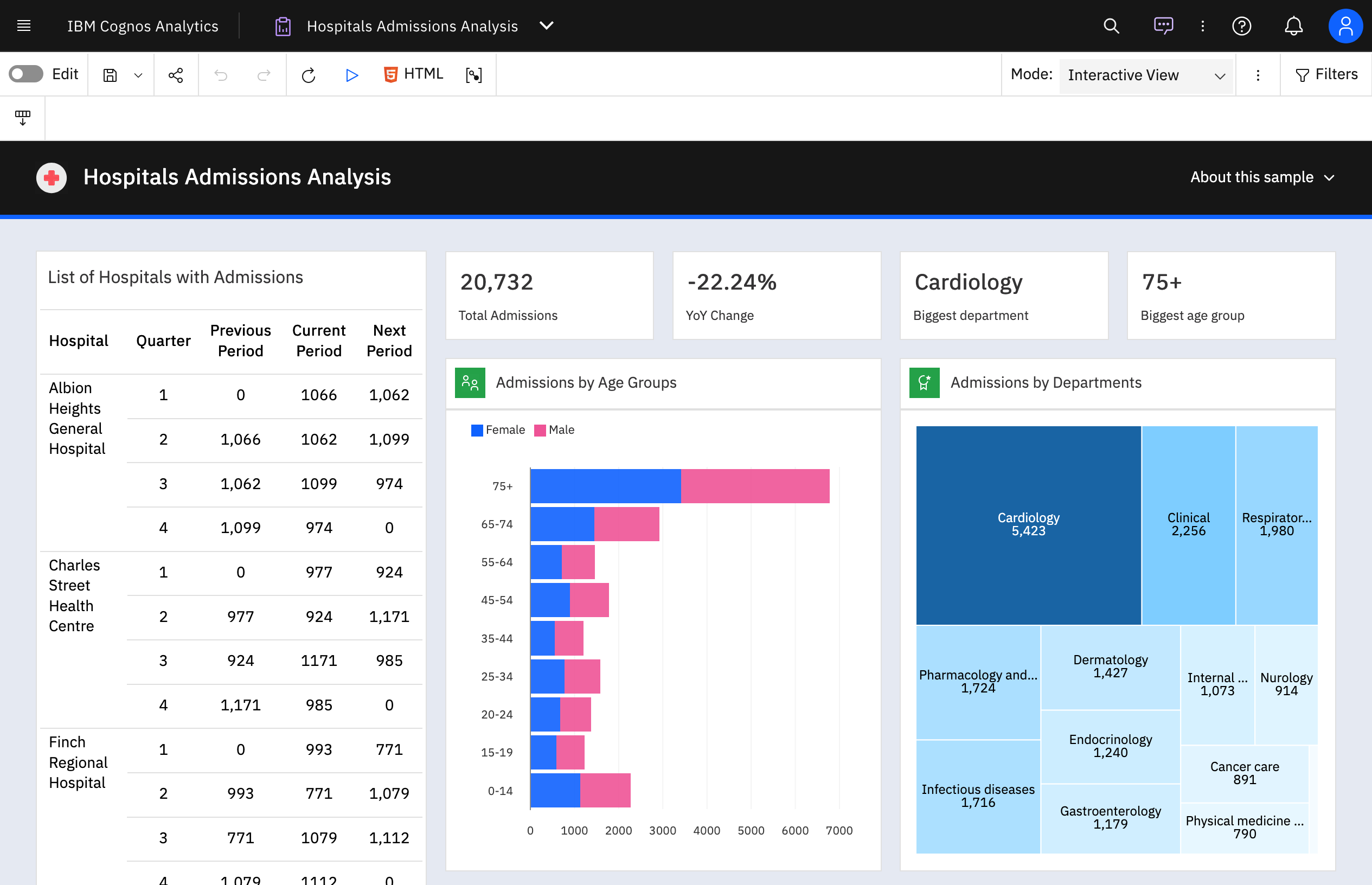
Dashboard creation and data exploration & analysis - Using drag and drop feature to create ad-hoc visualisation. Additionally, using AI powered natural language query feature for data analysis and dashboard input (formation of pie, bar, line charts). It's useful for no-technical person to put queries around the spreadsheet data to get quick answers.
Building insights for accurate decision making - Package reports with data backed insights for stakeholders in pdf, and Excel format to support business ad-hoc cases, forecasting and strategic recommendations on relevant asks.
IBM Cognos Analytics enables customer data segmentation, which is essential for marketing, improving and streamlining purchasing behavior and preferences. This helps companies create more targeted and effective marketing campaigns.
Our clients Through data analysis, we can identify and observe trends in the behavior of other clients, allowing us to anticipate needs and adjust strategies to avoid consequences.
SAS Analytics does not have very good graphic capabilities. Their advanced graphics packages are expensive, and still not very appealing or intuitive to customize.
SAS Analytics is not as up-to-date when it comes to advanced analytical techniques as R or other open-source analytics packages.
For an existing solution, renewing licenses does provide a good return on investment. Additionally, while rolling out scorecards and dashboards with little adhoc capabilities, to end users, cognos is very easily scalable. It also allows to create a solution that has a mix of OLAP and relational data-sources, which is a limitation with other tools. Synchronizing with existing security setup is easy too.
Not only does SAS become easier to use as the user gets more familiar with its capabilities, but the customer service is excellent. Any issues with SAS and their technical team is either contacting the user via email, chat, text, WebEx, or phone. They have power users that have years of experience with SAS there to help with any issue.
We have a strong user base (3500 users) that are highly utilizing this tool. Basic users are able to consume content within the applied security model. We have a set of advanced users that really push the limits of Cognos with Report and Query Studio. These users have created a lot of personal content and stored it in 'My Reports'. Users enjoy this flexibility.
If SAS Enterprise Guide is utilized any beginning user will be able to shorten the learning curve. This is allow the user a plethora of basic capabilities until they can utilize coding to expand their needs in manipulating and presenting data. SAS is also dedicated to expanding this environment so it is ever growing.
Reports can typically be viewed through any browser that can access the server, so the availability is ultimately up to what the company utilizing it is comfortable with allowing, though report development tends to be more picky about browsers and settings as mentioned above. It also has an optional iPad app and general mobile browsing support, but dashboards lack the mobile compatibility. What keeps it from getting a higher score is the desktop tools that are vital to the development process. The compatibility with only Windows when the server has a wide range of compatibility can be a real sore point for a company that outfits its employees exclusively with Mac or Linux machines. Of course, if they are planning on outsourcing the development anyways, it's a rather moot point
SAS probably has the most market saturation out of all of the analytics software worldwide. They are in every industry and they are knowledgable about every industry. They are always available to take questions, solve issues, and discuss a company's needs. A company that buys SAS software has a dedicated representative that is there for all of their needs.
Overall no major complaints but it doesn't handle DMR (Dimensionally Modeled for Relational) very well. DMR modelling is a capability that IBM Cognos Framework Manager provides allowing you to specify dimensional information for relational metadata and allows for OLAP-style queries. However, the capability is not very efficient and, for example, if I'm using only 2 columns on a 20-column model, the software is not smart enough to exclude 18 columns and the query side gets progressively larger and larger until it's effectively unusable.
Although nothing is perfect, SAS is almost there. The software can handle billions of rows of data without a glitch and runs at a quick pace regardless of what the user wants to perform. SAS products are made to handle data so performance is of their utmost important. The software is created to run things as efficiently as SAS software can to maximize performance.
Why is their web application not working as fast as you think it should? They never know, and it is always a a bunch of shots in the dark to find out. Trying to download software from them is like trying to find a book at the library before computers were invented.
SAS is generally known for good support that's one of the main reasons to justify the cost of having SAS licenses within our organization is knowing that customer support is just a quick phone call away. I've usually had good experiences with the SAS customer support team it's one of the ways in which the company stands out in my view.
Onsite training provided by IBM Cognos was effective and as expected. They did not perform training with our data which was a bit difficult for our end-users.
SAS has regional and national conferences that are dedicated to expanding users' knowledge of the software and showing them what changes and additions they are making to the software. There are user groups in most of the major cities that also provide multi-day seminars that focus on specific topics for education. If online training isn't the best way for the user, there is ample in-person training available.
The online courses they offer are thorough and presented in such a way that someone who isn't already familiar with the general design methodologies used in this field will be capable of making a good design. The training environments are provided as a fully self contained virtual machine with everything needed already to create the environments. We've had some persisting issues with the environments becoming unavailable, but support has been responsive when these issues arise and straightening them out for us
There are online videos, live classes, and resource material which makes training very easy to access. However, nothing is circumstantial so applying your training can get tricky if the user is performing complex tasks. When purchasing software, SAS will also allocate education credits so the user(s) can access classes and material online to help expand their knowledge.
Make sure that any custom tables that you have, are built into your metadata packages. You can still access them via SQL queries in Cognos, but it is much easier to have them as a part of the available metadata packages.
Ask as many questions you can before the install to understand the process. Since a third party does the installation your company is sort of a passanger and it is easy to get lost in the process. It also helps to have all users and IT support involved in the install to help increase the knowledge as to how SAS runs and what it needs to perform correctly.
Power BI is stronger for quick ad-hoc analysis and dashboards, but IBM Cognos Analytics is better when consistency, precision, and mass distribution matter. Tableau is best for interactive analysis, while IBM Cognos Analytics is better for standardized, repeatable enterprise reporting. Sigma shines for customizable dashboards and drill-down analysis while IBM Cognos Analytics holds an edge in data discovery and visualization.
SAS was the incumbent tool, and what the team knew. We did look into using Revolution Analytics enterprise version of R, but the learning curve on that caused us to stick with SAS. In my current position, I've opted for WPS over SAS. I can still leverage my SAS experience, but the price is about 15% of what SAS charges, with extra functionality, such as direct database access. I can supplement WPS with free software, such R for anything that it might be missing.
We rate IBM Cognos Analytics a 9 out of 10 for overall scalability. The platform handles large numbers of users, reports, and analytical workloads very reliably. We have experienced strong performance even in demanding enterprise environments with substantial data volumes. Its architecture provides sufficient flexibility to scale resources according to demand, making it well suited for large, business-critical deployments.
It all depends on the type of SAS product the user has. Scaleability differs from product to product, and if the user has SAS Office Analytics the scaleability is quite robust. This software will satisfy the majority of the company's analytic needs for years to come. In addition, if SAS is not meeting the users needs the company can easily find SAS solutions that will.