Insightful vs. Workday Prism Analytics

Overview
ProductRatingMost Used ByProduct SummaryStarting Price
Insightful
Score 8.2 out of 10
Mid-Size Companies (51-1,000 employees)
Insightful is a Work Intelligence platform designed to help organizations analyze how work occurs across personnel, processes, and artificial intelligence (AI) to improve operational Performance, optimize Workflows, and reduce waste.
$8
per month per seat
Workday Prism Analytics
Score 7.1 out of 10
N/A
Workday Prism Analytics is a scalable data hub that enables Finance and HR to securely ingest, blend, and transform high volumes of data from any source—integrated with Workday’s people and financial data. Prism Analytics powers deeper insights across Workday HCM, Financials, and Adaptive Planning, helping teams make smarter decisions without heavy IT reliance. Built on a high-performance Spark engine with machine learning-based resource management, multi-cloud support, and a tables-based…N/A
Pricing
InsightfulWorkday Prism Analytics
Editions & Modules
Workforce Analytics
$8
per month per seat
Automatic Time Mapping Annual
$12
per month per user
Workflow Optimization
$12
per month per seat
Automatic Time Mapping Annual
$12
minimum 250 users
Combo Plan (Analytics + Optimization)
$16
per month per seat
Work Intelligence Bundle
$20 + Extra Service Fee
per month per seat (250 seats minimum)
Enterprise Solutions
Custom
per employee per month
Enterprise (On-Premise)
Custom
250 seats minimum
No answers on this topic
Offerings
Pricing Offerings
InsightfulWorkday Prism Analytics
Free Trial
YesNo
Free/Freemium Version
NoNo
Premium Consulting/Integration Services
NoNo
Entry-level Setup FeeNo setup feeNo setup fee
Additional DetailsEach device an employee uses for work counts as one seat. Additionally, users with Admin, Manager and Client access won’t be charged, unless Insightful is used to track their activities as well. Discount is available for annual and multi-year billing.
More Pricing Information
Community Pulse
InsightfulWorkday Prism Analytics
Considered Both Products
Insightful
Chose Insightful
While evaluating different software we checked different software but Workpuls seems user-friendly and cost-efficient, also the customer support is very active and as compared to other software we found it easy.
Workday Prism Analytics
Chose Workday Prism Analytics
Visier People wasn’t rapid to gather data across ETL services mainly from on-premise data sources. Hence, we shifted to Workday Prism Analytics which is absolutely fast in data collection, preparation, modeling, and visualization.
Chose Workday Prism Analytics
Both are great products. The advantage of SAP Workforce Analytics is that it's widely interoperable between different APIs and databases. Having said that, Workday Prism Analytics scores much better in user-friendliness and the learning curve for the teams to start using it is …
Chose Workday Prism Analytics
The thing about Workday is it has everything. It is not one single dedicated program to one single thing. So, naturally, each service/ability it has could and I'm sure will improve in time to be a bit more specific. This is still pretty impressive for a program that integrates …
Chose Workday Prism Analytics
Price wise Workday Prism Analytics provides Better value for money compared to them considering the wide range of features it offers for both HR and Finance problems. strong integration with Workday parent tool makes it a wholesome package unlike the other two. Data integration …
Chose Workday Prism Analytics
Workday is easier to be integrated than successfactors. Employee can initiate and guide the requestor for any required information to submit and put forth the request. All parties are notified real time through Workday. Another ease of usuage is Workday can be accessed from …
Chose Workday Prism Analytics
We use both within the company. I like Workday more because Workday doesn't crash often. You also don't have to be changing any times that you change your workflow. Workday also has the learning modules while inContact is just for tracking work. They're both used but it seems …
Chose Workday Prism Analytics
[Workday Prism Analytics]'s product support is more preferable when comparing the two. [Workday Prism Analytics]'s data modeling had a more interactive and user-friendly interface. Inexperienced new hires can quickly catch on to the software, even if they’re unfamiliar with the …
Chose Workday Prism Analytics
I have no experience [with] similar analytics platforms though this is the best tool I have worked with. [It has a ] great impact on our organization. The intuitive tools with this platform get most of our company programs [to] run smoothly. It offers challenges that face our …
Features
InsightfulWorkday Prism Analytics
Workforce Analytics
Comparison of Workforce Analytics features of Product A and Product B
Insightful
-
Ratings
Workday Prism Analytics
8.9
Ratings
5% above category average
Data integration00 Ratings8.80 Ratings
Data management00 Ratings9.00 Ratings
Best Alternatives
InsightfulWorkday Prism Analytics
Small Businesses
Rippling
Rippling
Score 8.9 out of 10
Rippling
Rippling
Score 8.9 out of 10
Medium-sized Companies
Predictive Index Behavioral Assessment
Score 9.5 out of 10
Predictive Index Behavioral Assessment
Score 9.5 out of 10
Enterprises
Predictive Index Behavioral Assessment
Score 9.5 out of 10
Predictive Index Behavioral Assessment
Score 9.5 out of 10
All AlternativesView all alternativesView all alternatives
User Ratings
InsightfulWorkday Prism Analytics
Likelihood to Recommend
9.0
(0 ratings)
8.6
(0 ratings)
User Testimonials
InsightfulWorkday Prism Analytics
Likelihood to Recommend
As I already mentioned above, Workpuls helped us a lot while working from home and it helped us to track each and every moment of the employees. While tracking the different websites which employees were using and also helped with the productive and unproductive work done by each candidate as per the login on different websites and software.
Read full review
In my organization, we mainly use Workday Prism Analytics in HR and Finance departments. It not only enables us to make data-centric decisions but also helps reduce the need for data experts since we are able to visualize data on our own through self-service analytics.
Read full review
Pros
  • Analysis of websites.
  • Screenshot of change of window.
  • Evaluation of productive and unproductive work.
Read full review
  • It's web based. No need to install any desktop clients on your machine to use platfora.
  • It's best suited for a big data Hadoop environment. I can rate it as the #1 BI tool for a big data hadoop environment.
  • Platfora follows kind of the same architecture as Hadoop architecture like Master and Slave architecture. It scales with the data volumes.
  • Querying data is very good and very fast. (Platfora Lens)
  • Client presentation wise it's good. You can get different kinds of graphs.
  • Platfora almost supports everything on Big Data technologies including file formats, compression etc.
  • Security is not compromised and it can deal in parallel with any Hadoop distributor security implementations. Just take an example of Knox on Hortonworks, so it will deal with that and cloudera , MapR
  • Its very easily understandable and for the new people who wants to try platfora, learning curve is low
  • You can create your own datasets in platfora. You can store your results as a dataset in platfora and can share across
Read full review
Cons
  • As of now we haven't feel any missing feature for this particular software.
Read full review
  • Data Movement - Data needs to be moved from Hadoop to Platfora to create Platfora Lens and to do analytics.
  • To support Data movement, infrastructure cost is high.
  • To support data movement, network bandwidth consumption is high.
  • No trial versions for companies to evaluate.
Read full review
Alternatives Considered
While evaluating different software we checked different software but Workpuls seems user-friendly and cost-efficient, also the customer support is very active and as compared to other software we found it easy.
Read full review
Both are great products. The advantage of SAP Workforce Analytics is that it's widely interoperable between different APIs and databases. Having said that, Workday Prism Analytics scores much better in user-friendliness and the learning curve for the teams to start using it is very low. If Workday enhances its APIs functionality, it can compete easily with SAP Workforce Analytics.
Read full review
Return on Investment
  • Workpuls helped a lot with the positive way only to get the more productivity from employees while working from home.
Read full review
  • Improved ROI by decreasing the necessary time investment that managers must make to upkeep employee data sectors.
  • Improved ease of access for employees, reducing unnecessary communication between employees and management.
  • Has led to fewer accounting errors overall.
Read full review
ScreenShots

Insightful Screenshots

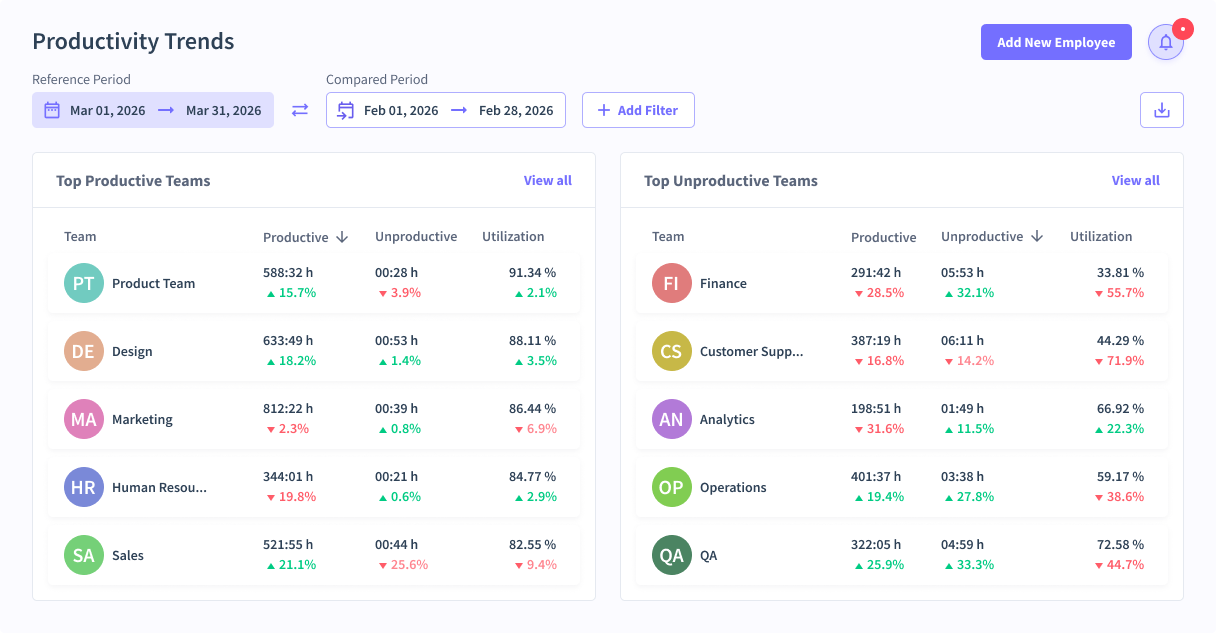
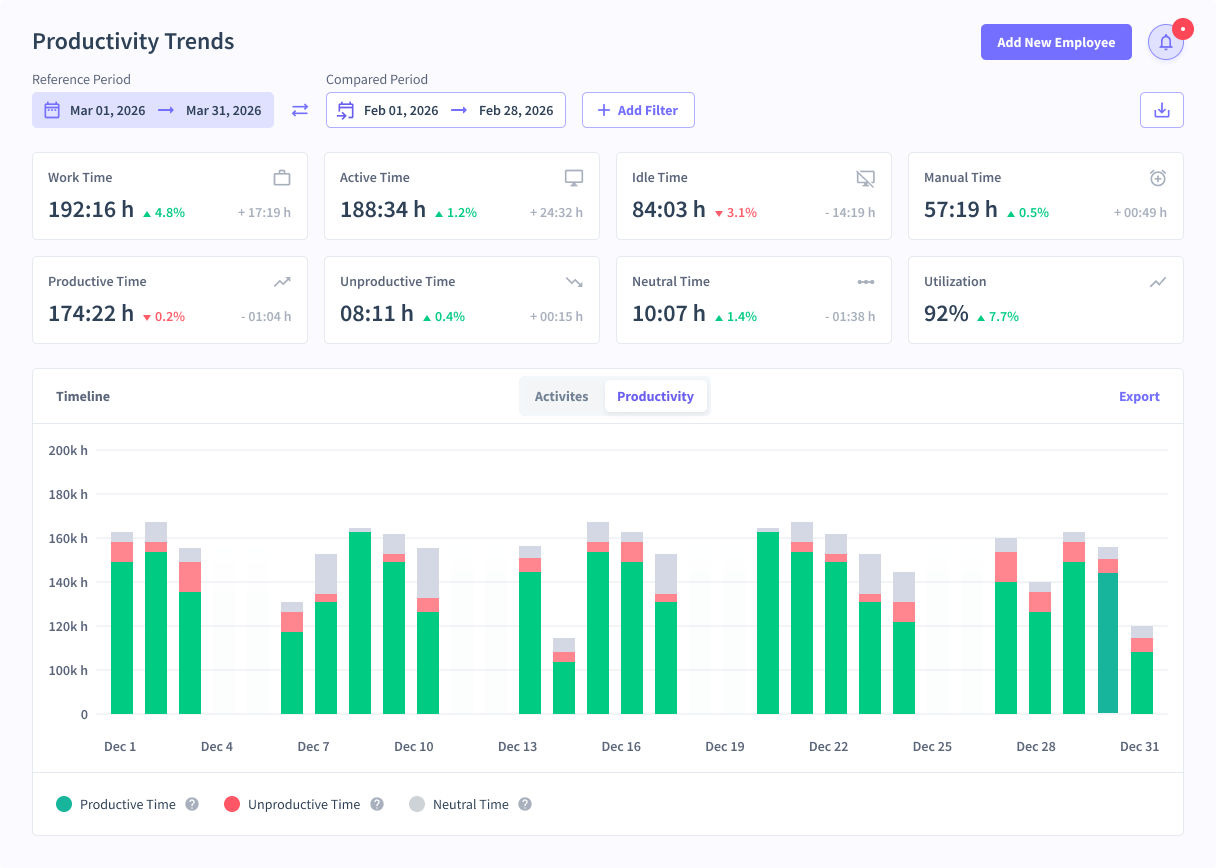
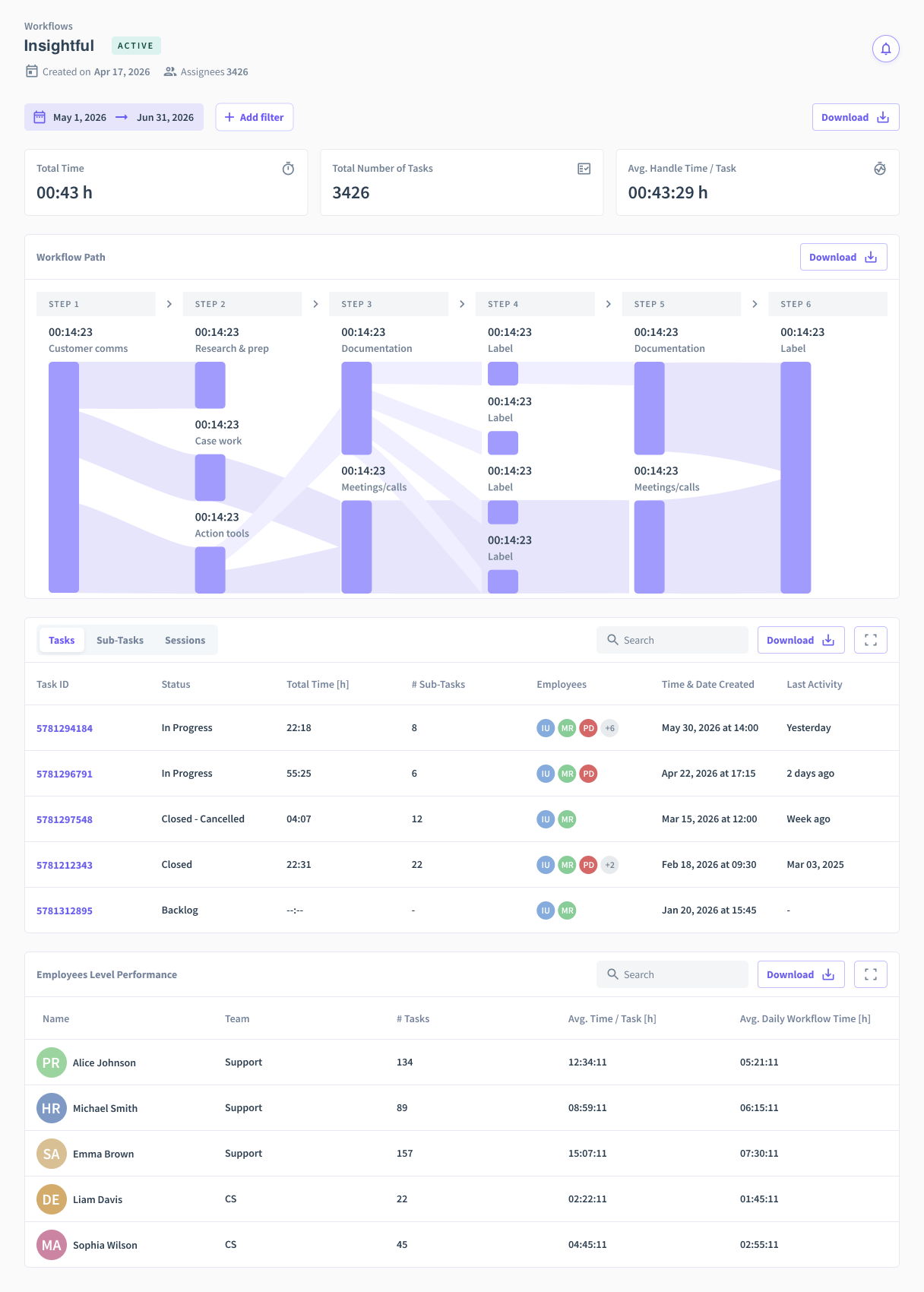
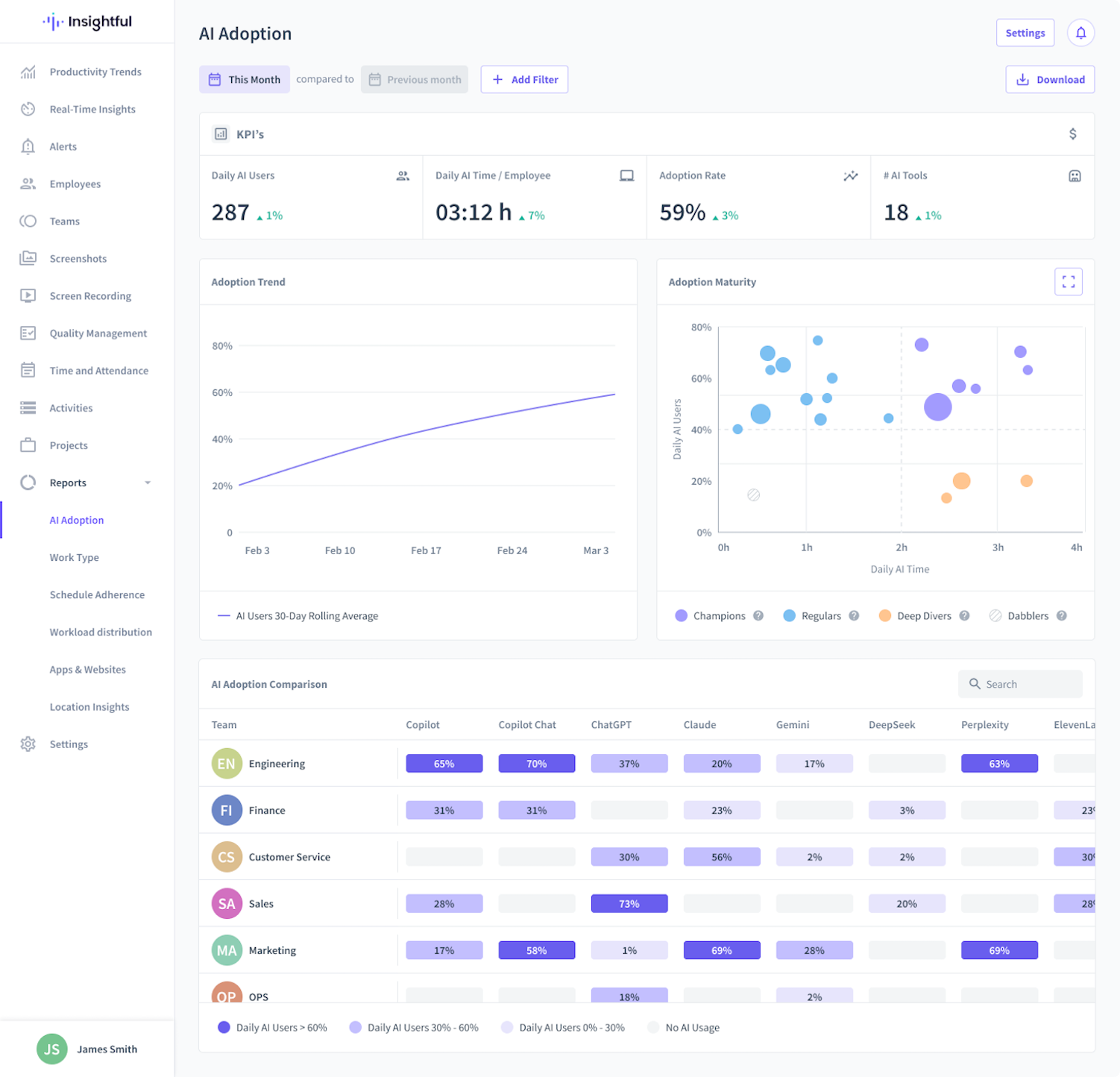
Screenshot of Team Productivity TrendsScreenshot of Productivity TrendsScreenshot of Workflow OptimizationScreenshot of AI Adoption ReportScreenshot of Customizable HomepageScreenshot of Location Insights Report

Workday Prism Analytics Screenshots

Screenshot of Workday Prism Analytics Data LineageScreenshot of Workday Prism Analytics Total Cost of LaborScreenshot of Workday Prism Analytics Sales Performance Analytics