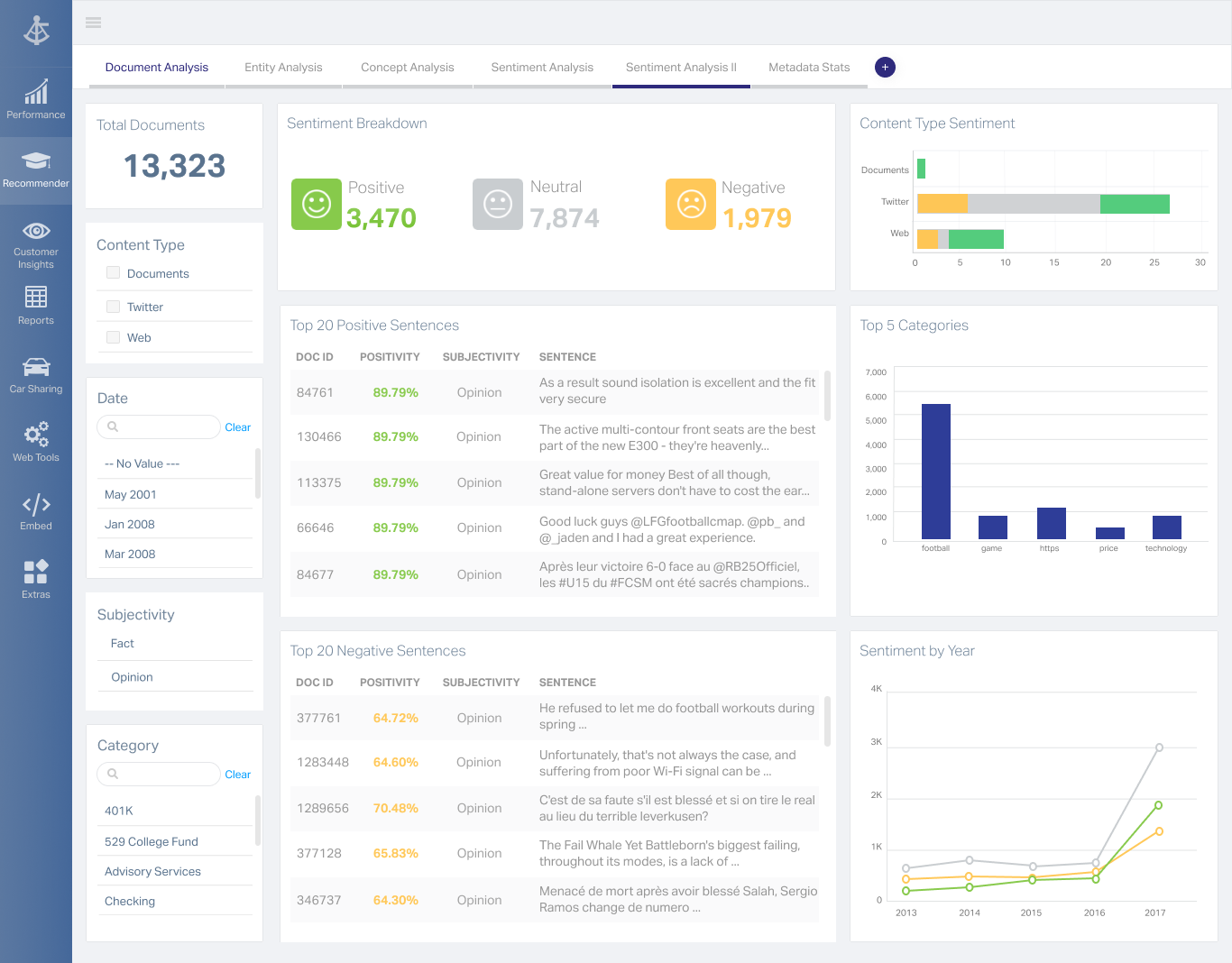
Formerly from Magnitude Software and now from Insightsoftware, Angles is a solution to accelerate the distribution of actionable, operational reports and analytics.
N/A
OpenText Magellan
Score 9.0 out of 10
N/A
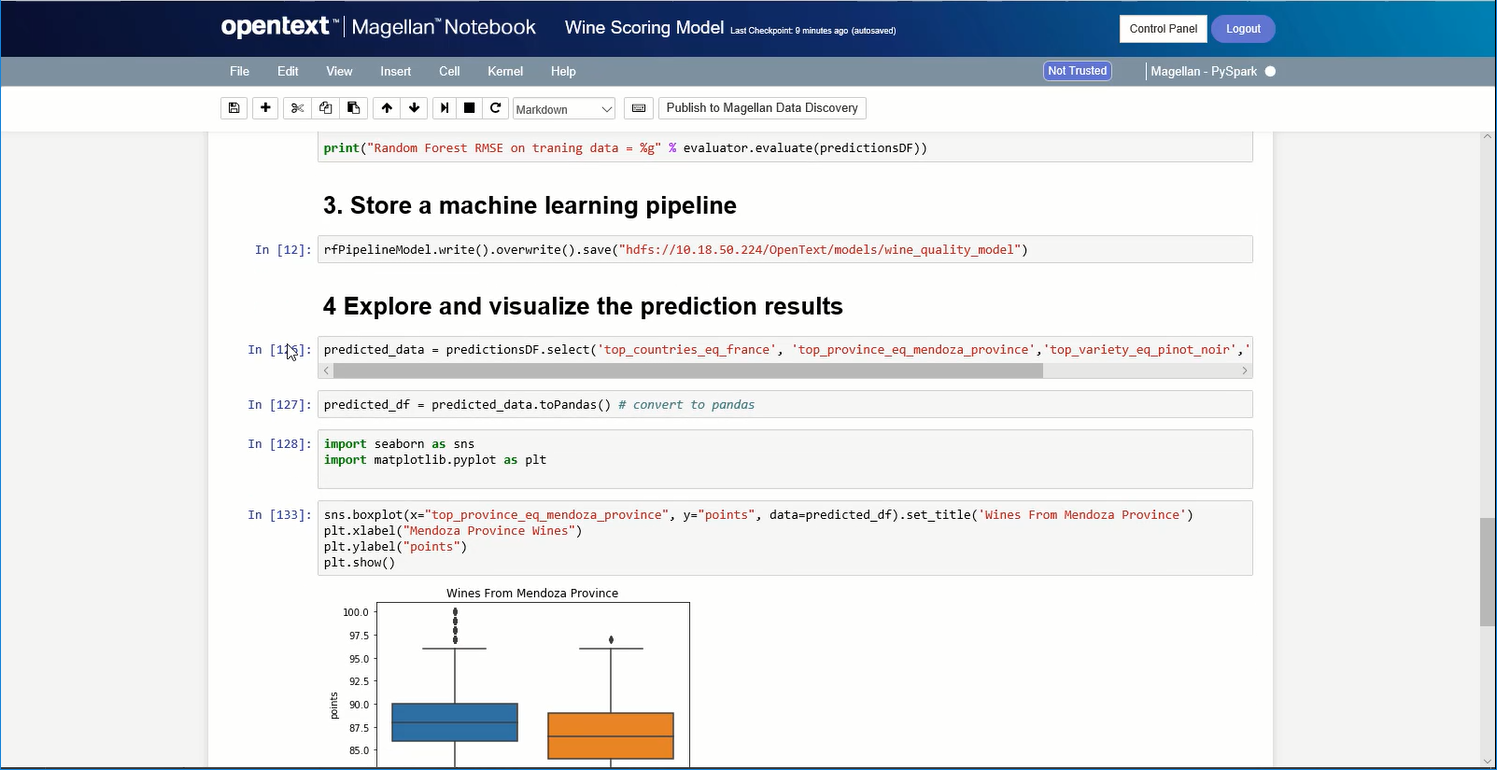
OpenText Magellan Analytics Suite leverages a comprehensive set of data analytics software to identify patterns, relationships and trends through data visualizations and interactive dashboards.
N/A
Pricing
Angles by Insightsoftware
OpenText Magellan
Editions & Modules
No answers on this topic
No answers on this topic
Offerings
Pricing Offerings
Angles by Insightsoftware
OpenText Magellan
Free Trial
No
No
Free/Freemium Version
No
No
Premium Consulting/Integration Services
No
No
Entry-level Setup Fee
No setup fee
No setup fee
Additional Details
Contact vendor for pricing information.
—
More Pricing Information
Community Pulse
Angles by Insightsoftware
OpenText Magellan
Features
Angles by Insightsoftware
OpenText Magellan
BI Standard Reporting
Comparison of BI Standard Reporting features of Product A and Product B
Angles by Insightsoftware
-
Ratings
OpenText Magellan
7.0
2 Ratings
16% below category average
Customizable dashboards
00 Ratings
7.02 Ratings
Report Formatting Templates
00 Ratings
7.01 Ratings
Ad-hoc Reporting
Comparison of Ad-hoc Reporting features of Product A and Product B
Angles by Insightsoftware
-
Ratings
OpenText Magellan
8.3
3 Ratings
3% above category average
Drill-down analysis
00 Ratings
8.03 Ratings
Formatting capabilities
00 Ratings
8.03 Ratings
Integration with R or other statistical packages
00 Ratings
9.01 Ratings
Report sharing and collaboration
00 Ratings
8.02 Ratings
Report Output and Scheduling
Comparison of Report Output and Scheduling features of Product A and Product B
Angles by Insightsoftware
-
Ratings
OpenText Magellan
8.3
2 Ratings
1% above category average
Publish to Web
00 Ratings
8.02 Ratings
Publish to PDF
00 Ratings
8.02 Ratings
Report Versioning
00 Ratings
9.02 Ratings
Report Delivery Scheduling
00 Ratings
8.02 Ratings
Data Discovery and Visualization
Comparison of Data Discovery and Visualization features of Product A and Product B
If you desire to 'empower' employees to create or edit their own reports, Noetix is a great tool, though I am not particularly an 'empowerment' person. In my experience most people have enough work of their own, so to tell them they now have to create their own reports can cause problems. If someone is available, like I am, to create the reports based on user requirements, then the report can be shared with the user and they can make changes as needed. I have several users who use the same report over and over for slightly different applications, and they are happy to make the small alterations, but creating whole new reports can seem like a daunting task. I tell my users I don't want them to become frustrated. If they want to try on their own, fine, but don't waste more than half an hour, and if you start to get frustrated, stop and IM me. Ninety-nine times out of 100 I already have a report that will give them exactly what they need. I've done extensive training, and find it's quite easy for users to pick up
If you do not have a large budget and are a large organization, I would steer clear of Actuate. If you are looking to do very complex washboarding, I would not use them. Your developers have to be very skilled to work with this. Plan to bring in consultants if necessary to help your process. Adhoc reporting is weak. If your pricing is user based and you expand, this could be very expensive.
Noetix makes reporting easy. Users can combine vtables (the Noetix term for its views), add or delete columns, add filters or parameters, sort, add totals to columns, all from an easy to use interface. It comes with a very large number of already written reports for all areas of Oracle reporting, but it also allows for custom vtables to be written, for Oracle or any database, to expand the number of available reports.
Noetix has an Excel add-in that is marvelous. It eliminates the need to run a report in the web application and export to Excel. The add-in can run very large reports, up to a million lines. Once a report is run in Excel, it can be saved, and then refreshed whenever needed. It's a really good tool.
Noetix is flexible. Joins can be added to existing Noetix vtables and also to custom vtables, to give users a large amount of data configurations to choose from. It also allows users to create calculated fields to any report.
Noetix is easy to administer. Users can be added or removed and grouped by the level of permission. Although, in our case, it validates against Oracle, the level of security is dictated by Noetix.
I like the fact that the output is standard, but I would like to be able to move columns around on the output screen, rather than having to go back to the editing screen, move the columns, then rerun the report.
Drag and drop of columns would be nice on the edit screen. Currently if you add a column to a report, it automatically goes to the bottom. Relocation of the column has to be done a line at a time. I would prefer to be able to grab the field I want from those available, and drop it into the report where I want it.
When adding a filter (or parameter), the available fields automatically come up in alphabetical order, but on the columns screen, they don't. They come up in the order they actually are in the query. That means, when creating custom vtables, to have the fields in alphabetical order, one must put them that way. It would be nice if Noetix put the fields in alphabetical order for the user.
I am no longer working for the company that was using Actuate but I believe they would continue to use it because the stitching costs would be to high. It would require a complete rewrite of the reports and the never version of Actuate (BIRT) even required an almost complete report rewrite
It is quite intuitive to use. It is fit specifically for doing sentiment, emotion, and intention analysis as well as text classification and text summarization. I would have given 10 if it is fit for the purpose of doing image processing and analysis as well. There is a huge market to analyze video and image data.
I believe Noetix is much easier to use than either Crystal Reports or InfoMaker. When I worked with InfoMaker I used to say it took 5 minutes to get the data and 5 hours (and sometimes days) to make it look good. The same can be true for Crystal Reports. Noetix has a standard format, and most people export to Excel anyway. Who prints reports? So formatting is not all that important.
It is vastly superior to these in many ways, for complex reporting it is a much more sophisticated solution. Visualizations are very good. Javascript extensibility is very powerful, others don't support this or as well. Pentaho and MS are both OLAP oriented. Pentaho is moving more toward big data, which was not our primary focus. Others are stuck in the Crystal Reports Band metaphor.
Actuate can handle 50 to 60 sub reports inside a report very well.
Dynamically creating the datasource, chart, graph, reports are the main advantages. We can do any level of drilling, and can create a performance matrix dashboard efficiently.