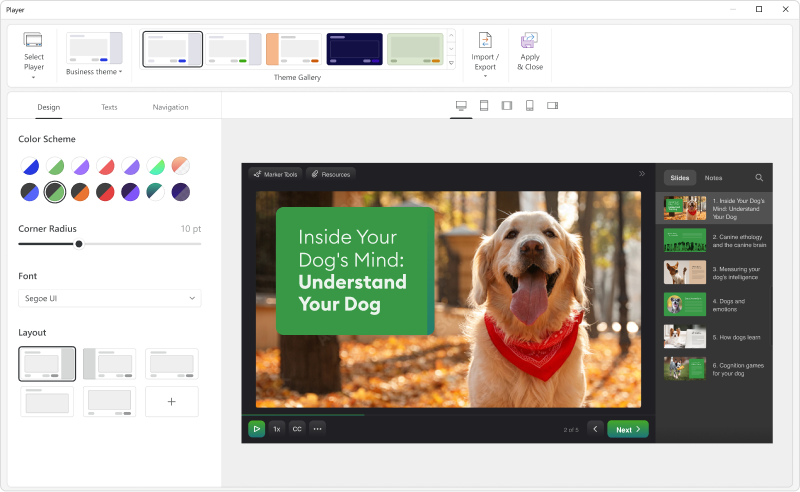
iSpring Suite is an authoring tool with AI-assisted features for creating slide-based online courses, quizzes, and video lessons in Microsoft PowerPoint. Instructional designers, corporate L&D and HR teams, educators, and independent course developers can build training content without relying on multiple specialized tools. iSpring Suite enables users to: Generate a course from a topic. Users can describe what to teach or upload subject…
$970
per year per user
Maestro
Score 8.7 out of 10
N/A
Maestro is an employee performance and talent mangement software solution offered by Madison.
N/A
Pricing
iSpring Suite
Maestro
Editions & Modules
No answers on this topic
No answers on this topic
Offerings
Pricing Offerings
iSpring Suite
Maestro
Free Trial
Yes
No
Free/Freemium Version
Yes
No
Premium Consulting/Integration Services
No
No
Entry-level Setup Fee
No setup fee
No setup fee
Additional Details
Academic, non-profit, government and volume discounts are available.
iSpring Suite gives me a platform to easily create training courses for any number of subjects, custom-designed to fit my workplace. I can include quizzes that allow me to track both the completion rate of the course and the success rate of the training. Its user-friendliness stands out and makes my role as Training Director much easier on a day-to-day basis.
Maestro is well suited for demand planning scenarios if you need to adjust your plan based on historical data. With the Demand Override option, the plan can be easily derived to the least granular level of the hierarchy. There are ML features to handle the outliers in our plan. This is less appropriate if you want to migrate more custom and complex logic from SAP APO.
Customer Support - I appreciate that I always get a quick response, if not immediate with easy to follow solutions to my concerns/issues. Their customer support team is always positive, friendly and helpful!
Easy to Learn and Understand - I am not great with technology but I find Maestro easy to learn, use and navigate. It is very user friendly.
Ability to Easily Update Charges - I appreciate the ease of access to Member and guest billing and folios and how easy it is for me to post, remove or reverse charges as need be.
One Interface - I appreciate being able to track member information and reservations in one area! What a great tool.
Add details on what the customized play includes when the mouse hovers over the icon. It took a bit of time to realize that this was where we could select different layouts.
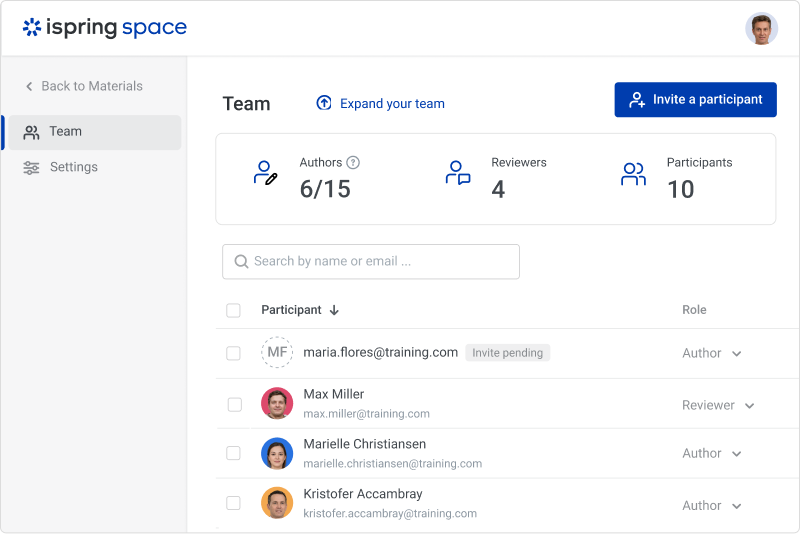
iSpring Suite is a perfect tool overall to create contents in collaboration with colleagues. There are some difficulties though in usability but the usability is OK in total. We are fully satisfied with the customer support. There are simple online tutorials and a team of competent support colleagues. The support content is sometimes not simply accessible, you need to search for them longer.
AI guidance can be used to identify the outliers with minimal time. The system will provide the high-priority exceptions with clear context and suggested actions. If we modify the forecast, it will immediately recalculate the capacity, component availability, and margin impacts. Demand Preview and Supply Network planning can provide KPIs like Total Demand and Total Supply forecast. These KPIs can be used to check the performance of the production plants.
Great software is only exceeded by their fantastic support. Prompt responses, complete with clearly outlined steps to follow, are just the beginning. There are tremendous resources and continual webinars to challenge what we think we know about the iSpring Suite. I often use PowerPoint to lay out marketing slides, add music and narration, then publish them as an MP4 video. I can count on iSpring support to assist me when I need help.
I love Maestro support! They are always available or get back to you quickly. The employees that work at Maestro must get treated well because they are always positive and patient on the phone with me. And, even though I am not great with technology they always help me find a solution.
Ultimately, I selected iSpring Suite because of the ease of use and small learning curve. I needed to be able to start creating content immediately, and after doing trial periods with iSpring as well as some of the other options, it was clear that I could be up and running the quickest with iSpring. I don't see any features that are missing for what I need, and it was also the cheapest option.
I have experience with SAP IBP in my previous organization. Compared to IBP, Maestro uses the concurrent planning engine. The Performance of Maestro is better. SAP IBP is mainly built for the SAP Environment. Maestro can be used with different ERP systems as well. We were having some non-APO market planning. Maestro can be used to address this scenario as well.
It has enhance my reputation personally within the organization. This has led to other departments requesting me by name to head up eLearning development projects, even delaying their own deadlines to ensure that I am involved.
Other than a few duds (I let some inexperienced vocal talent slip thru in the heat of multiple conflicting deadlines), learner feedback has skyrocketed over that developed before I became involved and standardized the effort on iSpring