iSpring Suite vs. Microsoft Hands-on Labs

Overview
ProductRatingMost Used ByProduct SummaryStarting Price
iSpring Suite
Score 8.7 out of 10
N/A
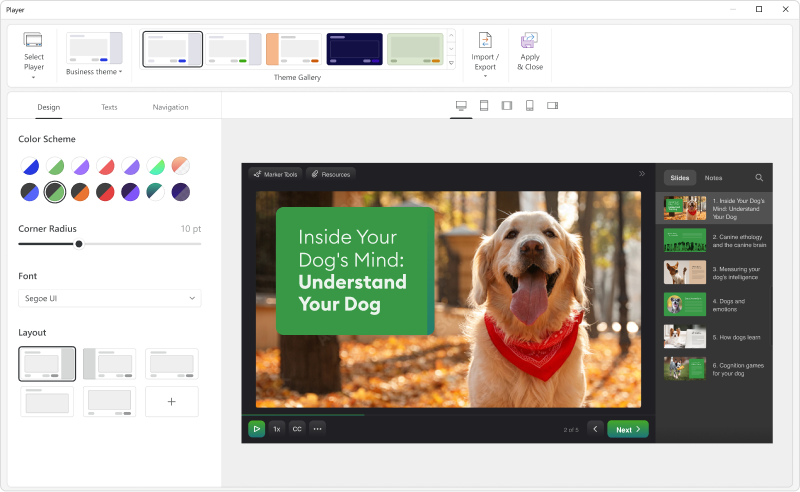
iSpring Suite helps users build courses that are mobile-ready and adaptive. It’s integrated with PowerPoint, so users can create the content in the familiar PPT interface without spending time on specific training. The toolkit supports the creation of professional courses, video lectures, role-play simulations, and a range of assessments that display and work on any device. With the iSpring Suite AI package, users have even more capabilities for creating eLearning content. It comes with…
$970
per year per user
Microsoft Hands-on Labs
Score 6.8 out of 10
N/A
Microsoft Hands-on Labs is a suite of elearning content which also features a virtual learning or training lab for cloud apps and services, instructor led training, and Microsoft Learn coding workshop.N/A
Pricing
iSpring SuiteMicrosoft Hands-on Labs
Editions & Modules
No answers on this topic
Offerings
Pricing Offerings
iSpring SuiteMicrosoft Hands-on Labs
Free Trial
YesNo
Free/Freemium Version
YesNo
Premium Consulting/Integration Services
NoNo
Entry-level Setup FeeNo setup feeNo setup fee
Additional DetailsAcademic, non-profit, government and volume discounts are available.
More Pricing Information
Community Pulse
iSpring SuiteMicrosoft Hands-on Labs
Best Alternatives
iSpring SuiteMicrosoft Hands-on Labs
Small Businesses
iSpring LMS
iSpring LMS
Score 9.5 out of 10
iSpring LMS
iSpring LMS
Score 9.5 out of 10
Medium-sized Companies
iSpring LMS
iSpring LMS
Score 9.5 out of 10
Infosec Skills
Infosec Skills
Score 9.9 out of 10
Enterprises
Articulate 360
Articulate 360
Score 9.3 out of 10
Infosec Skills
Infosec Skills
Score 9.9 out of 10
All AlternativesView all alternativesView all alternatives
User Ratings
iSpring SuiteMicrosoft Hands-on Labs
Likelihood to Recommend
9.1
(122 ratings)
6.0
(2 ratings)
Likelihood to Renew
9.1
(3 ratings)
-
(0 ratings)
Usability
8.2
(64 ratings)
-
(0 ratings)
Support Rating
10.0
(17 ratings)
-
(0 ratings)
Implementation Rating
9.1
(1 ratings)
-
(0 ratings)
User Testimonials
iSpring SuiteMicrosoft Hands-on Labs
Likelihood to Recommend
iSpring Solutions Inc
iSpring Suite gives me a platform to easily create training courses for any number of subjects, custom-designed to fit my workplace. I can include quizzes that allow me to track both the completion rate of the course and the success rate of the training. Its user-friendliness stands out and makes my role as Training Director much easier on a day-to-day basis.
Read full review
Microsoft
The Microsoft Hands-on Labs were great for training when working alongside an instructor. They would show things on their screen, and I would work alongside with a real environment. Being able to actually use the environment and interact with it was more preferable than just a straight lecture. It allowed me hands-on practice.
Read full review
Pros
iSpring Solutions Inc
  • Great range of images to use to show real people in the slides across the slideset because of the number of different actions they are doing
  • Support is easy to access and always helpful with easy to understand advice as well as links to further knowledge
  • Recording narration and editing within the iSpring Suite presentation makes it easy to use this function as a novice.
Read full review
Microsoft
  • The platform was simple
  • It did what it needed to do
Read full review
Cons
iSpring Solutions Inc
  • More facial expressions of the characters.
  • Update independent of my prompting/box checking.
  • Add details on what the customized play includes when the mouse hovers over the icon. It took a bit of time to realize that this was where we could select different layouts.
Read full review
Microsoft
  • Copying and pasting can be clunky
  • Sometimes the instructions are not accurate
  • For some Microsoft tools, it requires you to create a temporary account, which takes some time and is time-consuming
  • Have to remember to save or you will lose your environment
  • May not be the most user-friendly to initially start
Read full review
Likelihood to Renew
iSpring Solutions Inc
I would give it 10 but I also like to try new solutions.
Read full review
Microsoft
No answers on this topic
Usability
iSpring Solutions Inc
iSpring Suite is a perfect tool overall to create contents in collaboration with colleagues. There are some difficulties though in usability but the usability is OK in total. We are fully satisfied with the customer support. There are simple online tutorials and a team of competent support colleagues. The support content is sometimes not simply accessible, you need to search for them longer.
Read full review
Microsoft
No answers on this topic
Support Rating
iSpring Solutions Inc
Great software is only exceeded by their fantastic support. Prompt responses, complete with clearly outlined steps to follow, are just the beginning. There are tremendous resources and continual webinars to challenge what we think we know about the iSpring Suite. I often use PowerPoint to lay out marketing slides, add music and narration, then publish them as an MP4 video. I can count on iSpring support to assist me when I need help.
Read full review
Microsoft
No answers on this topic
Alternatives Considered
iSpring Solutions Inc
Ultimately, I selected iSpring Suite because of the ease of use and small learning curve. I needed to be able to start creating content immediately, and after doing trial periods with iSpring as well as some of the other options, it was clear that I could be up and running the quickest with iSpring. I don't see any features that are missing for what I need, and it was also the cheapest option.
Read full review
Microsoft
I think Udemy is really superior as a platform, people create super high quality courses that get employees up to speed in days. The platform has a web and mobile app and has taking notes functionality that can be exported
Read full review
Return on Investment
iSpring Solutions Inc
  • The ROI on this product has been great
  • It has enhance my reputation personally within the organization. This has led to other departments requesting me by name to head up eLearning development projects, even delaying their own deadlines to ensure that I am involved.
  • Other than a few duds (I let some inexperienced vocal talent slip thru in the heat of multiple conflicting deadlines), learner feedback has skyrocketed over that developed before I became involved and standardized the effort on iSpring
Read full review
Microsoft
  • I think it has a positive impact in having a platform to train employees
  • I don't think the cost might be worth it given that the content is super dry
Read full review
ScreenShots

iSpring Suite Screenshots

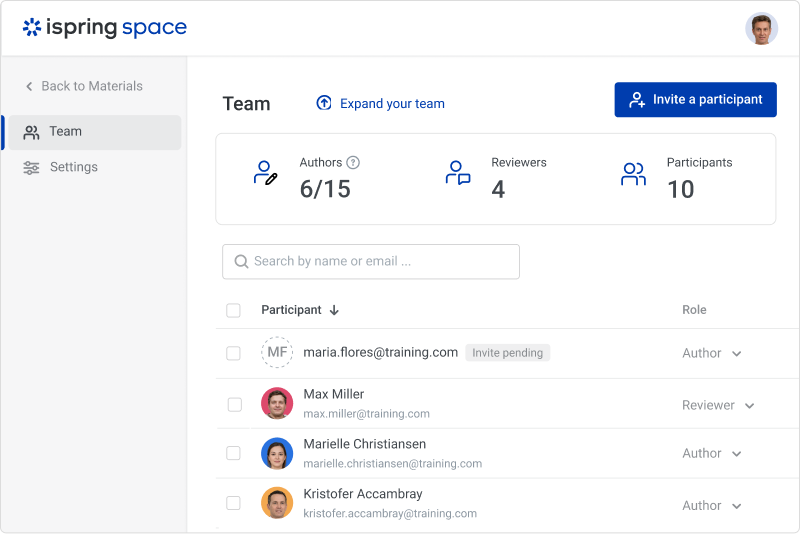
Screenshot of Screenshot of Screenshot of Screenshot of Screenshot of the online collaboration toolScreenshot of video lessons and screencasts