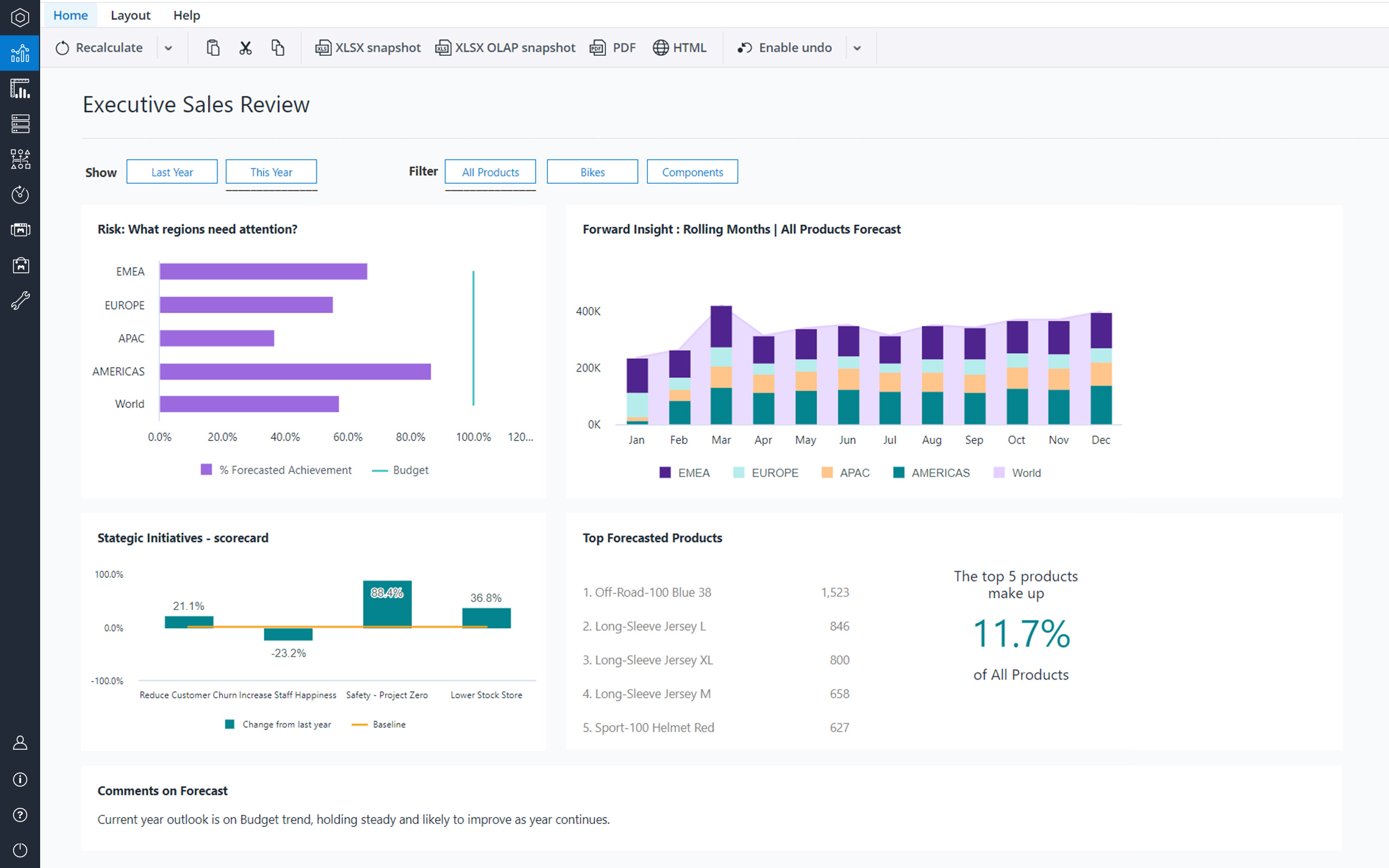
Jedox is a Business Intelligence and Corporate Performance Management solution. According to the vendor, their solution’s unified planning, analysis and reporting empowers decision makers from finance, sales, purchasing and marketing. Additionally, the vendor says this solution helps business users work smarter, streamline business collaboration, and make insight-based decisions with confidence. The vendor also says 1,900 organizations in 127 countries are using Jedox for real-time planning…
N/A
Power BI For Office 365 (discontinued)
Score 8.5 out of 10
N/A
Power BI for Office 365 allowed users to model and analyze data, and query large datasets with complex natural language queries. It has been discontinued in favor of other editions of Power BI going forward.
N/A
Pricing
Jedox
Power BI For Office 365 (discontinued)
Editions & Modules
No answers on this topic
No answers on this topic
Offerings
Pricing Offerings
Jedox
Power BI For Office 365 (discontinued)
Free Trial
Yes
No
Free/Freemium Version
Yes
No
Premium Consulting/Integration Services
Yes
No
Entry-level Setup Fee
No setup fee
No setup fee
Additional Details
—
—
More Pricing Information
Community Pulse
Jedox
Power BI For Office 365 (discontinued)
Features
Jedox
Power BI For Office 365 (discontinued)
BI Standard Reporting
Comparison of BI Standard Reporting features of Product A and Product B
Jedox
9.1
4 Ratings
18% above category average
Power BI For Office 365 (discontinued)
9.0
11 Ratings
10% above category average
Pixel Perfect reports
9.14 Ratings
9.010 Ratings
Customizable dashboards
9.14 Ratings
8.011 Ratings
Report Formatting Templates
9.14 Ratings
10.08 Ratings
Ad-hoc Reporting
Comparison of Ad-hoc Reporting features of Product A and Product B
Jedox
8.3
3 Ratings
3% above category average
Power BI For Office 365 (discontinued)
9.5
11 Ratings
17% above category average
Drill-down analysis
8.23 Ratings
9.011 Ratings
Formatting capabilities
8.23 Ratings
9.011 Ratings
Integration with R or other statistical packages
8.53 Ratings
10.06 Ratings
Report sharing and collaboration
8.53 Ratings
10.011 Ratings
Report Output and Scheduling
Comparison of Report Output and Scheduling features of Product A and Product B
Jedox
7.9
3 Ratings
3% below category average
Power BI For Office 365 (discontinued)
9.5
11 Ratings
15% above category average
Publish to Web
8.53 Ratings
10.011 Ratings
Publish to PDF
7.93 Ratings
10.010 Ratings
Report Versioning
7.03 Ratings
9.06 Ratings
Report Delivery Scheduling
8.23 Ratings
9.64 Ratings
Delivery to Remote Servers
00 Ratings
8.73 Ratings
Data Discovery and Visualization
Comparison of Data Discovery and Visualization features of Product A and Product B
Best suited for financial consolidation and / or as a highly customized and compact EPM / BI solution (up to 100 CCU) with individual workflows, planning and reporting functionalities, with moderate number of users (no restrictions for any industry, all industries are covered well). It also has advanced reporting & data analysis requirements and provides an integration and reporting layer of imported data from different external systems (via ETL). It can help with migrating your legacy Excel-based business models to the Web. It is not well suited for Enterprise BI applications with expecting >500 CCU (users at the same time working with the system) - this may cause serious performance issues, as all data is kept in RAM. Jedox is also less suited for applications with heavy document management requirements (document management is not an out of the box functionality in Jedox and rather requires custom development through custom widgets etc.).
If you're already using Office 365, Power BI for O365 is an easy choice. Start playing around with the free version and then easily add individual Pro licenses with little risk. However, if you anticipate using this with many users, it can get expensive quickly.
Easy to make visual dashboards from SQL queries. Previously we had to use a third party application that had to run on a web server that was so complex to setup and run. PowerBI removes all that.
Ability to control who/which group has access to each dashboard or report. Ties in well with the rest of the Office 365 ecosystem.
Has many connectors to allow pulling data from various systems, both onsite (via gateway) or external (via APIs), and join the data to create a report/dashboard.
Ability to show data but also export the data, if permitted.
Easy to show PowerBI dashboards on SharePoint or on other websites via embedded code.
Diversity. Jedox can be applied to many different use cases from small to large deployments and from budgeting to enterprise class BI solutions. But rarely is one tool able to fulfill all of these requirements in one organisation. This value proposition can be complicated for prospective users.
Awareness. Jedox punches above its weight in capability and scalability, but not enough people have heard about it and therefore procurement processes can be drawn out as a result.
Licensing: Currently, Microsoft has a fixed pricing model for Office 365 users, regardless of role/function of the user. Most organizations have a small number of "power users" that create usable content and many more "consumers" that simply view/run reports created by power users. Microsoft does not differentiate between these users, and thus the pricing limits organizations from large deployments of the software.
Version incompatibility: Excel 2010 and 2013 workbooks are compatible with each other. However, workbooks created in 2010 that include PowerPivot databases must be upgraded to 2013 format to run in 2013. Subsequently, you cannot open these upgraded PowerPivot workbooks in 2010. This requires ALL users to be on the same version.
Visualization: Excel charting with PowerPivot workbooks is adequate for many users. Power View also contains a number of GREAT visualizations, including animated bubble charts and a very flexible dashboard/report design canvas. However, compared to some of the other self-service BI solutions, it is still limited in its visualization capabilities.
I will continue to recommend this suite to folks looking for a reporting and analytics solution, as I find in MOST cases, it's great at meeting almost every requirement I've been given by a multitude of clients across a range of industries. I've built Capacity Planning solutions that allowed end user input which was then submitted to SharePoint, Executive Dashboards, custom applications, simple analytical tools for teams to easily slice and dice data, and super simple reports as well as some very complicated ones. If you haven't seen the demos online, do a search, and see for yourself - this is a great BI suite! (I do not work for Microsoft, although I do consult out there from time to time. I do occasionally make a recommendation for a different BI reporting tool, but in general, find Excel can accomplish quite a bit for less money and in less time.)
To me Jedox deserves 10/10 because it is a consistent one-in-all platform with a modern look and feel. It is intuitive to use and allows you to make intuitive applications integrating traditional business intelligence with performance management functionality. It certainly has a short learning curve, especially for those that are familiar with MS Excel. An example: I've lost count but Jedox it is available in more than 25 languages. Another: Jedox does not require programming skills... it is developed to be used by the business.
We are satisfied with the functionality and capabilities of Power BI. Product is cost effective and full-fill the reporting requirements of the organization. You can perform most of the report level complex analysis with the help of DAX which makes Power BI very powerful analytic tool. Power BI for Office 365 has gone away and Power BI is the next evolution of it. Power BI comes with your Office 365 E5 subscription or you can purchase licensing for it separately.
Jedox has very few bugs. Reports are available through an Excel add-in, the web and/or mobile device (IOS/Android). In my opinion, availability also means high performance, not having to wait for the system to give you the required reports, analysis, dashboards instantly.
Jedox support in general is a professional and fast responding team. An easy-to-use ticketing system is in place. Bug-related questions are solved fast (responses come usually in a few hours after the question), but some questions / tickets, that are not Jedox-related bugs (for example some advanced questions about Jedox functionality), may be forwarded to Application Management team for further processing and then it may take several days or even weeks to get a response here -> there is room for improvement here.
as of now there is strong community for Power BI, you can get solution for most of your problems from there. Also you can send your error to Microsoft as well. After every 15 days they release updates to overcome all the issues of defects.
The implementation of SSO, SAML Authentication, HTTPS, Server splitting (Frontend / Backend servers) could be more standardized and made more user friendly to set up (e.g. via setup guide). Otherwise the implementation of Jedox is quick and simple when compared to other similar technologies.
Calumo is similar product to Jedox. I have used it extensively in my previous role. It was a major contender when we evaluated a BI platform for NIDA. Calumo is a great product as well and it was a very close call. Where we found Jedox to be a better fit for NIDA was the ability to prepare dynamic reports with ease without the need to learn MDX which was used extensively by Calumo to make dynamic reports which expand or shrink based on the underlying data. Another major benefit we saw in Jedox was the whole ETL process could be managed within Jedox instead of doing it in SQL server which negates having a dedicated SQL specialist role when the scale expands.
Oracle was nice, super expensive to implement if it's not in use already. JobDiva is choppy and heavy on the system while does not give great reports. Salesforce is good; remote access is good however their support is terrible
Scalability is often another word for speed. Given enough data, enough users or enough calculations, the tool becomes slower and slower. You will find that Jedox has a very high performance that can even be increased by the use of grafical cards. Other thaen that it does not only offer BI (looking back based on historical ERP data) but also allows you to look forward through integrated budgetting, planning, forecasting, workflow and collaboration. Not easy to find a tool that can support so much business functionality. So, also pretty scalable in that respect.
Financial budgeting and Forecasting are done in a centralized fashion in Jedox now instead of a decentralized excel based approach. A lot of cost savings and improved reliability
Easy to use self-help Dashboards and detailed reports
As a Microsoft Partner implementing Business Intelligence solutions, Power BI has removed the barrier for our clients to begin the "BI journey". So often, projects get hung up in that early phase of procuring and installing/configuring expensive hardware and software. Just simply getting started and designing a beginning solution has allowed our clients to see results in 1-2 weeks using their data that might have taken months to achieve otherwise.
One significant ROI example is process improvement. In many cases, individuals or teams are spending days each month gathering data from multiple sources for reporting to their constituents. We are reducing these times to minutes by automating many of the data collection and integration processes that were previously manual.