
Kalido vs. Logi Symphony
| Product | Rating | Most Used By | Product Summary | Starting Price |
|---|---|---|---|---|
 Kalido | Score2.7 out of 10 | N/A | Now from insightsoftware, Kalido is a comprehensive master data management (MDM) software and dynamic information warehouse (DIW) solution that provides enterprises with tools to model, define, and manage their business data. | N/A |
Logi Symphony | Score8.9 out of 10 | N/A | Logi Symphony is a business intelligence and data visualization software that includes customizable dashboards, reporting, and visual data analytics. It can be integrated into users’ existing business applications and its visualization and reporting tools can be customized. | N/A |
| Kalido | Logi Symphony | |||||||||||||||
|---|---|---|---|---|---|---|---|---|---|---|---|---|---|---|---|---|
| Editions & Modules | No answers on this topic | No answers on this topic | ||||||||||||||
| Offerings |
| |||||||||||||||
| Entry-level Setup Fee | No setup fee | No setup fee | ||||||||||||||
| Additional Details | — | — | ||||||||||||||
| More Pricing Information | ||||||||||||||||
| Kalido | Logi Symphony | |
|---|---|---|
| Considered Both Products | No answer on this topic | No answer on this topic |
| Key User Insights | ||
| Would buy again | ||
No answers on this topic | 100% Would buy again 6 Answers | |
| Delivers good value for the price | ||
No answers on this topic | 100% Delivers good value for the price 6 Answers | |
| Happy with the feature set | ||
No answers on this topic | 100% Happy with the feature set 6 Answers | |
| Lived up to sales and marketing promises | ||
No answers on this topic | 100% Lived up to sales and marketing promises 6 Answers | |
| Implementation went as expected | ||
No answers on this topic | 100% Implementation went as expected 6 Answers | |
| Kalido | Logi Symphony | |||||||||||||||||||
|---|---|---|---|---|---|---|---|---|---|---|---|---|---|---|---|---|---|---|---|---|
| BI Standard Reporting |
| |||||||||||||||||||
| Ad-hoc Reporting |
| |||||||||||||||||||
| Report Output and Scheduling |
| |||||||||||||||||||
| Data Discovery and Visualization |
| |||||||||||||||||||
| Access Control and Security |
| |||||||||||||||||||
| Mobile Capabilities |
| |||||||||||||||||||
| Application Program Interfaces (APIs) / Embedding |
| |||||||||||||||||||
| Kalido | Logi Symphony | |
|---|---|---|
| Small Businesses | No answers on this topic |  Cyfe Score4 out of 10 |
| Medium-sized Companies | No answers on this topic |  Qlik Cloud Analytics (Qlik Sense) Score8.1 out of 10 |
| Enterprises |  Informatica MDM & 360 Applications Score5.5 out of 10 |  Jaspersoft Community Edition Score7 out of 10 |
| All Alternatives | View all alternatives | View all alternatives |
| Kalido | Logi Symphony | |
|---|---|---|
| Likelihood to Recommend | 7.0 | 8.3 |
| Likelihood to Renew | - | 7.0 |
| Usability | - | 8.0 |
| Support Rating | - | 8.8 |
| Implementation Rating | - | 7.3 |
| Data Sharing and Collaboration | 8.0 | 8.2 |
| Data Sources | 7.0 | 8.2 |
| Kalido | Logi Symphony | |
|---|---|---|
| Likelihood to Recommend |
|
|
| Pros |
|
|
| Cons |
|
|
| Usability | No answers on this topic |
|
| Support Rating | No answers on this topic |
|
| Implementation Rating | No answers on this topic |
|
| Alternatives Considered | No answers on this topic |
|
| Return on Investment | No answers on this topic |
|
| ScreenShots | Logi Symphony Screenshots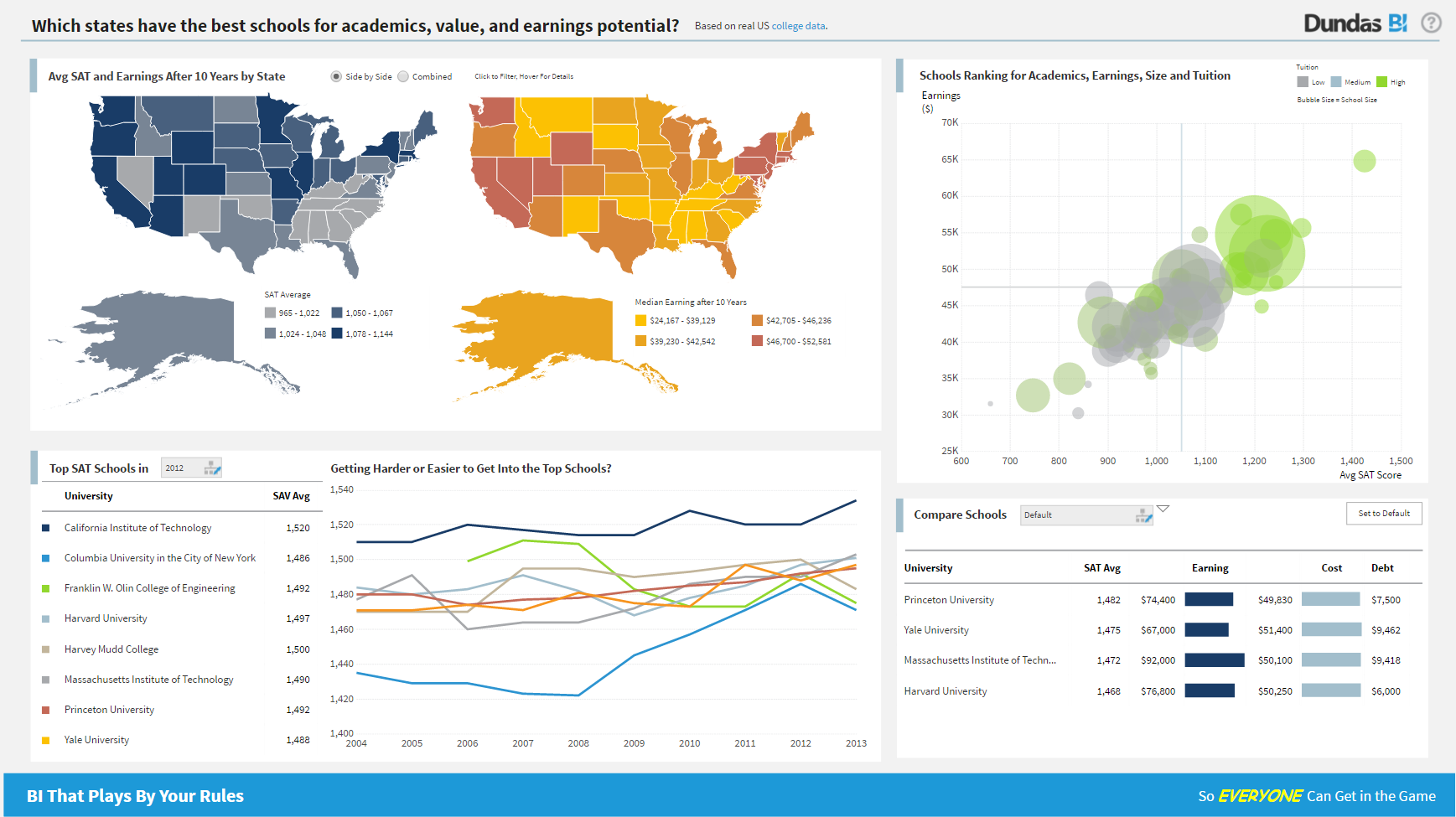 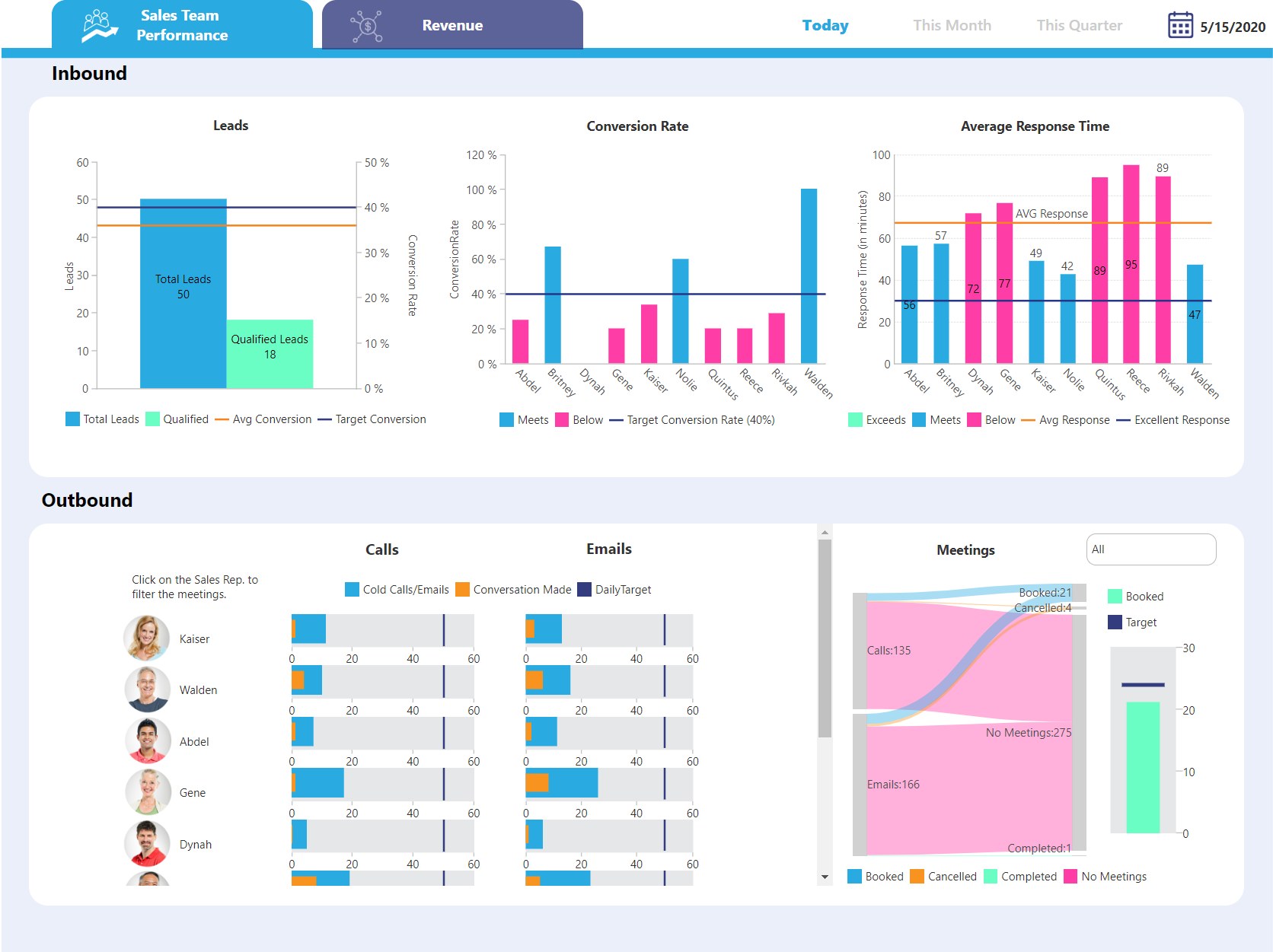  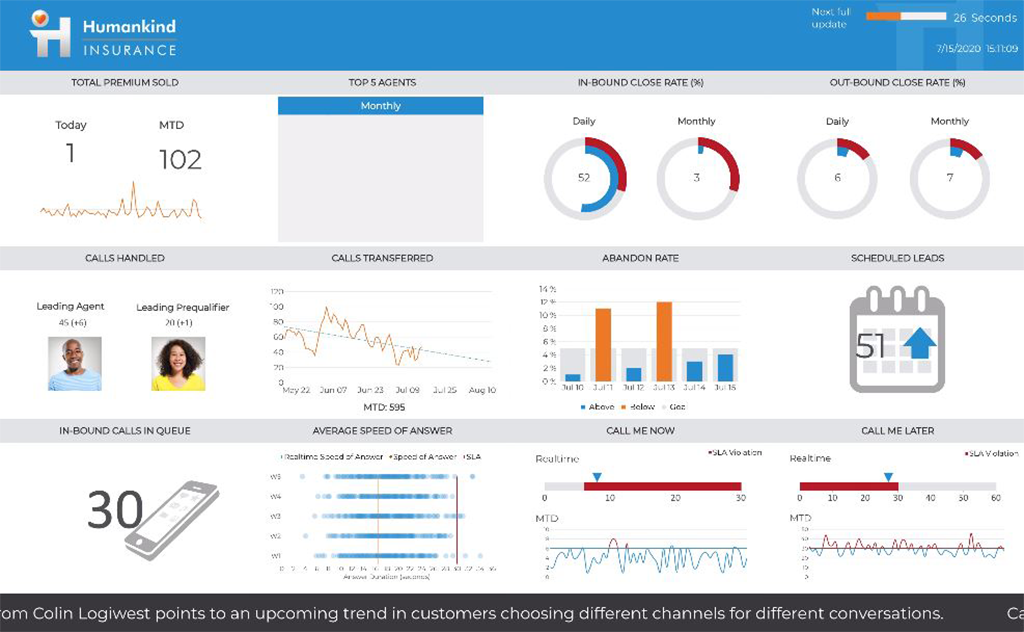   |


