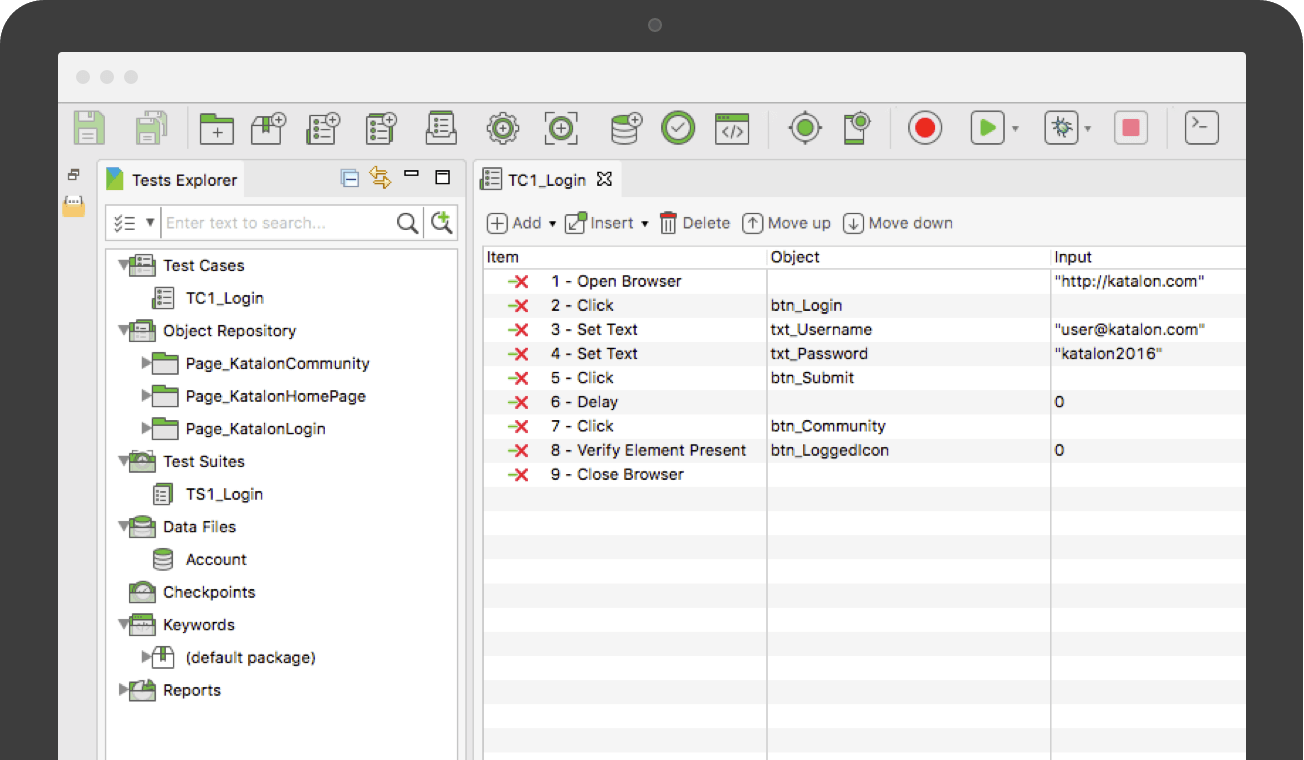
Katalon Studio is provided by the vendor as a free and robust automation solution for API, Web and Mobile testing. It is designed to eliminate the complexities of building an automation framework by integrating all necessary test components with built-in keywords and project templates. Katalon Studio includes a full feature set for a complete test automation process covering multiple platforms and testing types. New users can get started with test automation using its easy-to-use…
$69
per month
PyCharm
Score 9.2 out of 10
N/A
PyCharm is an extensive Integrated
Development Environment (IDE) for Python developers. Its
arsenal includes intelligent code completion, error detection, and rapid
problem-solving features, all of which aim to bolster efficiency. The product supports programmers in composing orderly and maintainable
code by offering PEP8 checks, testing assistance, intelligent refactorings, and
inspections. Moreover, it caters to web development frameworks like Django and
Flask by providing framework…
$9.90
per month per user
Pricing
Katalon
PyCharm
Editions & Modules
Node Locked License
$69.00
per month
Floating License
$1,529.00
per year
For Individuals
$99
per year per user
All Products Pack for Organizations
$249
per year per user
All Products Pack for Individuals
$289
per year per user
For Organizations
$779
per year per user
Offerings
Pricing Offerings
Katalon
PyCharm
Free Trial
Yes
Yes
Free/Freemium Version
Yes
No
Premium Consulting/Integration Services
Yes
No
Entry-level Setup Fee
No setup fee
No setup fee
Additional Details
Katalon Studio was originated from KMS Technology R&D. It has been a successful solution for numerous automation projects ranging from small team to enterprise client.
Katalon Studio is free for use, product development is funded by the testing services provided by KMS Technology. To support future releases, please consider subscribing to our business support services.
Katalon TestOps is well suited for an oraganization who want to organize their automation collections and have everything in one place. It provides good insight on test runs, failures and also helps in defect tracking. It is extremely easy to schedule and run test suites automatically. With the help of test history, it becomes easier to triage the report and identify if it is a product issue or a test flakiness. Also with the automation run scheduling features with custom options, user do not have to manually trigger the runs and just run the scheduler to do the job.
PyCharm is well suited to developing and deploying Python applications in the cloud using Kubernetes or serverless pipelines. The integration with GitLab is great; merges and rebates are easily done and help the developer move quickly. The search engine that allows you to search inside your code is also great. It is less appropriate for other languages.
Easy to setup and quick to get started: As Katalon comes with built-in features a new automation tester can automate easily. Script creation time is quick.
Test Analytics: Katalon also provides analytics which tells you the pattern of your automated tests at a different instance of time.
Third Party Integration: Katalon provides amazing integration with 3rd party tools like JIRA, ALM, GIT, JENKINS, etc.
Image-based testing: Katalon also provides inbuilt image based test automation.
Git integration is really essential as it allows anyone to visually see the local and remote changes, compare revisions without the need for complex commands.
Complex debugging tools are basked into the IDE. Controls like break on exception are sometimes very helpful to identify errors quickly.
Multiple runtimes - Python, Flask, Django, Docker are native the to IDE. This makes development and debugging and even more seamless.
Integrates with Jupyter and Markdown files as well. Side by side rendering and editing makes it simple to develop such files.
Integration with Azure is painstakingly slow as it takes too much time to upload reports to Azure. When raised with the support team i was advised to contact Microsoft who promptly and correctly replied that its an issue with the katalon plugin.
Non Responsive Customer Support. Several mails were replied late.
The Desktop app uses too much memory when booting up and running tests even on a 16gb RAM.
The biggest complaint I have about PyCharm is that it can use a lot of RAM which slows down the computer / IDE. I use the paid version, and have otherwise found nothing to complain about the interface, utility, and capabilities.
It's pretty easy to use, but if it's your first time using it, you need time to adapt. Nevertheless, it has a lot of options, and everything is pretty easy to find. The console has a lot of advantages and lets you accelerate your development from the first day.
I love the support. They have provided answers and solutions for most of our questions or doubts that could come up. They also have provided basic tutorials on how to get familiarized with the program.
I rate 10/10 because I have never needed a direct customer support from the JetBrains so far. Whenever and for whatever kind of problems I came across, I have been able to resolve it within the internet community, simply by Googling because turns out most of the time, it was me who lacked the proper information to use the IDE or simply make the proper configuration. I have never came across a bug in PyCharm either so it deserves 10/10 for overall support
Katalon Studio is above both the tools is due to its codeless test automation feature and having API, desktop, web, and mobile automation in one place but obviously there is room for improvement when desktop automation is of primary importance in the automation.
When it comes to development and debugging PyCharm is better than Spyder as it provides good debugging support and top-quality code completion suggestions. Compared to Jupiter notebook it's easy to install required packages in PyCharm, also PyChram is a good option when we want to write production-grade code because it provides required suggestions.
Support can be better: As mentioned before, katlon community is still growing but is currently a small community. If you are stuck, its hard to find help in the community and one has to reach out to the support for help. This takes a while before you can get solution to your problem.
Result upload takes little longer time: It is been observed that uploading tests results takes little longer.
Sometimes it gets hard to integrate: Since this is fairly a new tool, requires lot of learning curve to get the job done effectively.