TrustRadius: an HG Insights company

Kickserv vs. WEX Field Service Management

Save this comparison

Save this comparison

Add Product

Recommended Comparisons

    Overview
    ProductRatingMost Used ByProduct SummaryStarting Price

    Kickserv

    Score9.3 out of 10
    N/AKickserv is a field service management solution, headquartered in Austin, Texas. It includes features such as dynamic scheduling optimization, invoicing and online payments, and detailed reporting.

    $79

    per month

    WEX Field Service Management

    N/AN/AWex Field Service Management (formerly Payzerware) is a software solution designed to simplify operations, boost sales, and enhance collections for contractors in the HVAC and plumbing industries.

    $499

    per month

    Pricing
    KickservWEX Field Service Management
    Editions & Modules
    Starter
    $79
    per month
    Business
    $159
    per month
    Premium
    $239
    per month
    Solo
    Free
    WEX FSM
    $499
    per month
    Offerings
    Pricing Offerings
    KickservWEX Field Service Management
    Free Trial
    NoNo
    Free/Freemium Version
    NoNo
    Premium Consulting/Integration Services
    NoNo
    Entry-level Setup FeeNo setup feeNo setup fee
    Additional Details——
    More Pricing Information
    Best Alternatives
    KickservWEX Field Service Management
    Small Businesses
    ServiceTitan
    Score7.4 out of 10
    Kickserv
    Score9.3 out of 10
    Medium-sized Companies
    No answers on this topic
    No answers on this topic
    Enterprises
    No answers on this topic
    No answers on this topic
    All AlternativesView all alternativesView all alternatives
    User Ratings
    KickservWEX Field Service Management
    Likelihood to Recommend
    10.0
    (10 ratings)
    -
    (0 ratings)
    Likelihood to Renew
    10.0
    (1 ratings)
    -
    (0 ratings)
    Usability
    7.0
    (1 ratings)
    -
    (0 ratings)
    Support Rating
    9.0
    (1 ratings)
    -
    (0 ratings)
    User Testimonials
    KickservWEX Field Service Management
    Likelihood to Recommend
    Kickserv
    We use KickServ for nearly every aspect of our operation and cannot think of a scenario when it is "inappropriate" or "less appropriate". It is the backbone of our operation and is used for everything from data gathering to estimates to invoices to payments and accounts receivables to reports to tracking to storage of photos and past invoices. Better searching abilities would be good instead of having to create tags for things we don't know we are going to need later.
    Incentivized
    Read full review
    Wex
    No answers on this topic
    Pros
    Kickserv
    • Organization - keeps everything organized nicely and has several different filters that you can use to view only the information you need.
    • Simple website - this was important because you want it to load quickly when you are in the office and on the road.
    • Database - keeps track of the things that you enter. This is nice when trying to get information on a product or a price when requested by the customer.
    Incentivized
    Read full review
    Wex
    No answers on this topic
    Cons
    Kickserv
    • Integration with email marketing
    • Advanced searching capabilities (i.e. If I wanted to search for every job I did that had the words "water damage" in their descriptions).
    • More ability to customize templates (like adding additional artwork, pictures)
    Incentivized
    Read full review
    Wex
    No answers on this topic
    Likelihood to Renew
    Kickserv
    It's perfect for our company. We rely on it. Tech support is great. We're very happy.
    Incentivized
    Read full review
    Wex
    No answers on this topic
    Usability
    Kickserv
    It is intuitive enough, but there is some training that will be necessary because of a perceived redundancy within their workflow. It can be hard to distinguish which stage a customer is in (thus what the most important thing to be working on, if you are in sales, for instance) without some training.
    Incentivized
    Read full review
    Wex
    No answers on this topic
    Support Rating
    Kickserv
    Very good technical help. The team is well-versed in their product and what to look for, particularly when interacting with other software platforms. You nearly always get a live person when you call, and if you don't, they will return your call promptly. This is another factor in my client's decision to move forward with their solution.
    Incentivized
    Read full review
    Wex
    No answers on this topic
    Alternatives Considered
    Kickserv
    Easier to use than Salesforce. More robust than Zoho. More functionality that is easier to learn than both.
    Incentivized
    Read full review
    Wex
    No answers on this topic
    Return on Investment
    Kickserv
    • We are essentially paper free. No paper work orders.
    • We've been able to avoid a layer of middle management by supplementing this layer with technology. KickServ is a part of that layer.
    • Negatively speaking, like all technology, it has created a void of human level connection. Because we know that we can deliver work orders to our foremen remotely, we are less likely to drive up to the shop and shake a hand or see someone face to face. We had to learn that lesson the hard way, that both technology and human connection are necessary to maintain our culture.
    Incentivized
    Read full review
    Wex
    No answers on this topic
    ScreenShots

    WEX Field Service Management Screenshots
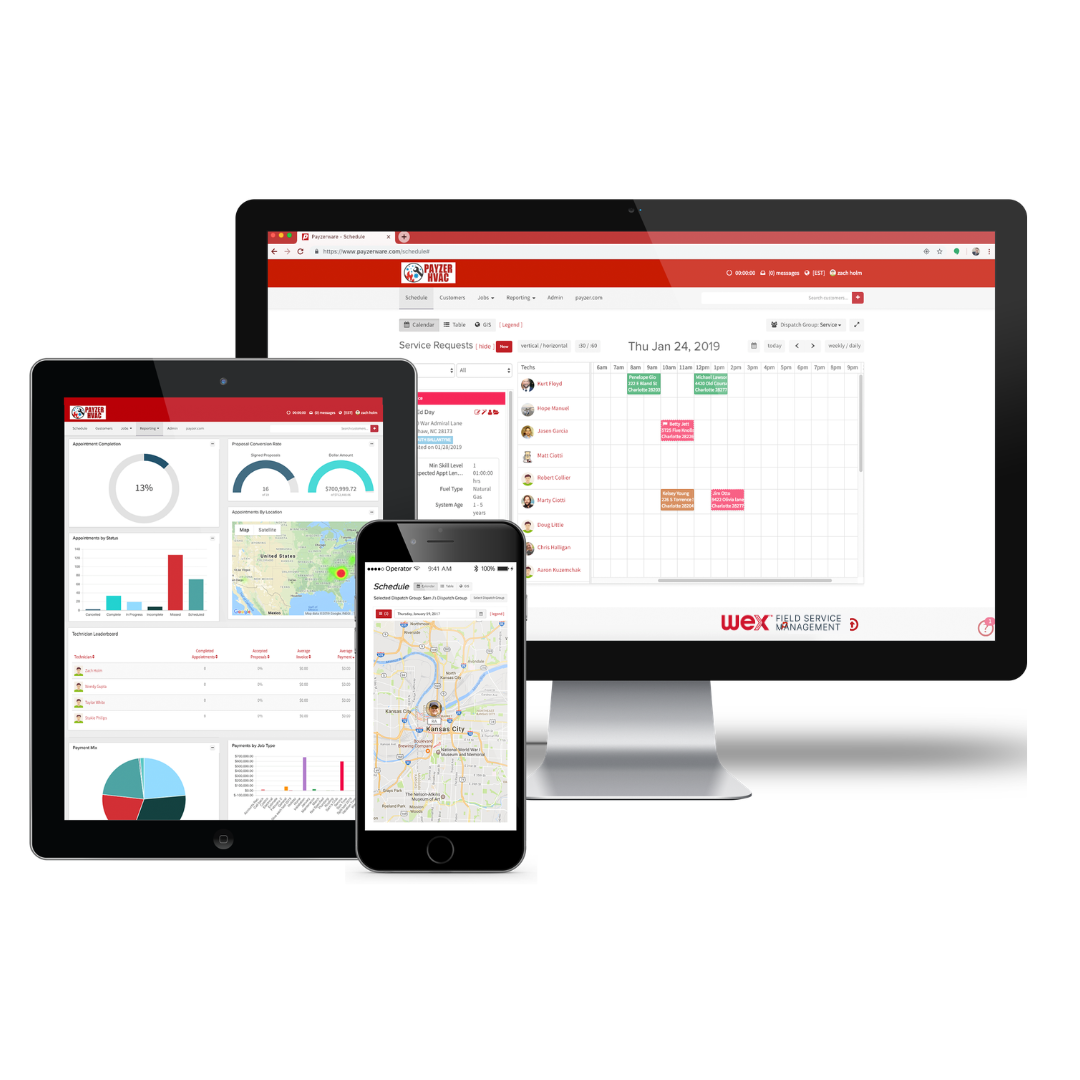
    Screenshot of One System for Office, Field, and Management
This shows how the software links every device in your company together in real time. It displays the office dispatch board, the manager's performance metrics, and the tech's mobile GPS map all on one page. Whether you are sitting at a desktop, holding a tablet, or checking a smartphone, everyone sees the exact same schedule and customer info without anyone having to manually copy or sync data.Screenshot of The Boss’s Overview and Smart Reports
This gives the boss a quick look at the company’s bottom line without making them dig through paperwork. It combines a natural language search tool called Assist IQ, where you just type a normal question to get an instant bar chart, with easy-to-read boxes showing total revenue, active customers, and invoices. It lays out all your sales, maps, and numbers on one screen so you can easily see if you're making a profit.Screenshot of The Tech’s All-in-One Service Call Screen
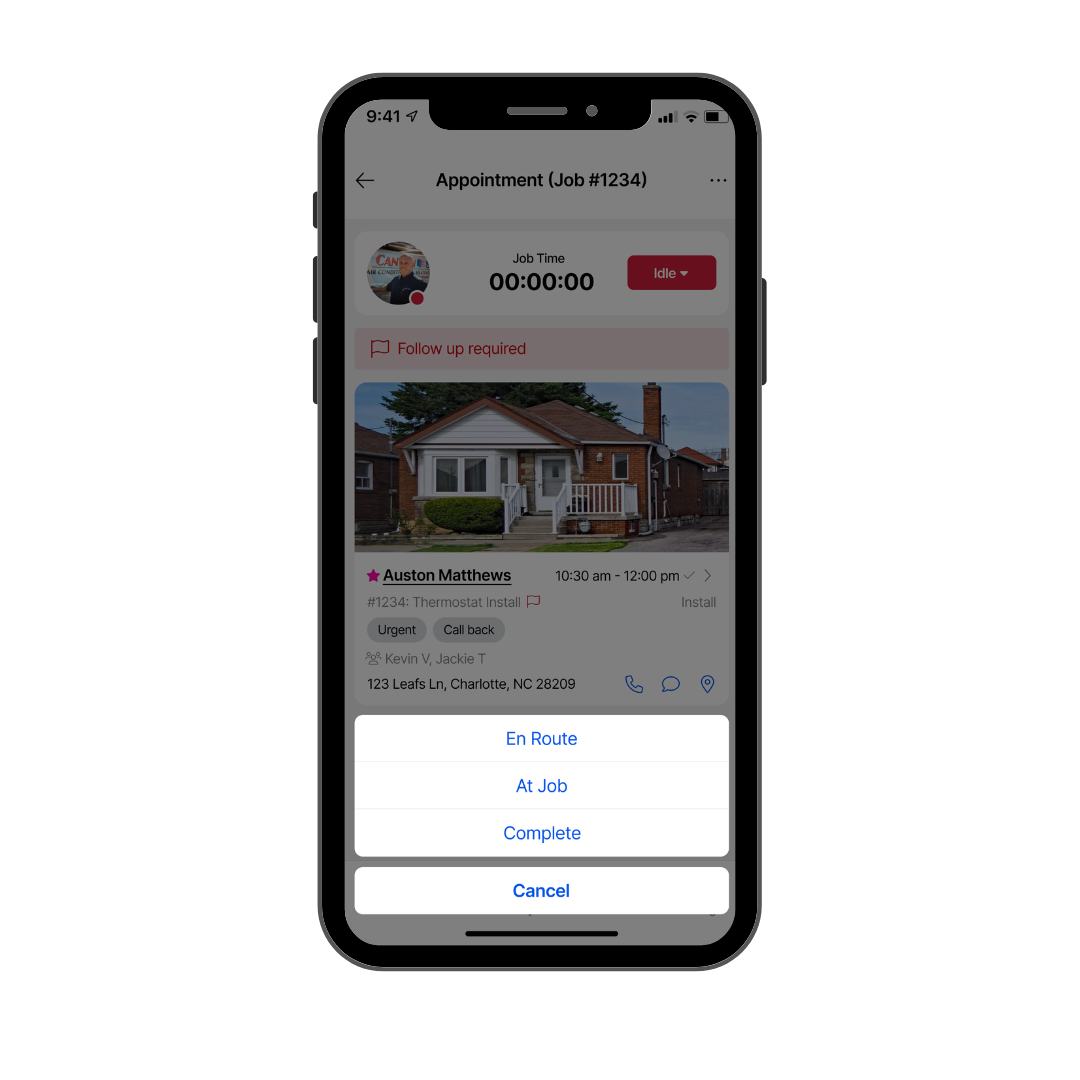
This puts everything a tech needs for an active job order right on a single smartphone screen. It is built simple so guys out in the elements don't have to keep scrolling or tapping through menus. It keeps the job clock, the customer's address, specific equipment info, a photo of the house, and big, easy buttons to update job status all in one clean view so the tech can focus on the actual work.Screenshot of The "Good, Better, Best" Kitchen Table Estimate
This shows the full digital bidding screen you use when standing right in front of the customer. It copies a professional, multi-option paper estimate but does the math for you. The entire view is set up to lay out three different equipment options side-by-side with clear pricing, warranties, and system specs so the homeowner can look at their choices and sign off on the job right on the spot.Screenshot of The Link Between Field Timecards and Office Records
This view shows how field work instantly updates the office database with zero paperwork. The whole layout connects what the tech is doing on their phone, like clocking in, viewing their schedule, and driving to jobs, directly into the main office computer. It connects daily timecards, job histories, notes, and maintenance plans on a single screen so the office and the field are always on the same page.