Luma vs. Quiq

Overview
ProductRatingMost Used ByProduct SummaryStarting Price
Luma
Score 9.9 out of 10
N/A
Serviceaide headquartered in San Jose offers Luma, an AI virtual assistant designed for customer support.N/A
Quiq
Score 0.0 out of 10
Mid-Size Companies (51-1,000 employees)
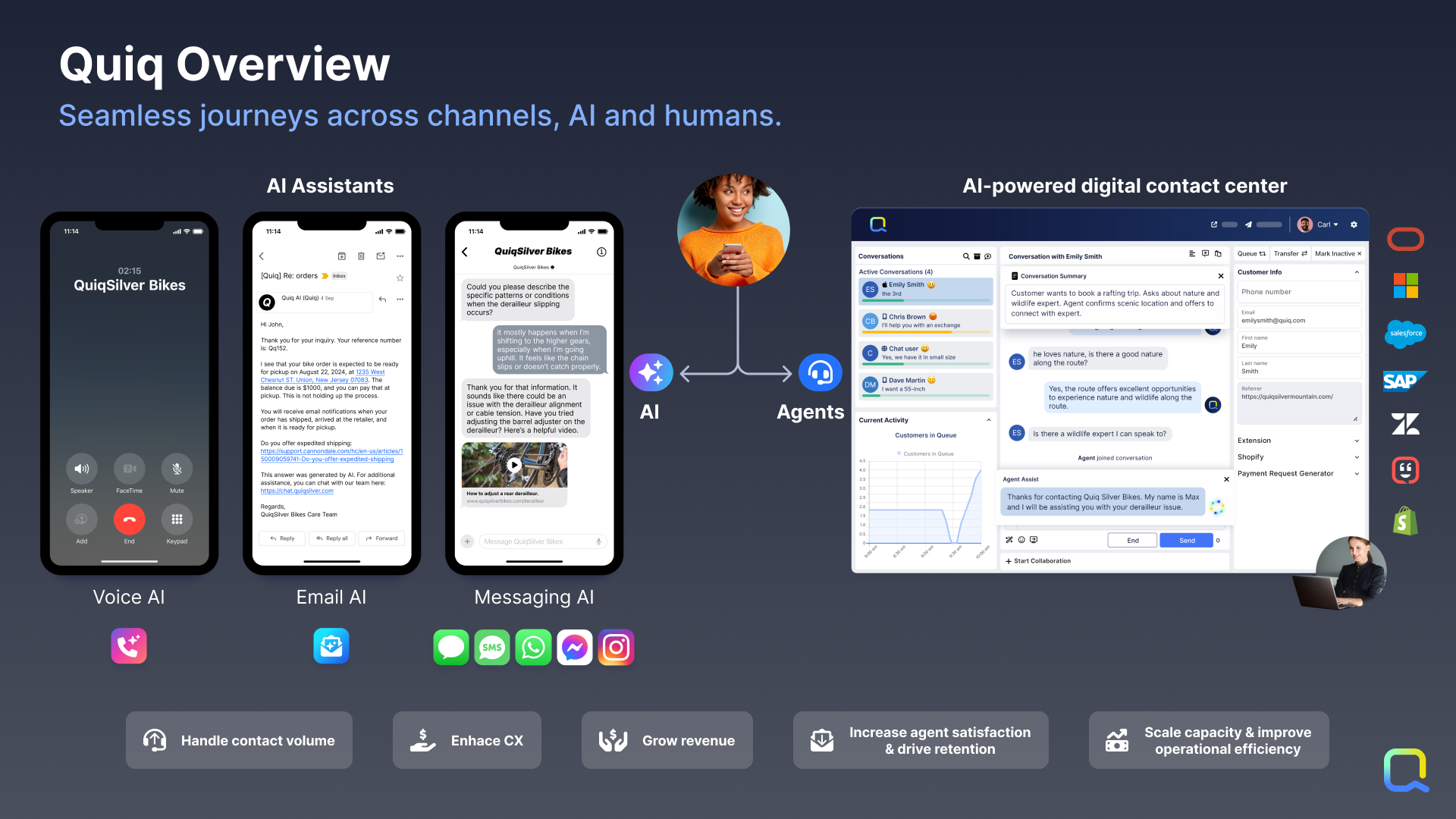
Quiq is an agentic customer journey platform used to support customer support agents' resolution efforts. Quiq works across channels—voice, chat, SMS, WhatsApp, Apple Messages for Business, email, and social—keeping every interaction connected and true to the brand's voice.N/A
Pricing
LumaQuiq
Editions & Modules
No answers on this topic
Offerings
Pricing Offerings
LumaQuiq
Free Trial
NoYes
Free/Freemium Version
NoNo
Premium Consulting/Integration Services
NoNo
Entry-level Setup FeeNo setup feeNo setup fee
Additional DetailsPricing is based on conversations, not by seat. Number of users is unlimited.
More Pricing Information
Community Pulse
LumaQuiq
Considered Both Products
Luma
Chose Luma
no other product since in the company and in the area in which I work, luma's service is sufficient, although it is true that in the future we can look for new services, when we expand, and according to the needs that arise, in summary, luma gives me has provided what is …
Chose Luma
1. Cheaper
2. More user friendly for both the organisers and attendees
3. Better design
Quiq

No answer on this topic

Best Alternatives
LumaQuiq
Small Businesses
Gorgias
Gorgias
Score 8.4 out of 10
Gorgias
Gorgias
Score 8.4 out of 10
Medium-sized Companies
Zoom Contact Center
Zoom Contact Center
Score 8.7 out of 10
Zoom Contact Center
Zoom Contact Center
Score 8.7 out of 10
Enterprises
Genesys Cloud CX
Genesys Cloud CX
Score 8.8 out of 10
Genesys Cloud CX
Genesys Cloud CX
Score 8.8 out of 10
All AlternativesView all alternativesView all alternatives
User Ratings
LumaQuiq
Likelihood to Recommend
8.5
(0 ratings)
-
(0 ratings)
User Testimonials
LumaQuiq
Likelihood to Recommend
I can fast chat, share files, share screens, present, and collaborate on any work through a streamlined interface. it is very easy to use and accessible worldwide for meetings despite long distances between users, You can use it to meet people virtually using video and audio, making it easy to connect with people across borders. It saves a lot of time and is effective for both discussion and work meetings.
Read full review
No answers on this topic
Pros
  • It has different automation tools such as answers to frequently asked questions.
  • Understands and responds naturally to customers, making communication more fluid and efficient.
  • It has integration with social networks such as Facebook, Skype, and WeChat among others.
Read full review
No answers on this topic
Cons
  • Post-event communication (promotional emails)
  • More extensive integration with Active Campaign to divide attendees into attended and missed
  • Phone number field with messaging options (eg reminder message sent to phone before event’s start)
Read full review
No answers on this topic
Alternatives Considered
no other product since in the company and in the area in which I work, luma's service is sufficient, although it is true that in the future we can look for new services, when we expand, and according to the needs that arise, in summary, luma gives me has provided what is necessary
Read full review
No answers on this topic
Return on Investment
  • Business requires marketing skills which Luma filled it and returns given is profitable.
  • It's worth allocating money after because it gives satisfaction to the service we use.
  • It maintains customers and vendor relations with its bandwidth in communication.
Read full review
No answers on this topic
ScreenShots

Quiq Screenshots

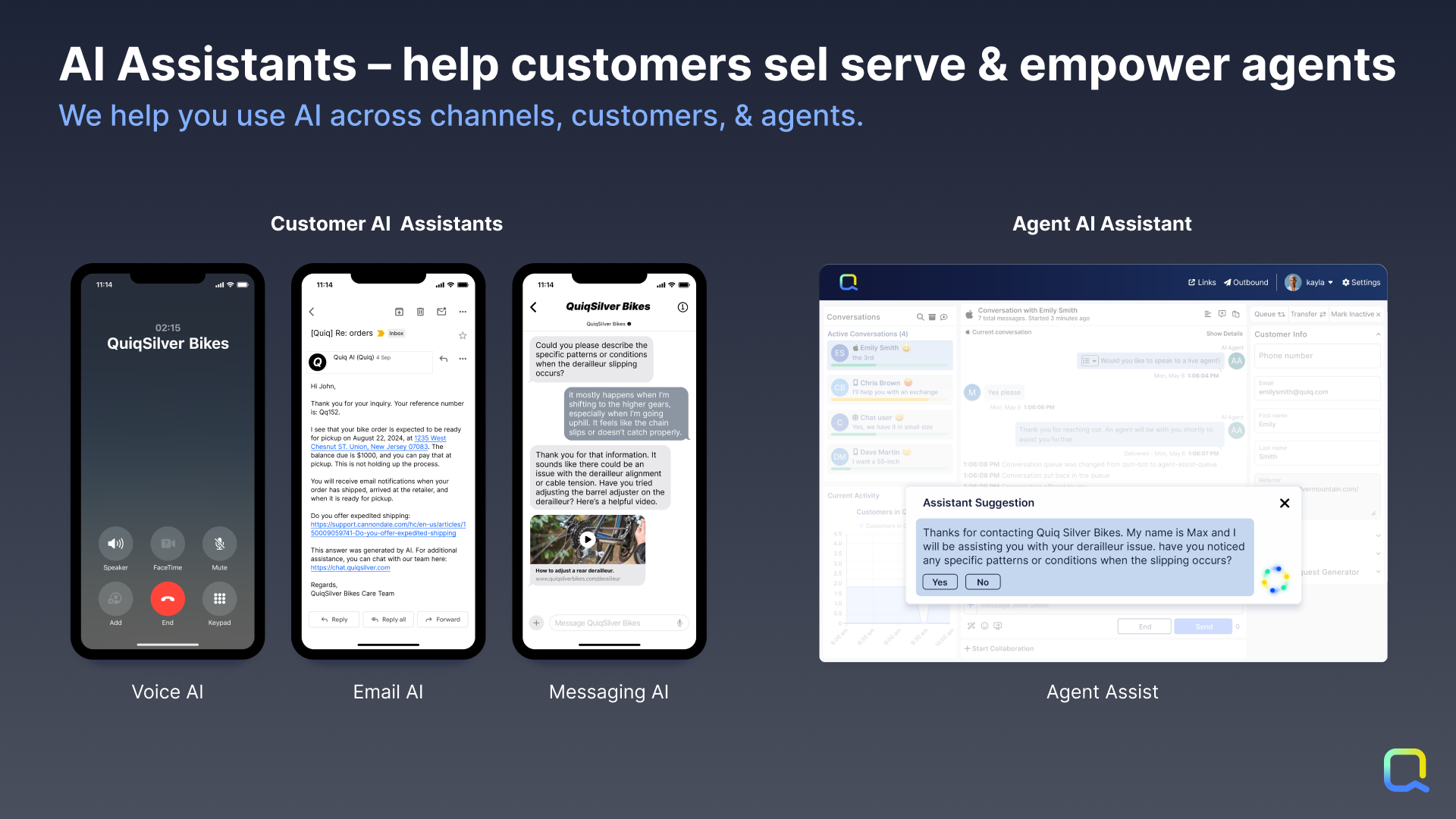
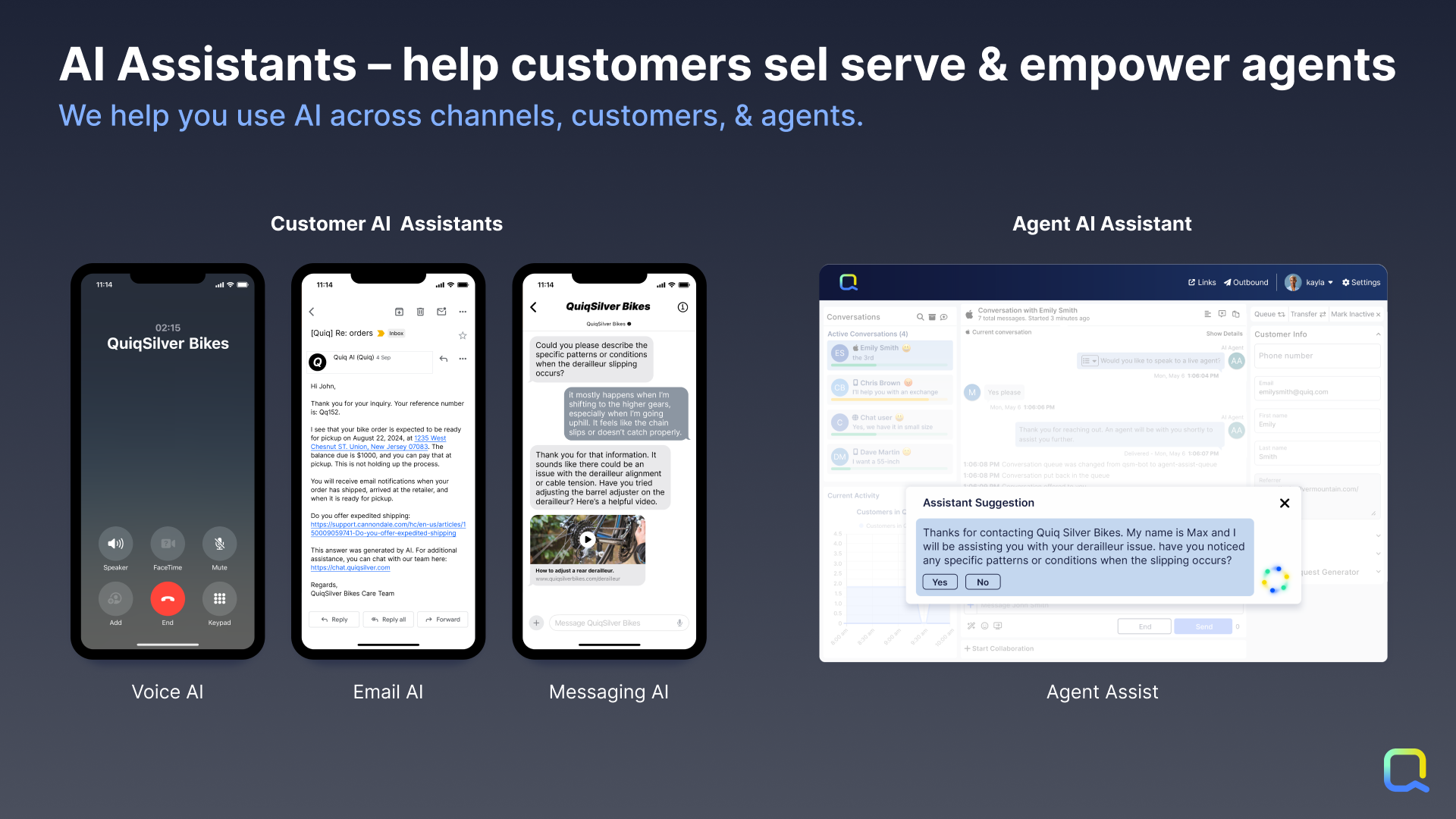
Screenshot of Customer AI Assistants: By leveraging Generative AI combined with company knowledge and data, customers get answers created directly from data as if they had a human agent helping them.

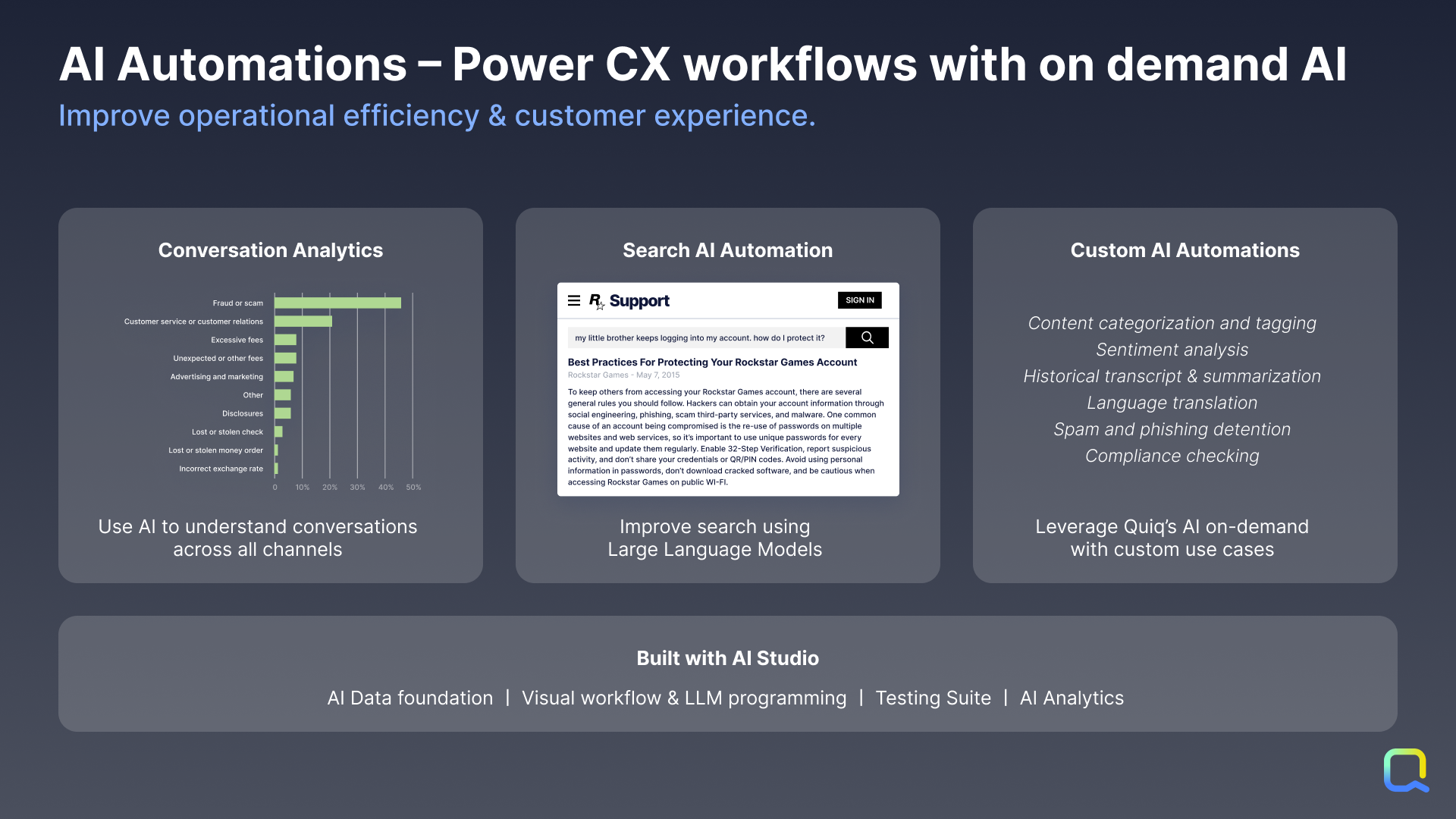
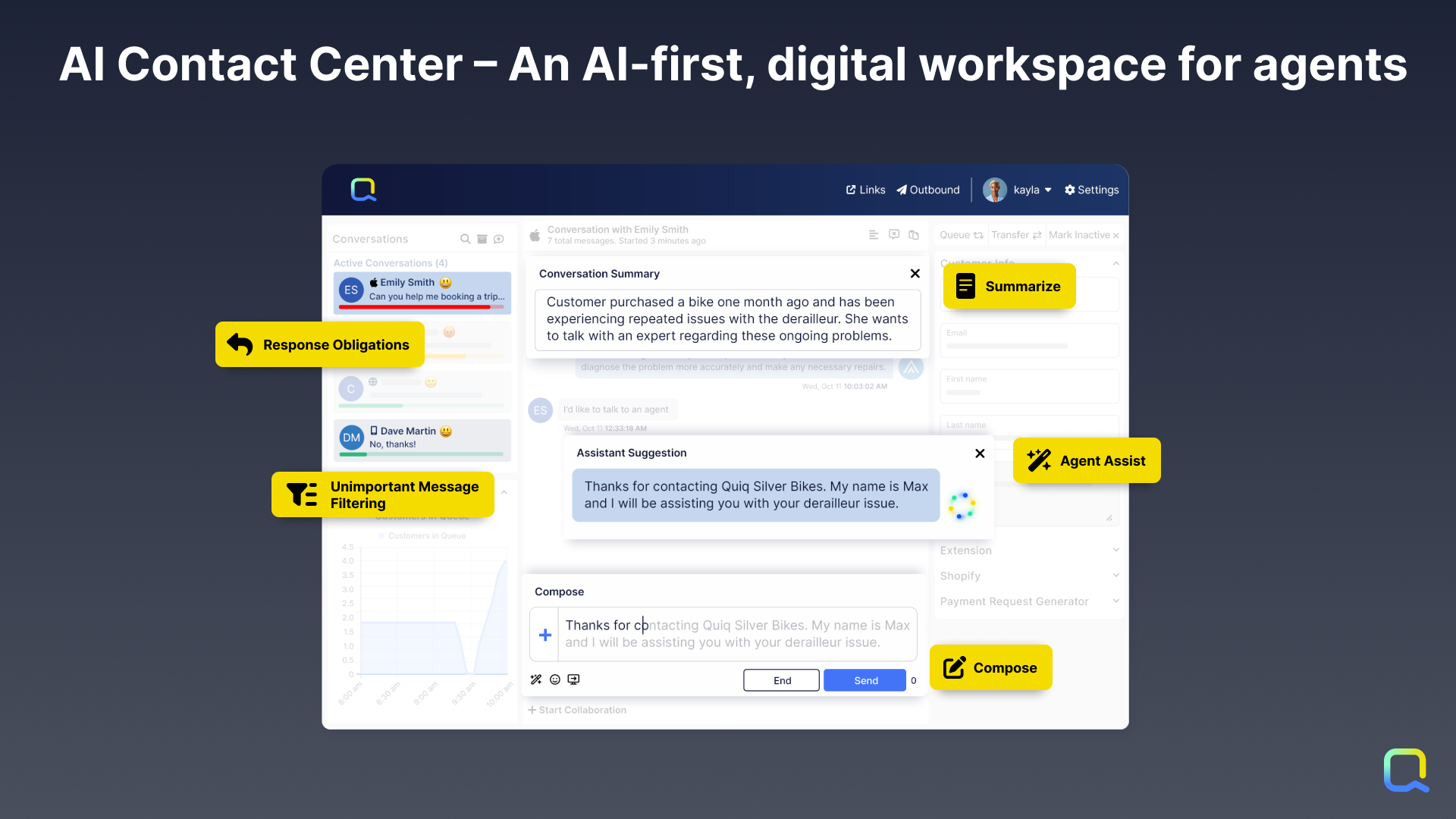
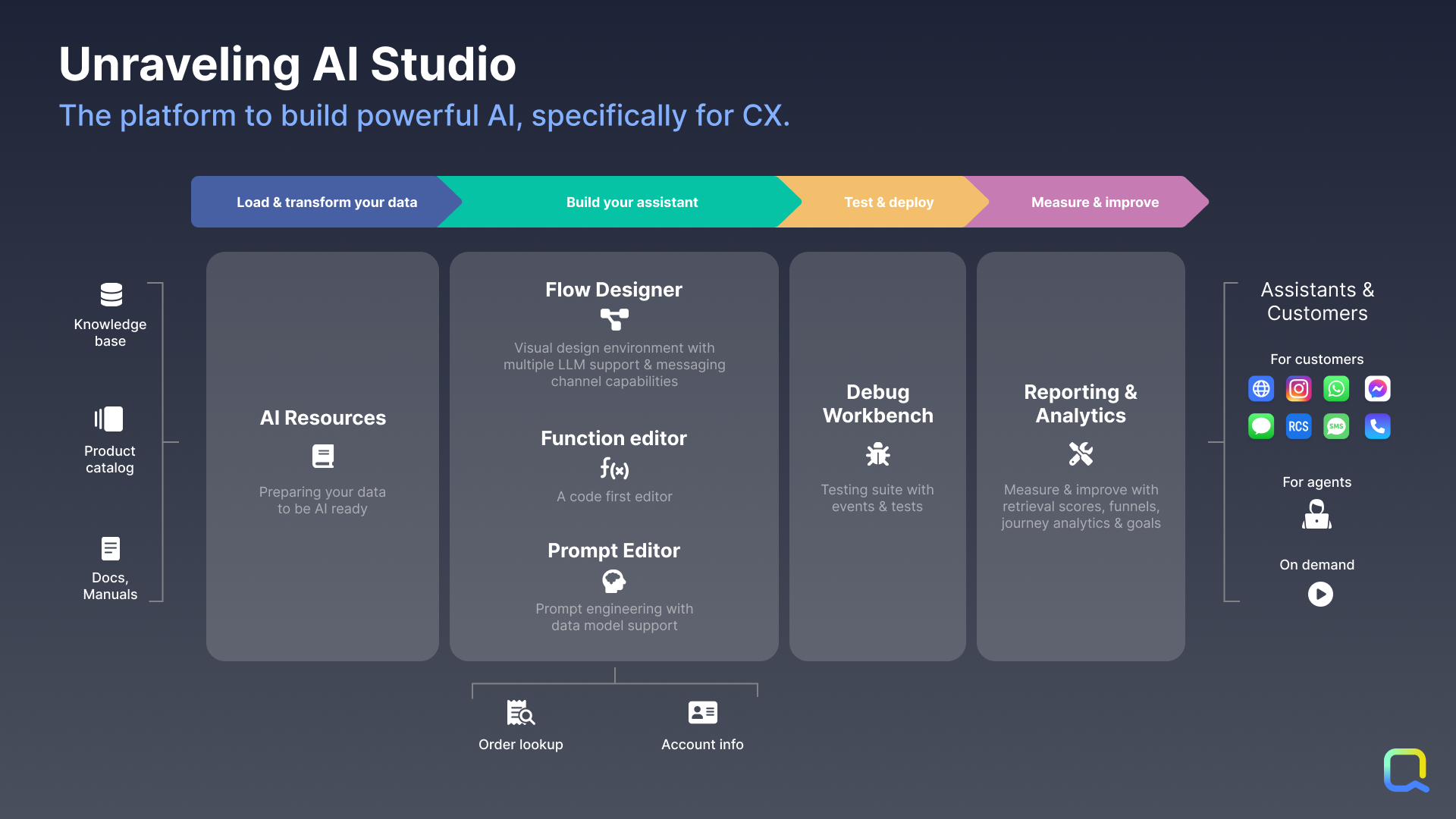
Agent AI Assistants: Not every question can be answered by AI, so Quiq’s AI-assisted contact center empowers human agents to handle many simultaneous asynchronous conversations across all popular messaging channels.Screenshot of AI Automations: Quiq’s platform can be used to apply AI on demand to any business workflow, such as analyzing incoming emails and routing it more accurately to human agents.Screenshot of Quiq’s AI-powered, multi-channel agent workspace, which is designed for CX leaders and Contact Center Managers. Those who manage agents and the agent experience at enterprise businesses need a robust console for modern channels that will drive speed, efficiency, and agent retention.Screenshot of Quiq’s AI Studio, which is a suite of infrastructure and tools that empowers developers, conversational designers, and CX leaders to create conversational experiences together across the development lifecycle.Screenshot of Integrations: AI Assistants based upon internal knowledge and data integrated can be built through Quiq’s AI Studio. Quiq conversations can be automated with native Quiq Assistants or third-party bots integrated with the Bot API. Through workspace extensions, users can augment agents' workflow with internal data to enable them to execute faster and do their jobs better. Internal systems and business intelligence can be kept up to date with Quiq’s real-time conversation and agent performance data webhooks. Quiq integrates into the largest CRMs.Screenshot of the Quiq AI for CX platform that offers a number of capabilities to drive transformational change in the customer experience.