TrustRadius: an HG Insights company

Save this comparison

Save this comparison

Add Product

Recommended Comparisons

    Overview
    ProductRatingMost Used ByProduct SummaryStarting Price

    Magnolia

    Score9.9 out of 10
    Mid-Size Companies (51-1,000 employees)
    Founded in Switzerland in 1997, Magnolia is a CMS used to build composable digital experiences. Magnolia helps create fully integrated customer experiences and speeds up digital delivery of content. Magnolia boasts 480 enterprise customers, thousands of Community Edition deployments, and more than 200 certified Magnolia Partners around the world. They further state that their enterprise customers include Sanofi, Generali, the Atlassian, The New York Times, Harley Davidson, and Union…

    $3,500

    per month

    Planable

    Score8.5 out of 10
    N/APlanable is a social media management tool built around content collaboration and approvals. It covers planning, creation, feedback, approval, scheduling, publishing, community management, analytics, competitor benchmarking, and social listening in one workspace. Drafts render as exact previews of the finished post, feedback is left on the content itself rather than in a separate thread, and approval requirements are set per workspace. Planable was founded in 2016 and is used…

    $39

    per month per workspace

    Pricing
    MagnoliaPlanable
    Editions & Modules
    DX Core
    $3500
    per month
    DX Cloud
    $6000
    per month
    Basic
    $39
    per month per workspace
    Pro
    $59
    per month per workspace
    Enterprise
    Custom
    Offerings
    Pricing Offerings
    MagnoliaPlanable
    Free Trial
    YesYes
    Free/Freemium Version
    NoYes
    Premium Consulting/Integration Services
    YesYes
    Entry-level Setup FeeNo setup feeNo setup fee
    Additional Details—Planable is priced per workspace, not per seat. Each workspace holds one brand or client, and every plan includes unlimited users: collaborators, reviewers, and clients can be added without increasing cost. Organizations scale by adding workspaces rather than licenses. Annual billing includes two months free on all plans and add-ons. Free trial 50 posts, with no time limit and no credit card required. The allowance is a total, not a monthly reset, so the trial ends when the 50th post is created rather than on a fixed date. X (Twitter) publishing is not available during the trial. The Analytics, Social Inbox, and Social Listening add-ons carry separate 30-day free trials on paid plans. Basic — $39 per workspace per month Entry plan for small teams with straightforward review needs. 60 posts per workspace per month 4 social pages per workspace Unlimited users 2 approval types: none and optional Feed and Calendar views 3 campaigns per workspace 10GB media storage 13 months of published post storage MCP connector included Optional approval means a post can be approved but does not have to be before it publishes. Teams that need publishing blocked until sign-off require Pro. Pro — $59 per workspace per month Most common plan for agencies and in-house teams running client or stakeholder approval. Everything in Basic, plus: 150 posts per workspace per month 10 social pages per workspace Required approval, in addition to none and optional — content cannot be scheduled or published until at least one approver signs off Grid view, in addition to Feed and Calendar 10 campaigns per workspace 50GB media storage Public API access Chat support Enterprise — custom pricing For organizations with formal review chains, multiple brands, or procurement and security requirements. Everything in Pro, plus: Unlimited posts Multi-level approvals: sequential stages with designated approvers at each one List view, in addition to Feed, Calendar, and Grid Unlimited campaigns 100GB media storage 24 months of published post storage SSO Dedicated account manager and priority support Payment by bank or wire transfer Add-Ons Add-ons are priced per workspace and available on any plan, including Basic. They are enabled per workspace rather than account-wide, so an agency can run Analytics on client workspaces that pay for reporting without buying it across the board. Analytics — $14 per workspace per month, or $140 per year. Cross-channel performance data, audience insights, custom reports, and Competitor Analytics. 30-day free trial. Social Inbox — $9 per workspace per month, or $90 per year. Comments and direct messages from connected channels in one inbox, with AI reply drafting. 30-day free trial. Social Listening — $99 per workspace per month, or $990 per year. Brand, competitor, and topic monitoring across eight sources with sentiment analysis and alerts. Includes 1 brand keyword, 3 topic keywords, and 3 competitor keywords per workspace. 30-day free trial. What drives cost Three variables determine spend: the number of workspaces, the monthly post volume per workspace, and which add-ons are enabled per workspace. Team size does not affect price on any plan. Planable also offers bundled discounts with SE Ranking for SEO and SE Visible for AI search visibility.
    More Pricing Information
    Community Pulse
    MagnoliaPlanable
    Considered Both Products
    Magnolia
    No answer on this topic
    Planable
    No answer on this topic
    Key User Insights
    Would buy again
    100%
    Would buy again
    58 Answers
    No answers on this topic
    Delivers good value for the price
    100%
    Delivers good value for the price
    49 Answers
    No answers on this topic
    Happy with the feature set
    100%
    Happy with the feature set
    58 Answers
    No answers on this topic
    Lived up to sales and marketing promises
    98%
    Lived up to sales and marketing promises
    39 Answers
    No answers on this topic
    Implementation went as expected
    98%
    Implementation went as expected
    53 Answers
    No answers on this topic
    Features
    MagnoliaPlanable
    Security
    Comparison of Security features of Magnolia and Planable
    Feature
    Magnolia
    8.1
    69 Ratings
    2% below category average
    Planable
    -
    Ratings
    Role-based user permissions8.169 Ratings00 Ratings
    Platform & Infrastructure
    Comparison of Platform & Infrastructure features of Magnolia and Planable
    Feature
    Magnolia
    8.1
    68 Ratings
    4% above category average
    Planable
    -
    Ratings
    API8.561 Ratings00 Ratings
    Internationalization / multi-language7.761 Ratings00 Ratings
    Web Content Creation
    Comparison of Web Content Creation features of Magnolia and Planable
    Feature
    Magnolia
    8.0
    74 Ratings
    2% above category average
    Planable
    -
    Ratings
    WYSIWYG editor8.565 Ratings00 Ratings
    Code quality / cleanliness8.465 Ratings00 Ratings
    Admin section8.070 Ratings00 Ratings
    Page templates8.972 Ratings00 Ratings
    Library of website themes7.01 Ratings00 Ratings
    Mobile optimization / responsive design8.563 Ratings00 Ratings
    Publishing workflow7.573 Ratings00 Ratings
    Form generator6.958 Ratings00 Ratings
    Web Content Management
    Comparison of Web Content Management features of Magnolia and Planable
    Feature
    Magnolia
    7.5
    69 Ratings
    0% below category average
    Planable
    -
    Ratings
    Content taxonomy7.663 Ratings00 Ratings
    SEO support7.263 Ratings00 Ratings
    Bulk management7.657 Ratings00 Ratings
    Availability / breadth of extensions7.962 Ratings00 Ratings
    Community / comment management6.951 Ratings00 Ratings
    Publishing
    Comparison of Publishing features of Magnolia and Planable
    Feature
    Magnolia
    -
    Ratings
    Planable
    10.0
    1 Ratings
    20% above category average
    Content planning and scheduling00 Ratings10.01 Ratings
    Content optimization00 Ratings10.01 Ratings
    Workflow management00 Ratings10.01 Ratings
    Channel coverage/integration
    Comparison of Channel coverage/integration features of Magnolia and Planable
    Feature
    Magnolia
    -
    Ratings
    Planable
    10.0
    1 Ratings
    18% above category average
    Twitter00 Ratings10.01 Ratings
    Facebook00 Ratings10.01 Ratings
    LinkedIn00 Ratings10.01 Ratings
    Google+00 Ratings10.01 Ratings
    Instagram00 Ratings10.01 Ratings
    Pinterest00 Ratings10.01 Ratings
    Account management
    Comparison of Account management features of Magnolia and Planable
    Feature
    Magnolia
    -
    Ratings
    Planable
    10.0
    1 Ratings
    23% above category average
    Mobile access00 Ratings10.01 Ratings
    Best Alternatives
    MagnoliaPlanable
    Small Businesses
    Umbraco CMS
    Score7 out of 10
    Sendible
    Score7.2 out of 10
    Medium-sized Companies
    Square Online
    Score7.7 out of 10
    Emplifi
    Score8.9 out of 10
    Enterprises
    RWS Tridion Sites
    Score9 out of 10
    Salesforce Marketing Cloud Social Studio (discontinued)
    Score8.1 out of 10
    All AlternativesView all alternativesView all alternatives
    User Ratings
    MagnoliaPlanable
    Likelihood to Recommend
    8.1
    (78 ratings)
    8.0
    (1 ratings)
    Likelihood to Renew
    8.1
    (9 ratings)
    -
    (0 ratings)
    Usability
    8.0
    (68 ratings)
    8.0
    (1 ratings)
    Performance
    8.5
    (67 ratings)
    -
    (0 ratings)
    Support Rating
    9.1
    (3 ratings)
    1.0
    (1 ratings)
    Online Training
    8.2
    (1 ratings)
    -
    (0 ratings)
    User Testimonials
    MagnoliaPlanable
    Likelihood to Recommend
    Magnolia
    Magnolia is a very capable DXP, that provides client with lots of flexibility in composing its own stack. While the core of the platform is a content management system, the open architecture of Magnolia DXP allows it to connect to any platform, allowing client to extend the capabilities. One scenario would be a centralized content hub - where through a single platform, content authors can choose which channel to distribute what content. For example, long form content for consumers viewing on a laptop, short form content for those using a mobile browser. This allow the client to personalized the experience based on channels. Another scenarios would be leveraging on GenAI - using Magnolia's built-in connector to ChatGPT. If that is not the service that one desire, you can always connect to another AI service such as Google Gemini. With GenAI, connected, content author can use AI as co-pilot to help them scale up their content production.
    Read full review
    Planable
    It needs the ability to save hashtags. Some of the other tools offer this, so I emailed Planable and asked them to consider adding it.
    Read full review
    Pros
    Magnolia
    • Speed of development - time to delivery from zero to MVP was excellent
    • Ease of use - the authoring experience is very easy to build and train
    • PAAS/SAAS - the managed service platform removed the traditional overhead of running in-house technologies, meaning we could focus on value add, with less time spent keeping the lights on.
    Read full review
    Planable
    • Plan posts on multiple platforms at once
    • Approval workflow
    Read full review
    Cons
    Magnolia
    • The documentation provides samples that are often out of context, and difficult to know where the provided example code should be implemented. More tutorials providing the full project or step-by-step instructions on how to implement subject material would help greatly. Baeldung is a resource I would consider the gold standard in how this is done in other spaces.
    • The use of JCR and Nodes makes object serialization/deserialization painful. Jackson compatibility or similar would be a welcome enhancement to the developer experience. Maybe leveraging code-gen from light modules to build model classes when possible could help accomplish this.
    • Modifying the home layout from light modules is frustrating. It seems that any configuration overrides made merge with the default rather than overwriting, which makes for a difficult combination of guess-and-check while referencing the documentation to see what should be in each row/column when making changes.
    • Including "mark all as read" or "delete all" in the notifications app would be a great quality of life improvement. It seems that by default, users have to individually select messages and operate them.
    Incentivized
    Read full review
    Planable
    • Add hashtags in the tool so you can save them for future use
    Read full review
    Likelihood to Renew
    Magnolia
    We have invested a lot of time and energy into tailoring a solution that works for the company.
    We think the new features in v6.2 will help us get to the next level
    We also don't have the resources to rebuild a website platform from scratch even if we wanted to
    Incentivized
    Read full review
    Planable
    No answers on this topic
    Usability
    Magnolia
    We've shown it to a number of users both clients and our own team and despite initial apprehensions, they "get it" very quickly. It's intuitive and friendly and quick to perform daily tasks. We once had a client tell us "Using Magnolia makes me smile" which says it all for us.
    Incentivized
    Read full review
    Planable
    It does what you need, but could have a bit more features for the price. $30 a month just to post things on Facebook or Instagram is a bit steep, given that that's all you can do.
    Read full review
    Performance
    Magnolia
    I gave [it] 7/10 only because of the loading time of pages. Otherwise, I think it deserves an 8. Normally this is not an issue per [se] but considering the rating matrix and as I have been asked to honestly write about it. Yes, the page loading times could be improved.
    Read full review
    Planable
    No answers on this topic
    Support Rating
    Magnolia
    You always get an answer based on your SLA. But you always get a solution. That's the successfactor in this case. To often i was frustrated about people in a company without even a clue what there product is about or how to solve a problem. Magnolia's Support Team does a very good job and try to help you in most of the cases
    Read full review
    Planable
    Emailed them a month ago to add hashtags, but they didn't add the functionality yet. Given that the product has stayed exactly the same since, I'm guessing the developers don't want to add this feature so I give the support a rating of 1.
    Read full review
    Alternatives Considered
    Magnolia
    I've used several CMSs like AEM and EpiServer, and comparatively, they all excel at different things. Magnolia is the best to develop for/against. Episerver has the best/most fluid UI in terms of content editing, and the overall admin experience AEM is just all around sucks.
    Incentivized
    Read full review
    Planable
    Cheaper, however, Kontentino does have the ability to save hashtags.
    Read full review
    Return on Investment
    Magnolia
    • Magnolia has brought about positive impacts. For instance, we need not outsource web design and marketing services because thanks to this software, we can handle most work inhouse
    • The software is affordable with no compromises on capabilities and therefore it is gives us value for money.
    • The templates makes the whole process easy
    Incentivized
    Read full review
    Planable
    • Ability to post on any social media platform with 1 click. It adjusts the layout for you, pictures, adding action buttons, etc.
    Read full review
    ScreenShots

    Magnolia Screenshots

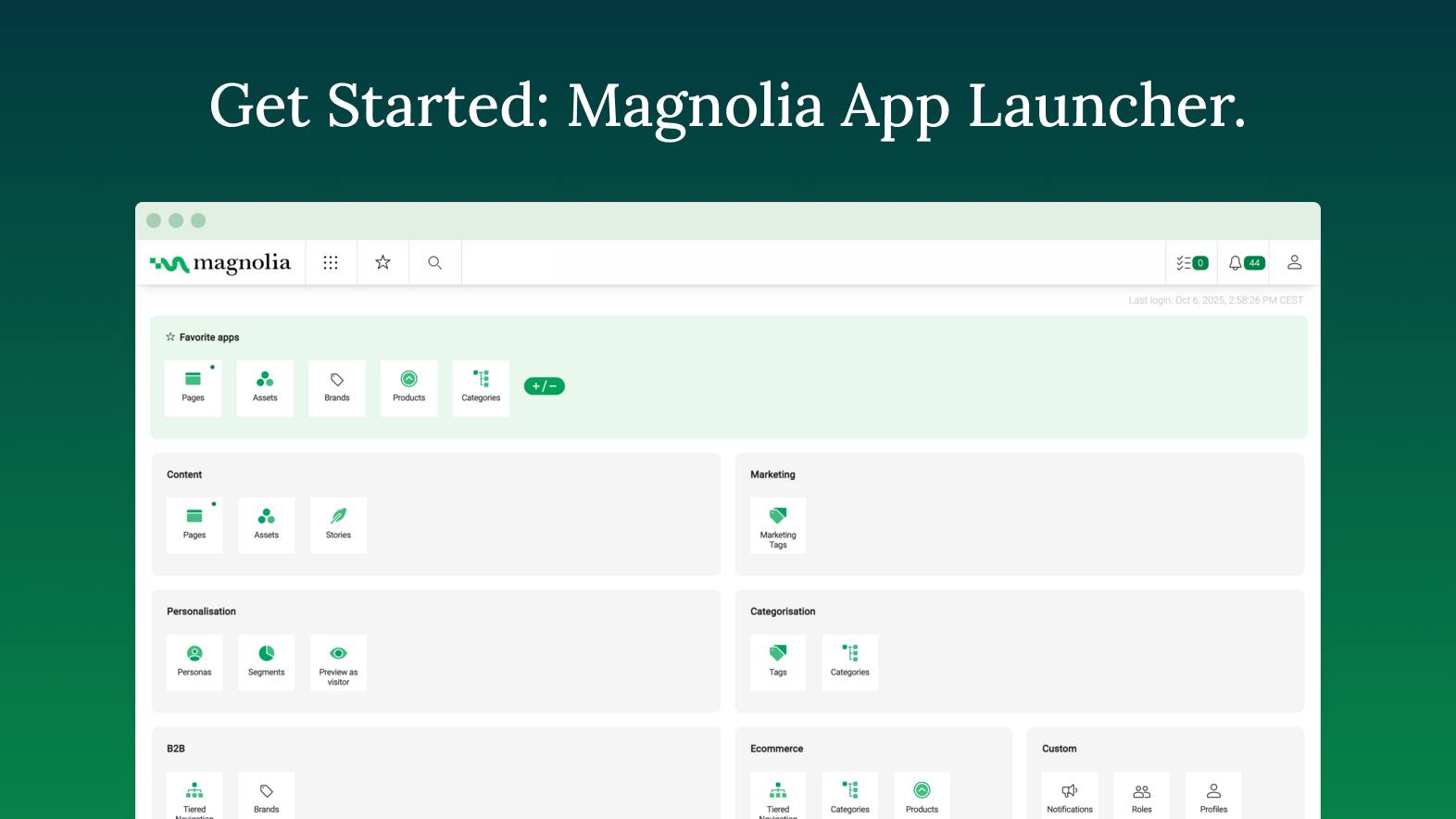
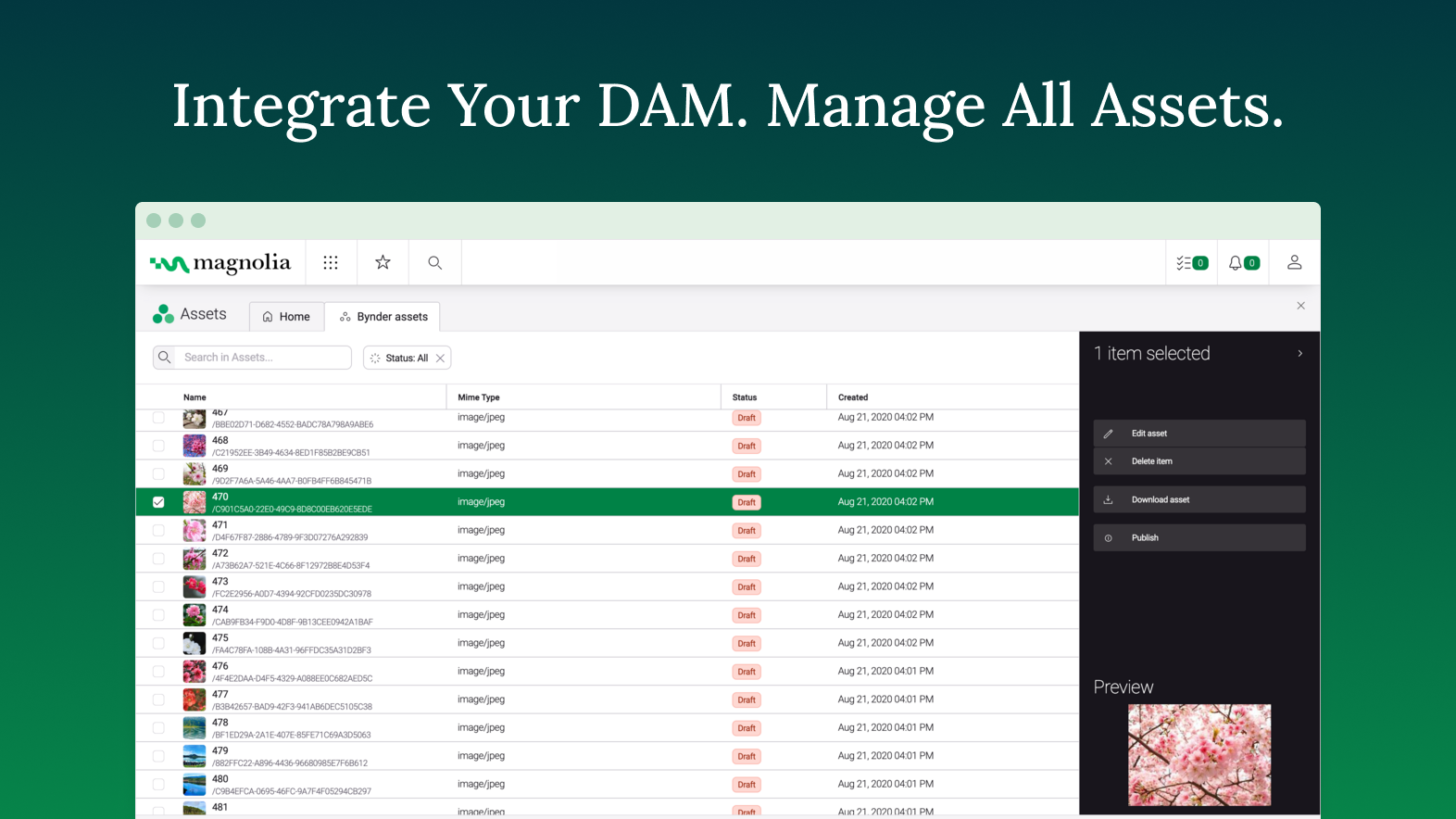
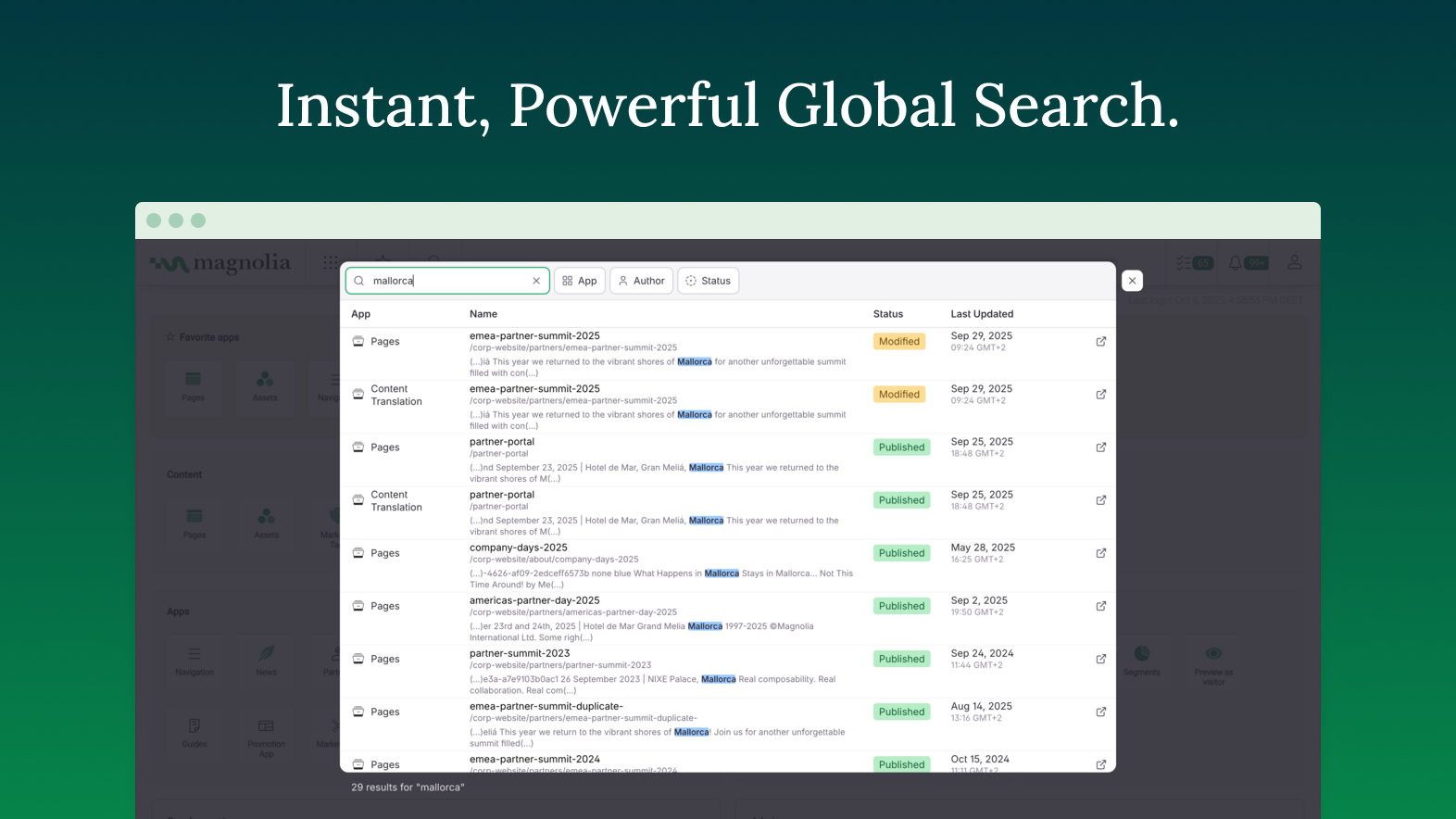
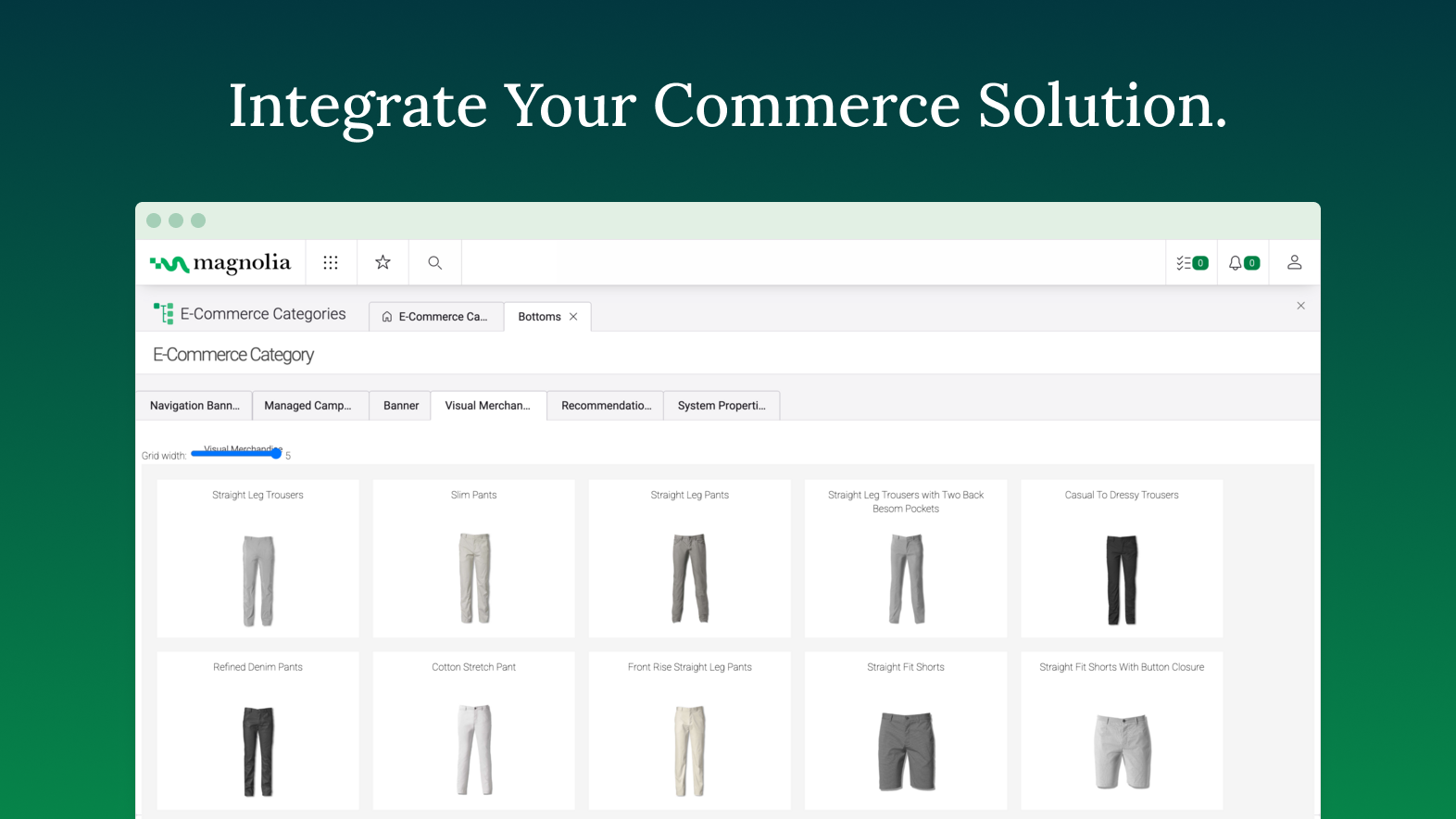
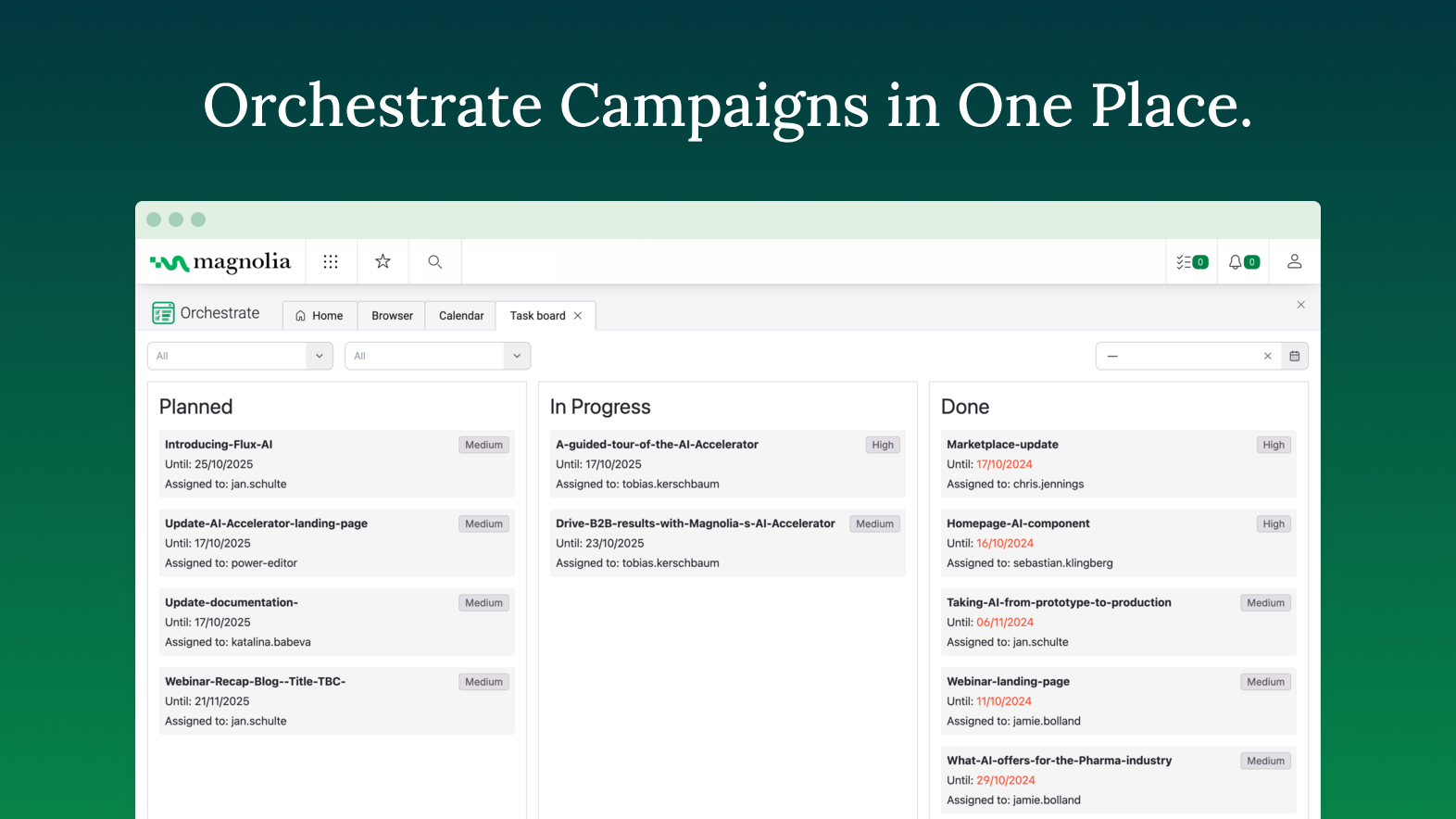
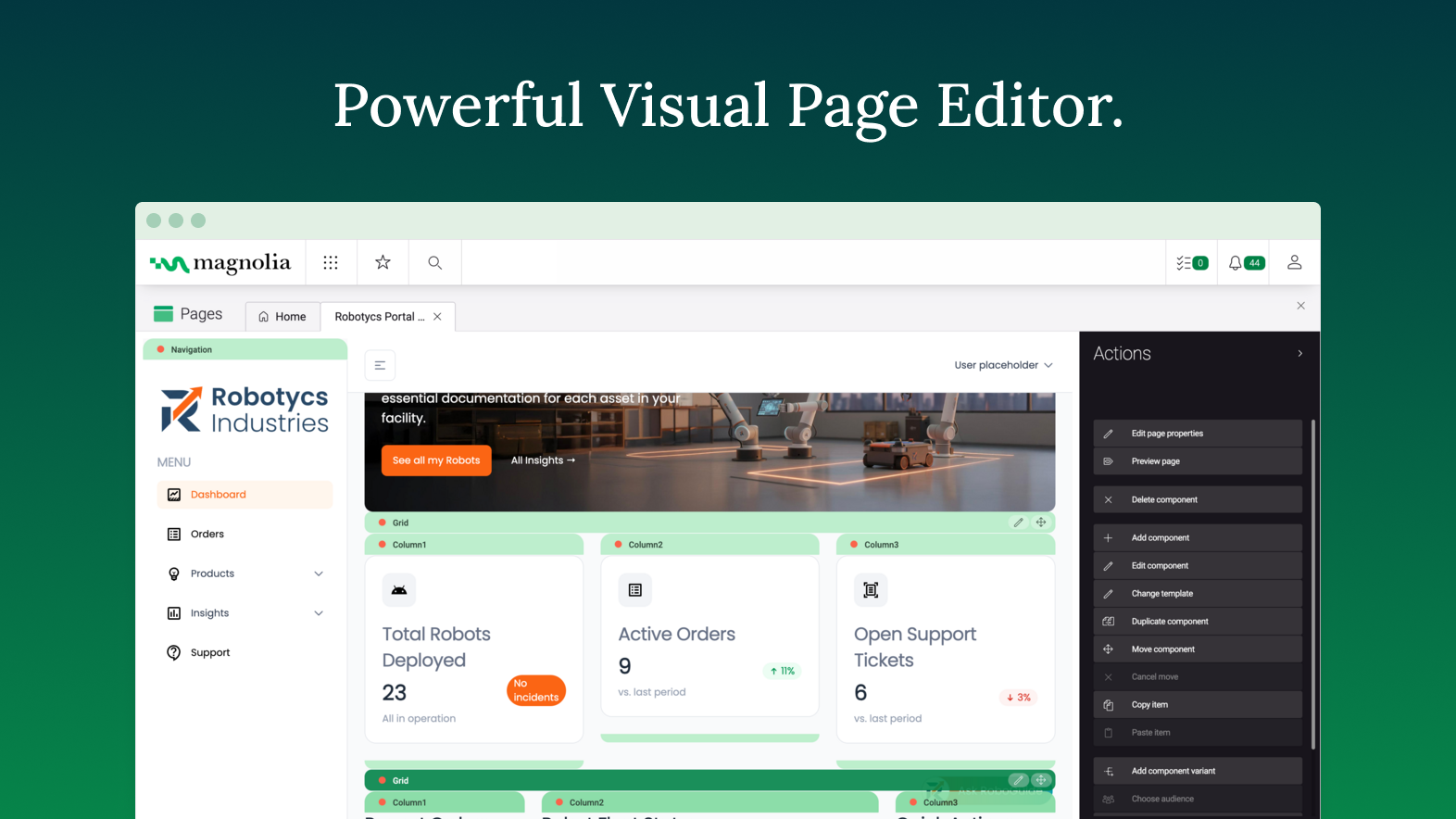
    Screenshot of the Magnolia App Launcher, used to switch between workspaces and manage pagesScreenshot of the customer experience. This brings together content and audiovisual digital assets to form more compelling digital experiences.Screenshot of global search that brings relevant content, no matter where it resides.Screenshot of customizing the ecommerce experience.Screenshot of Magnolia Orchestratem where users can manage and track campaignsScreenshot of the WYSIWYG page editor

    Planable Screenshots

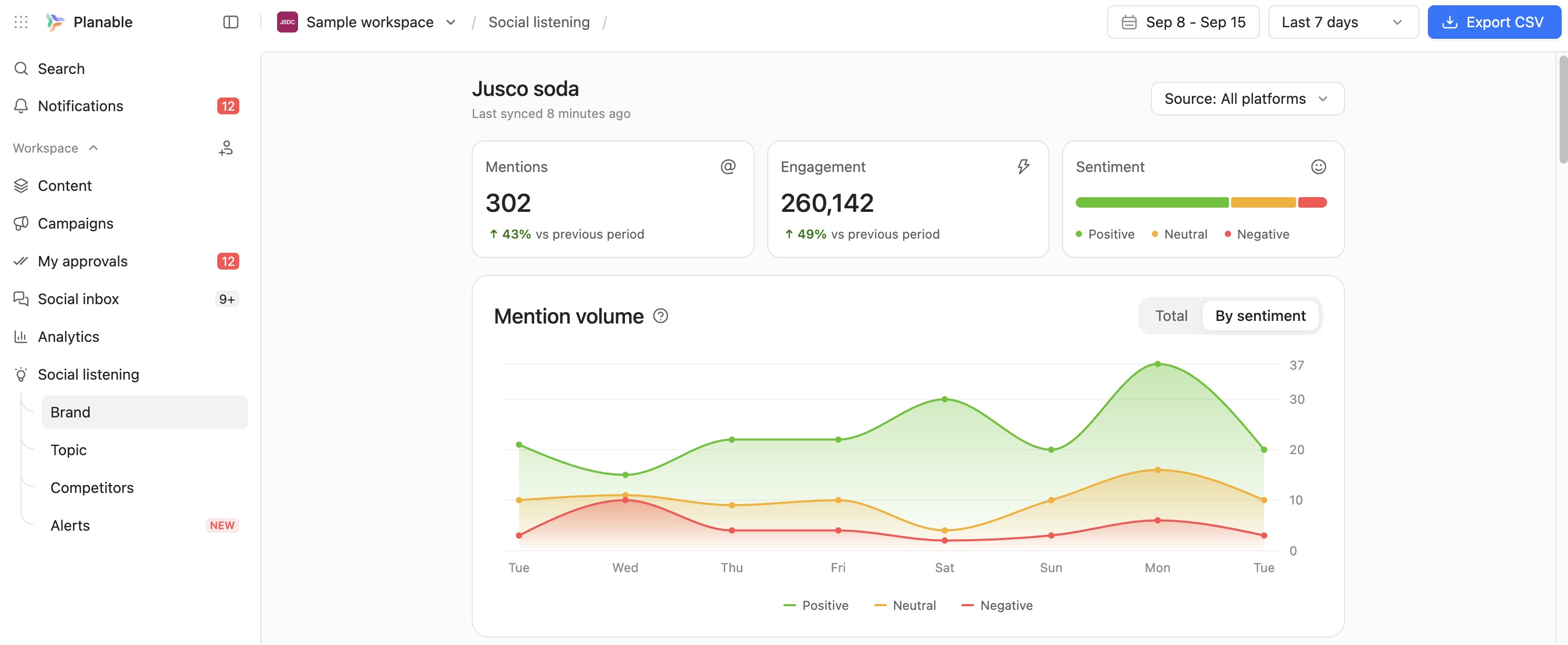
    Screenshot of Planable weekly content calendar in grid view showing scheduled posts with images, times, and platforms.Screenshot of Facebook analytics dashboard in Planable with follower growth, post count, impressions, and engagement trends.Screenshot of Planable interface showing comment thread with suggestions on a social media post draft for team collaboration.Screenshot of Approval settings panel in Planable showing user roles, toggle switches, and auto-scheduling option.Screenshot of Planable workspace permissions view showing team and client roles with customizable access for content collaboration.Screenshot of Track brand mentions and sentiment in one social listening dashboard.