JumpCloud vs. ManageEngine AD360

Overview
ProductRatingMost Used ByProduct SummaryStarting Price
JumpCloud
Score 9.2 out of 10
N/A
JumpCloud® delivers a unified open directory platform used to securely manage identities, devices, and access across an organization. With JumpCloud, IT teams and MSPs enable users to work securely from anywhere and manage their Windows, Apple, Linux, and Android devices from a single platform.
$11
per month per user
ManageEngine AD360
Score 9.2 out of 10
Mid-Size Companies (51-1,000 employees)
AD360 is an integrated identity and access management (IAM) solution for managing user identities, governing access to resources, enforcing security, and ensuring compliance.N/A
Pricing
JumpCloudManageEngine AD360
Editions & Modules
Device Management
$11
per month per user
SSO
$13
per month per user
Device Management + Identity
$15
per month per user
Core Directory
$15
per month per user
JumpCloud Platform
$22
per month per user
JumpCloud Platform Prime
$27
per month per user
Standard Edition
Custom
per year Scaled by components, domains, technicians, users, and add-ons.
Professional Edition
Custom
per year Scaled by components, domains, technicians, users, and add-ons.
Offerings
Pricing Offerings
JumpCloudManageEngine AD360
Free Trial
YesYes
Free/Freemium Version
YesYes
Premium Consulting/Integration Services
NoNo
Entry-level Setup FeeNo setup feeOptional
Additional Details18% discount for annual pricing.AD360 offers add-ons across its components, including NAS Storage and File Analysis, Governance, Risk, and Compliance, Failover and Secure Gateway Services, SMS Credits, and a unified backup add-on for AD, Entra ID, and Microsoft 365.
More Pricing Information
Community Pulse
JumpCloudManageEngine AD360
Features
JumpCloudManageEngine AD360
Identity Management
Comparison of Identity Management features of Product A and Product B
JumpCloud
8.2
13 Ratings
0% below category average
ManageEngine AD360
-
Ratings
ID-Management Access Control8.512 Ratings00 Ratings
ID Management Single-Sign On (SSO)8.812 Ratings00 Ratings
Multi-Factor Authentication8.513 Ratings00 Ratings
Password Management8.28 Ratings00 Ratings
Account Provisioning and De-provisioning7.513 Ratings00 Ratings
ID Management Workflow Automation7.59 Ratings00 Ratings
ID Risk Management8.28 Ratings00 Ratings
User Ratings
JumpCloudManageEngine AD360
Likelihood to Recommend
8.5
(13 ratings)
-
(0 ratings)
Likelihood to Renew
9.1
(2 ratings)
-
(0 ratings)
Usability
8.0
(10 ratings)
-
(0 ratings)
Support Rating
7.4
(11 ratings)
-
(0 ratings)
Implementation Rating
9.1
(1 ratings)
-
(0 ratings)
Contract Terms and Pricing Model
8.0
(8 ratings)
-
(0 ratings)
Professional Services
7.9
(3 ratings)
-
(0 ratings)
User Testimonials
JumpCloudManageEngine AD360
Likelihood to Recommend
JumpCloud
JumpCloud is least suited in situations where you have few devices, but lots of users. JumpCloud heavily focuses on the "One-User-One-Device" type of use, and does lack some of the features things like Active Directory is better suited for when having multiple users accessing one machine. Their Powershell APIs are fantastic and getting only more powerful. Lots of features are hidden behind these APIs, so admins not as familiar with Powershell would have more issues leveraging these tools. BYOD deployments are amazing, especially for macOS devices that are using Apple Business Manager and can leverage Zero Touch deployments. It is especially good at handling mixed systems, whereas other options, such as Jamf, are really suiting only for macOS, or Intune is more suited for Windows; JumpCloud managed to handle both systems well.
Read full review
ManageEngine A Div of Zoho Corporation Pvt Ltd
No answers on this topic
Pros
JumpCloud
  • User Management - The ability to control our users and set password/polices is made easy in the JC console
  • Device Management - Using JC each user is assigned to their own device with only the rights to do their job - When elevated rights are required, this is done simply via the JC console for the period of time required
  • SSO - Using JC's SAML SSO integrations we are building out our SSO offering and this is making for a much simpler daily user experience
Read full review
ManageEngine A Div of Zoho Corporation Pvt Ltd
No answers on this topic
Cons
JumpCloud
  • SSO via OpenID - Opening up their SSO from just SAML to including OpenID (OAuth) would allow us to make more use of the service and to also incorporate it into some internal testing suites
  • Time Limited User Elevation - The ability to time limit a users elevation of privileges would be a great addition
  • Extending device management to include LPA - Least Privilege Access is becoming a bigger ask from our external auditors - Being able to do this via JC would be amazing
Read full review
ManageEngine A Div of Zoho Corporation Pvt Ltd
No answers on this topic
Usability
JumpCloud
It's simple. I like how JumpCloud keeps things simple. Similar to Apple's ecosystem, they give you what you want with some extra features and bells and whistles but it doesn't take a large instruction manual to use it. They have the support system and KB articles to back up their product and learn about a feature and how to implement it
Read full review
ManageEngine A Div of Zoho Corporation Pvt Ltd
No answers on this topic
Support Rating
JumpCloud
I have rarely contacted support. When I have, the responses were within expected time frames, and easy to access. Community support is incredible, both from the JumpCloud representatives, and the user base community at large. The support pages on the website also are typically very well written and strike a nice balance between having the technical information needed, and also being easy to understand for the small business types that might not have as much of a technical background as an IT Admin.
Read full review
ManageEngine A Div of Zoho Corporation Pvt Ltd
No answers on this topic
Implementation Rating
JumpCloud
Being responsible for choosing the product after a POC and pilot we found the process to be simple and effective
Read full review
ManageEngine A Div of Zoho Corporation Pvt Ltd
No answers on this topic
Alternatives Considered
JumpCloud
Read full review
ManageEngine A Div of Zoho Corporation Pvt Ltd
No answers on this topic
Contract Terms and Pricing Model
JumpCloud
Some features would make more sense for us to be bundled by machine, instead of the user. We have fewer machines, and multiple users log into one machine, so doing something like paying per user for services like Patch Management are difficult to warrant the cost. I also feel a more complete package that includes common addon features; Patch Management and Password Manager, would be an improvement. It would also be nice if we could change packages, addons, and other billing services via self-service instead of reaching out to our account manager.
Read full review
ManageEngine A Div of Zoho Corporation Pvt Ltd
No answers on this topic
Professional Services
JumpCloud
services and professional team and support teams are good
Read full review
ManageEngine A Div of Zoho Corporation Pvt Ltd
No answers on this topic
Return on Investment
JumpCloud
  • Very easily add, or disable employee logins
  • Reduce "password fatigue" by being able to reduce password expiration requirements, and having single sign on
  • Higher security and visibility of security issues
  • Reduced onboarding time from days to minutes
  • Enabled easy reassignment of user accounts to another user via groups when employees leave
  • Quick securing of terminated users, or otherwise compromised accounts
  • Reduced user disablement time from previous manual methods requiring days, to literal minutes
Read full review
ManageEngine A Div of Zoho Corporation Pvt Ltd
No answers on this topic
ScreenShots

ManageEngine AD360 Screenshots

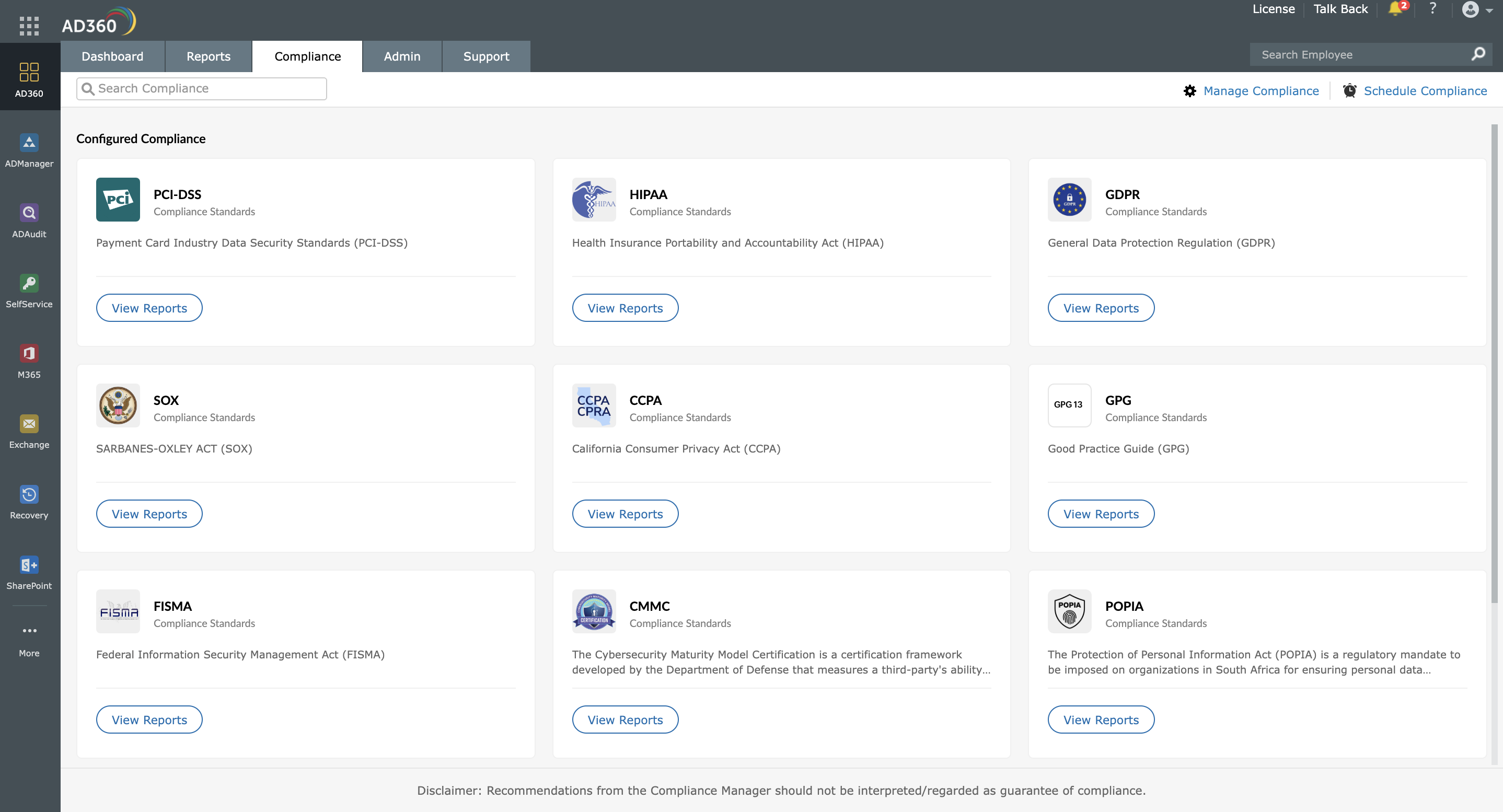
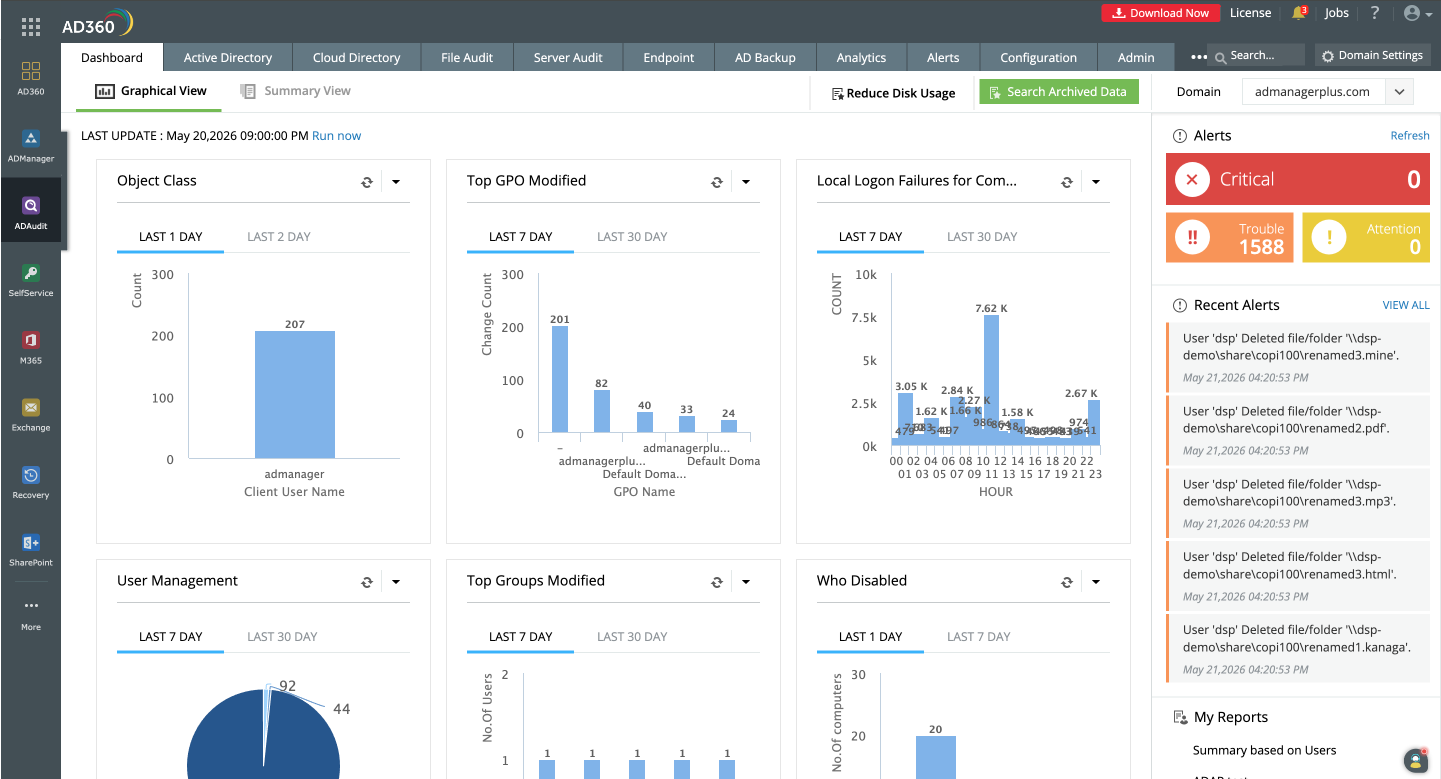
Screenshot of AD360 unifies identity, security, and compliance tools in a single, integrated console.Screenshot of One reports console for every AD360 component.Screenshot of AD360's compliance console maps audit data to major regulatory standards, making audits faster and less painful.Screenshot of Manage AD users, computers, groups, and workflows without leaving the unified view.Screenshot of Track AD changes, monitor logon activity, and respond to alerts in real time, all from AD360.